
1. Producto terminadoview
The Knightsbridge SFRJ45MW is a screwless RJ45 network outlet designed for creating wired networking points within a home or office environment. This unit features a UTP CAT5e compliant RJ45 socket with IDC terminals, ensuring reliable network connectivity. Constructed from high-quality, ultra-slim, premium-grade material, it offers a sleek and modern aesthetic. The outlet is supplied with an integral gasket and is compliant with relevant British safety standards.
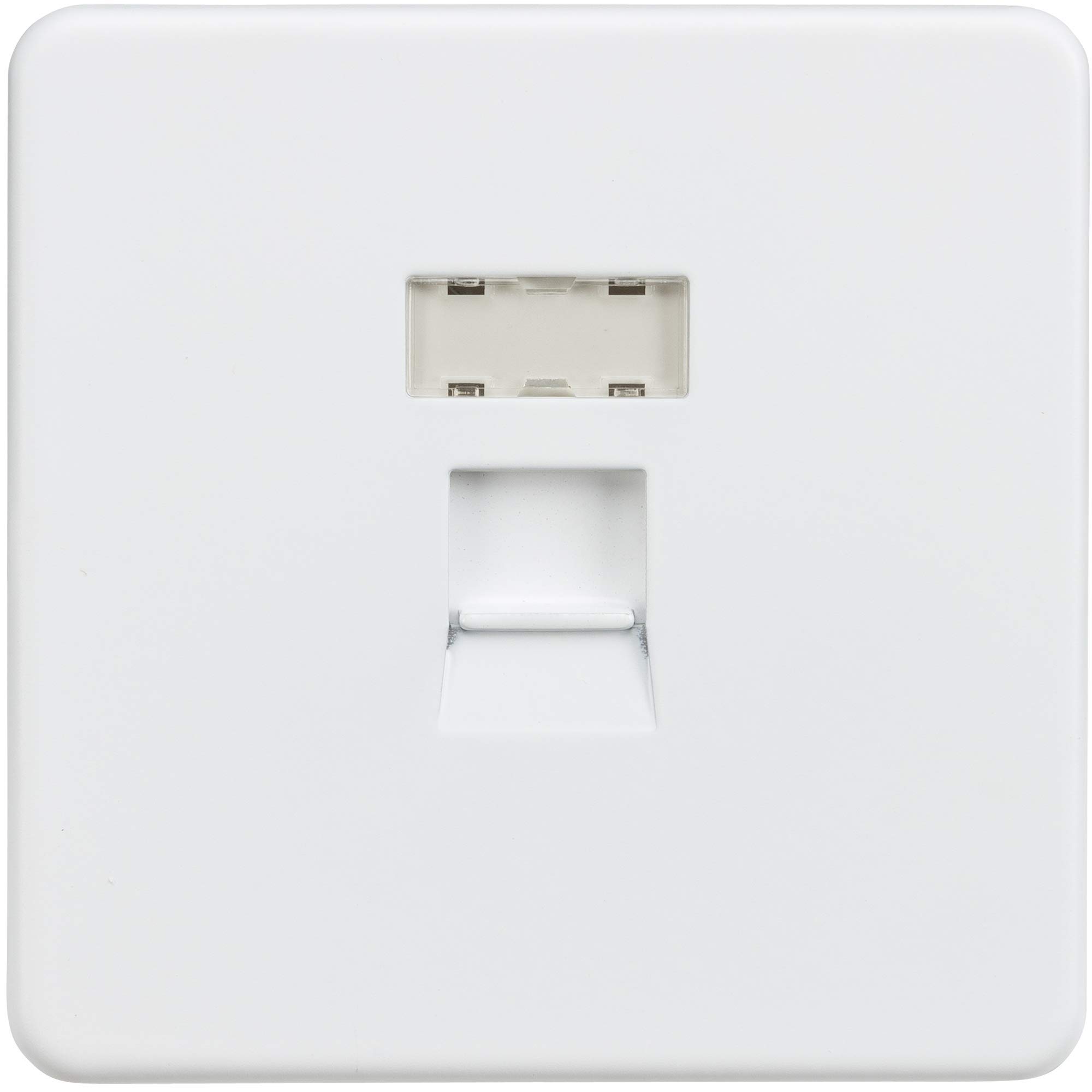
Figura 1: Knightsbridge SFRJ45MW Screwless RJ45 Network Outlet, Matt White.
2. Información de seguridad
ADVERTENCIA: Installation must be carried out by a qualified electrician in accordance with the latest wiring regulations. Always isolate the mains power supply before commencing any electrical work. Ensure all connections are secure and correctly terminated. This product is designed for indoor use only.
- No instalar en damp o condiciones húmedas.
- Ensure the mounting box is securely fixed and provides adequate depth for wiring.
- Do not exceed the specified cable gauge for IDC terminals.
3. Contenido del paquete
Verifique que todos los componentes estén presentes antes de comenzar la instalación:
- 1 x Knightsbridge SFRJ45MW Screwless RJ45 Network Outlet
- 1 x IDC Tool (for terminating network cables)
- Instrucciones de montaje
4. Instrucciones de instalación
Follow these steps for proper installation of your network outlet:
- Aislar la energía: Before starting, ensure the mains power supply to the installation area is completely isolated at the consumer unit/fuse box.
- Prepare Mounting Box: Ensure a suitable mounting box with a minimum depth of 35mm is installed and securely fixed in the desired location.
- Preparar el cable: Carefully strip the outer sheath of the UTP CAT5e network cable, exposing the twisted pairs. Do not strip too much, as this can compromise cable performance.
- Terminar cables: Using the supplied IDC tool, terminate each individual wire from the network cable into the corresponding IDC terminals on the back of the RJ45 module. Follow the wiring diagram provided (T568A or T568B standard, typically indicated on the module itself). Ensure each wire is fully seated and trimmed.
- Salida de montaje: Carefully position the wired outlet into the mounting box, ensuring no wires are pinched. Secure the outlet to the mounting box using the provided screws.
- Coloque la placa frontal: Align the screwless faceplate over the mounted outlet and gently push until it clicks securely into place.
- Restaurar energía: Una vez completada la instalación y verificadas todas las conexiones, restablezca la energía al circuito.

Figura 2: Dimensiones y parte trasera view with IDC terminals for wiring.
5. Operación
Once installed, the Knightsbridge SFRJ45MW network outlet functions as a standard RJ45 port. Simply plug a compatible network cable (e.g., CAT5e, CAT6) from your device (computer, printer, smart TV, etc.) into the front RJ45 socket of the outlet. Ensure the other end of the network cable is connected to a network switch, router, or other network device to establish a wired network connection.
6. Mantenimiento
This network outlet requires minimal maintenance. To clean the surface, gently wipe with a soft, dry cloth. Do not use abrasive cleaners, solvents, or harsh chemicals, as these can damage the finish. Ensure the faceplate remains securely attached. If the faceplate becomes loose, carefully re-attach it by pressing firmly until it clicks into place.
7. Solución de problemas
If you experience issues with your network connection through the outlet, consider the following:
- Sin conexión de red:
- Verify that the network cable connecting your device to the outlet is fully inserted and undamaged.
- Check the network cable connecting the outlet to your router/switch for proper connection and integrity.
- Ensure your network equipment (router, switch) is powered on and functioning correctly.
- If you have access to the rear wiring, ensure all IDC terminations are secure and correctly wired according to the T568A/B standard.
- Conexión intermitente:
- This can often be caused by loose or poorly terminated wires. Re-check all connections.
- Test with a different network cable to rule out cable fault.
8. Especificaciones técnicas
| Modelo | SFRJ45MW |
| Marca | Puente de Knights |
| Color | Matt White |
| Material | Premium Grade Material (Premium Grade Steel construction) |
| Tipo de conector | RJ45 (IDC terminals) |
| Dispositivos compatibles | All devices with RJ45 network ports |
| Profundidad mínima de montaje | 35 mm |
| Dimensions (H x W x P) | 87.5mm x 87.5mm x 4.3mm (Projection) |
| Tipo de terminal | IDC 24-26AWG |
| Clasificación IP | IP20 |
| Declaración de conformidad | BS 5733 |
| Fabricante | MLA |
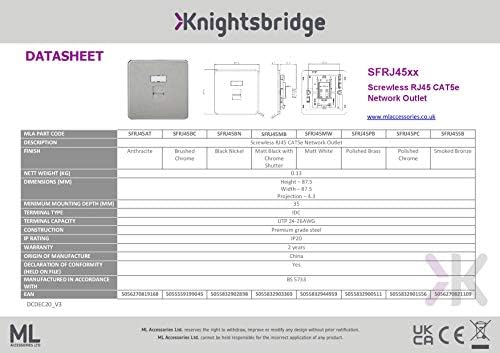
Figura 3: Product Datasheet for SFRJ45XX series, including SFRJ45MW.
9. Garantía y soporte
This Knightsbridge SFRJ45MW network outlet comes with a 2 año de garantía A partir de la fecha de compra, cubre defectos de fabricación. Conserve el comprobante de compra para reclamaciones de garantía.
For technical support or warranty inquiries, please contact the manufacturer, MLA, or your retailer. Contact details can typically be found on the product packaging or the manufacturer's official websitio.