
Introducción
Welcome to the user manual for your Nokia 130 DS TA-1017 mobile phone. This guide provides essential information for setting up, operating, maintaining, and troubleshooting your device. Please read this manual carefully to ensure proper use and to maximize your phone's capabilities.
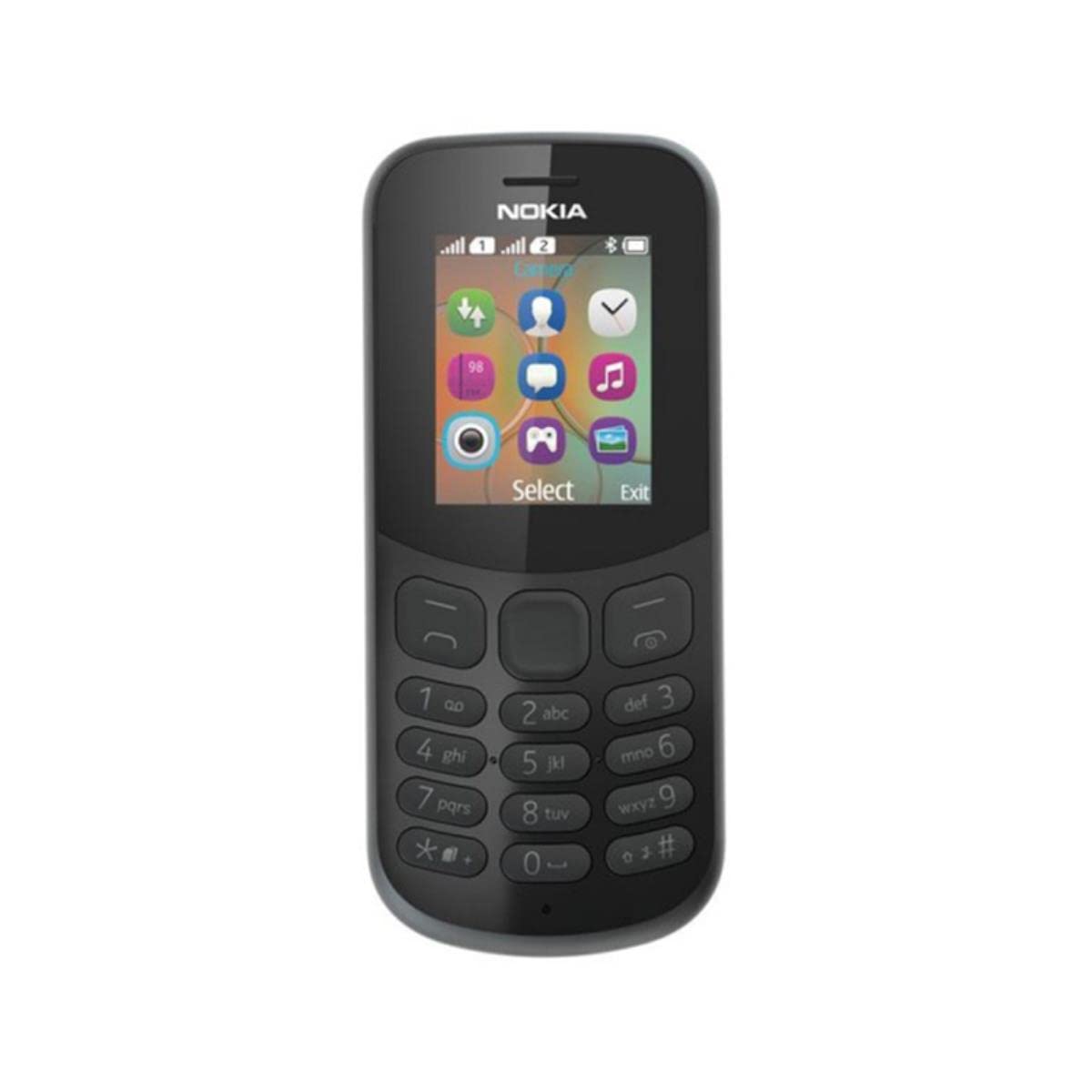
Imagen: Trasera view of the Nokia 130 DS TA-1017 mobile phone, highlighting the camera and speaker components.
Configuración
1. Insertar tarjeta(s) SIM
The Nokia 130 DS TA-1017 supports dual SIM cards. To insert a SIM card:
- Retire la cubierta trasera del teléfono.
- Si la batería está insertada, retírela.
- Slide the SIM card(s) into the designated slot(s) with the gold contacts facing down.
- Asegúrese de que las tarjetas SIM estén colocadas de forma segura en su lugar.
2. Inserte la tarjeta de memoria
To expand storage, you can insert a MicroSD card (up to 32 GB):
- With the back cover and battery removed, locate the MicroSD card slot.
- Inserte la tarjeta MicroSD en la ranura con los contactos dorados hacia abajo hasta que encaje en su lugar.
3. Insert and Charge Battery
The phone uses a removable 1020 mAh battery.
- Alinee los contactos de la batería con los contactos del teléfono y presione suavemente la batería en su lugar.
- Reemplace la cubierta trasera.
- Connect the charger to the phone's charging port and plug it into a power outlet. The phone will indicate charging status.
4. Encendido y apagado
To power on your phone, press and hold the power key until the phone vibrates or the screen lights up. To power off, press and hold the power key, then select 'Power off' from the options.
Operando su teléfono
1. Navegación básica
Your Nokia 130 DS TA-1017 runs on the Nokia S30+ operating system. Use the navigation keys and the center select key to move through menus and make selections. The left and right soft keys perform functions indicated on the screen.
2. Realización y recepción de llamadas
- Para realizar una llamada: Enter the phone number using the keypad and press the call key (green button).
- Para responder una llamada: Press the call key when the phone rings.
- Para finalizar una llamada: Press the end call key (red button).
3. Envío y recepción de mensajes
Navigate to the 'Messages' menu to compose and send SMS messages. You can also view received messages in your inbox.
4. Uso de la cámara
Your phone is equipped with a VGA camera. To use the camera, navigate to the 'Camera' application from the main menu. Use the center select key to capture photos.
5. Conexión con Bluetooth
To connect to other Bluetooth devices:
- Vaya a 'Menú' > 'Configuración' > 'Conectividad' > 'Bluetooth'.
- Activar Bluetooth.
- Seleccione 'Dispositivos emparejados' o 'Buscar audio devices' to find and connect to compatible devices.
6. Escuchar audio
The phone features a 3.5 mm headphone jack. Plug in compatible headphones to listen to music or radio privately.
Mantenimiento
1. Limpieza del dispositivo
Use a soft, lint-free cloth to clean the phone's screen and body. Avoid using harsh chemicals or abrasive materials, as these can damage the device.
2. Cuidado de la batería
- Evite exponer la batería a temperaturas extremas.
- No perfore ni dañe la batería.
- Si no va a utilizar el teléfono durante un período prolongado, guárdelo con la batería parcialmente cargada.
3. Actualizaciones de software
Periodically check for software updates to ensure your phone has the latest features and security enhancements. Refer to the phone's settings menu for update options.
Solución de problemas
Problemas comunes y soluciones
- El teléfono no se enciende: Asegúrese de que la batería esté cargada e insertada correctamente.
- No hay señal de red: Check that the SIM card is properly inserted. Move to an area with better network coverage.
- Mala duración de la batería: Reduce screen brightness, close unused applications, or replace an aging battery.
- No puedo realizar ni recibir llamadas: Verify SIM card activation and network status.
Contactar con el servicio de asistencia
If you encounter issues that cannot be resolved using the troubleshooting steps, please contact Nokia customer support or your retailer for assistance.
Presupuesto
| Característica | Especificación |
|---|---|
| Nombre del modelo | 130 DS TA-1017 |
| Dimensiones | 10.6 x 4.5 x 1.4 cm |
| Sistema operativo | Nokia S30+ |
| RAM | 4 MB |
| Memoria interna | 8 MB |
| Compatibilidad con tarjetas MicroSD | Hasta 32 GB |
| Mostrar | 1.8" TFT, 160 x 120 pixels |
| Capacidad de la batería | 1020 mAh (extraíble) |
| Conectividad | GSM (900/1800), Bluetooth |
| Cámara | VGA (Rear) |
| Toma de auriculares | 3.5 milímetros |
| Ranuras SIM | Doble SIM |
| Tiempo de conversación | Hasta 22 horas |
Garantía y soporte
For information regarding your product's warranty, please refer to the warranty card included in the product packaging or visit the official Nokia support website. Keep your proof of purchase for warranty claims. For further assistance, contact Nokia customer service.