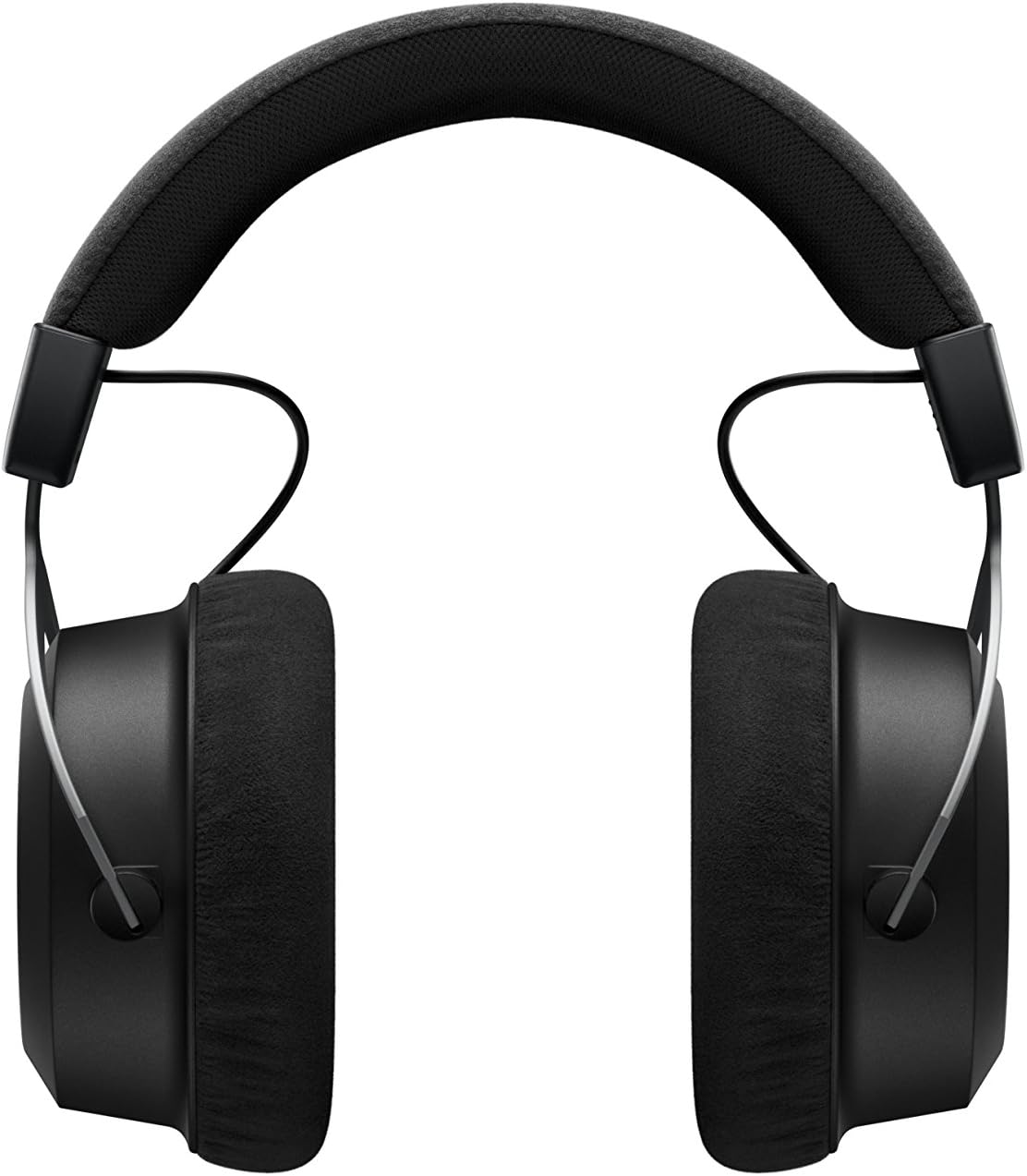
The beyerdynamic Amiron Wireless headphones are designed to provide a high-end audio experience with the freedom of wireless connectivity. These headphones integrate innovative sound personalization and Tesla technology for optimal sound quality. They are crafted with high-quality materials in Germany, ensuring durability and a comfortable fit for extended listening sessions.
¿Qué hay en la caja?
Your beyerdynamic Amiron Wireless headphones package includes the following items:
Amiron Wireless headphones
Optional wired connection cable with remote control (Mini Jack 3.5 mm, 1.2 m long, detachable, 4-pole)
Cable de carga USB-A a USB-C
Estuche rígido
Folleto de garantía
Guía de inicio rápido
Image: The Amiron Wireless headphones, charging cable, audio cable, and hard case.
Producto terminadoview
The Amiron Wireless headphones are designed for an immersive audio experience, combining advanced technology with user comfort.
Características principales:
High-end Bluetooth Connectivity: Features optimum sound quality thanks to Tesla technology and top-class Bluetooth transmission (Qualcomm aptX HD and AAC). Operating range up to 10 meters.
Personalización del sonido: Adapts acoustically to the user's hearing through an integrated sound personalization feature, ensuring a tailored audio experience.
Comodidad: Unique wearing comfort achieved through masterfully balanced contact pressure and a perfect fit, ideal for long listening sessions.
Construcción premium: Made in Germany with high-quality materials, offering durability and flawless workmanship.
Control táctil: Intuitive touch controls on the earcup for easy management of playback and calls.
Imagen: Lateral view of the Amiron Wireless headphones, highlighting the earcup design and headband.
Configuración
1. Carga de los auriculares
Before first use, ensure your Amiron Wireless headphones are fully charged. Connect the provided USB-A to USB-C charging cable to the USB-C port on the headphone and a suitable USB power source. A full charge takes approximately 2 hours and provides over 30 hours of battery life.
2. Emparejamiento Bluetooth
Para emparejar sus auriculares con un dispositivo habilitado con Bluetooth:
Asegúrese de que los auriculares estén cargados y apagados.
Press and hold the power button on the headphone until the LED indicator flashes blue and red, indicating pairing mode.
On your device (smartphone, tablet, etc.), go to Bluetooth settings and select "Amiron Wireless" from the list of available devices.
Una vez conectado, el indicador LED mostrará una luz azul fija.
3. Sound Personalization (MIY App)
For an optimized listening experience, download the beyerdynamic MIY app from the Google Play Store or Apple App Store. The app allows you to perform a hearing test and create a personalized sound profile that adapts the audio output to your individual hearing. This profile is then stored directly on the headphones.
Vídeo: Un overview of the beyerdynamic Amiron Wireless headphones, including unboxing and features like sound personalization and touch controls.
Instrucciones de funcionamiento
Controles del panel táctil
The right earcup features an integrated touchpad for intuitive control of various functions:
Control de volumen: Swipe up or down on the touchpad.
Navegación de pista: Swipe forward for the next track, backward for the previous track.
Reproducir/Pausa: Tap the center of the touchpad.
Gestión de llamadas: Tap to answer/end calls, push and hold for voice commands (Siri, Google Assistant).
The sensitivity of these touch controls can be customized via the MIY app.
Operación cableada
For a wired connection, plug the provided 3.5 mm audio cable into the headphone's audio jack and your audio source. This allows for passive use even if the battery is depleted or while charging. The inline remote on the cable provides basic playback and call controls.
Image: A user enjoying music with the Amiron Wireless headphones, demonstrating the touch controls on the earcup.
Calidad de sonido
The Amiron Wireless headphones deliver a dynamic and detailed sound profile, characterized by:
Bajo: Powerful and precise low-end with good impact, without overpowering other frequencies.
Gama media: Natural and clear, providing excellent reproduction of vocals and instruments.
Triplicar: Detailed and smooth high-end, avoiding harshness even at higher frequencies, contributing to an airy sound.
Sonidostage: Offers impressive depth and precise instrument placement, creating a spacious and immersive listening experience.
The sound personalization feature via the MIY app further enhances the audio quality by tailoring it to your unique hearing profile.
Comodidad y diseño
The Amiron Wireless headphones prioritize comfort and a robust build:
Almohadillas para los oídos: Equipped with soft, velour earpads that provide a comfortable fit and contribute to sound isolation.
Venda: Features a leatherette headband with ample padding for reduced pressure during prolonged use.
Materiales: Constructed with high-quality materials, including metal components, ensuring durability and a premium feel.
Adaptar: Designed for a balanced contact pressure and secure fit, making them suitable for home listening.
Image: A user enjoying music with the Amiron Wireless headphones in a relaxed setting, showcasing their comfortable design.
Presupuesto
Característica
Detalle
Nombre del modelo
Amiron Wireless
Tecnología de conectividad
Wireless Version (Bluetooth 4.0)
Tecnología de comunicación inalámbrica
Bluetooth
Respuesta de frecuencia
5 - 40,000 Hz
Impedancia
32 ohmios
Sensibilidad
100 dB
Duración de la batería
30 horas
Tiempo de carga
2 Hours (for 30 hours playback)
Alcance de Bluetooth
10 metros
Método de control
Tocar (Control de medios)
Control de ruido
Aislamiento de sonido
Peso del artículo
13.4 onzas
Dimensiones del producto
8.07 x 4.13 x 5.9 pulgadas
Fabricante
Beyerdynamic, Inc.
Mantenimiento
To ensure the longevity and optimal performance of your beyerdynamic Amiron Wireless headphones, follow these maintenance guidelines:
Limpieza: Utilice un paño suave y seco para limpiar los auriculares y la diadema. Evite el uso de productos químicos agresivos o materiales abrasivos.
Almacenamiento: Cuando no los utilice, guarde los auriculares en el estuche rígido provisto para protegerlos del polvo, los arañazos y los impactos.
Cuidado de la batería: Avoid fully discharging the battery frequently. For long-term storage, charge the battery to around 50% to prolong its lifespan.
Humedad: Mantenga los auriculares alejados de la humedad y temperaturas extremas.
Solución de problemas
If you encounter issues with your Amiron Wireless headphones, try the following solutions:
Sin energía: Asegúrese de que los auriculares estén completamente cargados utilizando el cable USB-C proporcionado.
No se puede emparejar a través de Bluetooth:
Asegúrese de que los auriculares estén en modo de emparejamiento (LED parpadeando en azul y rojo).
Asegúrese de que Bluetooth esté habilitado en su dispositivo.
Acerque los auriculares a su dispositivo (a menos de 10 metros).
Intente desvincular y volver a vincular los auriculares desde la configuración de Bluetooth de su dispositivo.
Sin sonido/volumen bajo:
Check the volume levels on both the headphones (via touchpad) and your connected device.
Asegúrese de que los auriculares estén correctamente emparejados.
If using the wired connection, ensure the cable is securely plugged into both the headphones and the audio source.
Distorsión de sonido:
Reduce the volume on your device and/or headphones.
Asegúrese de que no haya obstrucciones entre los auriculares y su dispositivo Bluetooth.
Garantía y soporte
The beyerdynamic Amiron Wireless headphones are manufactured in Germany using high-quality materials, offering durability and flawless workmanship. Please refer to the included warranty booklet for detailed information regarding your product's warranty coverage.
For further assistance, technical support, or service inquiries, please visit the official beyerdynamic websitio o comuníquese con su departamento de servicio al cliente.
También puedes visitar el beyerdynamic Store on Amazon para obtener información adicional sobre el producto y recursos de soporte.
Ask a question about this manual
Ask about setup, troubleshooting, compatibility, parts, safety, or missing instructions. Manuals+ will review the question and use this page’s manual context to help answer it.