
Introducción
This manual provides detailed instructions for the setup, operation, maintenance, and troubleshooting of your Dual DT 450 manual turntable. Designed for optimal audio quality, this belt-driven turntable features a high-quality wooden housing, a balanced tonearm with adjustable tracking force, and an integrated switchable phono pre-amplifier. Please read these instructions carefully before using your turntable to ensure proper function and longevity.
Producto terminadoview
The Dual DT 450 turntable is engineered to deliver an exceptional vinyl listening experience. Its robust construction and thoughtful features ensure stable playback and clear sound reproduction.
Características principales:
- Diseño: High-quality wooden housing for stable operation and a puristic aesthetic.
- Flexibilidad: Connects to traditional HiFi systems via phono or AUX input; supports two speeds (33/45 RPM).
- Pre-ampmás duradero: Built-in switchable phono pre-amplifier for easy connection.
- Sistema de captación magnética: Features an Audio Technica AT 3600 cartridge with pre-set tracking force and a dampElevador de brazo fonocaptor.
- Accesorios incluidos: Turntable unit, platter with drive belt, counterweight, platter mat, dust cover, center puck, and user manual.
Producto Views:
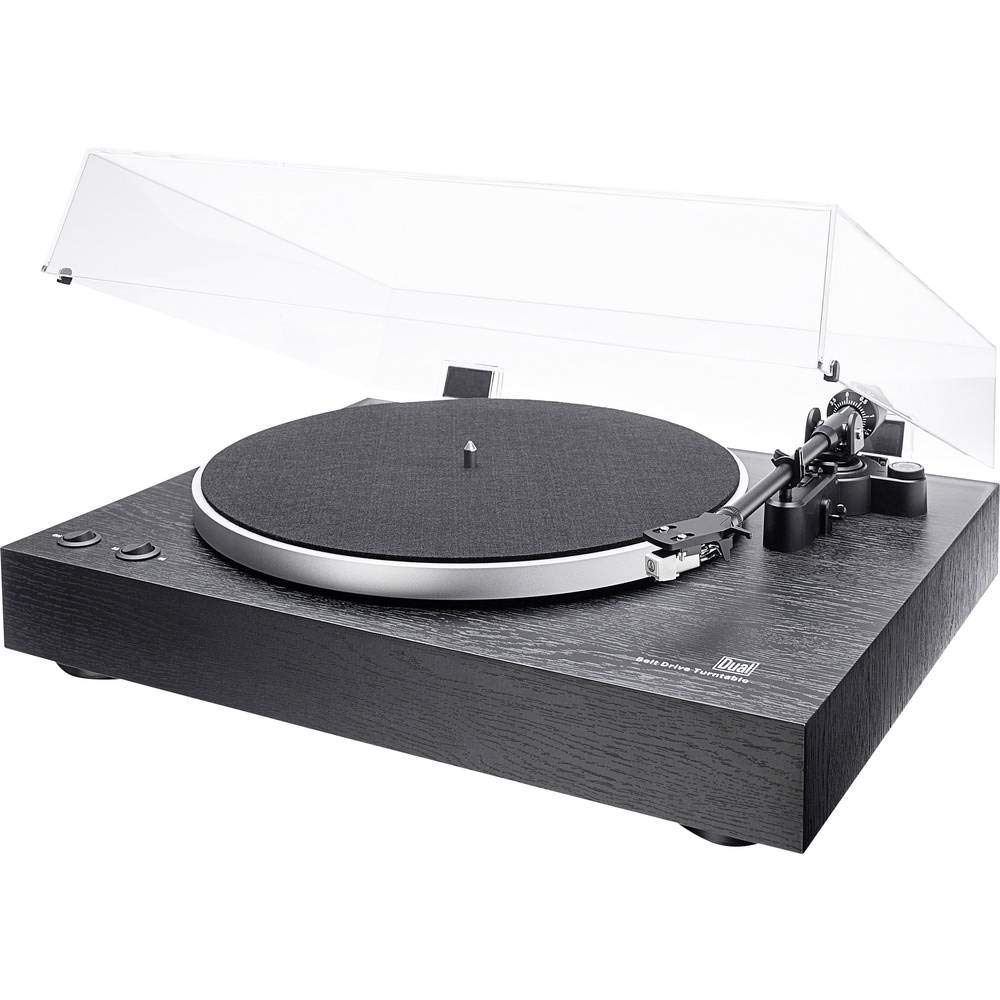
En general view of the Dual DT 450 Turntable with its dust cover.

Detallado view of the Audio Technica AT 3600 magnetic pickup system on the tonearm.

The Dual DT 450 Turntable with its transparent dust cover in the open position.

The Dual DT 450 Turntable with its transparent dust cover in the closed position, protecting the platter and tonearm.
Guía de configuración
Follow these steps to correctly set up your Dual DT 450 turntable.
- Desembalaje: Carefully remove all components from the packaging. Ensure all accessories listed in the product overview están presentes.
- Colocación: Place the turntable on a stable, level surface away from direct sunlight, heat sources, and strong vibrations.
- Instalación de plato y correa: Place the platter onto the spindle. Carefully install the drive belt around the inner rim of the platter and around the motor pulley.
- Instalación del contrapeso: Slide the counterweight onto the rear of the tonearm. Rotate it until the tonearm is balanced and floats freely. Then, adjust the counterweight to the recommended tracking force (refer to cartridge specifications, typically around 2-3 grams for the AT3600).
- Ajuste anti-patinaje: Set the anti-skating dial to match the tracking force you set. This helps prevent the stylus from skipping across the record.
- Instalación de la cubierta antipolvo: Attach the dust cover hinges to the rear of the turntable unit.
- Conexión de energía: Conecte el adaptador de corriente a la entrada de CC en la parte posterior del tocadiscos y luego conéctelo a un tomacorriente de pared.
- Conexión de audio: Connect the RCA cables from the turntable to your amplifier or receiver. Use the PHONO input if your amplifier has one and switch the turntable's internal pre-amplifier to 'OFF'. If your amplifier only has AUX/LINE inputs, switch the turntable's internal pre-amplifier to 'ON' and connect to an available AUX/LINE input. Ensure the ground wire is connected to your ampTerminal de tierra del elevador si está disponible.
Vídeo de demostración de configuración:
This video demonstrates the general setup and operation of a turntable. While it may feature a different model, the basic principles of assembly and connection are applicable to the Dual DT 450.
Instrucciones de funcionamiento
Once your Dual DT 450 is set up, follow these steps to play your vinyl records.
- Encendido: Turn the power switch to the 'ON' position. The platter will begin to rotate.
- Registro de lugar: Carefully place your vinyl record onto the platter. If playing a 45 RPM single, use the included center puck.
- Seleccionar velocidad: Choose the correct playback speed (33 or 45 RPM) using the speed selector switch.
- Brazo elevador: Use la palanca de elevación del brazo fonocaptor para levantar el brazo fonocaptor.
- Posición del brazo: Mueva suavemente el brazo sobre el surco inicial deseado del disco.
- Brazo inferior: Slowly lower the tonearm using the tonearm lift lever. The stylus will descend onto the record, and playback will begin.
- Ajustar el volumen: Ajuste el volumen en su dispositivo conectado ampamplificador o receptor al nivel de escucha deseado.
- Detener la reproducción: At the end of the record, or when you wish to stop, use the tonearm lift lever to raise the tonearm, then return it to its rest. Turn the power switch to 'OFF'.
Mantenimiento
Regular maintenance ensures optimal performance and extends the life of your turntable.
- Guardapolvo: Clean the dust cover with a soft, dry cloth. Avoid abrasive cleaners that may scratch the surface.
- Cuidado del lápiz óptico: Gently clean the stylus regularly using a soft brush designed for stylus cleaning, brushing from back to front. A dirty stylus can degrade sound quality and damage records.
- Limpieza de registros: Keep your records clean to prevent dust and debris from accumulating on the stylus and affecting playback. Use a dedicated record cleaning brush or solution.
- Limpieza general: Wipe the turntable chassis with a soft, slightly damp tela. No utilice productos químicos agresivos.
- Inspección de la correa: Revise periódicamente la correa de transmisión para detectar desgaste o estiramiento. Reemplácela si es necesario para mantener una velocidad de reproducción precisa.
Solución de problemas
If you encounter issues with your Dual DT 450, refer to the following common problems and solutions:
| Problema | Posible causa | Solución |
|---|---|---|
| No hay sonido o el sonido es muy bajo | Incorrect audio connection; Pre-amplifier switch setting; Amplifier input selection; Stylus not properly seated. | Check RCA cable connections. Ensure pre-amplifier switch is set correctly (ON for AUX, OFF for PHONO). Select the correct input on your amplifier. Verify stylus is securely attached to the cartridge. |
| Sonido distorsionado o apagado | Dirty stylus; Incorrect tracking force; Damaged stylus; Worn record. | Clean the stylus. Re-adjust tracking force. Replace the stylus if damaged. Try a different record. |
| Turntable platter not spinning | Power not connected; Drive belt dislodged or broken; Motor issue. | Ensure power adapter is connected and plugged in. Check if the drive belt is properly seated around the platter and motor pulley. If the issue persists, contact customer support. |
| Salto de récord | Dust/debris on record or stylus; Incorrect tracking force or anti-skating; Turntable not level; Damaged record. | Clean record and stylus. Re-adjust tracking force and anti-skating. Ensure turntable is on a level surface. Inspect record for damage. |
Especificaciones técnicas
| Característica | Especificación |
|---|---|
| Marca | Dual |
| Nombre del modelo | Número de serie 450 |
| Número de modelo | 75268 |
| Estilo | Tocadiscos manual |
| Color | Negro |
| Material | Madera |
| Dimensiones del producto | 43.5 x 36.7 x 14.4 cm |
| Peso del artículo | 6 kilogramos |
| Velocidad máxima de rotación | 45 RPM |
| Características especiales | Pre incorporadoamplifier, Dust cover, Adjustable speed |
| Volumentage | 12 voltios |
| Fuente de poder | CC (Gleichström) |
| Relación señal/ruido (dB) | 60 dB |
Garantía y soporte
For warranty information and customer support, please refer to the documentation included with your product or visit the official Dual webSitio. Conserve su comprobante de compra para cualquier reclamación de garantía.