
1. Introducción
Thank you for choosing the ASAKUKI Smart Wi-Fi Essential Oil Diffuser. This device combines aromatherapy with smart technology, allowing you to control it via a mobile application or voice commands. It is designed to humidify and purify the air, creating a relaxing atmosphere in your home or office.
Este manual proporciona instrucciones detalladas para el uso seguro y eficiente de su difusor. Léalo detenidamente antes de usarlo y consérvelo para futuras consultas.

Image: The ASAKUKI Smart Wi-Fi Essential Oil Diffuser is versatile for various environments, including nurseries, family rooms, bedrooms, yoga studios, and workspaces.
2. Precauciones de seguridad
Para garantizar un funcionamiento seguro y evitar daños, tenga en cuenta lo siguiente:
- Coloque siempre el difusor sobre una superficie plana y estable.
- No exceda la línea máxima de llenado de agua (500 ml).
- Utilice únicamente agua limpia del grifo o destilada. Evite el agua caliente.
- Add essential oils carefully to avoid spilling on the exterior of the unit.
- Mantenga el difusor fuera del alcance de los niños y las mascotas.
- Do not cover the mist outlet during operation.
- Desconecte el dispositivo de la toma de corriente antes de limpiarlo o rellenarlo.
- No sumerja la unidad en agua u otros líquidos.
- If the unit is damaged, do not attempt to repair it yourself. Contact customer support.
- The diffuser features an automatic shut-off when water runs out, but it is recommended to monitor water levels.
3. Contenido del paquete
Verifique que todos los artículos estén presentes en su paquete:
- ASAKUKI Smart Wi-Fi Essential Oil Diffuser (Model DF010)
- Adaptador de corriente
- Manual de usuario
- Taza medidora (puede estar incluida)
4. Producto terminadoview
Familiarize yourself with the main components of your diffuser:

Image: The ASAKUKI Smart Wi-Fi Essential Oil Diffuser, showing its sleek design and the accompanying mobile app for control.
- Tapa: Top cover of the diffuser.
- Salida de niebla: Donde se libera la niebla.
- Tanque de agua: Tiene capacidad para hasta 500 ml de agua.
- Max Water Line: Indica el nivel máximo de llenado.
- Ultrasonic Plate: Located at the bottom of the water tank, responsible for mist generation.
- Salida de aire: Located on the base.
- Drain Side: Indicated for proper water drainage.
- Botón de luz: Controla las funciones de la luz LED.
- Mist/Wi-Fi Button: Controls mist output and initiates Wi-Fi pairing.
- Conector de alimentación: Para conectar el adaptador de corriente.
5. Instrucciones de configuración
Siga estos pasos para la configuración inicial:
- Coloque el difusor: Coloque el difusor sobre una superficie plana, estable y resistente al agua.
- Retire la tapa: Gently lift the top lid off the diffuser.
- Agregar agua: Using a measuring cup, fill the water tank with clean tap water or distilled water up to the maximum water line (500ml). Do not overfill.
- Agregue aceites esenciales: Add 3-5 drops of your preferred essential oil directly into the water tank. Adjust the amount based on personal preference and room size.
- Reemplace la tapa: Securely place the lid back onto the diffuser.
- Conecte la electricidad: Plug the power adapter into the power jack at the base of the diffuser, then plug the adapter into a wall outlet.
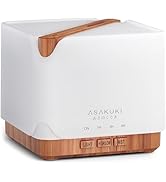
Image: Simple setup guide illustrating connecting power, app pairing, and wireless control.
6. Instrucciones de funcionamiento
6.1 controles manuales
- Control de niebla: Presione el Mist/Wi-Fi button once for continuous mist. Press again for intermittent mist (30 seconds on, 30 seconds off). Press a third time to turn off the mist.
- Control de luz: Presione el Luz button once to turn on the LED light with automatic color cycling. Press again to fix the light to a specific color. Continue pressing to cycle through colors. Press and hold the Light button to turn off the light.
6.2 Smart Wi-Fi and App Control
The diffuser can be controlled remotely using the TuyaSmart app.
- Descargar la aplicación: Buscar "TuyaSmart" in your smartphone's app store (iOS or Android) and download it.
- Registrarse/Iniciar sesión: Abra la aplicación y registre una nueva cuenta o inicie sesión si ya tiene una.
- Ingrese al modo de emparejamiento: With the diffuser plugged in, press and hold the Mist/Wi-Fi button for 5 seconds until the indicator light flashes rapidly. This indicates the diffuser is in pairing mode.
- Agregar dispositivo: In the TuyaSmart app, tap "Add Device" or the "+" icon. Select "Small Home Appliance" > "Diffuser" (Wi-Fi).
- Conectarse a Wi-Fi: Follow the in-app instructions to connect the diffuser to your 2.4GHz Wi-Fi network. Ensure your phone is also connected to the same 2.4GHz network during setup.
- Control: Once successfully paired, you can control the mist, light, set timers, and create schedules directly from the TuyaSmart app.

Image: The mobile app allows for convenient control of the diffuser's functions.
6.3 Control por voz con Alexa
The diffuser is compatible with Amazon Alexa for voice control.
- Habilitar habilidad: In the Alexa app, search for and enable the "TuyaSmart" skill.
- Cuenta de enlace: Link your TuyaSmart account to your Alexa account.
- Descubrir dispositivos: Pídale a Alexa que "Descubra dispositivos" o descúbralos manualmente en la aplicación Alexa.
- Comandos de voz: Una vez descubierto, puedes utilizar comandos como:
- "Alexa, turn on the diffuser."
- "Alexa, turn off the diffuser."
- "Alexa, set the diffuser to red."
- "Alexa, set diffuser brightness to 50%."

Image: Voice control with Alexa allows hands-free operation of the diffuser.
7. Mantenimiento
La limpieza regular ayuda a mantener un rendimiento óptimo y prolonga la vida útil de su difusor.
7.1 Limpieza
Limpie el difusor después de cada 5-6 usos o cada 3-5 días, especialmente cuando cambie los aceites esenciales.
- Desenchufar: Disconnect the diffuser from the power outlet.
- Agua vacía: Remove the lid and carefully pour out any remaining water from the drain side of the water tank.
- Limpiar con un paño: Use a soft cloth or cotton swab with a small amount of mild dish soap to gently wipe the inside of the water tank and the ultrasonic plate.
- Enjuague: Rinse the water tank with clean water, being careful not to get water into the air outlet.
- Seco: Seque todas las piezas con un paño limpio y suave.
- Deep Clean (Optional): For stubborn residue, add a small amount of white vinegar to the water tank and let it sit for 10-15 minutes before wiping and rinsing.
7.2 Almacenamiento
Cuando no lo use durante un período prolongado, asegúrese de que el difusor esté limpio y completamente seco. Guárdelo en un lugar fresco y seco, alejado de la luz solar directa.
8. Solución de problemas
Si encuentra problemas, consulte los siguientes problemas y soluciones comunes:
| Problema | Posible causa | Solución |
|---|---|---|
| Sin niebla o con poca niebla |
|
|
| El difusor no se enciende |
|
|
| No se puede conectar a Wi-Fi/aplicación |
|
|
| Fuga de agua |
|
|
9. Especificaciones
| Característica | Detalle |
|---|---|
| Marca | ASAKUKI |
| Número de modelo | DF010 |
| Capacidad | 500 mililitros |
| Dimensiones | 6" de largo x 6" de ancho x 7" de alto |
| Material | Acrilonitrilo butadieno estireno (ABS), polipropileno (PP) |
| Fuente de poder | Eléctrico con cable |
| Quétage | 10 vatios |
| Área de cobertura | Hasta 323 pies cuadrados |
| Características especiales | App Control, Automatic Shut-Off, Multiple Light Settings, Multiple Mist Settings, Voice Control (Alexa) |
| Nivel de ruido | Menos de 35 dB |
| Runtime (Full Capacity) | Up to 16 hours (on weak mist setting) |
10. Garantía y soporte
The ASAKUKI Smart Wi-Fi Essential Oil Diffuser comes with a 1-year technical support warrantyEsta garantía cubre defectos de fabricación y problemas derivados del uso normal.
For technical assistance, troubleshooting, or warranty claims, please contact ASAKUKI customer support through the retailer where you purchased the product or visit the official ASAKUKI websitio para información de contacto.
Please have your model number (DF010) and proof of purchase ready when contacting support.


