
Introducción
This manual provides detailed instructions for the setup, operation, and maintenance of your Youshiko YK YC8025-B Radio Controlled Wall Clock. This clock is designed for precise timekeeping, automatically adjusting for seasonal changes and receiving time signals specific to the UK and Ireland (MSF).
The clock features a large LCD display showing time in 12/24 hour format, date, month, day of the week, indoor temperature (Celsius or Fahrenheit), and moon phase. It also includes an alarm with a snooze function.

Figura 1: Frente view of the Youshiko YK YC8025-B Radio Controlled Wall Clock. The large LCD screen displays the current time, date, day of the week, indoor temperature, and moon phase.
Configuración
1. Instalación de la batería
- Localice la tapa del compartimiento de la batería en la parte posterior del reloj.
- Retire la cubierta.
- Insert the required batteries (not included) according to the polarity markings (+ and -) inside the compartment.
- Vuelva a colocar la tapa del compartimiento de la batería.

Figura 2: Trasero view of the clock, showing the battery compartment and control buttons (SET, ALARM, UP, DOWN, SNOOZE, WAVE).
2. Recepción de señal inicial
After battery installation, the clock will automatically begin searching for the radio time signal. This clock is designed for the UK and Ireland (MSF signal).
- Place the clock near a window or in an open area to optimize signal reception.
- The signal reception icon (often a tower with waves) on the display will flash during the search.
- Once the signal is successfully received, the clock will automatically set the correct time, date, and day, and the signal icon will become solid. This process may take several minutes.
Note: For optimal signal reception, avoid placing the clock near electronic devices that may cause interference.
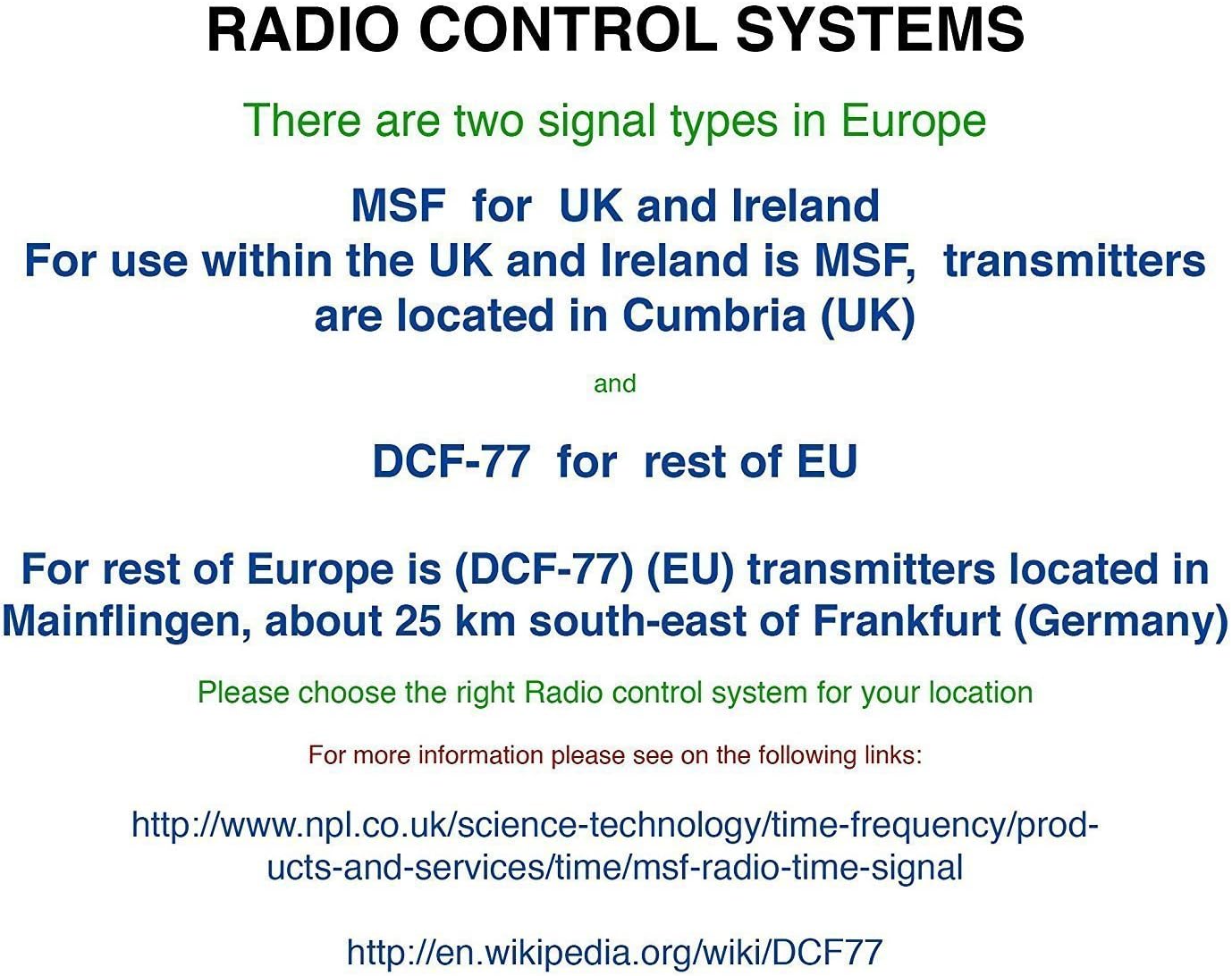
Figura 3: Explanation of radio control systems. The Youshiko YK YC8025-B uses the MSF signal for the UK and Ireland.
Instrucciones de funcionamiento
1. Mostrar información
La gran pantalla LCD proporciona la siguiente información:
- Tiempo: Hora actual en formato de 12 horas (con indicador AM/PM) o 24 horas.
- Fecha: Día y mes.
- Día de la semana: Abbreviated day name.
- Temperatura interior: Measured in Celsius (°C) or Fahrenheit (°F).
- Fase lunar: Representación gráfica de la fase lunar actual.
- Icono de señal: Indicates radio signal reception status.
- Icono de alarma: Indica si la alarma está activa.
2. Setting Time and Date Manually (if needed)
While the clock is radio-controlled, manual adjustments may be necessary in certain situations (e.g., outside signal range).
- Mantenga pulsado el COLOCAR botón hasta que la pantalla comience a parpadear.
- Utilice el UP or ABAJO Botones para ajustar el valor intermitente (por ejemplo, hora, minuto, año, mes, día).
- Prensa COLOCAR nuevamente para confirmar la configuración y pasar al siguiente elemento ajustable.
- Repeat until all desired settings are configured. The clock will exit setup mode automatically after a period of inactivity or by pressing COLOCAR repeatedly until the normal display returns.
3. 12/24 Hour Format and Temperature Unit
- Para cambiar entre el formato de hora de 12 horas y 24 horas, presione el botón UP Botón durante la visualización de la hora normal.
- To switch between Celsius (°C) and Fahrenheit (°F) for temperature display, press the ABAJO Botón durante la visualización de la hora normal.
4. Alarm Setting and Snooze
- Presione el ALARMA Presione el botón una vez para mostrar la hora de alarma actual.
- Mantenga pulsado el ALARMA Botón hasta que la hora de la alarma comience a parpadear.
- Utilice el UP or ABAJO buttons to adjust the alarm hour and then the alarm minute.
- Prensa ALARMA again to confirm and activate the alarm. The alarm icon will appear on the display.
- Cuando suene la alarma, presione el DORMITAR Botón para silenciarla temporalmente. La alarma volverá a sonar después de unos minutos.
- Para apagar la alarma por completo, presione cualquier otro botón (por ejemplo, ALARMA, COLOCAR) when it is sounding or when the snooze is active.
5. Manual Signal Search
If the clock fails to receive the radio signal automatically, you can initiate a manual search.
- Presione el OLA botón.
- The signal icon will flash, indicating the clock is searching for the radio signal.
- Allow several minutes for the clock to attempt synchronization.
Mantenimiento
1. Reemplazo de la batería
Cuando la pantalla se oscurece o el reloj deja de funcionar, es hora de reemplazar las pilas.
- Abra el compartimento de las pilas en la parte posterior del reloj.
- Retire las baterías viejas.
- Inserte pilas nuevas, asegurándose de que tengan la polaridad correcta.
- Close the battery compartment. The clock will then attempt to re-synchronize with the radio signal.
2. Limpieza
- Limpie la superficie del reloj con un paño suave y seco.
- Do not use abrasive cleaners or chemical solvents, as these can damage the display or casing.
Solución de problemas
- No Time Display / Incorrect Time:
- Asegúrese de que las baterías estén correctamente instaladas y no agotadas. Reemplácelas si es necesario.
- Check signal reception. Move the clock to a location with better reception, away from electronic interference.
- Initiate a manual signal search by pressing the OLA botón.
- Verify that you are within the MSF signal range (UK and Ireland).
- Tenue pantalla:
- Reemplace las baterías por otras nuevas.
- La alarma no suena:
- Asegúrese de que la alarma esté activada (icono de alarma visible en la pantalla).
- Compruebe que la hora de la alarma esté configurada correctamente.
Presupuesto
| Marca | Yoshiko |
| Número de modelo | YK YC8025-B |
| Color | Negro |
| Dimensiones (L x An x Al) | 23 x 16 x 3 cm |
| Peso | 30 gramos |
| Material | Plástico, vidrio |
| Tipo de pantalla | Digital |
| Características especiales | Temperature Display, Alarm, Moon Phase, Radio Controlled |
| Fuente de poder | Funciona con pilas (pilas no incluidas) |

Figura 4: Dimensions of the Youshiko YK YC8025-B Radio Controlled Wall Clock.