
TP-Link Deco X20
TP-Link Deco X20 AX1800 Whole Home Mesh Wi-Fi System User Manual
Modelo: Deco X20
Introducción
The TP-Link Deco X20 AX1800 Whole Home Mesh Wi-Fi System provides seamless Wi-Fi 6 coverage throughout your home. This system replaces traditional routers and Wi-Fi extenders, offering faster connections, increased capacity, and reduced latency for a superior online experience. It includes features like HomeCare for security and parental controls, and is compatible with Alexa for voice control.
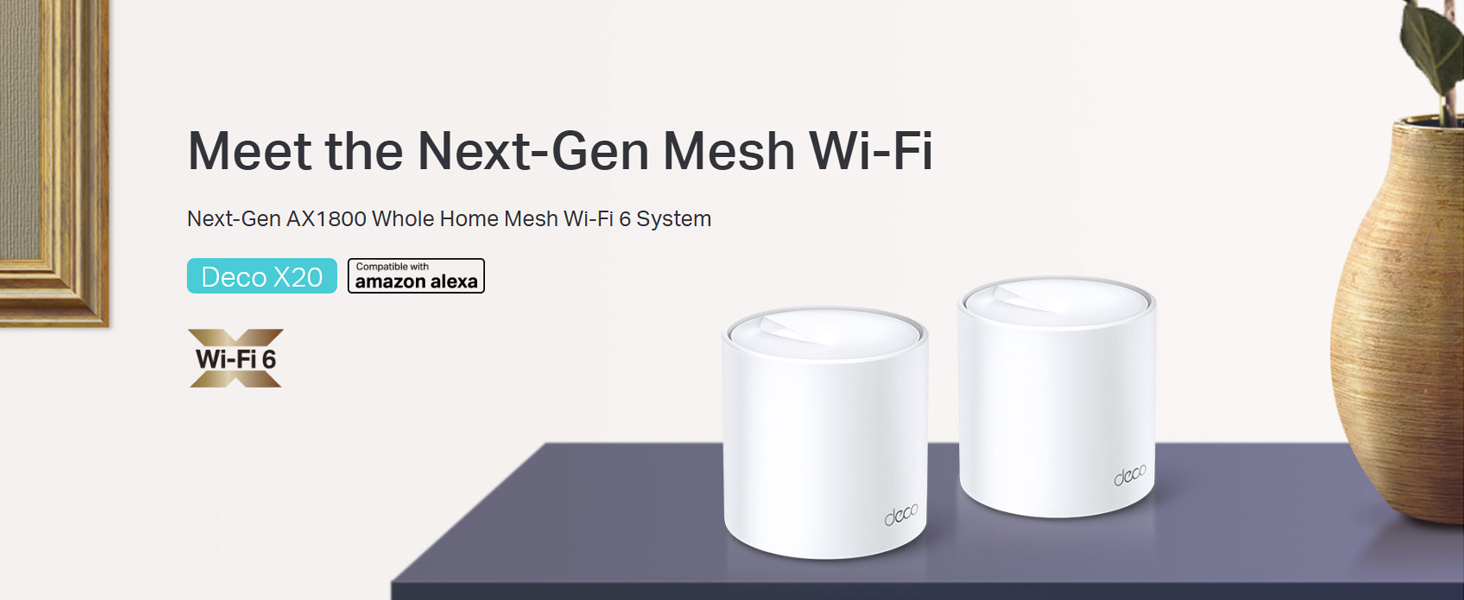
Image: Two TP-Link Deco X20 units on a table, showcasing el diseño del producto.
¿Qué hay en la caja?
The Deco X20 (2-Pack) system typically includes the following components:
- 2 x Deco X20 Unidades
- 1 cable Ethernet RJ45
- 2 x adaptadores de corriente
- 1 x Guía de instalación rápida

Image: The TP-Link Deco X20 (2-Pack) retail box, displaying the included items.
Guía de configuración
Setting up your TP-Link Deco X20 system is designed to be straightforward using the Deco app. Follow these steps for initial installation:
- Descarga la aplicación Deco: Buscar "TP-Link Deco" in the App Store (iOS) or Google Play Store (Android) and install the application on your smartphone or tablet.
- Conecte la unidad de decoración principal:
- Apague su módem.
- Conecte una unidad Deco a su módem usando el cable Ethernet provisto.
- Encienda el módem y luego la unidad Deco. Espere a que el LED de la unidad Deco parpadee en azul.
- Inicie la aplicación Deco: Open the Deco app and follow the on-screen instructions to create a TP-Link ID and set up your main Deco unit.
- Añadir unidades decorativas adicionales: Once the main unit is configured, the app will guide you through adding the remaining Deco units. Place them strategically around your home for optimal coverage.
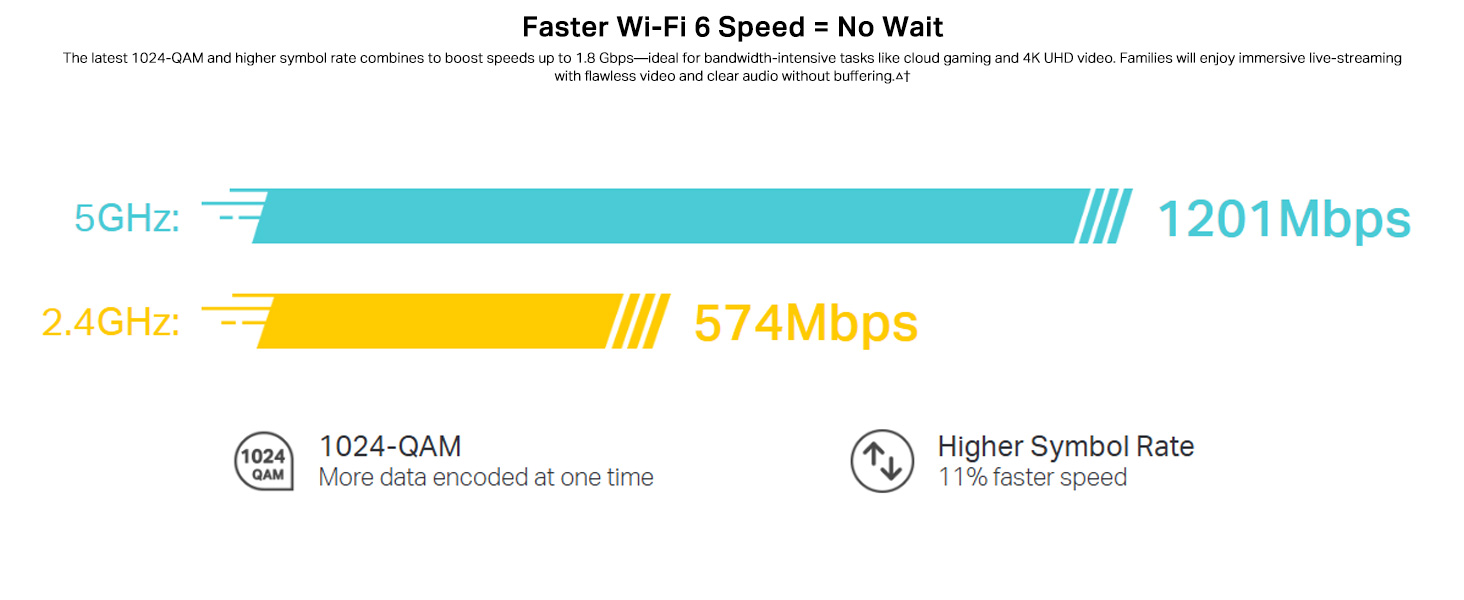
Image: Visual guide for setting up the Deco X20 system via the Deco mobile application.
Instrucciones de funcionamiento
The TP-Link Deco X20 system operates as a unified network, providing seamless Wi-Fi coverage. Management is primarily done through the Deco mobile application.
Deco App Features:
- Gestión de red: View connected devices, prioritize network traffic (QoS), and manage guest networks.
- Controles parentales: Set time limits, block inappropriate content, and monitor online activity for family members.
- Antivirus (HomeCare/HomeShield): Protect your network and connected devices from malicious threats.
- Actualizaciones de firmware: The app facilitates easy firmware updates to ensure your system has the latest features and security enhancements.
- Control de voz: Integrate with Amazon Alexa for convenient voice commands to manage your Wi-Fi.

Imagen: La interfaz de la aplicación Deco, que muestra varias funciones de control y monitoreo.
Roaming sin interrupciones:
The Deco system creates a single Wi-Fi network name (SSID) throughout your home. As you move, your devices automatically connect to the Deco unit with the strongest signal, ensuring an uninterrupted connection.
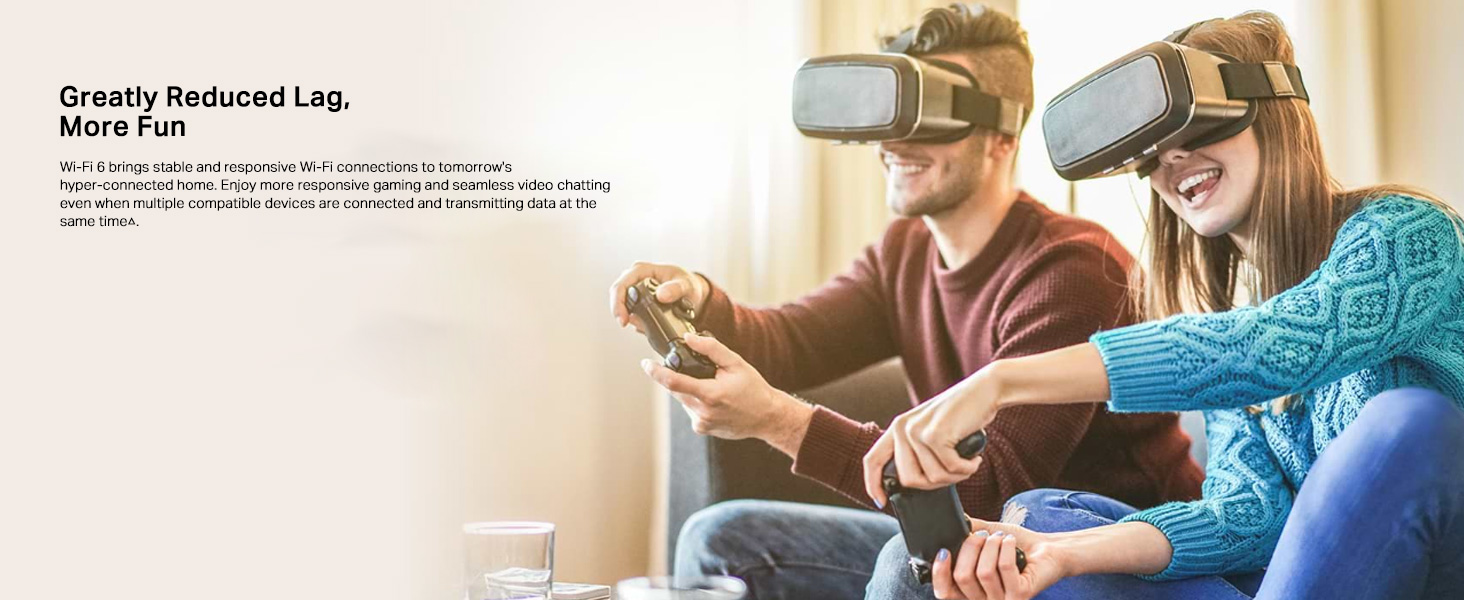
Image: Comparison of seamless roaming with Deco versus a traditional router and extender setup.
Características principales
- Wi-Fi 6 Technology (802.11ax): Provides faster speeds up to 1800 Mbps (1201 Mbps on 5GHz and 574 Mbps on 2.4GHz), increased capacity, and reduced network congestion.
- Whole Home Mesh Coverage: Eliminates Wi-Fi dead zones, covering up to 4000 sq ft with a 2-pack system.
- Conectar más dispositivos: OFDMA and MU-MIMO technologies allow simultaneous data transmission to multiple devices, supporting over 150 connected devices without performance degradation.
- Latencia ultrabaja: Enhances responsiveness for gaming and video calls.
- TP-Link HomeCare/HomeShield: Offers comprehensive network security, robust parental controls, and Quality of Service (QoS) for a safer and optimized online experience.
- Malla impulsada por IA: The system intelligently learns your network environment and user behavior to optimize Wi-Fi performance continuously.
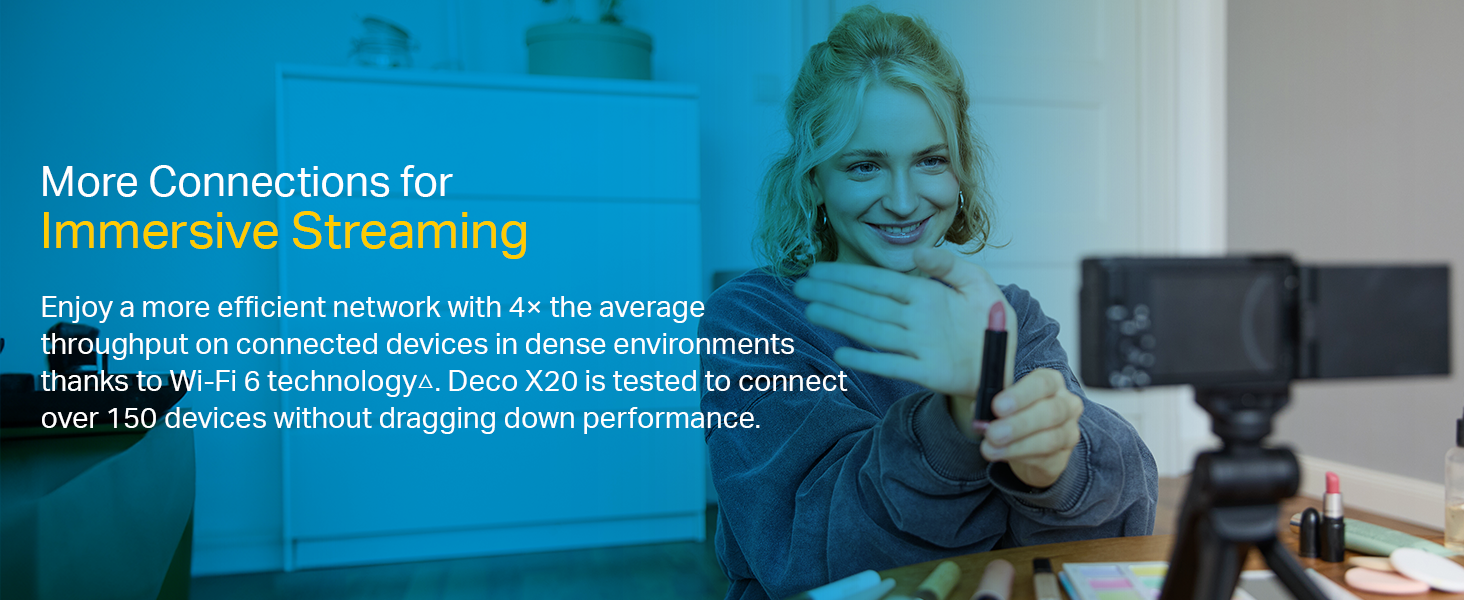
Image: Infographic highlighting the advantages of Wi-Fi 6, such as speed and efficiency.
Mantenimiento
To ensure optimal performance and security of your Deco X20 system, consider the following maintenance practices:
- Actualizaciones periódicas de firmware: Check the Deco app periodically for available firmware updates. Installing updates ensures you have the latest security patches and performance improvements.
- Colocación óptima: Ensure Deco units are placed in open areas, away from obstructions like large metal objects, thick walls, and other electronic devices that may cause interference.
- Limpieza: Keep the Deco units clean and free from dust to prevent overheating and maintain proper airflow. Use a soft, dry cloth for cleaning.
- Monitoreo de red: Use the Deco app to monitor network activity and identify any unusual behavior or unauthorized devices.
Solución de problemas
Si tiene problemas con su sistema Deco X20, pruebe los siguientes pasos de solución de problemas:
- Sin conexión a Internet:
- Comprueba si tu módem funciona correctamente.
- Asegúrese de que el cable Ethernet entre la unidad Deco principal y el módem esté conectado de forma segura.
- Reinicie su módem y la unidad Deco principal.
- Señal Wi-Fi débil o zonas muertas:
- Reubique las unidades Deco más cerca unas de otras o hacia áreas con señales débiles.
- Ensure there are no major physical obstructions (e.g., thick concrete walls) between Deco units.
- Consider adding another Deco unit if coverage is still insufficient.
- Estado del LED de la unidad Deco:
- Verde sólido: Deco está funcionando normalmente.
- Azul pulsante: Deco está listo para ser instalado.
- Rojo sólido: Deco tiene un problema (por ejemplo, no tiene conexión a Internet).
- Rojo pulsante: Deco is disconnected from the main unit.
- Cannot Connect to Deco App:
- Ensure your smartphone is connected to the Deco Wi-Fi network.
- Restart the Deco app.
- Reinstall the Deco app if the issue persists.
Para obtener más ayuda, consulte el soporte de TP-Link. websitio o póngase en contacto con el servicio de atención al cliente.
Presupuesto
| Característica | Detalle |
|---|---|
| Marca | TP-Link |
| Nombre del modelo | Decoración X20 |
| Estándar inalámbrico | 802.11ax (Wi-Fi 6) |
| Clase de banda de frecuencia | Doble banda (2.4 GHz y 5 GHz) |
| Velocidad de transferencia de datos (máx.) | 1800 Mbps (1201 Mbps en 5 GHz, 574 Mbps en 2.4 GHz) |
| Cobertura | Hasta 4000 pies cuadrados (2 paquete) |
| Número de puertos | 2 puertos Gigabit Ethernet por unidad Deco |
| Protocolo de seguridad | WPA-PSK, WPA2-PSK, WPA3 |
| Método de control | Deco App, Amazon Alexa |
| Dimensiones (L x An x Al) | 11L x 11W x 11.4H Centímetros |
| Sistema operativo | RouterOS (internal) |
| Memoria RAM instalada | 16 GB (Note: This value is from the provided product data and may refer to flash storage or a specific component, as typical router RAM is lower.) |
Garantía y soporte
Información de garantía:
The TP-Link Deco X20 comes with a 3 año de garantía. For any product quality related issues, it is recommended to reach out to TP-Link's customer service support for resolution.
Atención al cliente:
For technical support, warranty claims, or general inquiries, please contact TP-Link customer service:
- Número gratuito: 1800-209-4168
- Correo electrónico: soporte.in@tp-link.com
- Dirección del fabricante: TP-Link Systems Inc. 10 Mauchly, Irvine, CA 92618, USA or TP-Link India Private Limited Office No.1, Tower 2, Level 2, Raiaskaran Tech Park, Andheri Kurla Road, M.V Road, Andheri East-400072
Please retain your proof of purchase for warranty services.
Información importante de seguridad
- Do not expose the device to water or humidity.
- No intente desmontar ni reparar el dispositivo usted mismo.
- Utilice únicamente los adaptadores de corriente proporcionados.
- Ensure proper ventilation around the Deco units to prevent overheating.
Documentos relacionados - Decoración X20
 |
Guía de productos de TP-Link: Soluciones integrales de redes Wi-Fi 6 y malla Explore la extensa guía de productos de TP-Link que presenta lo último en Wi-Fi 6, sistemas Wi-Fi Mesh, conectividad 5G y tecnologías para hogares inteligentes diseñadas para redes domésticas y SOHO confiables y sin inconvenientes. |
 |
Guía del usuario del sistema Wi-Fi 6 en malla para toda la casa TP-Link Deco X20 AX1800 Guía de usuario completa para el sistema Wi-Fi 6 en malla para toda la casa TP-Link Deco X20 AX1800, que cubre la configuración, las características, la administración y la resolución de problemas para un rendimiento óptimo de la red doméstica. |
 |
Guía del usuario del sistema Wi-Fi 6 en malla VDSL para toda la casa TP-Link Deco X20-DSL AX1800 Guía de usuario completa para el sistema Wi-Fi 6 en malla VDSL para toda la casa TP-Link Deco X20-DSL AX1800, que cubre la configuración, funciones como HomeShield y resolución de problemas. |
 |
Guía del usuario del TP-Link Deco M5 AC1300: Sistema Wi-Fi en malla para toda la casa Guía de usuario completa del sistema Wi-Fi Mesh para toda la casa TP-Link Deco M5 AC1300. Descubre su configuración y funciones como roaming continuo, control parental, antivirus y optimización de red. |
 |
Guía de instalación rápida de TP-Link Deco: configuración de Wi-Fi Mesh Esta guía proporciona instrucciones para configurar su sistema Wi-Fi Mesh TP-Link Deco, incluyendo el estado de los LED, información de seguridad y detalles de la garantía. Aprenda a conectar y configurar su red. |
 |
Guía del usuario del sistema Wi-Fi en malla inteligente TP-Link Deco M9 Plus AC2200 A comprehensive user guide for the TP-Link Deco M9 Plus AC2200 Smart Home Mesh Wi-Fi System, covering setup, app features, parental controls, antivirus, and regulatory information. |
Ask a question about this manual
Ask about setup, troubleshooting, compatibility, parts, safety, or missing instructions. Manuals+ will review the question and use this page’s manual context to help answer it.