
1. Introducción
This manual provides detailed instructions for the safe and efficient operation of your Pyramid Universal Compact Bench Power Supply, model PS12KX.5. This linear regulated power supply is designed to convert 115V AC input to a constant 13.8V DC output, providing up to 10 amps continuous and 12 amps surge current. It is suitable for various applications including powering cellular phones, CB radios, scanners, and HAM radios.
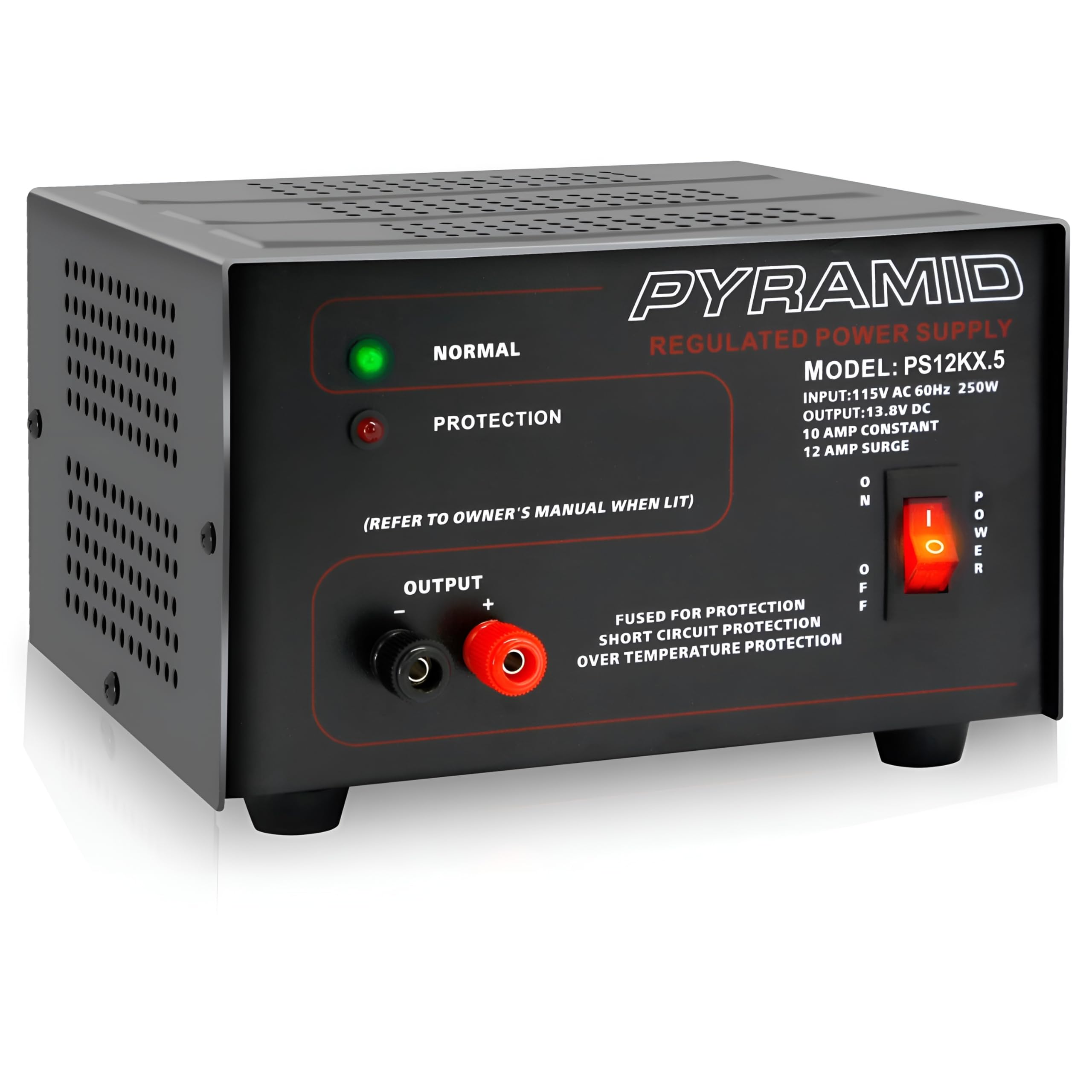
Imagen 1.1: Frente view of the Pyramid PS12KX.5 Bench Power Supply.
Para una visión más ampliaview del producto, mire el siguiente video:
Vídeo 1.1: Producto oficial terminadoview of the Pyramid Universal Compact Bench Power Supply.
2. Instrucciones de seguridad importantes
- Lee todas las instrucciones: Before operating the power supply, read and understand all safety and operating instructions.
- Solamente para uso en interiores: This unit is designed for indoor use in dry locations. Do not expose it to rain or moisture.
- Ventilación adecuada: Ensure adequate ventilation around the unit. Do not block ventilation openings. The built-in cooling fan requires clear airflow.
- Fuente de energía: Connect the power supply only to a 115V AC, 60Hz outlet.
- Toma de tierra: Asegúrese de que el cable de alimentación esté correctamente conectado a tierra.
- Evite la sobrecarga: Do not exceed the rated output current of 10 amps continuo o 12 amps surge. Overloading can cause damage to the unit and connected devices.
- Protección contra cortocircuitos: The unit features electronic overload and short circuit protection. In case of a short circuit, the unit will automatically protect itself. Remove the short and cycle the power to reset.
- Temperatura: Do not operate the unit in excessively hot environments. The internal cooling fan helps manage temperature.
- Servicio: No intente reparar esta unidad usted mismo. Encargue cualquier reparación a personal técnico cualificado.
3. Producto terminadoview
3.1 Panel frontal
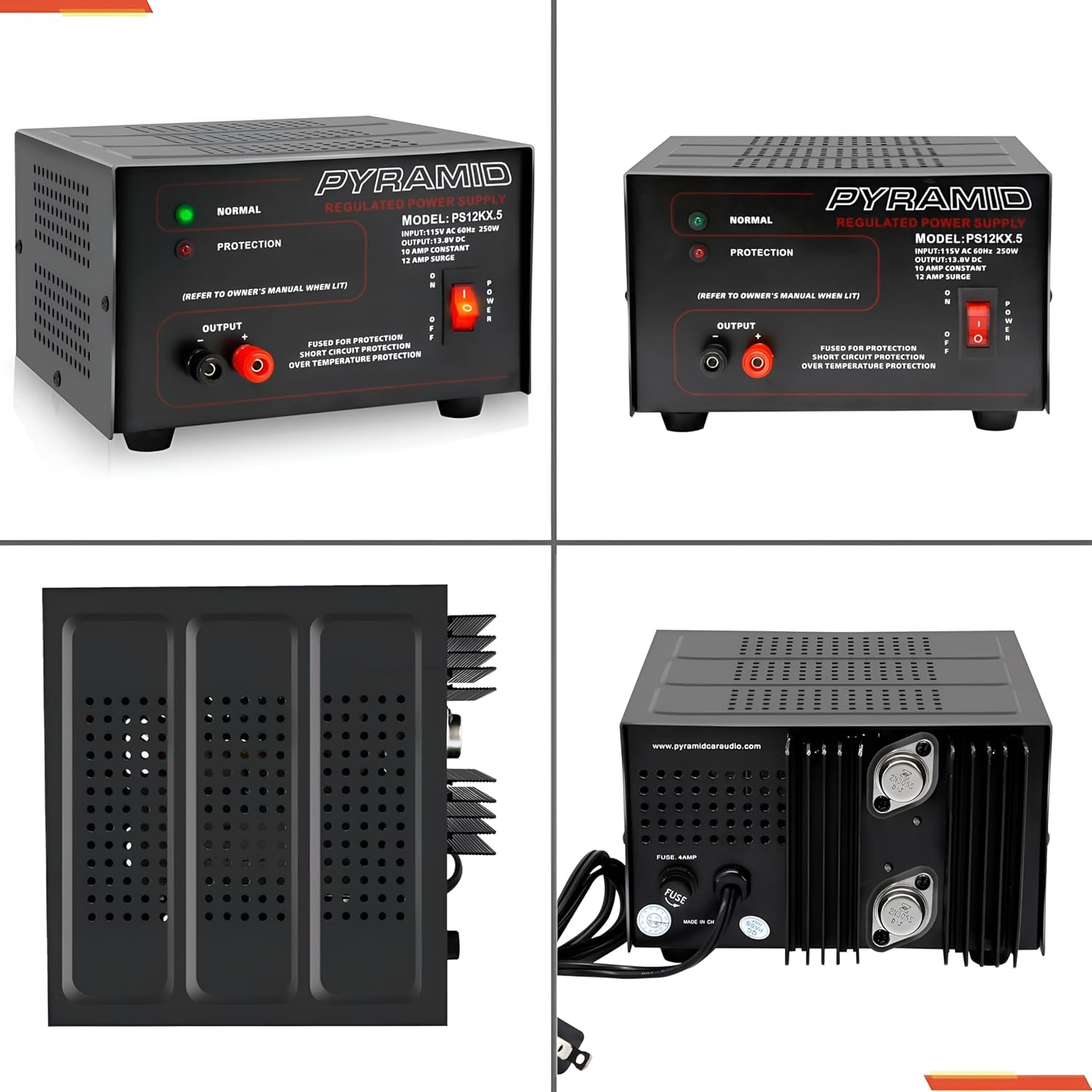
Imagen 3.1: Detallada view del panel frontal.
- NORMAL LED (Green): Illuminates when the power supply is operating normally.
- PROTECTION LED (Red): Illuminates when the unit enters protection mode due to overload, short circuit, or over-temperature.
- OUTPUT Terminals: Red (+) for positive, Black (-) for negative DC output. These are screw-type terminals for secure connections.
- Interruptor de alimentación: Enciende y apaga la unidad.
3.2 Panel trasero
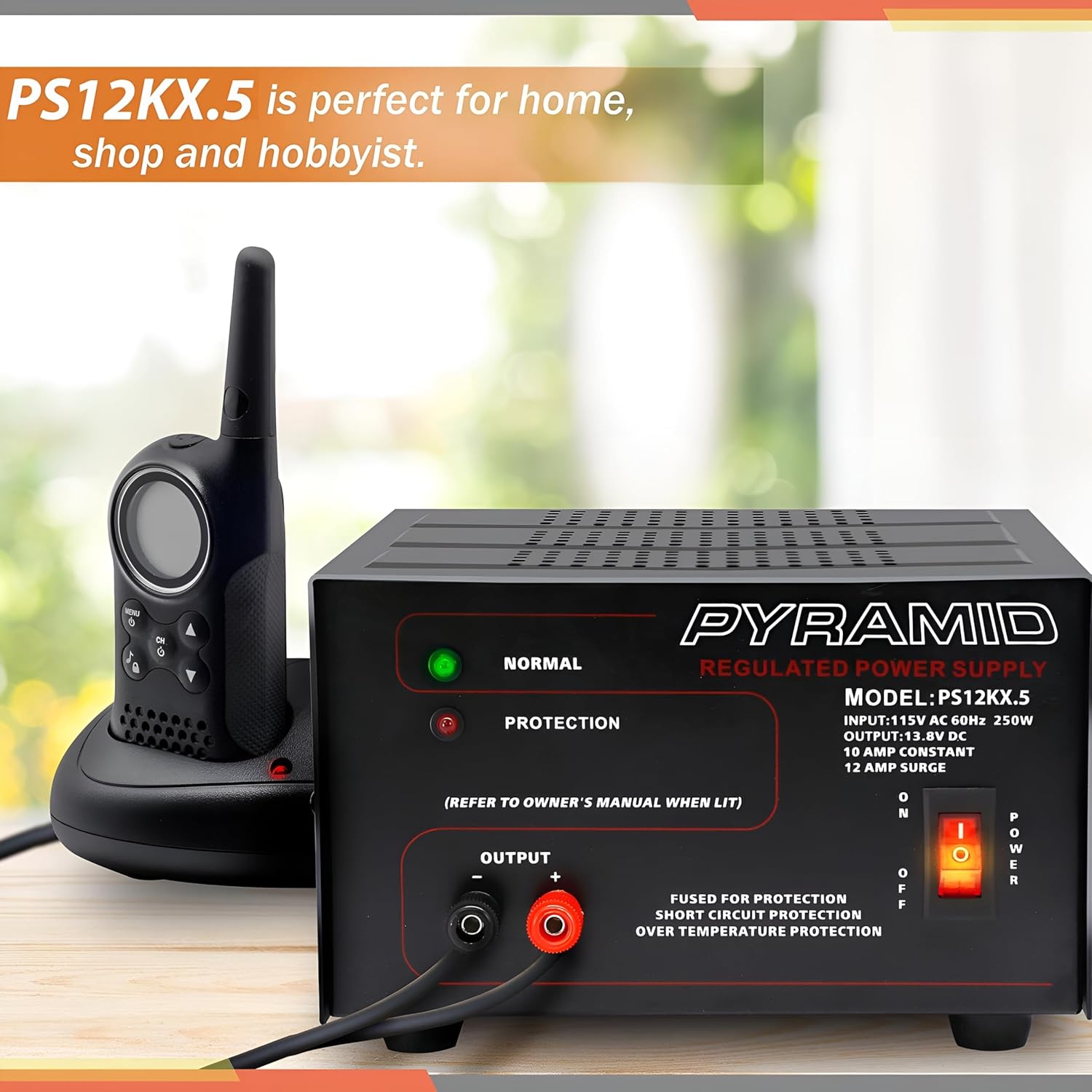
Imagen 3.2: Detallada view of the rear panel.
- Entrada de CA: Standard 3-prong AC power cord connection.
- Ventilador de enfriamiento: Se activa automáticamente para disipar el calor durante el funcionamiento.
- Fusible: Provides additional protection. Refer to specifications for fuse rating.
4. Configuración
- Colocación: Place the power supply on a stable, flat surface. Ensure there is sufficient space around the unit for proper ventilation, especially around the side and rear cooling vents.
- Conexión de alimentación de CA: Ensure the power supply's ON/OFF switch is in the OFF position. Connect the supplied AC power cord to the AC input on the rear panel of the power supply, then plug the other end into a standard 115V AC, 60Hz wall outlet.
- Conexión de carga de CC: Identify the positive (+) and negative (-) terminals on your DC device. Using appropriate gauge wire, connect the positive wire from your device to the RED (+) output terminal on the power supply. Connect the negative wire from your device to the BLACK (-) output terminal. Ensure all connections are tight and secure to prevent arcing or poor contact.
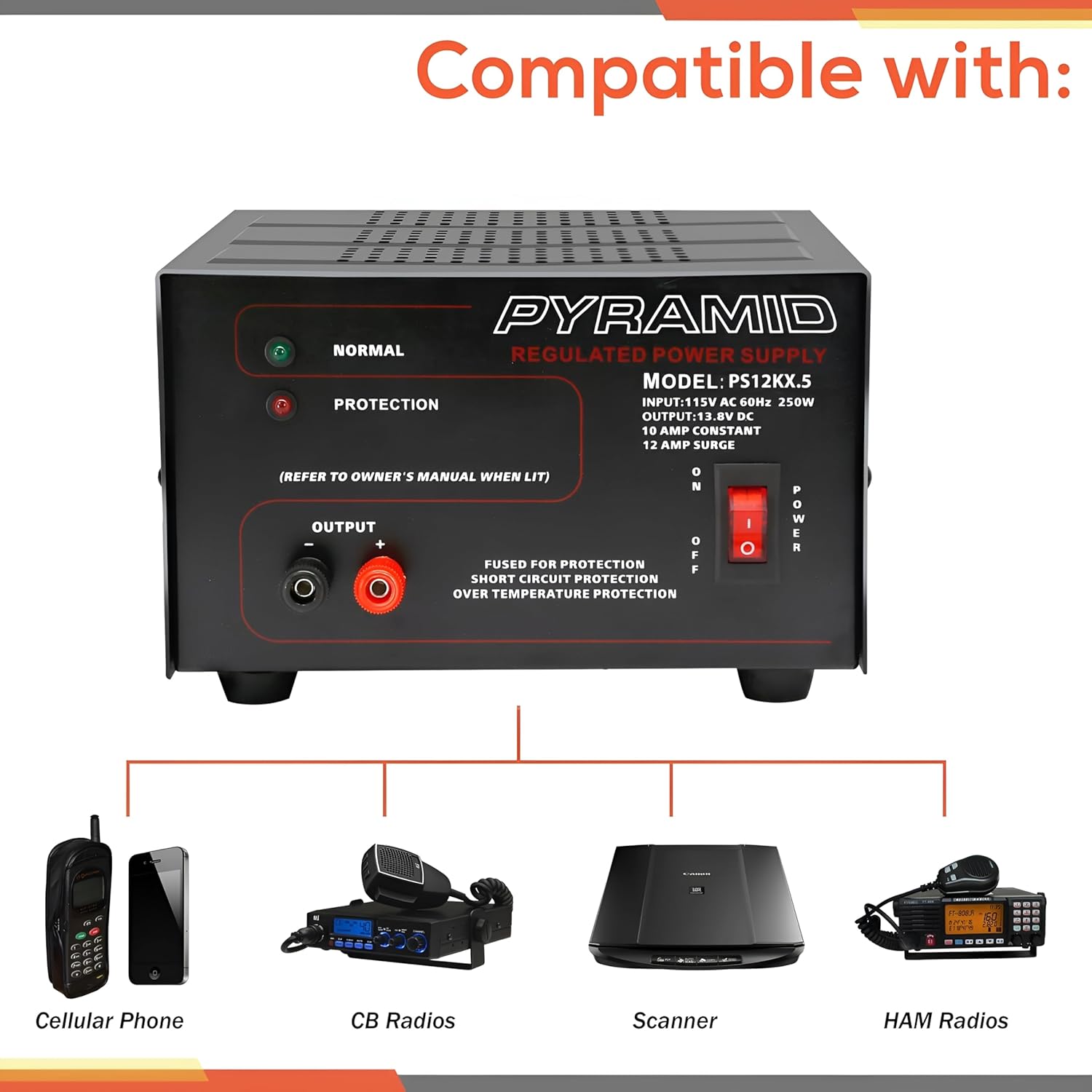
Imagen 4.1: Lateral view illustrating cooling vents.
5. Instrucciones de funcionamiento
- Encendido: After ensuring all connections are secure, flip the POWER switch on the front panel to the ON position. The green NORMAL LED should illuminate, indicating normal operation.
- Escucha: Observe the NORMAL LED. If the red PROTECTION LED illuminates, the unit has entered protection mode. Refer to the Troubleshooting section for guidance.
- Apagado: To turn off the power supply, flip the POWER switch to the OFF position. Disconnect the DC load if the device will not be used for an extended period.
6. Mantenimiento
- Limpieza: Keep the power supply clean and free of dust. Use a soft, dry cloth for cleaning. Do not use liquid cleaners or aerosols.
- Ventilación: Regularly check that the cooling fan and ventilation openings are not obstructed by dust or debris. Blocked vents can lead to overheating.
- Reemplazo de fusibles: If the unit fails to power on and the fuse is suspected, disconnect the AC power cord and replace the fuse on the rear panel with one of the identical type and rating (refer to Specifications).
This section outlines common issues and their potential solutions. If you encounter a problem not listed here, or if the suggested solutions do not resolve the issue, contact customer support.
| Problema | Posible causa | Solución |
|---|---|---|
| No power, no LEDs illuminated. | Unit not plugged in; AC outlet faulty; Power switch OFF; Blown fuse. | Check AC power cord connection; Test AC outlet; Ensure Power switch is ON; Check and replace fuse if necessary (refer to Maintenance). |
| Red PROTECTION LED is illuminated. | Overload; Short circuit at output; Over-temperature. | Reduce load current; Check for short circuits at output terminals; Ensure adequate ventilation and allow unit to cool. Cycle power to reset. |
| No DC output, but NORMAL LED is on. | Loose DC output connections; Faulty DC device. | Check and tighten DC output terminal connections; Test DC device with another power source if possible. |
| La unidad se siente excesivamente caliente. | Ventilación bloqueada; Carga excesiva. | Ensure cooling fan and vents are clear; Reduce load current. |
8. Especificaciones
| Característica | Especificación |
|---|---|
| Modelo | PS12KX.5 |
| Vol de entradatage | 115V AC, 60Hz |
| Vol de salidatage | 13.8 V CC (fijo) |
| Corriente de salida (continua) | 10 Amps |
| Output Current (Surge) | 12 Amps |
| Salida Wattage | 250 vatios |
| Diseño de fuente de alimentación | Linear / Regulated |
| Terminales | Tipo de tornillo |
| Método de enfriamiento | Air (Built-in Fan) |
| Protección | Electronic Overload, Short Circuit, Over-Temperature, Fuse Protected |
| Dimensiones (L x An x Al) | 7.9 x 7.2 x 4.7 pulgadas |
| Peso | 8.73 libras |
| Color | Negro |
9. Garantía y soporte
Pyramid products are designed for reliability and performance. This product is covered by a limited manufacturer's warranty against defects in materials and workmanship under normal use. Please retain your proof of purchase for warranty claims.
For technical support, warranty inquiries, or service, please contact Pyramid customer service. Contact information can typically be found on the manufacturer's websitio o incluido en el embalaje del producto.
Fabricante: Pirámide
Websitio: Visit the Pyramid Store on Amazon