
1. Introducción
This manual provides comprehensive instructions for the proper use and maintenance of your Zerone Replacement TV Remote Control, model BN59-01199G. This remote is designed as a direct replacement for compatible Samsung Smart TVs, ensuring seamless operation without complex setup.

Image 1.1: The Zerone Replacement TV Remote Control, showcasing su disposición de botones y diseño ergonómico.
2. Contenido del paquete
- 1 x Zerone Replacement TV Remote Control (Model: BN59-01199G)
3. Especificaciones
| Característica | Detalle |
|---|---|
| Material de la carcasa | abdominales |
| Distancia del control remoto | Greater than 8 meters (actual distance may vary based on TV model and environment) |
| Modelo de batería | 2 pilas AA (no incluidas) |
| Dimensiones del producto | Aprox. 175 x 45 x 20 mm (6.9 x 1.8 x 0.8 pulgadas) |
| Peso del artículo | Aprox. 67 g (2.46 onzas) |
| Dispositivos compatibles | Samsung Smart TVs requiring BN59-01199G remote |

Image 3.1: Dimensions of the remote control: 175mm (6.9in) length, 45mm (1.8in) width, and 20mm (0.8in) thickness.
4. Configuración
4.1 Instalación de la batería
- Ubique el compartimiento de la batería en la parte posterior del control remoto.
- Deslice la tapa de la batería hacia abajo para abrirla.
- Inserte dos (2) baterías AA, asegurándose de que los terminales positivo (+) y negativo (-) estén alineados correctamente con las marcas dentro del compartimiento.
- Deslice la tapa de la batería nuevamente en su lugar hasta que haga clic de forma segura.
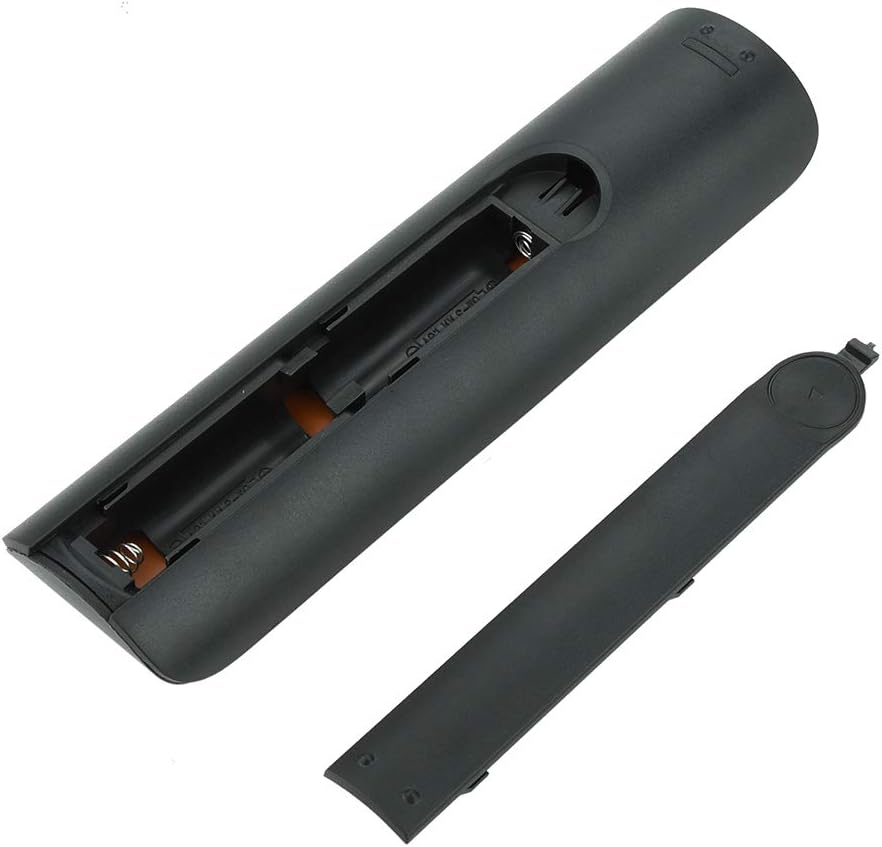
Imagen 4.1: View del control remoto con la tapa de la batería quitada, mostrando las dos ranuras de batería AA.
4.2 Uso inicial
This remote control is designed to work directly with compatible Samsung Smart TVs that originally used the BN59-01199G model. No programming or pairing is typically required. Simply install the batteries and point the remote towards your television.

Image 4.2: The remote control positioned near a television, illustrating its intended use with compatible Samsung models.
5. Instrucciones de funcionamiento
The remote control features standard buttons for TV operation. Refer to the image below for a visual guide to the button layout.

Imagen 5.1: Un detalle view of the remote control's buttons, including power, number pad, volume, channel, and smart functions.
- Botón de encendido (rojo): Enciende o apaga el televisor.
- Teclado numérico (0-9): Para entrada de canal directa.
- Subir/bajar volumen (+/-): Ajusta el volumen del televisor.
- Canal arriba/abajo (CH +/-): Cambia los canales de televisión.
- Silenciar: Silencia el audio del televisor.
- Centro inteligente: Accesses the Smart Hub interface for apps and streaming services.
- Menú: Abre el menú principal del televisor.
- Herramientas: Provides quick access to common TV functions.
- Información: Muestra información sobre el programa o entrada actual.
- Panel de navegación (Arriba, Abajo, Izquierda, Derecha, Enter): Se utiliza para navegar por los menús y seleccionar opciones.
- Devolver: Vuelve a la pantalla o menú anterior.
- Salida: Cierra el menú o aplicación actual.
- Botones de colores (A, B, C, D): La funcionalidad varía según el modelo de televisor y la aplicación.
- Controles de reproducción: Play, Pause, Stop, Fast Forward, Rewind for media playback.
6. Mantenimiento
6.1 Limpieza
Para limpiar el control remoto, límpielo suavemente con un paño suave y seco. Para la suciedad difícil, frote ligeramenteampLimpie el paño con agua o un limpiador suave no abrasivo. Evite usar productos químicos agresivos o humedad excesiva, ya que pueden dañar los componentes electrónicos del control remoto.
6.2 Reemplazo de batería
Replace batteries when the remote control's response becomes sluggish or stops working. Always replace both AA batteries at the same time with new ones. Do not mix old and new batteries, or different types of batteries.
7. Solución de problemas
- El control remoto no responde:
- Compruebe si las pilas están insertadas correctamente con la polaridad correcta.
- Reemplace las baterías por otras nuevas.
- Asegúrese de que no haya obstrucciones entre el control remoto y el receptor de infrarrojos del televisor.
- Confirme que el control remoto esté apuntando directamente al televisor.
- Short remote control distance:
- This can indicate low battery power; replace the batteries.
- Environmental factors or strong light sources can interfere with the infrared signal. Try using the remote in different lighting conditions.
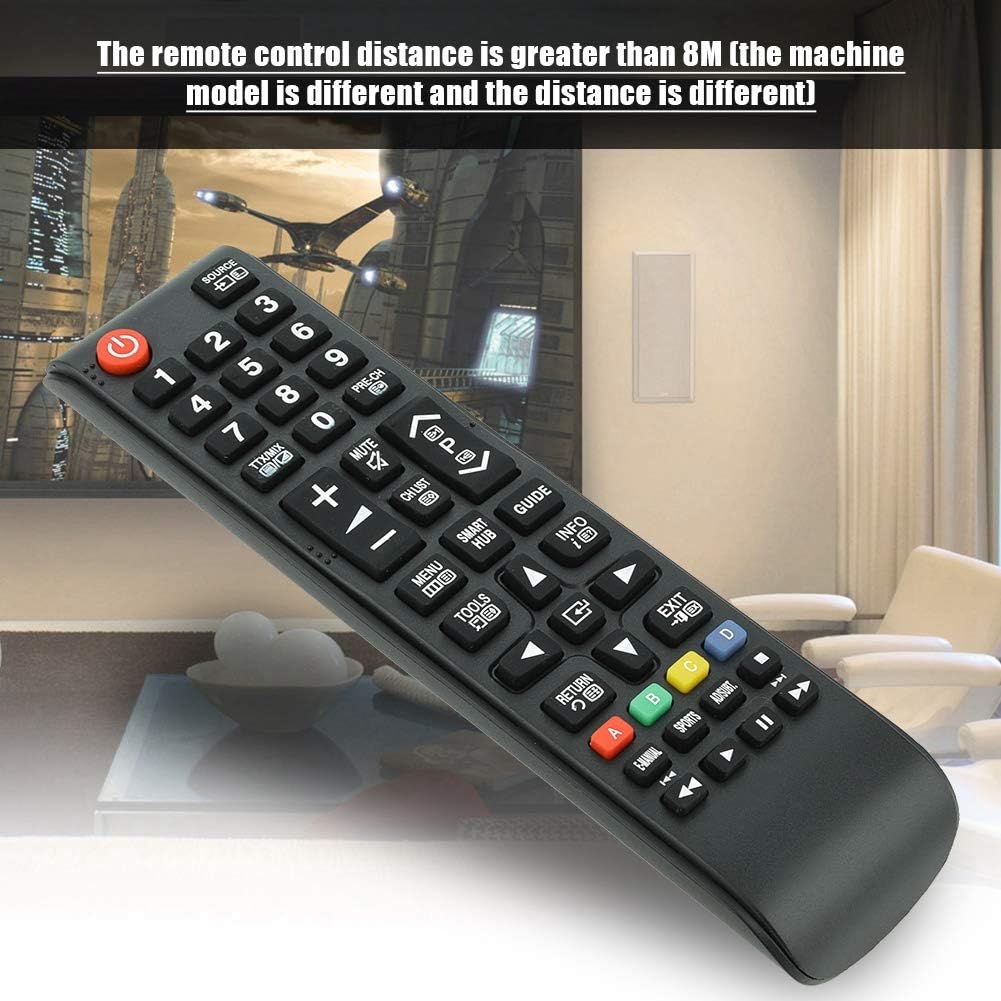
Image 7.1: The remote control in a typical home environment, demonstrating its effective range for TV operation.
8. Garantía y soporte
Zerone products are manufactured with quality in mind. If you encounter any issues or are not satisfied with your product, please contact the seller or manufacturer for support. Refer to your purchase documentation for specific warranty terms and contact information.