
1. Introducción
Thank you for choosing the One For All SV 9450 Indoor/Outdoor TV Antenna. This antenna is designed to receive digital terrestrial television (DVB-T/T2) and radio (DAB/DAB+) signals, providing clear reception for your entertainment. Its amplified design and integrated 5G filter ensure optimal performance by minimizing interference. This manual provides essential information for safe installation, operation, and maintenance of your antenna.
2. Información de seguridad
- Lea atentamente todas las instrucciones antes de la instalación y el uso.
- Do not expose the antenna or its power adapter to rain or moisture to prevent electric shock.
- Ensure the power adapter is connected to a readily accessible power outlet.
- Desconecte el adaptador de corriente durante tormentas eléctricas o cuando no lo utilice durante períodos prolongados.
- For outdoor installation, ensure the antenna is securely mounted to prevent it from falling. Consider grounding the antenna according to local electrical codes.
- Do not attempt to open or modify the antenna or power adapter. Refer all servicing to qualified personnel.
- Keep the antenna away from heat sources, direct sunlight, and strong electromagnetic fields.
3. Contenido del paquete
Por favor revise el paquete para ver los siguientes artículos:
- One For All SV 9450 TV Antenna
- Adaptador de corriente
- Cable coaxial
- Mounting Kit (screws, wall plugs, mast clamp)
- Manual de usuario (este documento)
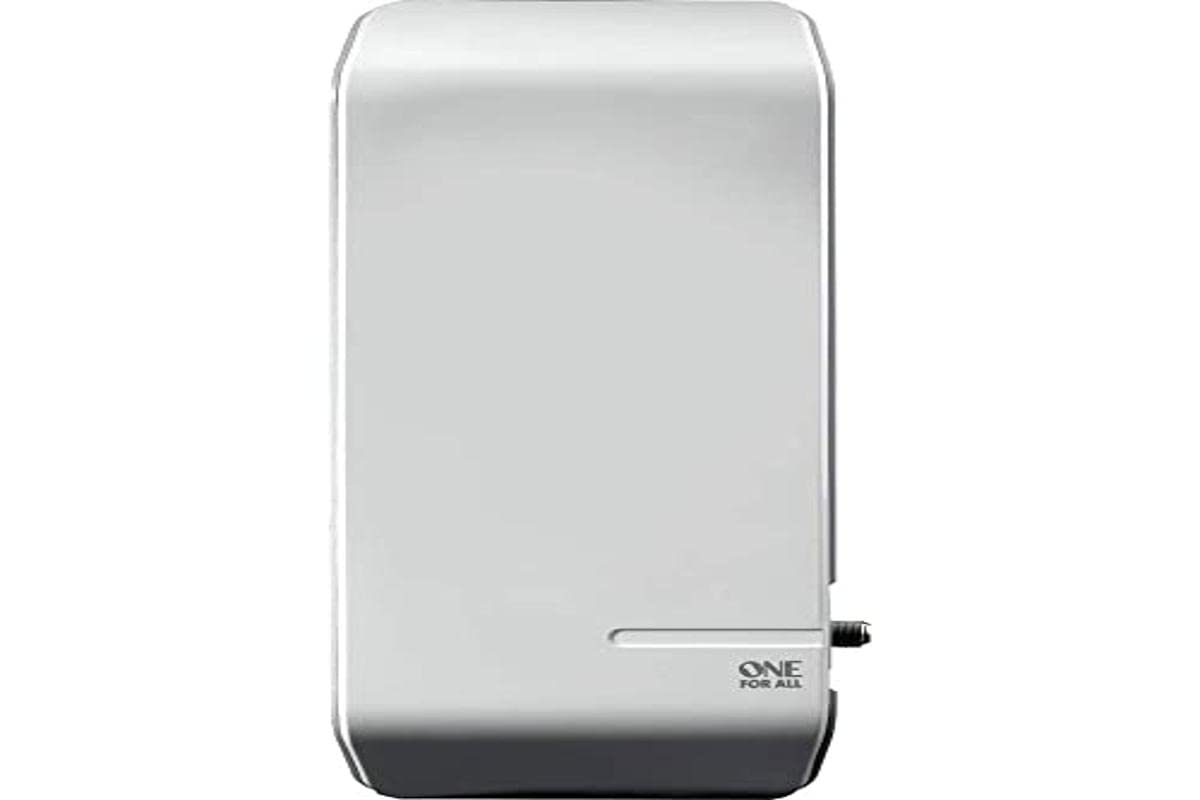
Imagen 1: The One For All SV 9450 TV Antenna shown with its included accessories, including the power adapter, coaxial cable, and mounting hardware. The antenna is white and has a sleek, modern design suitable for both indoor and outdoor placement.
4. Configuración
4.1 Colocación de la antena
The performance of your antenna depends heavily on its placement. Consider the following:
- Colocación al aire libre: For best reception, mount the antenna outdoors, as high as possible, and with a clear line of sight to the broadcast towers. Avoid obstructions like buildings, trees, or hills.
- Colocación interior: If outdoor installation is not feasible, place the antenna near a window, away from large metal objects, and as high as possible. Experiment with different positions to find the best signal.
- Orientación: Point the antenna towards the nearest broadcast tower. You can find information about local broadcast towers online (e.g., Mapas de recepción de DTV de la FCC for the US, or similar services for other regions).
4.2 pasos de instalación
- Monte la antena:
- Al aire libre: Use the provided mounting kit to securely attach the antenna to a mast or wall. Ensure it is stable and can withstand wind.
- Interior: The antenna can be placed on a flat surface or mounted to a wall using the appropriate hardware.
- Conecte el cable coaxial: Connect one end of the coaxial cable to the antenna's F-connector output. Connect the other end to the "ANT IN" or "RF IN" port on your television or digital receiver.
- Conecte el adaptador de corriente: Plug the small end of the power adapter into the antenna's power input port. Plug the larger end into a standard electrical outlet. The antenna requires power for its ampLifier para funcionar.
- Buscar canales:
- Turn on your TV and select the correct input source (e.g., "TV" or "Antenna").
- Access your TV's menu and navigate to the "Channel Setup," "Auto Program," or "Channel Scan" option.
- Inicie el escaneo de canales. Este proceso puede tardar varios minutos.
- Once the scan is complete, check the received channels. If reception is poor, try adjusting the antenna's position or orientation and repeat the channel scan.
5. Instrucciones de funcionamiento
The One For All SV 9450 antenna is a passive receiving device once installed. Its operation primarily involves ensuring it is correctly positioned and powered.
- Ensure the antenna is powered on (the power adapter is plugged in). The amplifier will boost the incoming signal.
- If you experience signal loss or degradation, re-check the antenna's orientation and connections.
- Periodically perform a channel scan on your TV, especially if new channels become available in your area or if you move the antenna.
6. Mantenimiento
- Limpieza: Clean the antenna's exterior with a soft, damp cloth. Do not use harsh chemicals or abrasive cleaners. Ensure the power is disconnected before cleaning.
- Conexiones: Periodically check all cable connections (antenna to TV, power adapter) to ensure they are secure and free from corrosion, especially for outdoor installations.
- Outdoor Inspection: For outdoor antennas, regularly inspect the mounting hardware for signs of wear or loosening. Ensure the antenna remains securely fixed.
- Protección contra la intemperie: While designed for outdoor use, extreme weather conditions (heavy snow, ice, strong winds) can affect performance or cause damage. After such events, inspect the antenna.
7. Solución de problemas
| Problema | Posible causa | Solución |
|---|---|---|
| Sin señal o mala calidad de imagen |
|
|
| Canales faltantes |
|
|
| Antenna not powering on |
|
|
8. Especificaciones
| Número de modelo | SV9450 |
| Tipo de antena | TV Antenna (Indoor/Outdoor) |
| Rango de frecuencia | DAB, DAB+, UHF, VHF |
| Polarización | Dual-polarization |
| Amplificacion | Amplificado |
| Filtrar | Filtro 5G |
| Rango máximo | 25,000 metros |
| Impedancia | 50 ohmios |
| Color | Blanco |
| Peso | 1 kilogramos |
| Fabricante | Uno para todos |
| País natal | Porcelana |
9. Garantía y soporte
One For All products come with a manufacturer's warranty. Please refer to the warranty card included in your package or visit the official One For All webSitio para conocer los términos y condiciones de garantía detallados específicos de su región.
For technical support, troubleshooting assistance, or to inquire about replacement parts, please contact One For All customer service. Contact information can typically be found on the official websitio o en el embalaje del producto.
Soporte en línea: www.oneforall.com/support