
1. Introducción
This manual provides instructions for the safe and efficient use of the Flashpoint UC-18 Zoom Li-ion Flash USB Charger. This device is designed to charge compatible Lithium-ion flash batteries from a standard USB DC 5-volt power source. Please read this manual thoroughly before operating the charger.
2. Información de seguridad
WARNING: To prevent fire, electric shock, or injury, always follow basic safety precautions when using electrical appliances.
- No provoque cortocircuito en la batería.
- Do not expose the charger or battery to rain or immerse them in water.
- Do not leave the battery in the charger unattended or within reach of children.
- This battery is not waterproof.
- Do not place the charger or battery near fire or high temperatures.
- Deshazte de las baterías de acuerdo a las regulaciones locales.
- If the battery has not been used for over 3 months, ensure it is fully charged before use.
- The charger may become warm during operation. This is normal.
- Use only with compatible Flashpoint Zoom Li-ion batteries.
3. Producto terminadoview
The Flashpoint UC-18 charger is a compact unit designed for charging Flashpoint Zoom Li-ion flash batteries. It features a dedicated battery slot and LED indicators for charging status.

Figure 3.1: Flashpoint UC-18 USB Charger (empty)
This image shows the Flashpoint UC-18 USB Charger from an angled perspective, highlighting its compact, black, rectangular design. The USB-C input port is visible on one end, and the recessed slot for the battery is clearly shown on the top surface.
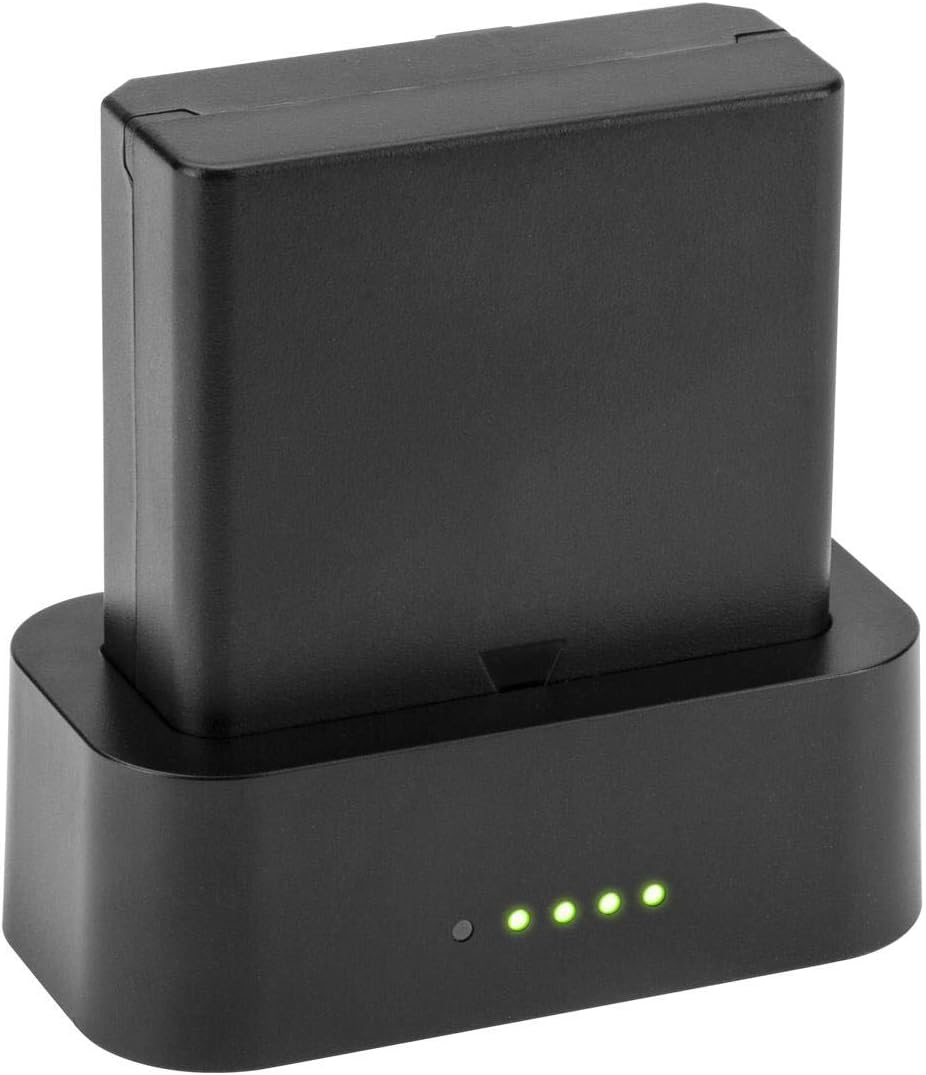
Figure 3.2: Flashpoint UC-18 USB Charger with Battery
This image displays the Flashpoint UC-18 USB Charger with a compatible Flashpoint Li-ion battery securely inserted into its slot. Four green LED indicator lights are illuminated on the front of the charger, indicating that the battery is currently charging.
4. Configuración
- Conecte la electricidad: Insert a USB-C cable into the charger's USB-C port. Connect the other end of the USB-C cable to a compatible USB DC 5-volt power source (e.g., a computer USB port, a USB wall adapter, or a car USB port).
- Insertar batería: Align your Flashpoint Zoom Li-ion battery with the battery slot on the charger. Gently push the battery into the slot until it is fully seated. Ensure proper orientation for contact.
5. Instrucciones de funcionamiento
5.1 Proceso de carga
Once the battery is correctly inserted and the charger is connected to a power source, the charging process will begin automatically. The LED indicators on the charger will illuminate to show the charging status.
5.2 Indicadores LED
The charger features five LED diodes that indicate the charging progress:
- Illuminated LEDs: As the battery charges, more LEDs will light up.
- All LEDs Illuminated: When all five LEDs are steadily lit, the battery is fully charged.
A full charge typically takes approximately 3 hours, depending on the battery's initial charge level and the power source's output.
6. Mantenimiento
- Limpieza: Utilice un paño suave y seco para limpiar el cargador. No utilice limpiadores líquidos ni disolventes.
- Almacenamiento: Guarde el cargador en un lugar fresco y seco, alejado de la luz solar directa y de la humedad cuando no esté en uso.
- Cuidado de la batería: For optimal battery life, avoid completely draining the battery before recharging. If storing batteries for extended periods, charge them fully before storage and periodically recharge them every few months.
7. Solución de problemas
- El cargador no se enciende: Ensure the USB-C cable is securely connected to both the charger and the power source. Verify that the power source is active and providing 5V DC.
- La batería no se carga: Check that the battery is correctly inserted into the charger with proper alignment. Ensure the battery is compatible with the UC-18 charger.
- Carga lenta: Ensure your USB power source can provide sufficient current (at least 1.0A, ideally 2.0A for faster charging). Using a low-power USB port may result in slower charging times.
- El cargador se calienta: A slight increase in temperature during charging is normal. If the charger becomes excessively hot, disconnect it immediately and contact customer support.
8. Especificaciones

Figure 8.1: Charger Specification Label
This image displays the bottom label of the Flashpoint UC-18 charger, detailing its input and output electrical specifications, compliance marks (CE, RoHS), and manufacturing origin.
| Característica | Especificación |
|---|---|
| Marca | Punto de inflamabilidad |
| Número de modelo | FP-PP-ZL-USB |
| Vol de entradatage | DC 5 Volts (1.0A / 2.0A) |
| Vol de salidatage | DC 12.6 Volts (0.25A / 0.6A) |
| Calificación actual | 2 Amps (Input) |
| Tipo de conector | USB-C |
| Número de puertos | 1 |
| Tiempo de carga de la batería | Aproximadamente 3 horas |
| Peso del artículo | 11.84 onzas |
| Color | Negro |
| Certificaciones | UL CE FCC |
9. Garantía y soporte
For warranty information or technical support, please refer to the documentation included with your purchase or visit the official Flashpoint website. Contact Flashpoint customer service for assistance with any product-related inquiries or issues.