1. Introducción
The Becker Centronic EasyControl EC141-II is a compact and user-friendly 1-channel handheld transmitter designed for convenient control of compatible Becker automation systems. This wireless remote operates on an 868 MHz radio frequency, ensuring reliable communication with your Becker O-tronic 6, BOM 650C, and BOM 850C garage door motors. Its clear design and simple handling provide enhanced comfort, allowing you to operate your systems effortlessly.
Las características principales incluyen:
- 1-channel operation with LED display for status indication.
- Ability to program two selectable intermediate positions for precise control.
- Supports simple, group, or central control functionalities.
- Equipped with a durable metal ring for easy attachment to a key chain.
- Fully compatible with Centronic 868.3 MHz systems.
2. Producto terminadoview
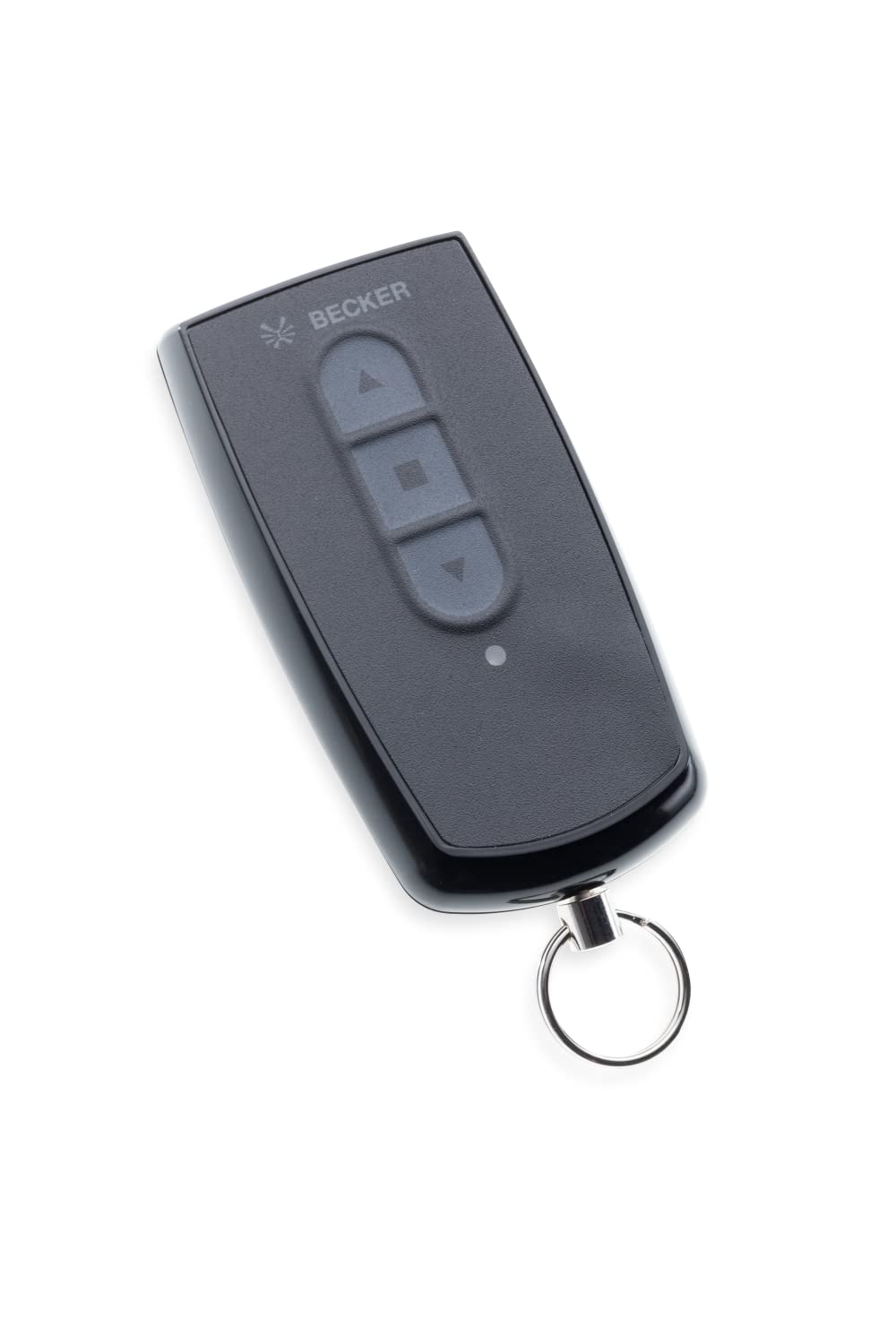
Figura 1: The Becker Centronic EasyControl EC141-II wireless remote control. This image shows the compact design of the remote, featuring a single control button and an LED indicator, with a metal ring for key attachment.
The EC141-II remote control is designed for intuitive use. It typically features a single button for controlling one channel, allowing for sequential operation (e.g., open, stop, close). The integrated LED provides visual feedback on command transmission and battery status. Its robust construction and compact size make it ideal for everyday use.
3. Configuración
3.1 Instalación de la batería
The Becker EC141-II remote control requires a battery for operation (battery not included). To install or replace the battery:
- Abra con cuidado el control remoto casing. Refer to the markings on the remote for the battery compartment access point, usually a small latch or screw.
- Inserte la batería nueva, asegurándose de la polaridad correcta (+/-) como se indica dentro del compartimento.
- Cierra la casing de forma segura.
Test the remote by pressing a button; the LED should illuminate.
3.2 Programación del control remoto
The EC141-II remote control must be paired with your Becker automation system (e.g., garage door motor BOM 650C, BOM 850C, or O-tronic 6) to function. The programming process typically involves steps performed on the receiver unit (motor) rather than the remote itself. Please refer to the instruction manual of your specific Becker motor or receiver for detailed pairing instructions. Generally, the process involves:
- Activating the programming mode on your Becker motor/receiver (often by pressing a 'P' or 'Learn' button).
- Pressing the desired button on your EC141-II remote control within a specified timeframe.
- Confirming successful pairing, usually indicated by a light or sound from the receiver.
The EC141-II allows for ultra-easy programming once the receiver is in learning mode.
4. Instrucciones de funcionamiento
4.1 Funcionamiento básico
Once programmed, the EC141-II remote control operates your connected Becker system with a single button press:
- Primera pulsación: Initiates the movement (e.g., opens the garage door).
- Second Press (during movement): Detiene el movimiento.
- Third Press (after stop): Reverses the movement (e.g., closes the garage door).
The LED indicator will light up when a command is transmitted.
4.2 Programming Intermediate Positions
The EC141-II allows you to program up to two intermediate positions for your garage door or other connected systems. This feature enables you to stop the system at a preferred partial open/close position.
- Move the system (e.g., garage door) to the desired intermediate position using the remote.
- Refer to your motor's instruction manual for specific steps to save this intermediate position. This usually involves a combination of button presses on the remote and/or the motor unit.
- Once saved, a quick press of the remote button may activate this intermediate position, depending on your motor's configuration.
5. Mantenimiento
5.1 Limpieza
To clean the remote control, use a soft, dry cloth. Do not use abrasive cleaners, solvents, or wet cloths, as these can damage the casing o componentes internos.
5.2 Reemplazo de batería
When the LED indicator on your remote control becomes dim or fails to light up, or if the remote's range decreases significantly, it is likely time to replace the battery. Follow the battery installation steps outlined in Section 3.1. Always use the recommended battery type to ensure optimal performance and avoid damage.
6. Solución de problemas
- El control remoto no responde:
- Compruebe la batería. Reemplácela si es necesario.
- Asegúrese de que el control remoto esté dentro del alcance del receptor.
- Verify that the remote is correctly programmed to your Becker system. Refer to your motor's manual for re-pairing instructions.
- Rango limitado:
- Reemplace la batería.
- Check for sources of interference (e.g., other wireless devices, large metal objects) between the remote and the receiver.
- El sistema no responde a los comandos:
- Confirm that your Becker motor (BOM 650C, BOM 850C, O-tronic 6) operates on the 868 MHz frequency. This remote is not compatible with other frequencies.
- Ensure the motor unit has power and is functioning correctly.
7. Especificaciones
| Característica | Detalle |
|---|---|
| Modelo | EC141-II |
| Fabricante | Becker-Antriebe GmbH |
| Tipo de producto | Single-channel handheld transmitter |
| Frecuencia | 868.3 MHz (Centronic compatible) |
| Canales | 1 |
| Batería requerida | Sí |
| Batería incluida | No |
| Compatibilidad | Becker O-tronic 6, BOM 650C, BOM 850C garage door motors |
8. Garantía y soporte
For information regarding warranty coverage, technical support, or spare parts availability for your Becker Centronic EasyControl EC141-II remote control, please contact Becker-Antriebe GmbH directly or refer to their official webSitio. Conserve su recibo de compra como comprobante de compra para cualquier reclamación de garantía.