
Información importante de seguridad
Lea y comprenda todas las instrucciones antes de usar este producto. Conserve este manual para futuras consultas.
- Peligro de estrangulamiento: Keep cords out of reach of children. Never place the camera or cords within 3 feet (1 meter) of the crib or playpen. Secure cords to a wall or floor using clips to prevent entanglement.
- Peligro de asfixia: Este producto contiene piezas pequeñas. Mantener fuera del alcance de los niños.
- Calentamiento excesivo: No cubra el monitor ni la cámara con ropa, mantas ni otros objetos. Asegúrese de que haya una ventilación adecuada.
- Agua y humedad: No exponga el producto a la lluvia ni a la humedad. No lo utilice cerca del agua (p. ej., bañera o lavabo).
- Fuente de energía: Use only the AC power adapters provided. Using other adapters may damage the device and void the warranty.
- Interferencia: This product operates on a 2.4 GHz frequency. Keep away from other 2.4 GHz devices (e.g., Wi-Fi routers, microwaves) to avoid interference.
- Temperatura: Operate and store the product within the recommended temperature range (0°C to 40°C / 32°F to 104°F).
Contenido del paquete
Verifique que todos los artículos estén presentes en su paquete:
- Unidad para padres (monitor)
- Unidad para bebés (cámara)
- Adaptador de corriente para unidad de padres
- Adaptador de corriente para unidad de bebé
- Guía de referencia rápida

Image: All components included in the Dragon Touch DT40 baby monitor package, including the monitor, camera, two power adapters, and a quick reference guide.
Producto terminadoview
Unidad para padres (monitor)
The parent unit features a 4.3-inch color LCD screen for clear video monitoring. It includes controls for volume, brightness, menu navigation, two-way audio, and lullaby playback.
Unidad para bebés (cámara)
The baby unit is equipped with a camera that provides video and audio feedback. It includes infrared LEDs for automatic night vision, a temperature sensor, and a microphone for two-way communication. The camera can be manually adjusted for optimal viewángulos de ing.

Image: The baby unit camera, illustrating its ability for manual rotation of 360 degrees horizontally and 60 degrees vertically for flexible positioning.
Configuración
1. Carga de la unidad para padres
- Connect the small end of the parent unit power adapter to the DC input port on the side of the parent unit.
- Conecte el otro extremo del adaptador a una toma eléctrica estándar.
- Charge the parent unit for at least 8 hours before first use to ensure optimal battery performance. The battery icon on the screen will indicate charging status.
2. Encendido de la unidad del bebé
- Connect the small end of the baby unit power adapter to the DC input port on the back of the baby unit.
- Plug the other end of the adapter into a standard electrical outlet. The baby unit will power on automatically.
3. Ubicación de la cámara
Place the baby unit on a flat surface, such as a dresser or shelf, or mount it on a wall. Ensure it is at least 3 feet (1 meter) away from the baby's crib or playpen. Adjust the camera angle manually to get the best view de tu bebe

Image: An illustrative floor plan showing how multiple cameras can be strategically placed in different rooms for comprehensive monitoring.
4. Emparejamiento (si es necesario)
The parent and baby units are pre-paired at the factory. If the connection is lost or you are adding additional cameras, follow these steps:
- En la unidad para padres, presione el botón Menú botón.
- Navegar hasta el Cámara icono y seleccionar Agregar cámara.
- Presione el Par button on the back of the baby unit within 10 seconds.
- La unidad principal mostrará un mensaje de confirmación una vez que el emparejamiento sea exitoso.
Instrucciones de funcionamiento
Encendido/apagado
- Para encender la unidad para padres, mantenga presionado el botón Fuerza botón hasta que la pantalla se ilumine.
- Para apagar, mantenga pulsado el Fuerza botón hasta que la pantalla se apague.
- La unidad del bebé se enciende automáticamente cuando se conecta a la corriente.
Ajuste de volumen
Utilice el Subir volumen (+) y Bajar volumen (-) buttons on the parent unit to adjust the listening volume.
Ajuste de brillo
Access the menu on the parent unit and navigate to the Brillo setting to adjust the screen's illumination.
Audio bidireccional
Mantenga pulsado el Hablar button on the parent unit to speak to your baby through the camera's speaker. Release the button to hear your baby again.

Image: A couple in a kitchen, with an inset showing a baby in a room and the monitor displaying the baby, illustrating the two-way talk audio feature.
Canciones de cuna
Presione el Canción de cuna button on the parent unit to play soothing melodies. Press again to cycle through available lullabies or turn them off.
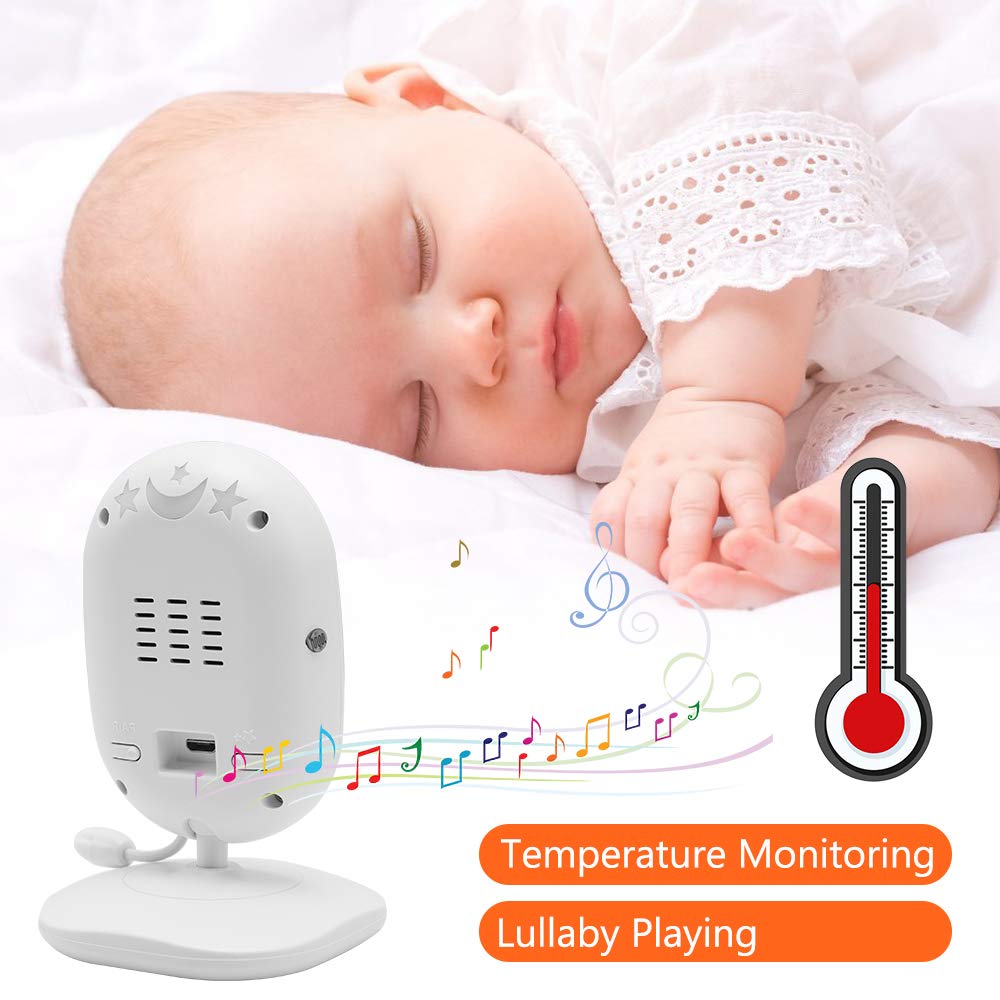
Image: A sleeping baby with the baby unit camera, musical notes, and a thermometer icon, highlighting the lullaby playing and temperature monitoring features.
Modo VOX (Intercambiador operado por voz)
VOX mode conserves battery by turning off the screen when no sound is detected from the baby unit. The screen will automatically turn on when sound is detected.
- To activate/deactivate VOX mode, press the Voz button on the parent unit or navigate through the menu.
- You can adjust the VOX sensitivity level in the menu settings.

Image: A split image showing the monitor screen in VOX ON mode (screen off with sleeping baby) and VOX OFF mode (screen on with active baby), demonstrating the voice activation feature.
Visión nocturna
La unidad del bebé activa automáticamente la visión nocturna por infrarrojos en condiciones de poca luz, proporcionando una imagen clara en blanco y negro en la unidad de los padres.

Image: A comparison of the monitor display in night vision (black and white, sleeping baby) and day vision (color, sleeping baby), highlighting the automatic night vision capability.
Monitoreo de temperatura
The baby unit's built-in temperature sensor monitors the room temperature and displays it on the parent unit's screen. You can set temperature alerts in the menu.
Multicámara View (Si corresponde)
If you have multiple cameras paired, use the Escanear button or navigate through the menu to switch between camera views or activate auto-scan mode.
Mantenimiento
- Limpieza: Utilice un paño suave y seco para limpiar las superficies de las unidades de padres y del bebé. No utilice aerosoles ni limpiadores líquidos.
- Cuidado de la batería: To prolong battery life, fully charge the parent unit before first use. Avoid completely draining the battery frequently. If storing the unit for an extended period, charge it periodically.
- Almacenamiento: Guarde el producto en un lugar fresco y seco, alejado de la luz solar directa y de temperaturas extremas.
Solución de problemas
| Problema | Posible causa | Solución |
|---|---|---|
| No hay imagen ni sonido en la unidad principal | Parent unit is off or battery is low. Baby unit is not powered on. Units are out of range. | Ensure parent unit is charged and powered on. Verify baby unit is plugged in and powered. Move parent unit closer to baby unit. |
| Mala calidad de imagen/sonido | Interference from other devices. Units are too far apart. Obstructions between units. | Move units away from other 2.4 GHz devices. Reduce distance between units. Remove obstacles like thick walls. |
| La batería de la unidad de padres se agota rápidamente | VOX mode is off. Screen brightness is too high. Battery degradation over time. | Activate VOX mode. Reduce screen brightness. Ensure initial full charge. Consider battery replacement if unit is old. |
| Cannot pair camera | El proceso de emparejamiento no se siguió correctamente. | Repeat pairing steps carefully, ensuring the pair button on the camera is pressed within the time limit. |
Presupuesto
- Modelo: DT40
- Tamaño de pantalla: 4.3 pulgadas
- Tecnología de conectividad: Inalámbrico (2.4 GHz FHSS)
- Resolución de captura de video: 720p
- Características especiales: Night Vision, Two-Way Audio, Temperature Monitoring, Lullabies, VOX Mode
- Entrada de energía: 5 voltios
- Pilas necesarias: Yes (for Parent Unit)
- Tipo de montaje: Wall Mount (for Camera)
- Peso del artículo: Aproximadamente 1.1 libras
- Código postal: 818537028769
Garantía y soporte
Dragon Touch products come with a limited warranty. For detailed warranty information, technical support, or customer service inquiries, please refer to the warranty card included in your package or visit the official Dragon Touch website. Please have your model number (DT40) and purchase information ready when contacting support.


