
1. Introducción
This manual provides detailed instructions for the installation, operation, and maintenance of your Time2 Oscar 2 Twin Pack Outdoor Security Cameras. The Oscar 2 cameras are designed for outdoor surveillance, offering 1080p Full HD video, night vision, motion and sound detection, and two-way audio communication. Please read this manual thoroughly before using the product to ensure proper setup and functionality.
2. ¿Qué hay en la caja?
Al desembalar, verifique que estén incluidos todos los siguientes elementos:
- 2 x Time2 Oscar WiFi Camera
- 2 x adaptador de corriente
- 2 x Wall Mounting Kit (screws and wall plugs)
- 1 x Guía de inicio rápido

Image: The Time2 Oscar 2 camera shown with its retail packaging, indicating the contents of the box.
3. Características del producto
The Time2 Oscar 2 cameras are equipped with advanced features for comprehensive outdoor security:
- Vídeo Full HD de 1080p: Captura alimentos claros y detallados.tagy día y noche.
- Visión nocturna superior: Automatic infrared night vision with IR cut for clear images in low light or darkness.
- 100° Campo de View: Provides a wide coverage area for monitoring your property.
- Detección de movimiento y audio: Advanced sensors detect unusual movement or sounds, sending instant alerts.
- Audio bidireccional: El micrófono y el altavoz incorporados permiten la comunicación en tiempo real.
- Almacenamiento local y en la nube: Supports local storage via MicroSD card (up to 128GB, not included) and optional cloud storage via CLAN CLOUD subscription.
- Diseño resistente a la intemperie: IP65 rated for outdoor use, resistant to rain and dust.
- Alimentación por red eléctrica: Ensures continuous operation without battery recharging.
- Zonas de actividad: Customize detection areas to reduce false alerts.
- Integración de Alexa: Compatible con Amazon Alexa para control por voz.
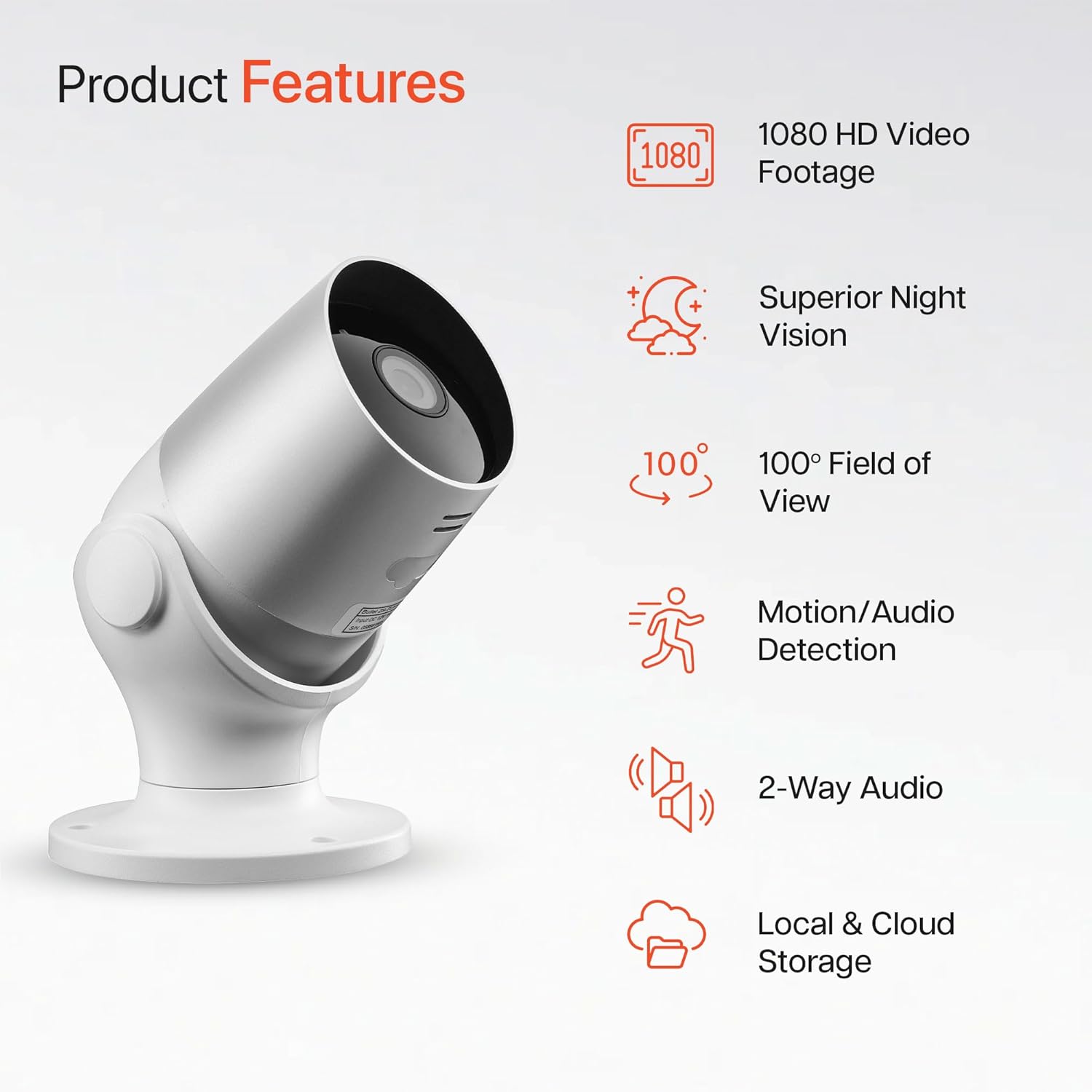
Image: An illustration highlighting the main features of the Oscar 2 camera, including 1080p HD video, night vision, 100° field of view, motion/audio detection, two-way audio, and storage options.
4. Configuración
4.1 Descarga de la aplicación y creación de una cuenta
- Download the "CLAN" app from your smartphone's app store (iOS or Android).
- Abra la aplicación y siga las instrucciones en pantalla para crear una nueva cuenta o iniciar sesión si ya tiene una.
4.2 Instalación de la tarjeta MicroSD (opcional)
For local video storage, you can install a MicroSD card (up to 128GB, not included) into the camera.
- Locate the MicroSD card slot on the camera (refer to the Quick Start Guide for exact location).
- Inserte con cuidado la tarjeta MicroSD en la ranura hasta que encaje en su lugar.
- Asegúrese de que la cámara esté apagada antes de insertar o quitar la tarjeta MicroSD.
4.3 Camera Installation and Power Connection
The Oscar 2 cameras are designed for wall mounting and require a mains power connection.
- Elija una ubicación: Seleccione una ubicación al aire libre que proporcione el resultado deseado. viewing angle and is within reach of a power outlet. Consider the 100° field of view.
- Monte la cámara: Use the provided wall mounting kit (screws and wall plugs) to securely attach the camera to a wall or suitable surface. The camera housing allows for rotation to adjust the lens angle.
- Conecte la electricidad: Plug the power adapter into the camera and then into a mains power outlet. The camera will power on automatically.
4.4 Pairing with the CLAN App
- Asegúrese de que su teléfono inteligente esté conectado a una red Wi-Fi de 2.4 GHz (las redes de 5 GHz no son compatibles).
- Open the CLAN app and tap the "+" icon to add a new device.
- Select "Oscar 2" from the list of devices.
- Follow the in-app instructions, which typically involve scanning a QR code displayed on your phone with the camera lens or listening for a sound prompt.
- Once paired, you can name your camera and begin configuring settings.
5. Operating Your Oscar 2 Camera
5.1 en vivo View y Monitoreo
From the CLAN app home screen, tap on your camera's name to access the live video feed. You can view multiple cameras simultaneously if you have more than one Oscar 2 device.

Image: A smartphone displaying the CLAN app interface, showing a live view from the Oscar 2 camera and various control options.
5.2 Detección de movimiento y sonido
The Oscar 2 camera can detect movement and sound, sending instant alerts to your smartphone or tablet.
- Habilitar alertas: Navigate to the camera settings in the CLAN app and enable motion and sound detection alerts.
- Ajustar la sensibilidad: You can adjust the sensitivity level of both motion and sound detection to minimize false alarms.
- Establecer zonas de actividad: Define áreas específicas dentro del campo de la cámara view donde desea que la detección de movimiento esté activa. Esto ayuda a enfocarse en áreas críticas e ignorar movimientos irrelevantes.
5.3 Audio bidireccional
Utilice el micrófono y el altavoz integrados para la comunicación bidireccional.
- mientras esta en vivo view, toque el ícono del micrófono en la aplicación para hablar a través del altavoz de la cámara.
- Toque el icono del altavoz para escuchar el audio del micrófono de la cámara.
- This feature is useful for interacting with visitors or deterring intruders.
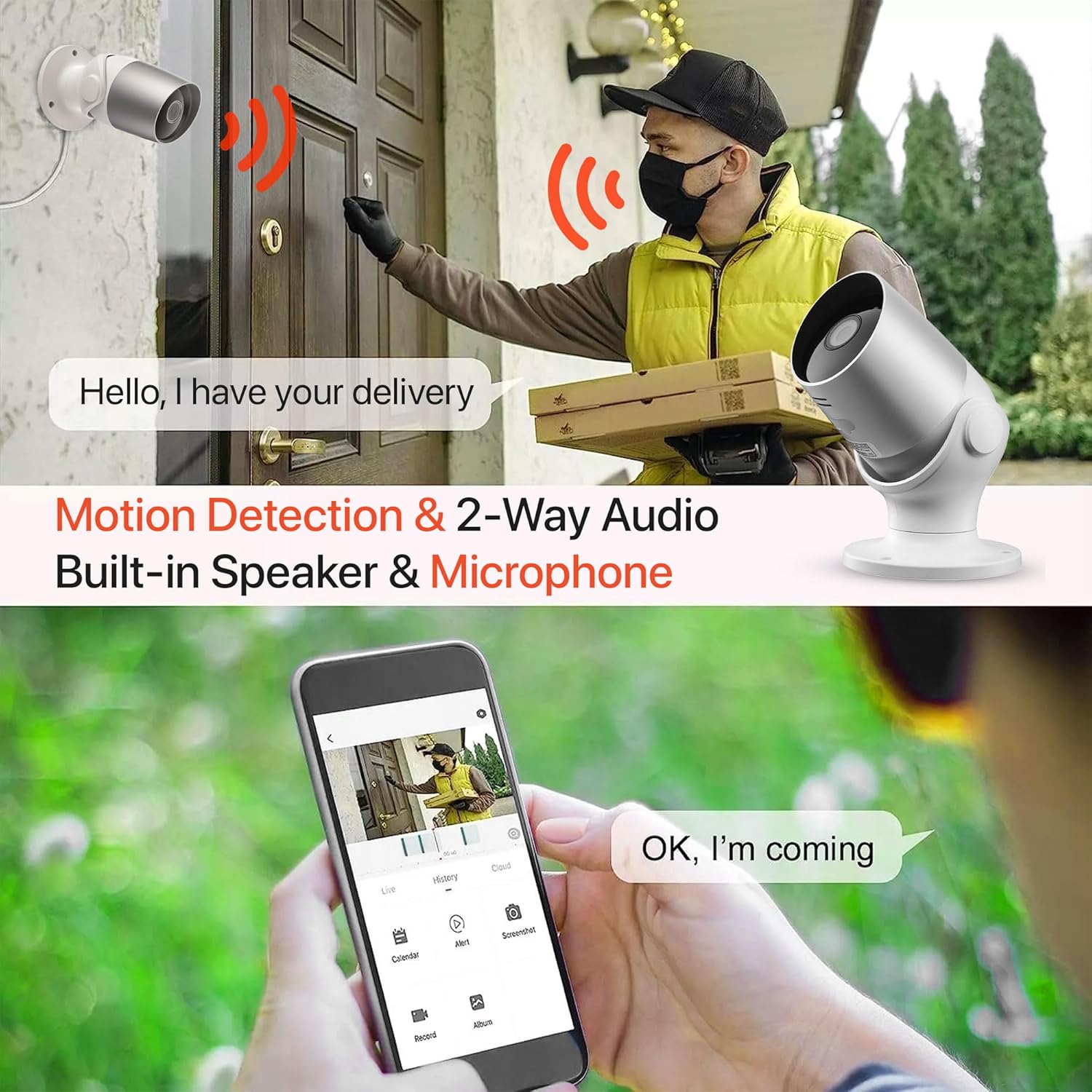
Image: An illustration demonstrating the two-way audio feature, showing a user communicating with a delivery person via the Oscar 2 camera and smartphone app.
5.4 Grabación y reproducción
The Oscar 2 cameras offer flexible recording options:
- Grabación continua: If a MicroSD card is installed, the camera can record continuously for up to 21 days (with a 128GB card).
- Grabación activada por movimiento: The camera can be set to record only when motion or sound is detected. Recordings include 5 seconds of pre-event footage.
- Local Storage (MicroSD): Acceder a foo grabadotage directly from the MicroSD card via the CLAN app.
- Cloud Storage (CLAN CLOUD): Subscribe to CLAN CLOUD for secure off-site storage of your recordings, accessible from anywhere.
- Reproducción: Use the playback feature in the CLAN app to review eventos registrados.
5.5 Visión nocturna
The camera automatically switches to infrared night vision in low-light conditions, providing clear black and white images. The integrated IR cut filter ensures accurate color representation during the day.

Image: A visual representation of the camera's 24/7 monitoring capability, showing how the view changes from morning (color) to afternoon (color) to night (infrared night vision).
5.6 Integración con Alexa
The Oscar 2 cameras are compatible with Amazon Alexa. To enable this feature, link your CLAN account within the Alexa app. You can then use voice commands to view la transmisión de su cámara en dispositivos compatibles con Alexa.
6. Mantenimiento
- Limpieza: Limpie periódicamente la lente de la cámara con un paño suave.amp cloth to ensure optimal image clarity. Do not use harsh chemicals or abrasive materials.
- Actualizaciones de firmware: Ensure your camera's firmware is up to date. The CLAN app will typically notify you of available updates. Follow the in-app instructions to perform updates, which can improve performance and add new features.
- Ciclo de energía: If the camera experiences issues, try power cycling it by unplugging it from the power source for a few seconds and then plugging it back in.
7. Solución de problemas
- La cámara no se conecta a Wi-Fi:
- Asegúrese de que su red Wi-Fi sea de 2.4 GHz. La cámara no admite redes de 5 GHz.
- Compruebe que la cámara esté dentro del alcance de su enrutador Wi-Fi.
- Verifique que su contraseña de Wi-Fi esté ingresada correctamente en la aplicación.
- Reinicie el enrutador y la cámara.
- Frequent Motion Detection Alerts:
- Adjust the motion detection sensitivity settings in the CLAN app to a lower level.
- Define specific activity zones to exclude areas with frequent irrelevant movement (e.g., trees swaying, busy roads).
- Environmental factors like heavy rain or snow can sometimes trigger alerts; consider adjusting sensitivity during adverse weather.
- Mala calidad de imagen:
- Limpie la lente de la cámara para eliminar suciedad o manchas.
- Asegúrese de que no haya obstrucciones en el campo de visión de la cámara. view.
- Check your internet connection speed; a slow connection can affect live stream quality.
- Problemas de audio bidireccional:
- Asegúrese de que el volumen de su teléfono esté alto y que la aplicación tenga permisos de micrófono.
- Check the camera's speaker and microphone settings in the app.
- Minimiza el ruido de fondo para una comunicación más clara.
- Recordings Not Saving:
- If using a MicroSD card, ensure it is correctly inserted and formatted within the app. Check if the card is full.
- If using cloud storage, verify your CLAN CLOUD subscription is active.
8. Especificaciones
| Característica | Detalle |
|---|---|
| Nombre del modelo | Óscar 2 |
| Dimensiones del producto | 8.9 x 17.8 x 19.1 cm |
| Peso | 720 gramos |
| Fabricante | Tiempo2 |
| Tecnología de conectividad | Inalámbrico (Wi-Fi) |
| Característica especial | Motion and Sound Alerts |
| Uso interior/exterior | Exterior |
| Dispositivos compatibles | Computadora, Smartphone, Tableta |
| Fuente de poder | Electric Cable (Mains Powered) |
| Tipo de controlador | Amazon Alexa |
| Tipo de montaje | Montaje en pared |
| Color | Blanco |
| Factor de forma | Bala |
| Nivel de resistencia al agua | Impermeable (IP65) |
| Volumentage | 12 voltios |
| Quétage | 5 vatios |
| Formato de captura de video | MP4 |
| Resolución de vídeo efectiva | 1080 píxeles (1080p) |
| Viewángulo de ing | 100 grados |
| Número de artículos | 2 (Twin Pack) |
| Código Postal | 045912296356 |
9. Garantía y soporte
9.1 Información de garantía
Your Time2 Oscar 2 cameras come with a manufacturer's warranty. Please refer to the warranty card included in your product packaging or visit the official Time2 webSitio para conocer los términos y condiciones detallados de la garantía.
9.2 Atención al cliente
If you encounter any issues or have questions not covered in this manual, please contact Time2 customer support. Contact details can typically be found on the Time2 website or in the Quick Start Guide provided with your product.
For the latest information, FAQs, and support resources, please visit the official Time2 websitio.