
1. Introducción
The OttLite Recharge LED Desk Lamp is designed to provide portable, high-quality illumination for various tasks. Featuring OttLite's exclusive ClearSun LED Technology, this lamp aims to reduce eyestrain and enhance visual clarity. Its flexible gooseneck and rechargeable battery offer versatility for use in different environments.

Image 1.1: Historical context and the mission of OttLite for healthier vision.
2. Instrucciones de seguridad importantes
- Read all instructions before operating the lamp.
- No opere el lamp con un cable o enchufe dañado.
- Evite exponer el lamp al agua o humedad excesiva.
- No intente desmontar ni reparar el lamp yourself. Refer to qualified service personnel.
- Mantén la lamp lejos de fuentes de calor.
- Use only the provided USB charging cord and adaptor.
3. Contenido del paquete
Verifique que todos los artículos estén presentes en el paquete:
- Escritorio LED recargable OttLite Lamp
- Cable de carga USB
- Adaptador de corriente
4. Configuración
4.1 Carga inicial
Antes del primer uso, cargue completamente el lamp. Connect the provided USB charging cord to the lamp's charging port and plug the adaptor into a standard electrical outlet. The charging indicator light will illuminate during charging and change color or turn off when fully charged.
4.2 Positioning the Lamp
Coloque la lamp on a stable, flat surface. The flexible gooseneck allows for adjustment of the light head to direct illumination where needed. The lamp's height can be adjusted from 10 to 18.75 inches. The base measures 2.65 x 3.625 inches.
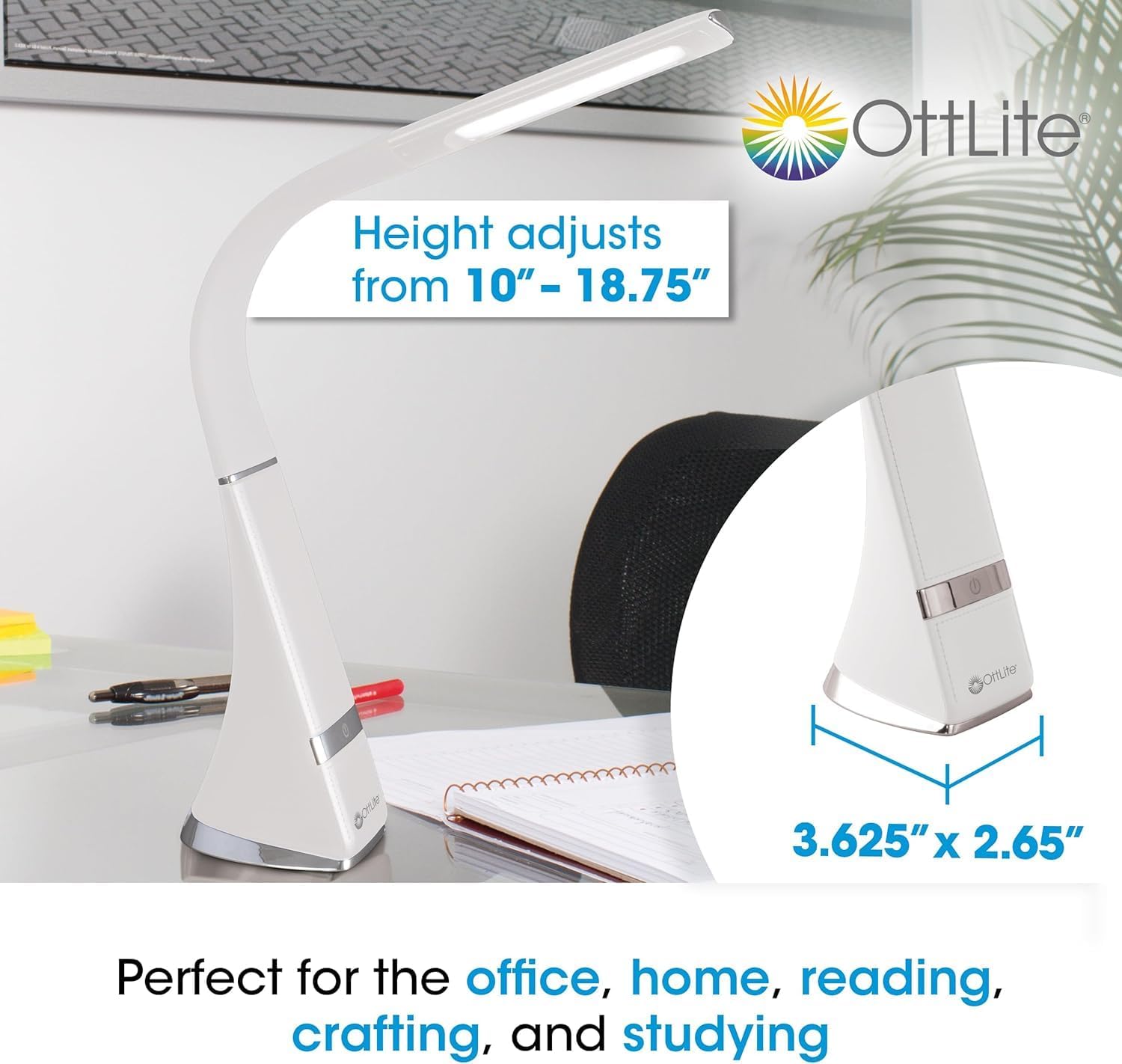
Imagen 4.1: Lamp dimensions and height adjustment range.
5. Instrucciones de funcionamiento
5.1 Encendido/apagado y ajuste de brillo
El lamp features touch-activated controls. Locate the touch control area on the lamp base.
- Para activar: Lightly tap the touch control area.
- Para ajustar el brillo: Tap the touch control area repeatedly to cycle through the three available brightness levels.
- Para apagar: Continue tapping until the lamp switches off, or hold the touch control for a few seconds.
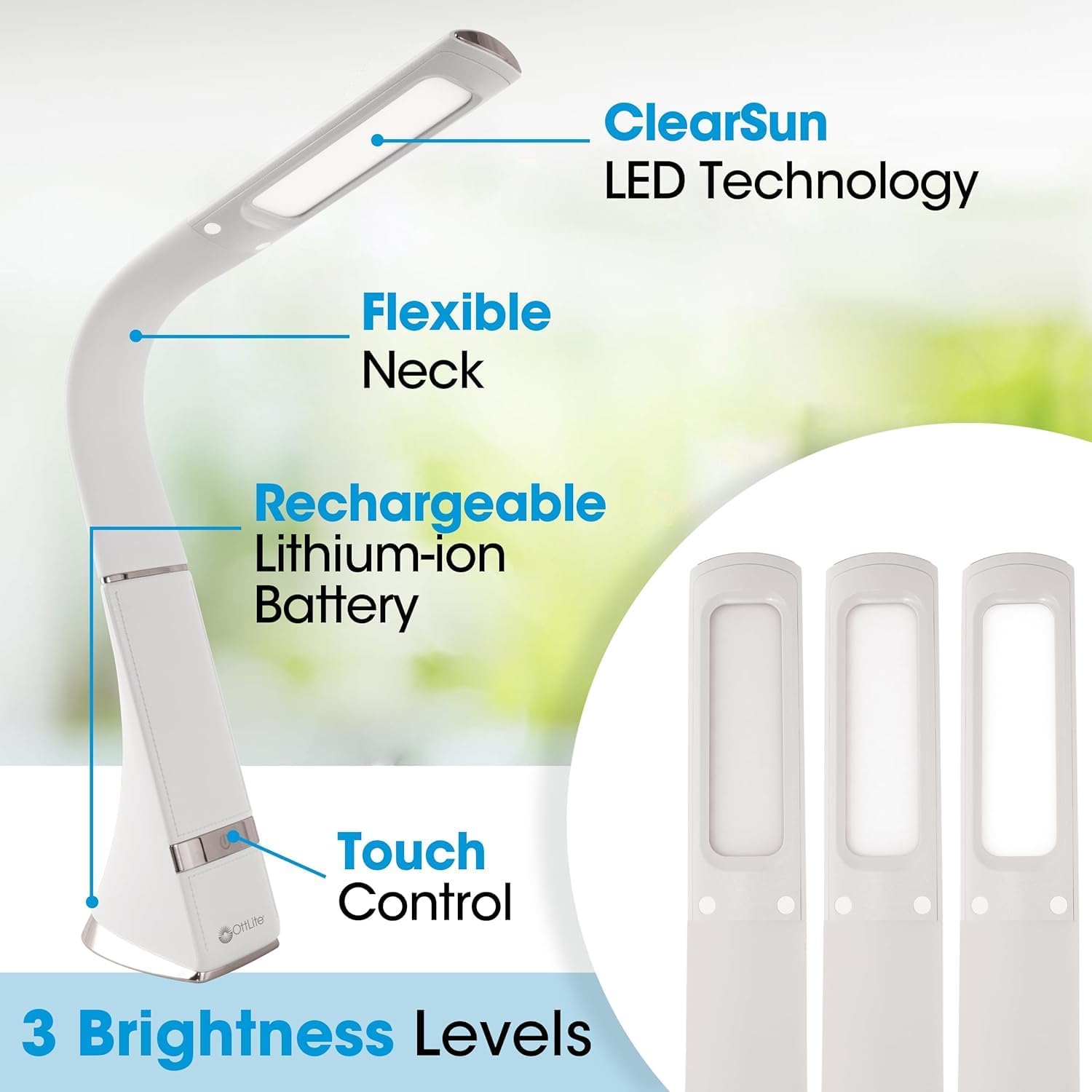
Imagen 5.1: Lamp features including touch control and brightness levels.
6. Tecnología LED ClearSun
The OttLite Recharge LED Desk Lamp incorporates ClearSun LED Technology, which is engineered to closely replicate the spectral output of natural daylight. This technology is designed to reduce eyestrain by up to 51% compared to standard LEDs, allowing for extended periods of comfortable use.

Image 6.1: Illustration of ClearSun LED technology's impact on eyestrain reduction.
ClearSun LEDs also boast a Color Rendering Index (CRI) of 95+, indicating high accuracy in rendering colors. This ensures that colors appear vivid and true-to-life under the lamp's illumination.
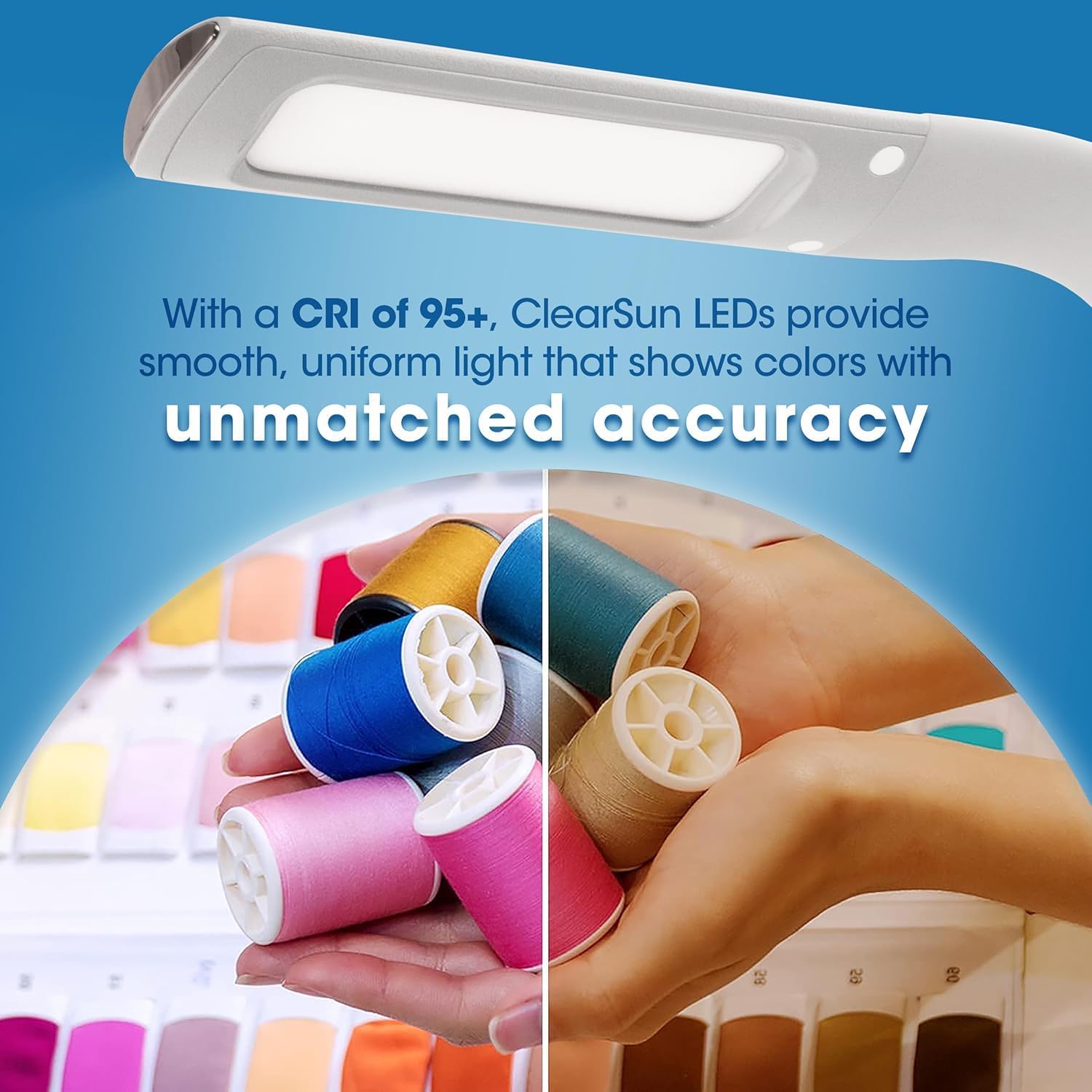
Image 6.2: Visual comparison of color accuracy with a CRI of 95+.

Image 6.3: Benefits of natural daylight illumination for tasks.
6.1 Informational Videos on ClearSun Technology
Video 6.1: Official video explaining OttLite's ClearSun LED Technology and its benefits across various products.
Video 6.2: Official video introducing the OttLite Wellness Series with ClearSun LED, focusing on healthier lighting for improved vision.
7. Carga del Lamp
El lamp is equipped with a rechargeable lithium-ion battery. To charge, connect the USB charging cord to the lamp and a power source (e.g., wall adaptor, computer USB port). A full charge provides several hours of cordless operation, depending on the brightness setting used. The lamp También se puede utilizar mientras se carga.
8. Mantenimiento
8.1 Limpieza
Para limpiar el lampAsegúrese de que esté apagado y desenchufado. Utilice un paño suave y seco para limpiar las superficies. No utilice limpiadores abrasivos, disolventes ni productos químicos agresivos, ya que pueden dañar el acabado o los componentes electrónicos.
8.2 Almacenamiento
Cuando no se utilice durante períodos prolongados, guarde el producto en un lugar fresco y seco.amp in a cool, dry place. It is recommended to charge the battery periodically to maintain its lifespan.
9. Solución de problemas
- Lamp no se enciende:
- Asegúrese de que lamp is charged. Connect it to a power source and allow it to charge for at least 30 minutes.
- Verify that the power adaptor and USB cord are securely connected and functioning correctly.
- Lamp no cobra:
- Check the USB charging cord and adaptor for any visible damage.
- Try using a different USB port or power outlet.
- La luz es tenue o parpadea:
- La batería puede estar baja. Recargue la batería.amp.
- Asegúrese de que lamp is not operating in an excessively hot or cold environment.
10. Especificaciones
| Característica | Detalle |
|---|---|
| Número de modelo | CS59089-SHPR |
| Marca | OttLite |
| Tipo de fuente de luz | LED (Tecnología ClearSun) |
| Fuente de poder | Alimentado por batería (iones de litio recargables) |
| Quétage | 5 vatios |
| Volumentage | 120 voltios |
| Dimensiones del producto | 3.63" de profundidad x 2.65" de ancho x 18.75" de alto |
| Peso del artículo | 1.32 libras |
| Tipo de interruptor | Tocar |
| Ajustes de brillo | 3 niveles |
| Cuello de cisne | Flexible |
| Tipo de material | Plástico |
| Color | Blanco |
11. Garantía y soporte
11.1 Garantía del fabricante
This OttLite product comes with a standard manufacturer's warranty. Please refer to the warranty card included in your package for specific terms and conditions, or visit the official OttLite websitio para obtener información detallada.
11.2 Atención al cliente
For technical assistance, troubleshooting, or warranty claims, please contact OttLite customer support:
- Websitio: www.ottlite.com
- Teléfono: Consulte OttLite websitio para números de contacto regionales.