
1. Introducción
The Klein Tools ET20 Wi-Fi Borescope is designed for visual inspection in hard-to-reach areas. It transmits video and images wirelessly to your smartphone or tablet, providing a clear view with its 9 mm waterproof camera and adjustable LED lights. The durable 6-foot armored gooseneck cable allows for flexible maneuvering through various spaces. This manual provides essential information for the safe and effective use of your ET20 borescope.
2. ¿Qué hay en la caja?
Verifique que todos los artículos que se enumeran a continuación estén presentes en su paquete:
- ET20 Wi-Fi Borescope
- Cable de carga USB
- Accesorio de gancho
- Estuche de transporte
- Manual de instrucciones
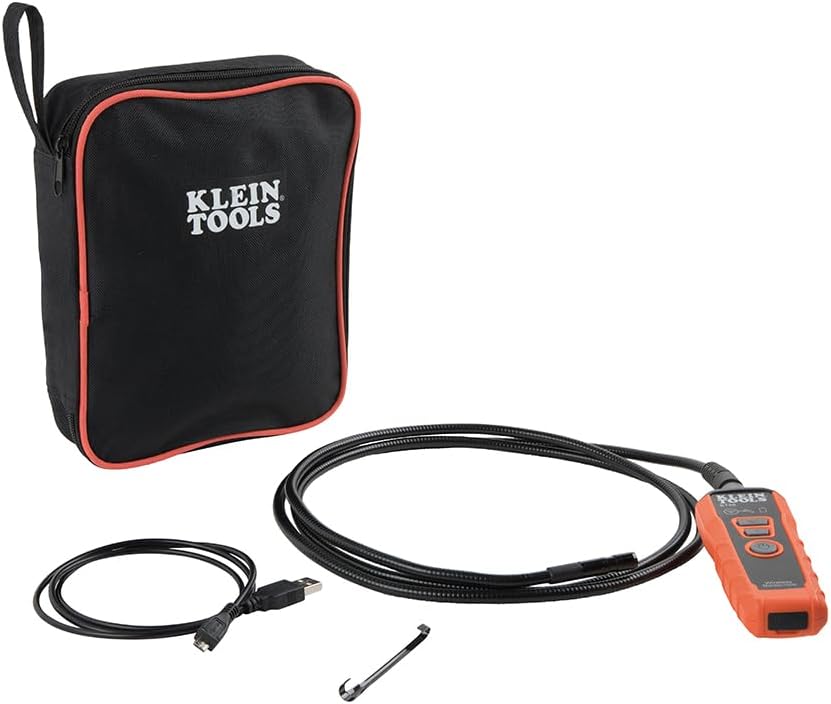
Image: Klein Tools ET20 Borescope, USB charging cable, hook attachment, and carrying case.
3. Características del producto
- Transmisión de vídeo inalámbrica: Connects to your smartphone or tablet via Wi-Fi, transmitting video and images up to 30 feet (9 m) away.
- Waterproof 9 mm Camera: Captures high-quality 640 x 480 images and video. Equipped with 6 adjustable LED lights for optimal illumination.
- Durable Gooseneck Cable: Features a 6-foot (1.8 m) armored, flexible, and waterproof gooseneck cable for navigating obstacles.
- Adjustable LED Output: Control camera LED brightness directly on the borescope unit or through the companion app.
- Multi-Functional App: The Klein Borescope App allows for live viewing, recording, storing, and sharing of images and videos.
- Batería recargable: Integrated lithium-ion battery with a status indicator for convenient power management.
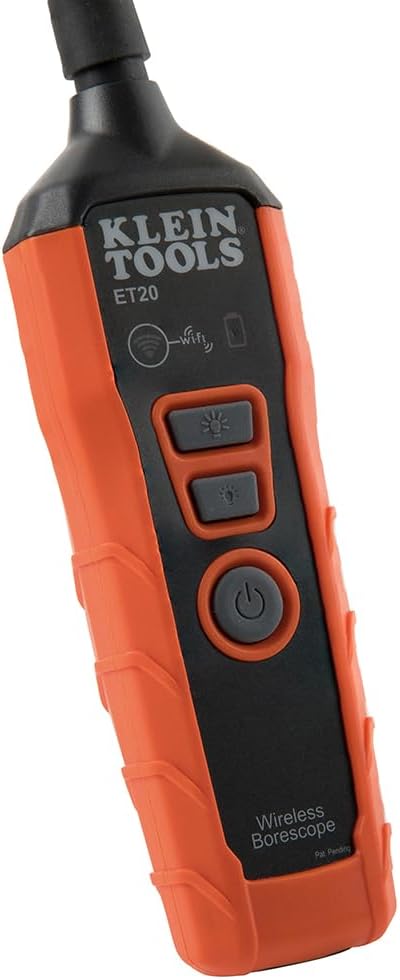
Imagen: Primer plano view of the 9 mm camera head with integrated LED lights.
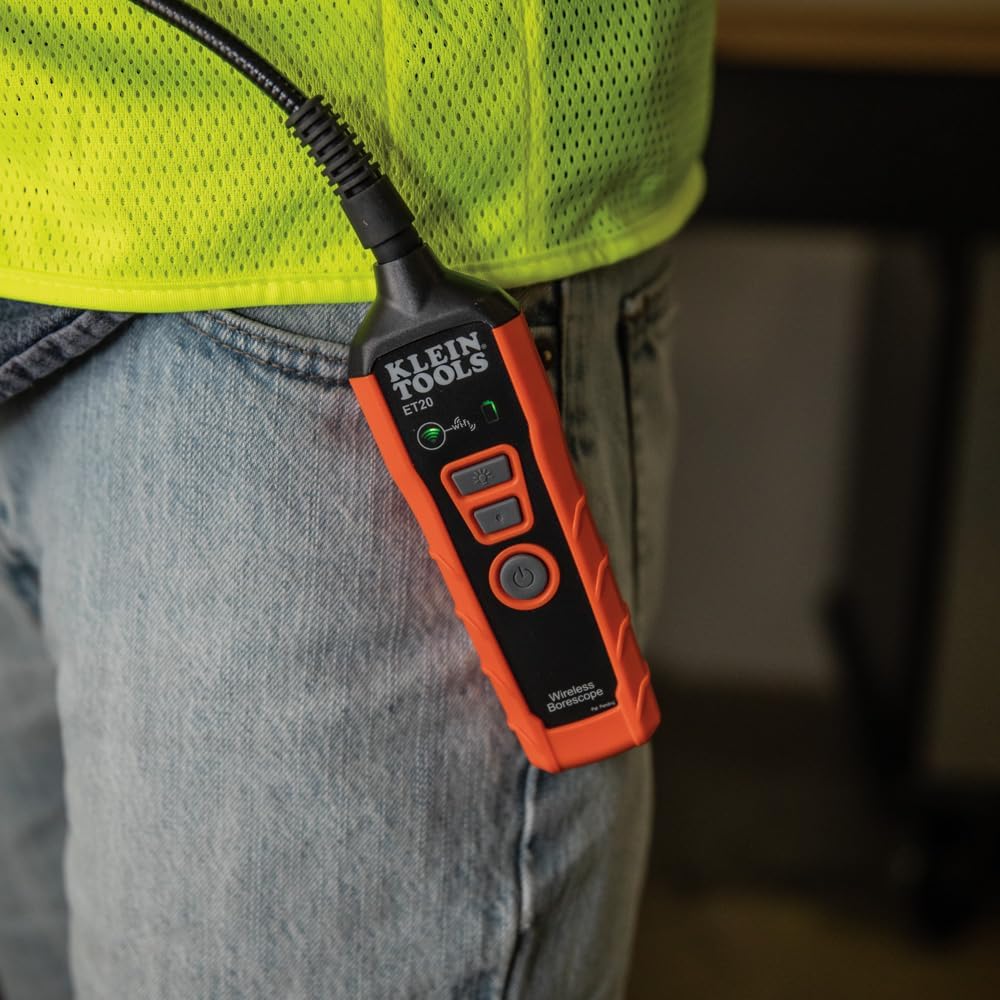
Image: The borescope unit with visible Wi-Fi and battery status indicators.
4. Instrucciones de configuración
- Cargue el boroscopio: Before first use, fully charge the borescope using the provided USB charging cable. Connect the micro-USB end to the borescope and the standard USB end to a compatible USB power source (e.g., computer, wall adapter). The battery status indicator will show charging progress.
- Descargar la aplicación: Download the "Klein Tools Wi-Fi Borescope" app from your device's app store (available for iOS and Android).
- Encendido: Press and hold the power button on the borescope unit until the power indicator light illuminates.
- Conectarse a Wi-Fi: On your smartphone or tablet, go to Wi-Fi settings and connect to the Wi-Fi network broadcast by the borescope (e.g., "Klein_Borescope_XXXX"). No password is required.
- Iniciar la aplicación: Open the Klein Tools Wi-Fi Borescope app. The live camera feed from the borescope should appear on your device screen.
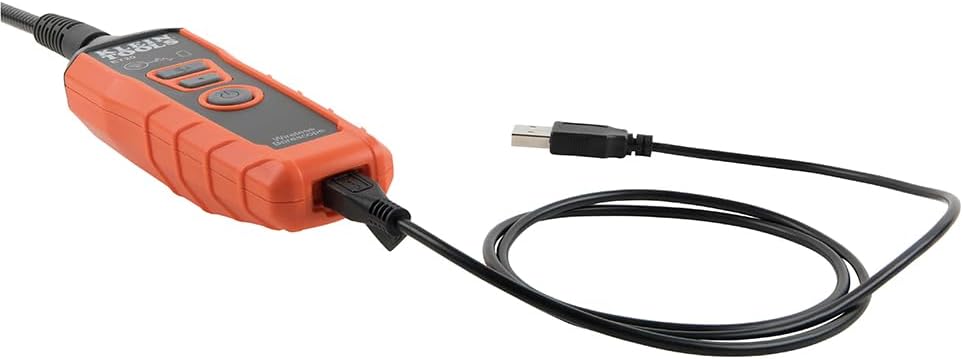
Image: The borescope unit connected to its USB charging cable.
5. Instrucciones de funcionamiento
- Ajuste las luces LED: Use the dedicated LED light buttons on the borescope unit or the controls within the app to increase or decrease the brightness of the camera's LED lights. This helps illuminate dark inspection areas.
- Maneuver the Gooseneck: Carefully guide the armored gooseneck cable and camera head into the desired inspection area. The flexible yet rigid design allows for precise positioning.
- View Transmisión en vivo: Observe the live video feed on your connected smartphone or tablet.
- Capturar imágenes/vídeos: Use the photo and video recording buttons within the app to capture still images or record video footage of your inspection. Captured media is saved directly to your device.
- Guardar y compartir: Access saved images and videos through the app's gallery. From there, you can save them to your device's photo library or share them via email or messaging applications.
- Apagado: After use, press and hold the power button on the borescope unit to turn it off. Disconnect the Wi-Fi connection on your device.
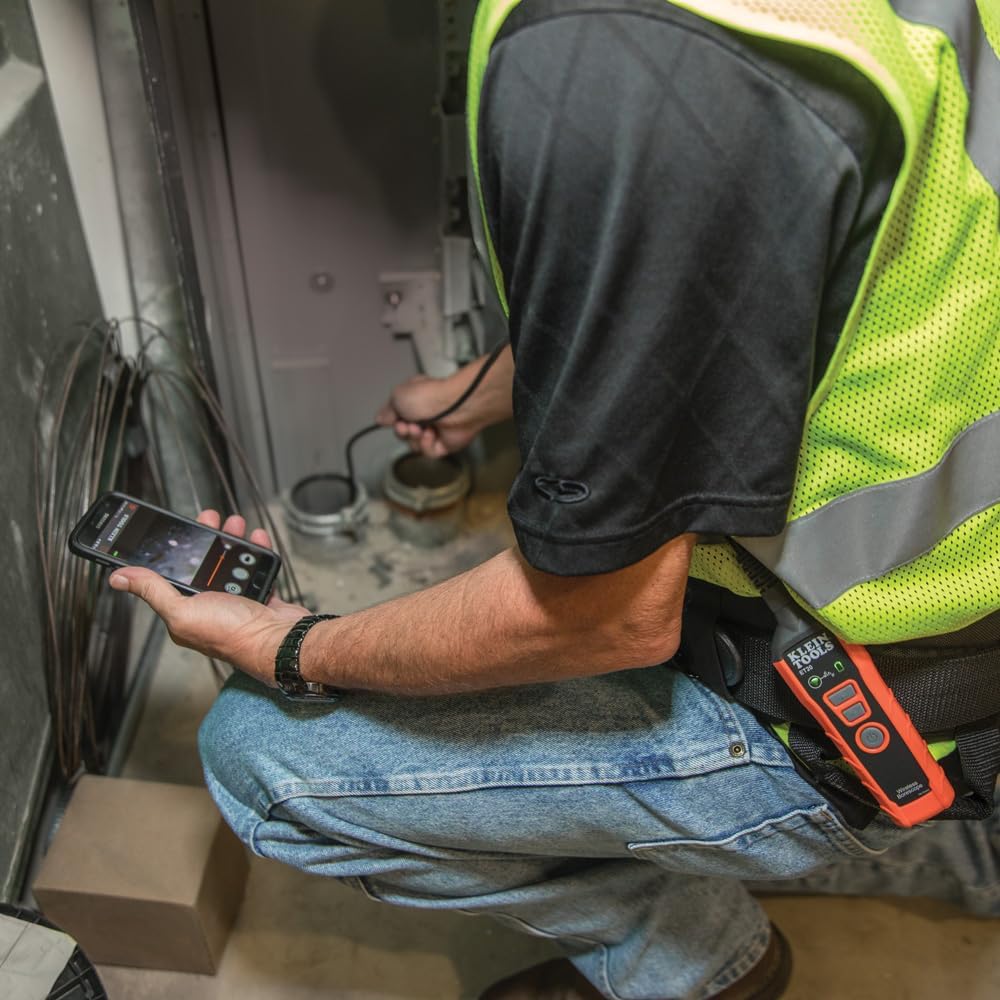
Image: User operating the borescope, viewviendo la transmisión en vivo en un teléfono inteligente.
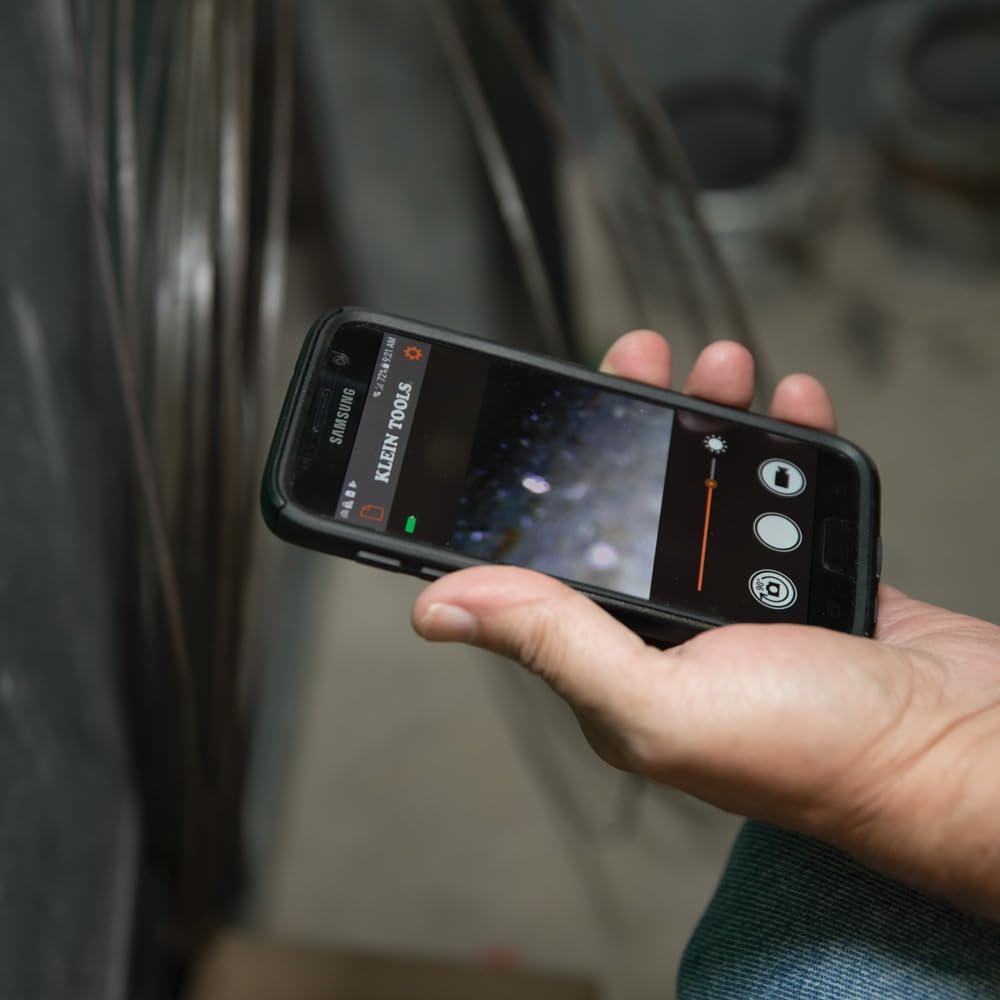
Image: The Klein Tools borescope app interface on a smartphone, showing the live camera view y controles.
6. Mantenimiento
- Limpieza de la lente de la cámara: Gently wipe the camera lens with a soft, lint-free cloth. For stubborn dirt, use a small amount of lens cleaning solution. Ensure the lens is dry before storage.
- Cleaning the Gooseneck: The gooseneck cable is waterproof. After use in dirty or wet environments, wipe it clean with a damp paño. Evite los productos químicos agresivos.
- Cuidado de la batería: To prolong battery life, avoid fully discharging the battery frequently. Recharge the borescope regularly, especially if it will be stored for extended periods. Store in a cool, dry place.
- Almacenamiento: Store the borescope and its accessories in the provided carrying case to protect them from damage and dust.
7. Solución de problemas
- No hay imagen en la aplicación:
- Ensure the borescope is powered on and the Wi-Fi indicator is active.
- Verify your smartphone/tablet is connected to the borescope's Wi-Fi network.
- Restart both the borescope and the app.
- Check if your phone's power-saving mode is interfering with the Wi-Fi connection.
- Mala calidad de imagen:
- Adjust the LED light brightness using the buttons on the unit or within the app.
- Limpie la lente de la cámara si parece sucia.
- Ensure the camera is within its optimal focus range (macro focus range: 9 millimeters).
- Borescope Not Powering On:
- Charge the battery. The battery may be fully discharged.
- Asegúrese de que el botón de encendido esté presionado y mantenido presionado lo suficiente.
- App Freezes or Disconnects:
- Asegúrese de que el sistema operativo de su dispositivo esté actualizado.
- Cierre y vuelva a abrir la aplicación.
- Busque actualizaciones de la aplicación en la tienda de aplicaciones de su dispositivo.
- Minimize other applications running in the background that might consume resources.
8. Especificaciones
| Característica | Especificación |
|---|---|
| Nombre del modelo | ET20 |
| Marca | KLEIN TOOLS |
| Tecnología de conectividad | Wifi |
| Diámetro de la cámara | 9 milímetros |
| Longitud de cuello de cisne | 6 pies (1.8 m) |
| Nivel de resistencia al agua | Impermeable |
| Resolución de captura de video | 640x480 |
| Resolución de imágenes fijas efectiva | 0.3 MP |
| Tipo de batería | Ion de litio recargable |
| Duración media de la batería | 5.5 horas |
| Dispositivos compatibles | Teléfono inteligente, tableta |
| File Formato | JPEG, MP4 |
| Peso del artículo | 567 gramos |
9. Garantía y soporte
For detailed warranty information and customer support, please refer to the official Klein Tools webSitio web o contacte directamente con el servicio de atención al cliente. Conserve el recibo de compra para reclamaciones de garantía.
Fabricante: Herramientas Klein
Código postal: 092644692314