
Introducción
The Jaybird Vista True Wireless Sport Earbuds are engineered for active lifestyles, offering a secure fit, durable construction, and high-quality audio performance. Designed to withstand challenging environments, these earbuds provide extended battery life and customizable sound profiles para una experiencia auditiva optimizada.
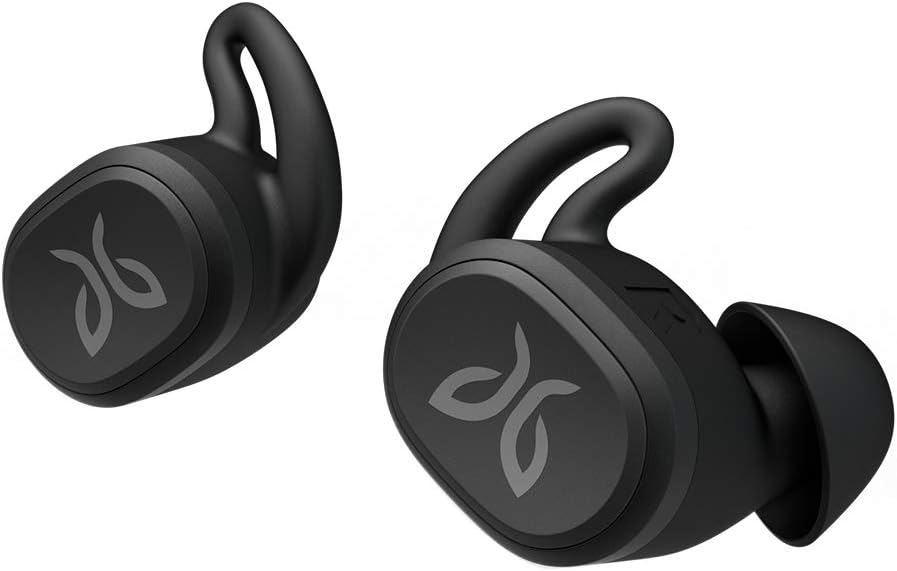
Figure 1: Jaybird Vista True Wireless Sport Earbuds.
¿Qué hay en la caja?
Your Jaybird Vista package includes the following items:
- Jaybird Vista True Wireless Earbuds
- Estuche de carga compacto
- Cable de carga USB-C
- Multiple Sizes of Interchangeable Ear Gels (integrated ear tips and fins)
- Guía de inicio rápido y documentación

Figure 2: All items included in the Jaybird Vista package.
Configuración
Emparejamiento inicial
- Asegúrese de que los auriculares estén en el estuche de carga y que éste esté cargado.
- Open the charging case. The LED indicator on the case will begin to flash white, indicating pairing mode.
- En su dispositivo de audio (teléfono inteligente, tableta, etc.), navegue hasta la configuración de Bluetooth.
- Select "Jaybird Vista" from the list of available devices to complete the pairing process.
Jaybird App Installation
For full customization and advanced features, download the Jaybird App from your device's app store (iOS or Android). The app allows you to:
- Personalizar sonido profesionalfiles with a parametric EQ.
- Adjust button controls.
- Access the "Find My Buds" feature.
- Manage auto-off settings.

Figure 3: Customize your sound profile using the Jaybird App's custom EQ.
Instrucciones de funcionamiento
Controles básicos
The Jaybird Vista earbuds feature physical buttons for control. These controls are customizable via the Jaybird App.
- Presionar una sola vez: Default for Play/Pause. Can be customized for Google Assistant or custom functions.
- Pulse dos veces: Default for Next Track. Can be customized for Google Assistant or custom functions.
- Presione "Hold: Default for Power Off. Can be customized for Volume Up (Right bud) / Volume Down (Left bud).
Encendido/apagado
- Encendido: Remove earbuds from the charging case. They will automatically power on and connect to the last paired device.
- Apagado: Place earbuds back into the charging case and close the lid. They will automatically power off. Alternatively, use the customizable Press & Hold function.
Gestión de llamadas
Calls can be managed using the earbud controls:
- Responder/Finalizar llamada: Presione una vez cualquiera de los auriculares.
- Rechazar llamada: Mantenga presionado cualquiera de los auriculares.
Asistente de voz
Access your device's voice assistant (e.g., Google Assistant, Siri) by customizing the earbud controls in the Jaybird App.
Comodidad y ajuste
The Jaybird Vista earbuds are designed for a secure, weightless, and ultra-comfortable fit, essential for active use. They come with three sizes of interchangeable ear gels that integrate both the ear tip and stability fin into a single piece.
- Ajuste seguro: Choose the ear gel size that provides the snuggest fit without discomfort. This ensures the earbuds stay in place during intense workouts.
- Weightless Design: The compact and lightweight design minimizes ear fatigue during extended wear.

Figure 4: Earbud showing a secure and comfortable fit.
Durabilidad y resistencia al agua
The Jaybird Vista earbuds feature EARTHPROOF IPX7 construction, making them fully waterproof, crushproof, dropproof, and sweatproof. This robust design ensures they can withstand any workout, running conditions, or weather.
- Clasificación IPX7: Protects against immersion in water up to 1 meter for 30 minutes.
- MIL-SPEC STD810G Standards: Meets military-grade standards for shock, dust, and drop resistance.
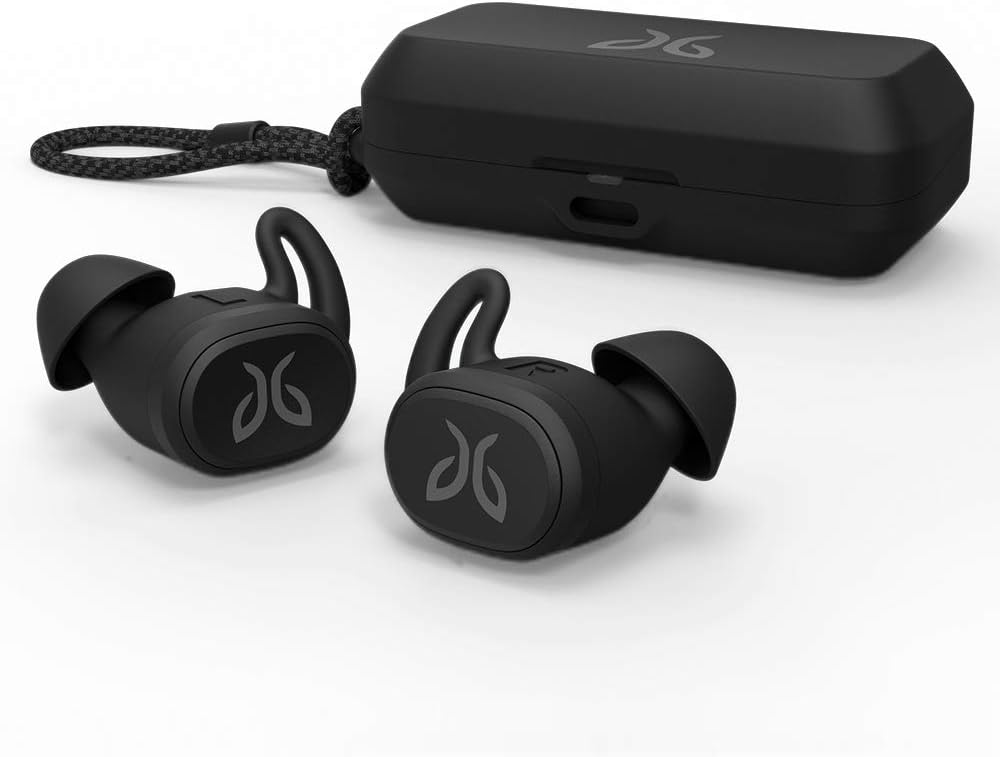
Figure 5: Jaybird Vista earbuds are sweat and waterproof with an IPX7 rating.
Duración de la batería
The Jaybird Vista earbuds provide extended battery life to keep your music going through long sessions.
- Tiempo de reproducción de auriculares: Hasta 6 horas con una carga completa.
- Estuche de carga: Provides an additional 10 hours of charge, totaling 16 hours of listening time.
- Single Bud Use: Extend total listening time to 32 hours by using one earbud at a time.
- Carga rápida: Una carga rápida de 5 minutos proporciona aproximadamente 1 hora de tiempo de reproducción.

Figure 6: The charging case provides additional battery life for extended use.
Calidad de sonido
Experience premium sound quality with the Jaybird Vista's highly efficient 6mm drivers. The Jaybird App offers infinite EQ control to customize your audio experience.
- Ecualizador personalizable: Fine-tune bass, mids, and highs to match your personal preferences or choose from community presets.
- Cancelación pasiva de ruido: The secure in-ear fit provides effective passive noise isolation.
Conectividad
The Jaybird Vista utilizes cutting-edge JBS1 true wireless Bluetooth technology for high-quality, zero-lag stereo sound and a reliable connection.
- Bluetooth 5.0: Garantiza una conexión inalámbrica estable y eficiente.
- Independent Bud Use: Each earbud can be used independently, allowing for flexible listening.
Vídeos oficiales de productos
Vídeo 1: Un finalview of the Jaybird Vista True Wireless Earbuds, showcasing their design and features. This video highlights the product's compact size and suitability for active use.
Video 2: A brief demonstration of the Jaybird Vista True Wireless Bluetooth Sport Waterproof Earbuds, emphasizing their robust, waterproof design for sports and outdoor activities.
Mantenimiento
To ensure the longevity and optimal performance of your Jaybird Vista earbuds, follow these maintenance guidelines:
- Limpieza: Limpie regularmente los auriculares y el estuche de carga con un paño suave, seco y sin pelusa. Si usa geles, retírelos y límpielos con agua y jabón suave. Séquelos bien antes de volver a colocarlos.
- Almacenamiento: Guarda los auriculares en su estuche de carga cuando no los uses para protegerlos y mantenerlos cargados. Evita temperaturas extremas.
- Puerto de carga: Mantenga el puerto de carga USB-C libre de polvo y residuos.
Solución de problemas
If you encounter issues with your Jaybird Vista earbuds, try the following steps:
- No Sound/Connection: Ensure earbuds are charged and within Bluetooth range of your device. Re-pair the earbuds by placing them in the case, closing the lid, then opening it to re-enter pairing mode.
- Problemas de ajuste: Experiment with different ear gel sizes to find the most secure and comfortable fit. An improper fit can affect sound quality and stability.
- La aplicación no responde: Close and restart the Jaybird App. Ensure your device's Bluetooth is enabled and the earbuds are connected.
- Reset: If problems persist, consult the Quick Start Guide for instructions on performing a factory reset.
Presupuesto
| Característica | Detalle |
|---|---|
| Nombre del modelo | Jaybird VISTA |
| Número de modelo del artículo | 985-000865 |
| Tecnología de conectividad | Bluetooth 5.0 |
| Nivel de resistencia al agua | IPX7 (resistente al agua) |
| Duración de la batería (auriculares) | 6 horas |
| Additional Charge (Case) | 10 horas |
| Tipo de controlador de audio | Controlador dinámico |
| Tamaño del controlador de audio | 6 milímetros |
| Respuesta de frecuencia | 20 Hz - 20 kHz |
| Método de control | Aplicación, botón |
| Peso del artículo | 0.212 onzas (6 gramos) |
| Dimensiones del producto | 5 x 1.9 x 7.2 pulgadas |
| Material | Plástico |
| Color | Negro |
| Código Postal | 097855144676 |
Garantía y soporte
For warranty information, technical support, or to access additional resources, please visit the official Jaybird support website or refer to the documentation included in your product package. Keep your proof of purchase for warranty claims.