
LANZAMIENTO CRP129X
LAUNCH CRP129X V2.0 Elite OBD2 Scanner User Manual
Model: CRP129X
Introducción
The LAUNCH CRP129X V2.0 Elite OBD2 Scanner is a professional-grade diagnostic tool designed for comprehensive vehicle system analysis and maintenance. This device offers advanced diagnostic capabilities, including 12 reset service functions, 4-system diagnostics (Engine, ABS, SRS, Transmission), live data streaming, and wide vehicle compatibility. It is an upgraded version of the CRP123X, featuring enhanced hardware and software for improved performance and user experience.
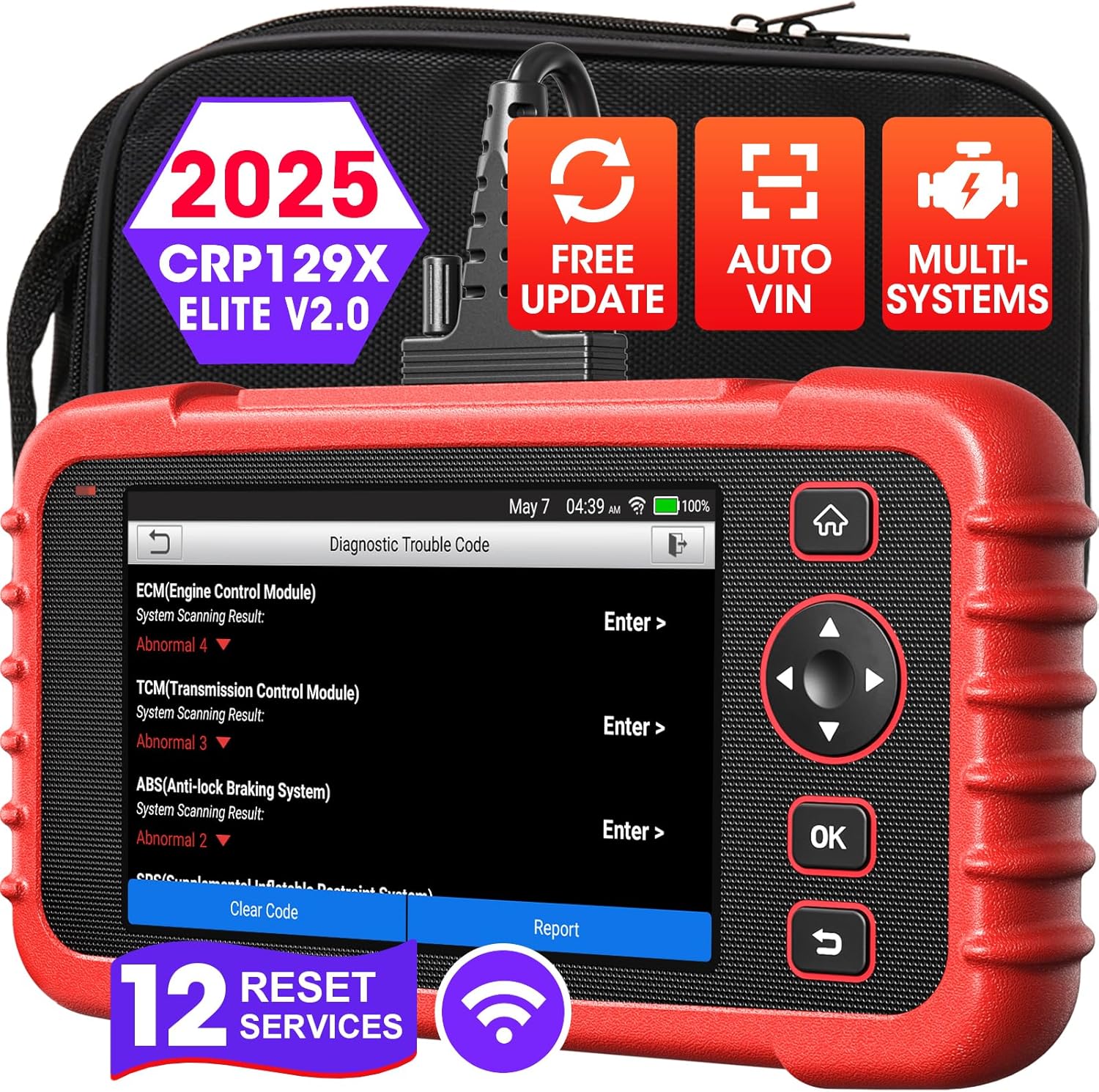
Image: The LAUNCH CRP129X V2.0 Elite OBD2 Scanner, showcasing su diseño compacto y su interfaz de usuario.
¿Qué hay en la caja?
The LAUNCH CRP129X V2.0 Elite package includes the following components:
- Teléfono Creader Professional 129X
- Cable de diagnóstico OBDII
- Cable de carga de 5 V CC
- Manual de usuario
- Bolsa de transporte
Configuración
Follow these steps for initial setup of your LAUNCH CRP129X V2.0 Elite scanner:
- Encendido: Mantenga presionado el botón de encendido para encender el dispositivo.
- Selección de idioma: En el primer arranque, seleccione su idioma preferido entre las opciones disponibles.
- Configuración de zona horaria: Set the correct time zone for your region.
- Conexión de red: Connect the device to a Wi-Fi network to enable software updates and online features.
- Actualización de software: Navigate to the 'Upgrade' menu and perform a one-click Wi-Fi update to ensure you have the latest software, bug fixes, and vehicle model coverage. This process adds newer functions and models, ensuring smoother operation.

Image: The scanner's interface showing the one-click Wi-Fi update process, highlighting the ease of keeping the device current.
Operación del dispositivo
Key Features and Diagnostic Capabilities
The LAUNCH CRP129X V2.0 Elite functions as a versatile diagnostic tool, providing comprehensive analysis for various vehicle systems.

Image: A visual comparison highlighting the advanced features of the CRP129X V2.0 Elite, such as 12 service functions, Android OS, AutoAuth, and lifetime free upgrades.
12 Funciones del servicio
The scanner offers 12 essential OE-level service functions to address common vehicle maintenance needs:
- Reinicio de aceite: Closes the oil service light and resets service mileage/interval after oil change.
- Calibración del ángulo de dirección (reinicio del SAS): Performs calibration for the Steering Angle Sensor and clears fault memory.
- Restablecimiento del freno de estacionamiento electrónico (EPB): Resets the electronic parking brake for safe braking.
- Restablecimiento de TPMS: Resets TPMS sensor IDs and tests sensors.
- Adaptación del acelerador: Initializes throttle actuators for accurate throttle operation.
- Regeneración del filtro de partículas diésel (DPF): Performs DPF component replacement teach-in and regeneration.
- Codificación del inyector: Codes new injector numbers after replacement.
- Restablecimiento del sistema de gestión de batería (BMS): Resets vehicle battery for clearing fault information and re-matching.
- Reinicio de AdBlue: Performs reset after replacing or filling diesel exhaust fluid (urea).
- Cabezalamp Pareo: Initializes the adaptive headlight system.
- Air/Fuel (A/F) Reset: Applied to set or learn air/fuel rate parameters.
- Purga del ABS: Performs auto bleed procedure on brake pump-equipped vehicles.

Image: A visual representation of the 12 hot service functions available on the CRP129X V2.0 Elite.

Image: Detailed illustrations of Oil Reset, EPB Reset, and SAS Reset functions.

Image: Detailed illustrations of BMS Reset, TPMS Reset, and Adblue Reset functions.

Image: Detailed illustrations of Headlamp Matching, ABS Bleeding, and Throttle Adaptation functions.

Image: Detailed illustrations of A/F Reset, Injector Coding, and DPF Regeneration functions.
4-System Diagnostic Scan Tool
The CRP129X V2.0 Elite provides comprehensive diagnostics for four core vehicle systems:
- Sistema de motor: Reads and clears engine fault codes, checks I/M readiness for emission tests, and displays live data.
- Sistema ABS: Diagnoses Anti-lock Braking System issues, reads and clears ABS fault codes.
- Sistema SRS: Diagnoses Supplemental Restraint System (Airbag) issues, reads and clears SRS fault codes.
- Sistema de transmisión: Diagnoses automatic transmission issues, reads and clears transmission fault codes.

Image: The scanner's display showing options for Engine, SRS, Transmission, and ABS system diagnostics.

Image: Illustration explaining how ABS diagnosis helps identify and clear braking system faults.

Image: Illustration explaining how SRS diagnosis helps identify and clear airbag system faults.

Image: Illustration explaining how engine system diagnosis helps identify and clear check engine light issues.

Image: Illustration explaining how transmission system diagnosis helps identify and clear transmission warning lights.
Live Data Stream and Battery Voltagy Monitoreo
The device allows for real-time monitoring of vehicle parameters through live data streams, which can be displayed graphically for easier analysis. It also provides real-time battery voltage graphing to assess battery health and identify potential charging system issues.
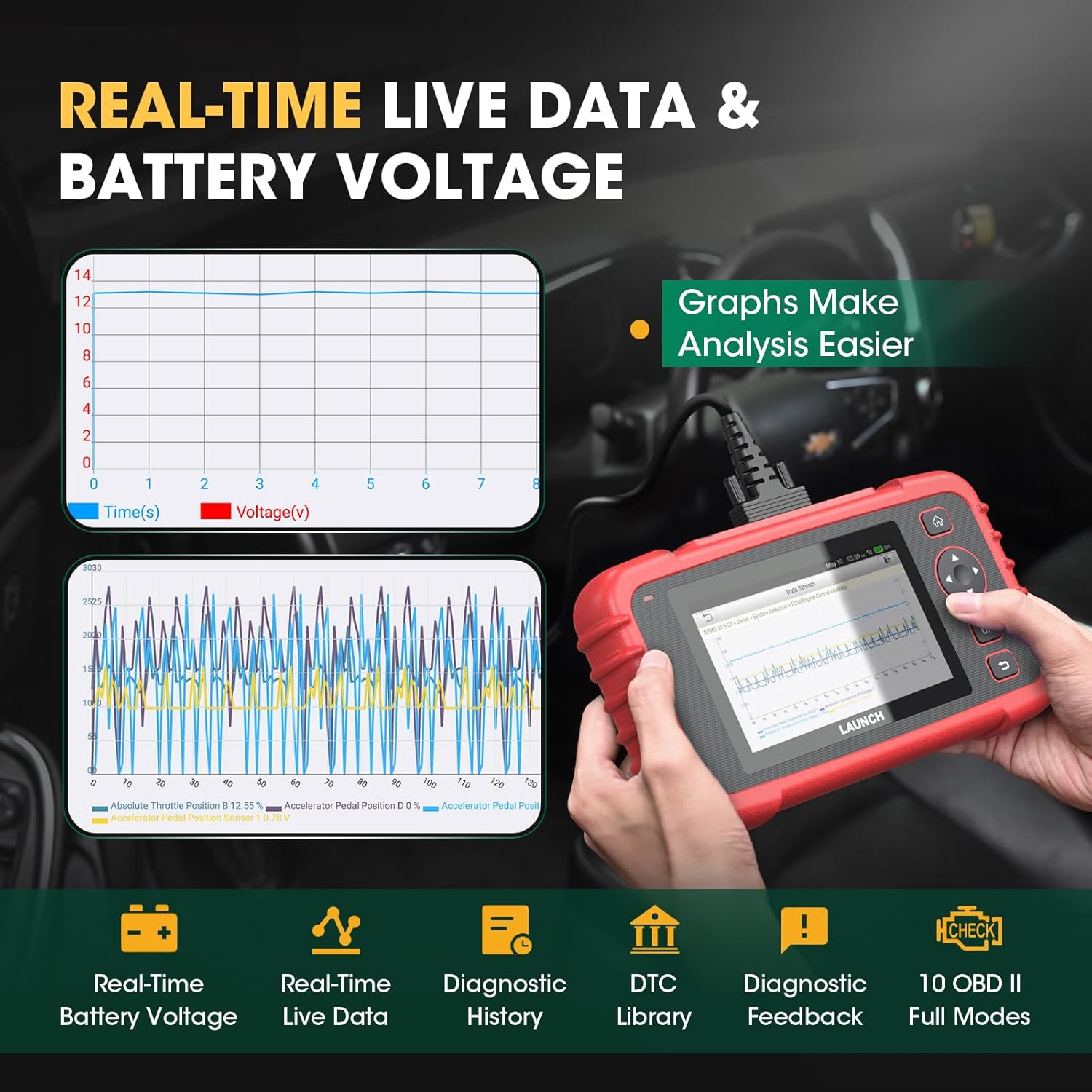
Image: The scanner displaying real-time live data and battery voltage graphs for detailed analysis.

Image: The scanner connected to a vehicle, displaying real-time battery voltage seguimiento.
Auto VIN and Diagnostic Report
The Auto VIN feature enables quick vehicle system access by automatically decoding the Vehicle Identification Number (VIN). If automatic VIN detection takes too long, manual VIN input is supported. The scanner can generate a comprehensive vehicle health report with one-click, which can be shared for analysis. It also stores running parameters and waveform graphs for diagnostic records.

Image: The scanner's screen showing options for Auto VIN, Diagnostic Report, and Feedback features.

Image: Illustration of the fast Auto VIN scan feature, simplifying vehicle identification.

Image: Screenshots of the diagnostic report, feedback mechanism, and DTC library within the scanner's interface.
FCA AutoAuth and Vehicle Coverage
The CRP129X V2.0 includes FCA AutoAuth functionality, enabling access to compatible 2018+ Fiat, Chrysler, Alfa Romeo, Dodge, and Jeep vehicles. The tool supports over 60 car brands, covering OBD2/EOBD/JOBD vehicles mostly manufactured after 1996, offering wide vehicle compatibility across American, Asian, European, and Australian markets.

Image: The scanner's display showing a list of supported car brands and regions, indicating wide vehicle coverage.

Image: A world map illustrating the extensive vehicle coverage across America, Europe, Asia, and other regions.

Image: Illustration showing the FCA AutoAuth feature, enabling secure gateway access for compatible vehicles.
Mantenimiento
To ensure optimal performance and access to the latest features, regular software updates are recommended. The LAUNCH CRP129X V2.0 Elite supports one-click Wi-Fi updates, which can be performed directly from the device. These updates provide bug fixes, optimize existing functions, and add support for new vehicle models and features.

Image: The scanner's screen showing the one-click Wi-Fi update process, emphasizing ease of use and benefits like faster operation and new functions.
Solución de problemas
This section addresses common issues and provides solutions for the LAUNCH CRP129X V2.0 Elite scanner.
Problemas comunes y soluciones
- El dispositivo no enciende: Ensure the battery is charged. The device includes a Lithium Polymer battery.
- OBD connector not detected: Please ensure the OBD connector is securely connected to the vehicle's OBD-II port.
- Auto VIN takes too long: While Auto VIN is available for most cars, if it takes an extended period, please input the VIN manually.
- Incompatibility or defective issues: If you encounter incompatibility or defective issues, provide your serial number, vehicle model, year, and VIN to technical support for assistance.
- Compraasing functions in the 'Mall' menu: Functions available in the 'Mall' menu are optional add-ons. The core functions of the CRP129X are lifetime free. Purchased functions from the 'Mall' menu typically have a limited free usage period (e.g., 1 year) and may require re-purchase. Always confirm compatibility before purchasing additional functions.
Preguntas frecuentes (FAQ)
- ¿Qué debo hacer si el producto recibido está roto o usado? If you receive a broken or used item, please contact support for a replacement.
- ¿Funcionará el mapa de topología después de dos años de actualización gratuita? Yes, the topology map functionality will continue to work. Updates primarily focus on bug fixes, optimization, new functions, and new models.
- ¿A quién debo contactar para solucionar mi problema? Please connect via the email provided in the support section.

Image: A visual representation of common questions and answers regarding the scanner's compatibility and features.
Presupuesto
| Característica | Detalle |
|---|---|
| Marca | LANZAMIENTO |
| Modelo | CRP129X |
| Sistema operativo | Androide |
| Peso del artículo | 1.3 libras |
| Dimensiones del producto | 7.83 x 4.11 x 4.11 pulgadas |
| Baterías | Se requieren 1 baterías de polímero de litio (incluidas) |
| Mostrar | Pantalla táctil de 5 pulgadas |
| Memoria (ROM) | 16 GB |
| Capacidad de la batería | 6100 mAh |

Image: A graphic summarizing the key hardware specifications of the CRP129X V2.0 Elite, including processor, memory, battery, and screen size.
Garantía y soporte
The LAUNCH CRP129X V2.0 Elite comes with a 5-year brand warranty, lifetime free software updates, and lifetime technical support. For any questions or assistance, please contact:
Email: Tech_Launchoriginal@outlook.com
El soporte está disponible 24 horas al día, 7 días a la semana, 365 días al año.

Image: A graphic illustrating the commitment to customer support, including free software updates, lifetime tech support, 24/7 service, and a 5-year warranty.
Documentos relacionados - CRP129X
 |
Comparación de herramientas de diagnóstico automotriz: modelos FOXWELL, LAUNCH y Autel Compare características clave, modelos, precios y sistemas compatibles de herramientas de diagnóstico automotriz de FOXWELL, LAUNCH y Autel, incluidos NT614 Elite, CRP129X, NT634, NT624 Elite, CRP429 y MK808. |
 |
Comparación de herramientas de diagnóstico para automóviles: FOXWELL, LAUNCH y AUTEL Compare key features, supported systems, and maintenance functions of automotive diagnostic scan tools from FOXWELL (NT624 Elite, NT726, NT809), LAUNCH (CRP129X/I/E, CRP909/E/X), and AUTEL (MK808). |
 |
Preguntas frecuentes y guía de solución de problemas de LAUNCH CRP919EBT Preguntas frecuentes y pasos de solución de problemas para la herramienta de diagnóstico LAUNCH CRP919EBT, que cubren actualizaciones de software, registro, restablecimiento de contraseña y problemas comunes. |
 |
Escáner OBD2 LAUNCH CRP123X: Información clave antes de comprar Guía esencial que cubre 10 puntos cruciales para los usuarios del escáner OBD2 LAUNCH CRP123X, incluyendo compatibilidad, actualizaciones, garantía, consejos de uso y accesorios incluidos. Conozca las características del producto, el soporte técnico y las políticas de devolución. |
 |
Guía del proceso de actualización del CRP129 Una guía paso a paso sobre cómo actualizar la herramienta de escaneo LAUNCH CRP129 usando una tarjeta TF o USB. |
 |
Guía de inicio rápido de LAUNCH Creader Professional 123X Una guía de inicio rápido para LAUNCH Creader Professional 123X, que detalla la configuración inicial, la carga y los procedimientos de diagnóstico básicos. |
Ask a question about this manual
Ask about setup, troubleshooting, compatibility, parts, safety, or missing instructions. Manuals+ will review the question and use this page’s manual context to help answer it.