
PIXAPRO ORTA600B (C-030805)
PIXAPRO ORTA600B Video Lighting Panel User Manual
Model: ORTA600B (C-030805)
1. Introducción y producto terminadoview
The PIXAPRO ORTA600B Video Lighting Panel is a versatile and powerful LED lighting solution designed for various applications, including video conferencing, photography, studio work, and content creation. This kit includes the circular ORTA600B LED panel, two LINEAR80 LED panels, light stands, a boom arm, and a clamshell reflector, providing a comprehensive lighting setup for professional and amateur users alike.
This manual provides detailed instructions for the safe and effective setup, operation, and maintenance of your PIXAPRO ORTA600B lighting system.
2. Información de seguridad
Lea atentamente todas las instrucciones de seguridad antes de usar el producto. Si no las sigue, podría sufrir una descarga eléctrica, un incendio o lesiones graves.
- Seguridad eléctrica:
- Always use the provided power adapters and cables.
- Do not operate the lights with wet hands or in wet conditions.
- Asegúrese de que la fuente de alimentación coincida con el volumen.tage requisitos del dispositivo.
- Desenchufe la unidad de la toma de corriente cuando no esté en uso o antes de limpiarla.
- Calor:
- The LED panels can become warm during extended use. Avoid direct contact with the light surface when operating.
- Ensure adequate ventilation around the light panels to prevent overheating.
- Manejo y Colocación:
- Handle the equipment with care. Avoid dropping or subjecting it to strong impacts.
- Place light stands on a stable, level surface to prevent tipping.
- Do not block the ventilation openings on the light panels.
- Keep the equipment away from water, flammable liquids, and corrosive materials.
- Protección ocular:
- Do not stare directly into the LED lights when they are on, as this may cause eye strain or damage.
3. Contenido del paquete
Verifique que todos los artículos que se enumeran a continuación estén presentes en su paquete:
- 1x PIXAPRO ORTA600B Circular LED Panel
- 2x PIXAPRO LINEAR80 LED Panels
- 3x Light Stands (typically 2 for LINEAR80, 1 for ORTA600B)
- 1x Boom Arm with Counterweight
- 1x Clamshell Reflector/Diffuser
- Power Adapters and Cables for all LED Panels
- Carry Bag (for kit components)
4. Instrucciones de configuración
4.1 Montaje de los soportes de iluminación
Extend the legs of each light stand until they are fully spread and stable. Secure the legs using the locking knob. Extend the central column to the desired height and tighten the locking collars.

Figure 4.1: An assembled light stand with legs extended for stability.
4.2 Attaching the ORTA600B LED Panel
Mount the ORTA600B circular LED panel onto the top spigot of one of the light stands. Ensure it is securely fastened using the panel's mounting knob. Adjust the tilt angle as needed.
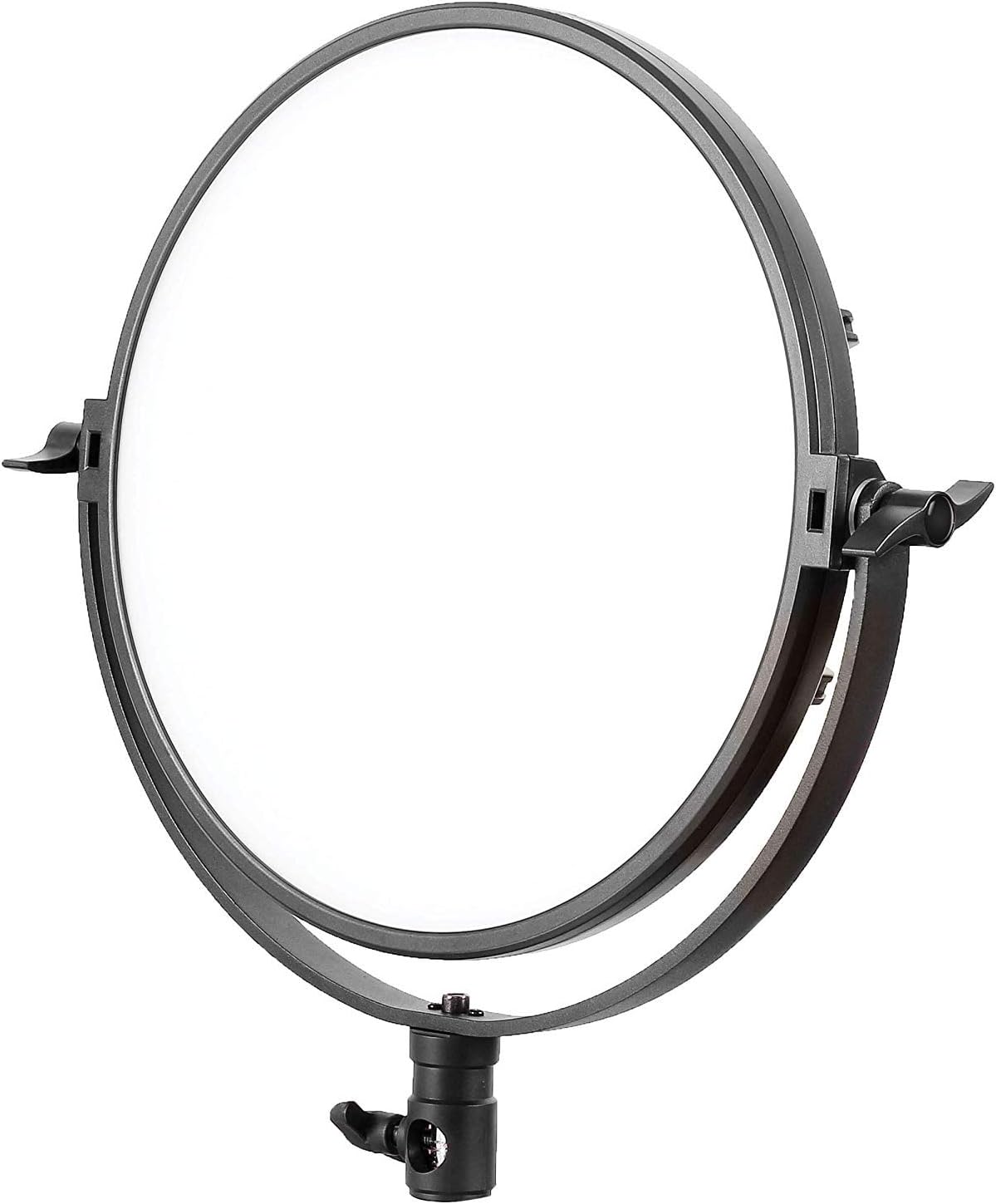
Figure 4.2: The PIXAPRO ORTA600B circular LED panel.
4.3 Attaching the LINEAR80 LED Panels
Attach each LINEAR80 LED panel to the remaining two light stands. Secure them firmly. These panels are often used as side or fill lights.
4.4 Assembling and Positioning the Boom Arm
The boom arm allows for overhead lighting or precise positioning. Attach the boom arm to a heavy-duty light stand or C-stand. Secure the counterweight to the opposite end of the arm to balance the weight of the light fixture.
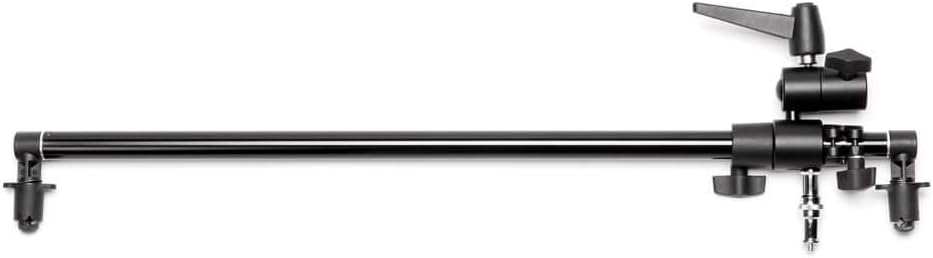
Figure 4.3: A boom arm, used for extending light placement.

Figure 4.4: A light stand with an attached boom arm, demonstrating typical setup.
4.5 Setting up the Clamshell Reflector
The clamshell reflector can be mounted on a stand or held to shape and direct light, often used for portrait photography to create a flattering catchlight in the eyes.

Figure 4.5: A clamshell reflector mounted on a stand.
4.6 Conexión de la alimentación
Connect the power adapters to each LED panel and then plug them into a suitable power outlet. Ensure all connections are secure before powering on.

Figura 4.6: Un example of the full PIXAPRO ORTA600B kit setup, including the ORTA600B, LINEAR80 panels, stands, and clamshell reflector.
5. Instrucciones de funcionamiento
5.1 Encendido / Apagado
Locate the power switch on each LED panel (ORTA600B and LINEAR80). Flip the switch to the "ON" position to power on the light. Flip it to "OFF" to power off.
5.2 Ajuste del brillo (atenuación)
Each panel features a control knob or buttons to adjust the light intensity. Rotate the knob or press the buttons to increase or decrease the brightness output to your desired level.
5.3 Adjusting Color Temperature (ORTA600B)
The ORTA600B panel allows for adjustment of color temperature (CCT) to match ambient light or create specific moods. Use the dedicated control knob or buttons to cycle through or fine-tune the color temperature, typically ranging from warm (e.g., 3200K) to cool (e.g., 5600K).
5.4 Using the LINEAR80 Panels
The LINEAR80 panels are ideal for edge lighting, hair light, or creating a broad, soft light source. Adjust their position and angle to complement the main light from the ORTA600B.
6. Mantenimiento
- Limpieza:
- Before cleaning, ensure the unit is powered off and unplugged.
- Use a soft, dry cloth to wipe down the exterior of the light panels and stands.
- Para marcas difíciles, una ligera damp cloth with mild detergent can be used, followed by a dry wipe.
- No utilice limpiadores abrasivos, disolventes ni productos químicos agresivos.
- Almacenamiento:
- When not in use, store the lighting kit in its original packaging or the provided carry bag.
- Conservar en un lugar fresco y seco, alejado de la luz solar directa y de temperaturas extremas.
- Sistema de organización de cables:
- Regularly inspect power cables for any signs of damage. Replace damaged cables immediately.
- Avoid kinking or bending cables excessively.
7. Solución de problemas
| Problema | Posible causa | Solución |
|---|---|---|
| La luz no se enciende. | Sin energía, conexión suelta, adaptador de corriente defectuoso. | Check if the power cable is securely plugged into the light and the outlet. Try a different outlet. Ensure the power switch is "ON". |
| La luz parpadea o se atenúa inesperadamente. | Unstable power supply, loose connection, overheating. | Ensure stable power. Check all cable connections. Allow the unit to cool down if it has been in continuous use. |
| Los controles no responden. | Temporary software glitch, control panel issue. | Apague la unidad, espere 30 segundos y vuelva a encenderla. Si el problema persiste, contacte con atención al cliente. |
| El soporte de luz es inestable. | Legs not fully extended, locking knob not tightened. | Ensure all legs are fully extended and spread. Tighten all locking knobs on the stand. Use sandbags or weights for added stability, especially with boom arms. |
8. Especificaciones
| Característica | Detalle |
|---|---|
| Marca | PIXAPRO |
| Modelo | ORTA600B (C-030805) |
| Tipo de producto | LED Video Lighting Panel Kit |
| Fuente de luz | CONDUJO |
| Temperatura de color | Adjustable (specific range not provided, typical for LED panels) |
| Atenuación | Sí |
| ASIN | B07TKCF5MY |
| Fecha de primera disponibilidad | 17 de noviembre de 2019 |
9. Garantía y soporte
PIXAPRO products are designed for reliability and performance. For warranty information, please refer to the warranty card included with your purchase or visit the official PIXAPRO website. If you encounter any issues not covered in the troubleshooting section, or require further assistance, please contact PIXAPRO customer support.
Información del contacto: Please refer to the PIXAPRO official website or your purchase documentation for the most up-to-date contact details for customer service and technical support.
Ask a question about this manual
Ask about setup, troubleshooting, compatibility, parts, safety, or missing instructions. Manuals+ will review the question and use this page’s manual context to help answer it.