
1. Producto terminadoview
The Nexus Max 20 is a versatile personal massager designed for targeted stimulation. It features a main unit and a removable, rechargeable, and waterproof vibrating ball, offering multiple usage options. The device is controlled wirelessly via a remote control and offers 20 distinct vibration functions. Constructed from high-quality, hypoallergenic silicone, the Max 20 provides a smooth and comfortable experience.
This manual provides essential information for the safe and effective use, maintenance, and care of your Nexus Max 20.
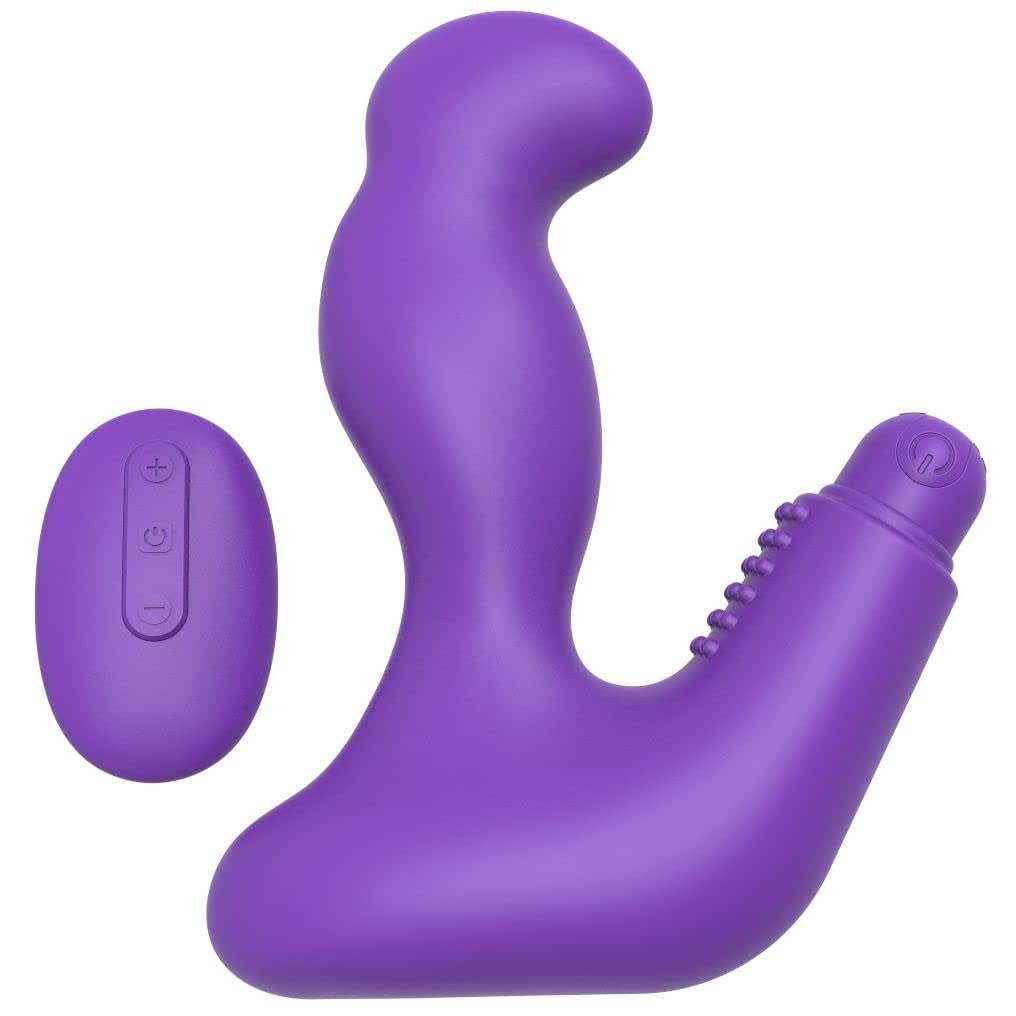
Image 1.1: The Nexus Max 20 main unit and its accompanying remote control.
2. Información de seguridad
- Lea todas las instrucciones antes del primer uso y consérvelas para futuras consultas.
- Este producto está destinado únicamente para uso en adultos.
- No lo utilice si el producto parece dañado o defectuoso.
- Suspenda su uso inmediatamente si experimenta alguna molestia o dolor.
- Clean the product thoroughly before and after each use as described in the Maintenance section.
- Use only water-based lubricants with this product. Oil-based lubricants can damage silicone.
- Mantener fuera del alcance de los niños.
- No intente desmontar ni modificar el producto. Esto anulará la garantía.
3. Contenido del paquete
Verifique que todos los artículos estén presentes en el paquete:
- 1 x Nexus Max 20 Main Unit
- 1 x Removable Vibrating Ball (rechargeable)
- 1 x control remoto inalámbrico
- 1 x USB Charging Cable (for vibrating ball)
- 1 x Manual de usuario (este documento)

Image 3.1: The Nexus Max 20 packaging, illustrating the components included.
4. Configuración y primer uso
4.1. Charging the Vibrating Ball
- Locate the charging port on the removable vibrating ball. This is typically a small, discreet port.
- Connect the supplied USB charging cable to the vibrating ball and to a USB power source (e.g., computer, USB wall adapter).
- The indicator light on the vibrating ball will illuminate or flash during charging.
- Charge for approximately 2-3 hours for a full charge before first use. The indicator light will change or turn off when fully charged.
- Desconecte el cable de carga una vez completada la carga.
4.2. Inserting the Vibrating Ball into the Main Unit
The vibrating ball can be inserted into the designated cavity of the main unit for integrated vibration. Ensure the ball is fully charged before insertion.
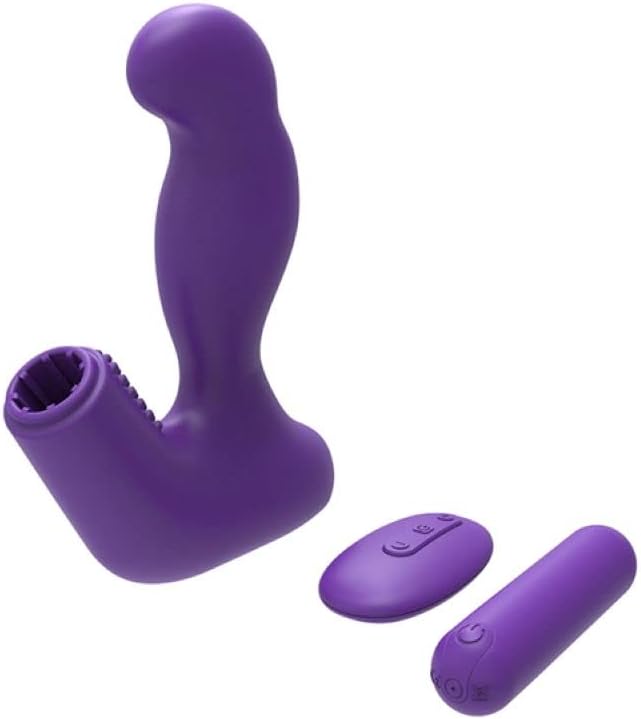
Image 4.1: The Nexus Max 20 main unit with the vibrating ball detached, illustrating its modular design.
4.3. Limpieza inicial
Before first use, clean the product thoroughly according to the "Maintenance and Care" section.
5. Instrucciones de funcionamiento
5.1. Encendido / apagado
- Vibrating Ball: Press and hold the power button on the vibrating ball for 2-3 seconds to turn it on or off.
- Mando a distancia: The remote control typically activates when a button is pressed and enters standby when inactive.
5.2. Uso del control remoto
The Nexus Max 20 features a wireless remote control for convenient operation. Ensure the vibrating ball is powered on to receive commands from the remote.
- Botón de encendido: Press and hold the power button on the remote to turn the vibrating ball on or off. A short press may cycle through modes.
- Botón de función/modo: Press the function button (often indicated by a wave or pattern icon) to cycle through the 20 different vibration patterns and intensities.
- Botones de intensidad (+/-): Use the plus (+) and minus (-) buttons to adjust the vibration intensity within a selected pattern, if applicable.
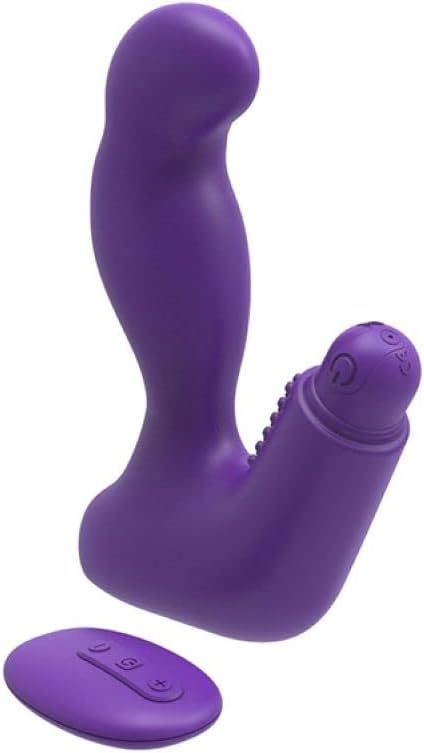
Image 5.1: The remote control for the Nexus Max 20, showing its operational buttons.
5.3. Usage Options
The modular design of the Max 20 allows for three distinct usage options:
- Main Unit with Vibrating Ball: Insert the vibrating ball into the main unit for combined stimulation.
- Main Unit without Vibration: Use the main unit alone for non-vibrating stimulation.
- Vibrating Ball Alone: Use the removable vibrating ball independently for targeted vibration.
6. Mantenimiento y cuidado
6.1. Limpieza
- Limpie bien el producto antes y después de cada uso.
- Wash with warm water and a mild, toy-safe soap or a specialized toy cleaner.
- Enjuague bien con agua limpia.
- Séquelo con un paño que no suelte pelusa o déjelo secar al aire por completo antes de guardarlo.
- No utilice limpiadores que contengan alcohol, petróleo o acetona, ya que pueden dañar el material de silicona.
6.2. Almacenamiento
- Store the Nexus Max 20 in a clean, dry, and cool place, away from direct sunlight and extreme temperatures.
- Avoid storing with other silicone products or materials that may react with silicone.
7. Solución de problemas
| Problema | Posible causa | Solución |
|---|---|---|
| El dispositivo no se enciende. | La batería está agotada. | Charge the vibrating ball fully using the provided USB cable. |
| El control remoto no funciona. | Vibrating ball is not powered on or out of range. | Ensure the vibrating ball is turned on. Bring the remote closer to the device. |
| Las vibraciones son débiles. | Low battery or low intensity setting. | Recharge the vibrating ball. Increase intensity using the remote control. |
| Product feels sticky or damaged. | Incompatible lubricant or cleaning agent used. | Only use water-based lubricants. Refer to the cleaning instructions. Discontinue use if damage persists. |
8. Especificaciones
- Número de modelo: MX2002
- Material: High-quality Silicone, ABS
- Color: Violeta
- Funciones: 20 patrones de vibración
- Fuente de energía: Rechargeable (vibrating ball), Remote control (battery type not specified, typically button cell)
- Resistencia al agua: Impermeable
- Dimensiones del producto (L x An x Al): Aproximadamente 19 x 19 x 5 cm
- Peso del producto: Aproximadamente 300 gramos
9. Garantía y soporte
Nexus products are manufactured to high-quality standards. For specific warranty information, please refer to the documentation included with your purchase or visit the official Nexus website. If you encounter any issues not covered in this manual, please contact Nexus customer support for assistance.
For further inquiries or support, please visit: www.nexus-toys.com