
1. Introducción
The ThermoPro TP200B is a digital indoor/outdoor thermometer designed to monitor temperature and humidity levels in your environment. This manual provides detailed instructions for setting up, operating, and maintaining your device to ensure accurate readings and optimal performance.
2. Contenido del paquete
- 1 x ThermoPro TP200B Main Unit (Indoor Display)
- 1 x Outdoor Temperature Sensor (Wireless)
- 5 pilas AAA (incluidas)
- 1 x Manual de usuario
3. Características principales
- Large Backlit Display with Large Digits: Features a 3.3-inch LCD display with large digits for easy readability, even in low light conditions.
- Registros máximos/mínimos: Stores and displays maximum and minimum temperature and humidity records for the past 24 hours.
- Color Air Comfort Indicator: A visual indicator with an arrow shows current air conditions (Dry/Comfort/Wet), allowing for environmental adjustments.
- Lecturas altamente precisas: Equipped with a premium sensor for precise temperature and humidity measurements, accurate to ±2°F and ±2-3%RH.
- Diseño fácil de usar: Easily adjust settings with three front-facing buttons.
- Múltiples opciones de ubicación: Can be wall-mounted, placed on a tabletop, or attached via magnetic back.
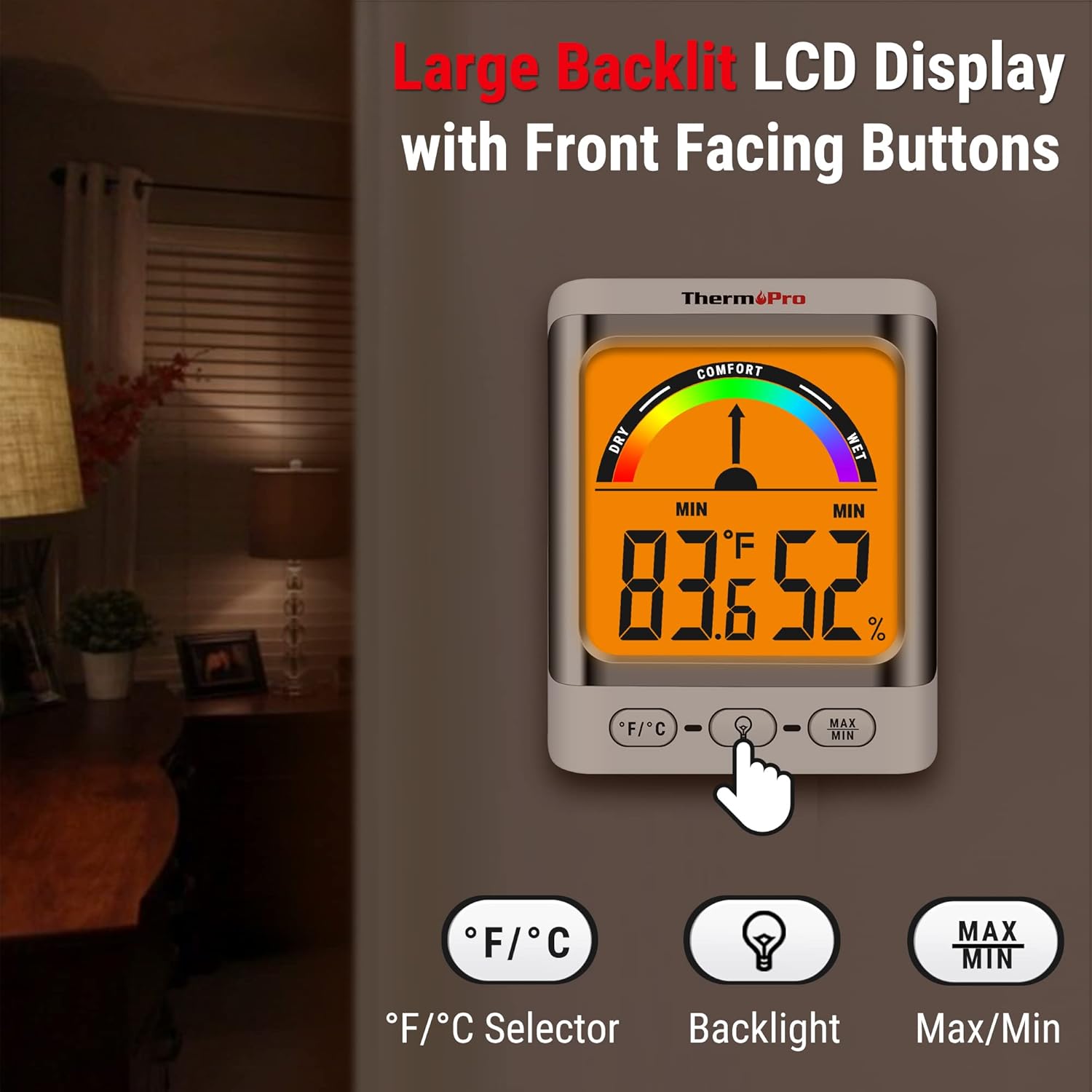
Image: The ThermoPro TP200B main unit display, highlighting the large digits, comfort indicator, and the three control buttons: °F/°C selector, Backlight, and Max/Min.
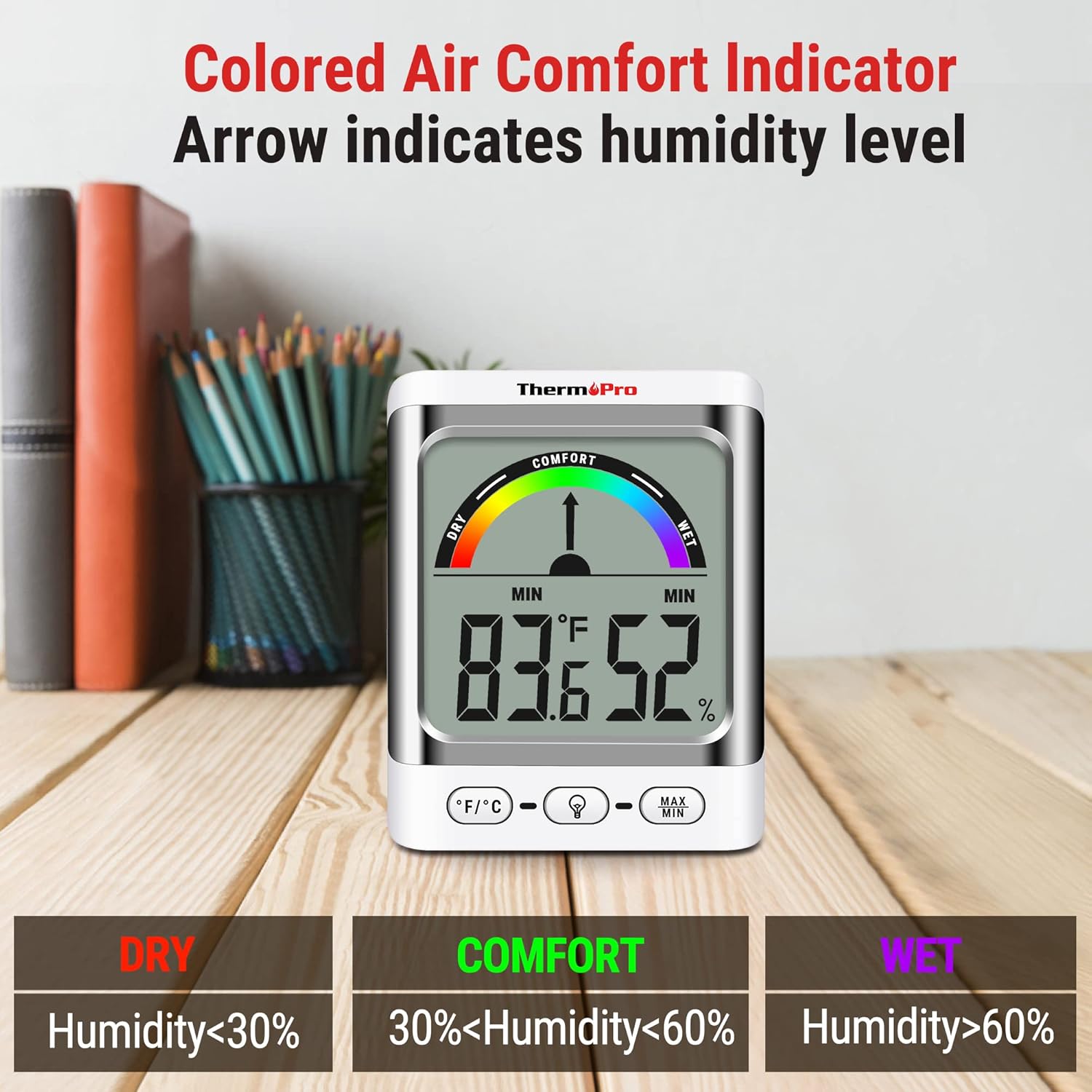
Image: A close-up of the ThermoPro TP200B display, illustrating the colored comfort indicator that visually represents dry (humidity <30%), comfort (30% < humidity < 60%), and wet (humidity >60%) conditions.
4. Configuración
- Instalación de la batería:
- Abra el compartimiento de la batería en la parte posterior de la unidad principal y del sensor exterior.
- Insert the provided AAA batteries, ensuring correct polarity (+/-).
- Cierre los compartimentos de la batería de forma segura.
- Colocación de sensores:
- Place the outdoor sensor in a location that is protected from direct sunlight and precipitation for accurate readings.
- Ensure the sensor is within the 500ft wireless range of the main unit.
- Ubicación de la unidad principal:
- The main unit can be placed on a tabletop using its integrated stand, mounted on a wall, or attached to a metallic surface via its magnetic back.
- Position the main unit in a central location indoors for optimal signal reception from the outdoor sensor.

Imagen: Examples of flexible placement options for the ThermoPro TP200B, including wall mounting, magnetic attachment to a refrigerator, and freestanding on a countertop.
5. Instrucciones de funcionamiento
5.1 Visualización sobreview
The large LCD display shows indoor temperature, humidity, and the comfort level indicator. The outdoor temperature is displayed from the wireless sensor.
5.2 Funciones de los botones
- Botón ° F / ° C: Press to switch between Fahrenheit and Celsius temperature units.
- Botón de retroiluminación: Press to activate the backlight for 15 seconds, improving visibility in dim conditions.
- Botón MÁX./MÍN.: Presione para view the maximum and minimum temperature and humidity recorded over the past 24 hours. Press again to cycle through current, MAX, and MIN readings. Hold to reset MAX/MIN records.

Image: The ThermoPro TP200B displaying maximum and minimum temperature and humidity values, accompanied by a conceptual graph showing how these values fluctuate over a 24-hour period.
6. Mantenimiento
- Limpieza: Limpie la unidad y el sensor con un paño suave.amp paño. No utilice limpiadores abrasivos ni lo sumerja en agua.
- Reemplazo de batería: Replace batteries when the low battery indicator appears on the display. Ensure to use fresh AAA batteries.
- Almacenamiento: Si va a almacenar el dispositivo durante un período prolongado, retire las baterías para evitar fugas.
7. Solución de problemas
- Sin pantalla/Indicador de batería baja: Replace all batteries in both the main unit and the outdoor sensor.
- Lecturas inexactas:
- Ensure the outdoor sensor is not in direct sunlight or exposed to extreme weather conditions.
- Verify the main unit and sensor are within effective range and not obstructed by thick walls or electronic interference.
- Allow both units to stabilize for 30 minutes after initial setup or battery replacement.
- No hay señal del sensor exterior:
- Reubique la unidad principal o el sensor más cerca uno del otro.
- Check batteries in both units.
- Reset the connection by removing batteries from both units, waiting a few minutes, then reinserting them.
8. Especificaciones
| Característica | Detalle |
|---|---|
| Nombre del modelo | TP200B |
| Marca | ThermoPro |
| Característica especial | Alta precisión |
| Color | Blanco |
| Tipo de pantalla | Digital |
| Fuente de poder | Funciona con pilas (5 pilas AAA incluidas) |
| Precisión de temperatura | ± 2 ° F (± 1.1 ° C) |
| Precisión de humedad | ±2% from 30% to 80% RH; ±3% outside this range |
| Tiempo de respuesta | 0.5 segundos |
| Peso del artículo | 4.2 onzas |
| Longitud del artículo | 3.9 pulgadas |

Image: Multiple ThermoPro TP200B units demonstrating consistent temperature and humidity readings, highlighting the specified accuracy tolerances of ±2°F (±1.1°C) for temperature and ±2% RH (30-80% range) for humidity.

Image: A visual comparison showcasing the large, compact display of the ThermoPro TP200B (3.3 inches) next to a smaller, generic thermometer (1.7 inches), emphasizing its enhanced readability.
9. Garantía y soporte
ThermoPro ofrece una garantía para este producto contra defectos de materiales y mano de obra. Para obtener información detallada sobre la garantía, el registro del producto o asistencia técnica, visite el sitio web oficial de ThermoPro. webSitio web o contacte con su servicio de atención al cliente. Conserve su recibo de compra como comprobante.
Official ThermoPro Websitio: www.thermopro.com