
1. Producto terminadoview
The Jectse VFD 220V AC 2.2KW Frequency Converter is designed for precise motor speed control. This device converts single-phase AC input into a variable frequency single-phase AC output, enabling efficient and controlled operation of compatible motors. It features vector control technology for enhanced performance.

Figure 1.1: Jectse VFD 2.2KW Frequency Converter, front-right view. This image displays the Jectse VFD 2.2KW Frequency Converter from a front-right perspective, showing the control panel, ventilation grilles, and side casing.

Figure 1.2: Jectse VFD 2.2KW Frequency Converter, front-left view. A front-left view of the Jectse VFD 2.2KW Frequency Converter, highlighting the control panel and the left side of the unit.

Figure 1.3: Jectse VFD 2.2KW Frequency Converter, alternative angle. An additional view of the Jectse VFD 2.2KW Frequency Converter, providing further visual detail of the unit's casing y diseño.
2. Precauciones de seguridad
Read all safety instructions carefully before installation, operation, or maintenance. Failure to comply may result in serious injury or equipment damage.
- Always disconnect power before wiring or performing any maintenance.
- Ensure the VFD is properly grounded.
- Do not install the inverter in environments with flammable gases or explosive atmospheres.
- Only qualified professionals should perform wiring and maintenance due to high voltage dentro de la unidad.
- Avoid opening the shell unless specifically instructed for maintenance by qualified personnel.

Figura 2.1: Lado view with safety precautions label. This image shows the side of the VFD with a label detailing important safety precautions.
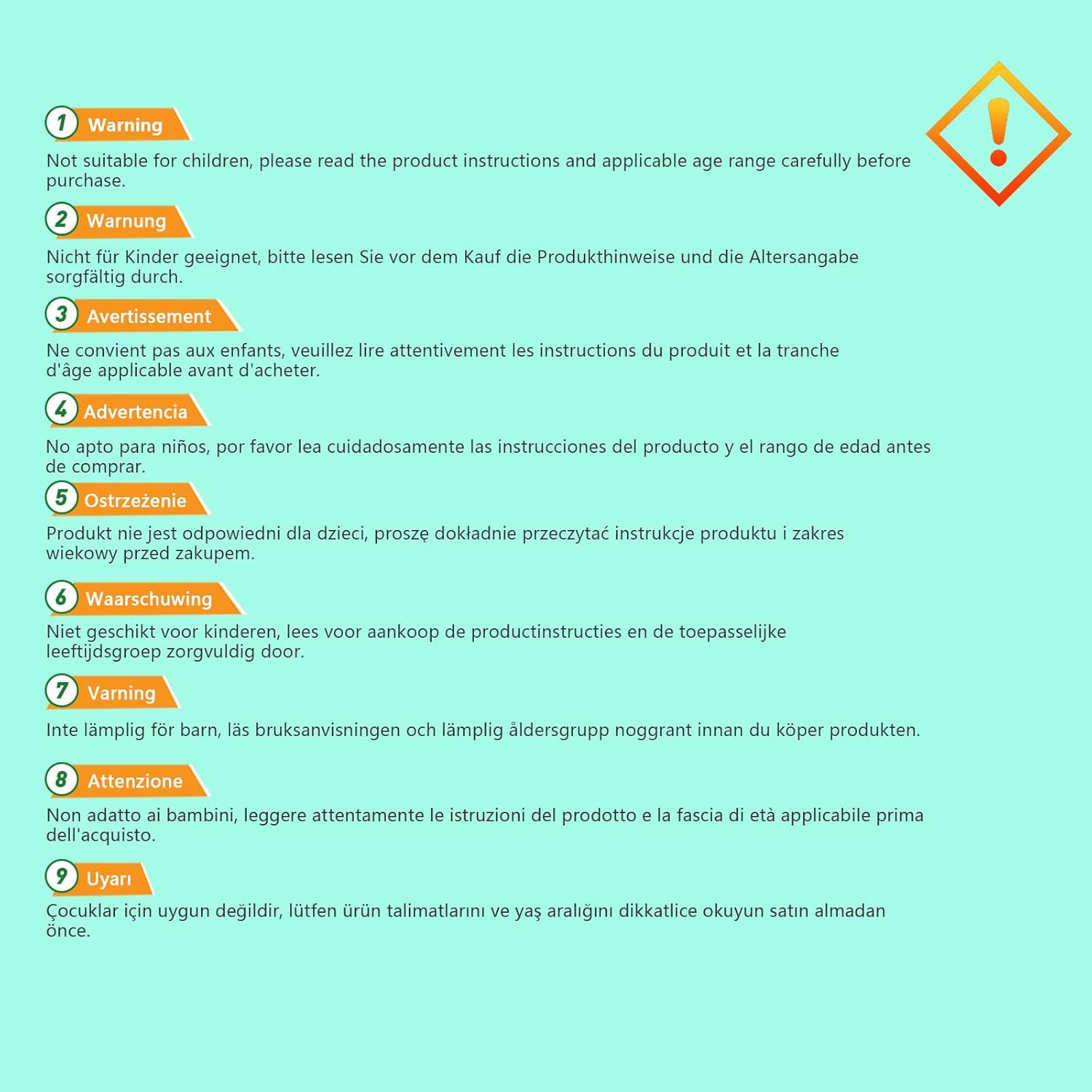
Figure 2.2: Multi-language safety warning. An image displaying a multi-language warning about product safety, advising users to read instructions and check age ranges before use.
3. Configuración e instalación
3.1 Desembalaje e inspección
Upon receiving the VFD, carefully unpack it and inspect for any signs of damage during transit. Verify that all components are present according to the packing list (not provided in this manual).
3.2 Montaje
Mount the VFD in a clean, dry, and well-ventilated area, away from direct sunlight, excessive dust, corrosive gases, or vibrations. Ensure adequate clearance around the unit for proper heat dissipation.
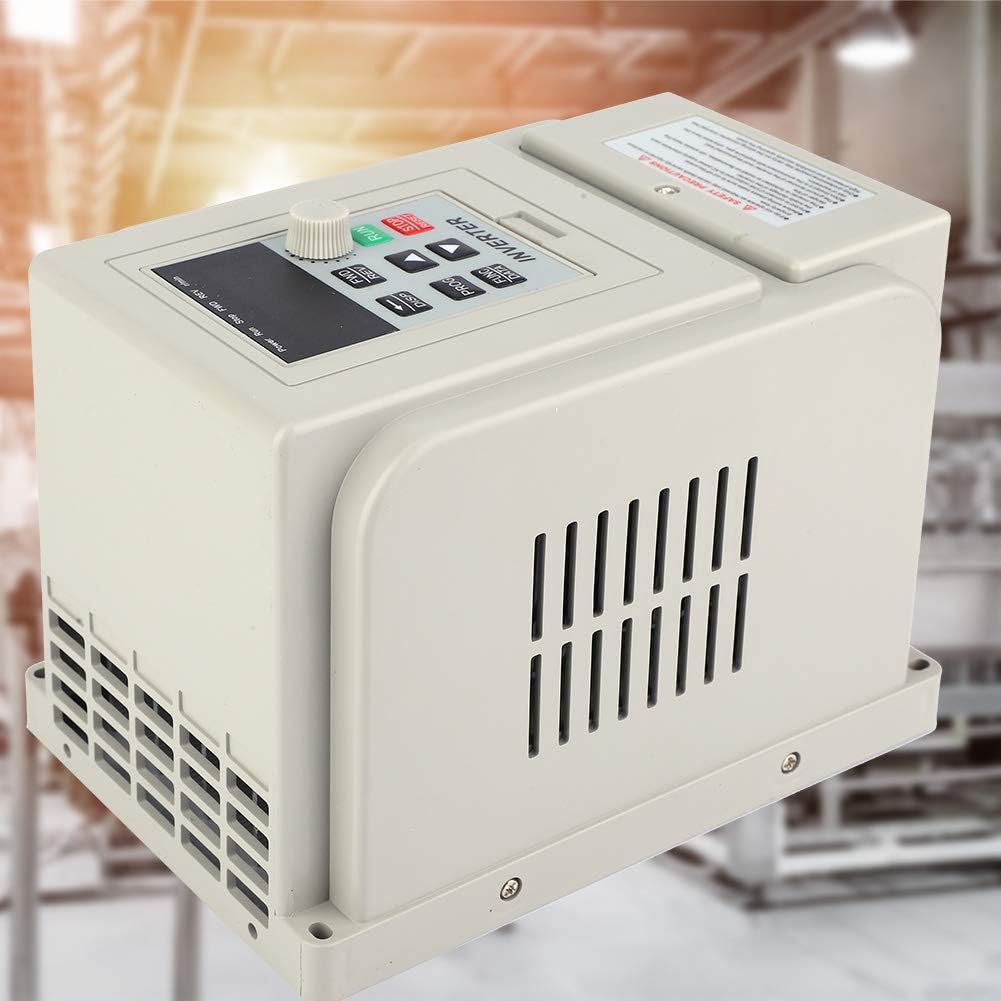
Figure 3.1: VFD in an industrial setting. The VFD unit is depicted in what appears to be an industrial or workshop environment, suggesting suitable installation locations.
3.3 Cableado
All wiring must be performed by a qualified electrician in accordance with local and national electrical codes. Ensure the power supply matches the VFD's input requirements (220V AC, single phase). Connect the motor to the VFD's output terminals. Proper grounding is essential.
- Potencia de entrada: Connect 220V AC single-phase power to the designated input terminals.
- Conexión del motor: Connect the motor to the VFD's output terminals (U, V, W).
- Toma de tierra: Conecte el terminal de tierra del VFD a una tierra confiable.

Figura 3.2: Posterior view of the VFD. A view of the rear panel of the Jectse VFD 2.2KW Frequency Converter, showing connection terminals and mounting points for wiring.
4. Instrucciones de funcionamiento
The VFD features a user-friendly control panel for setting parameters and controlling motor operation.
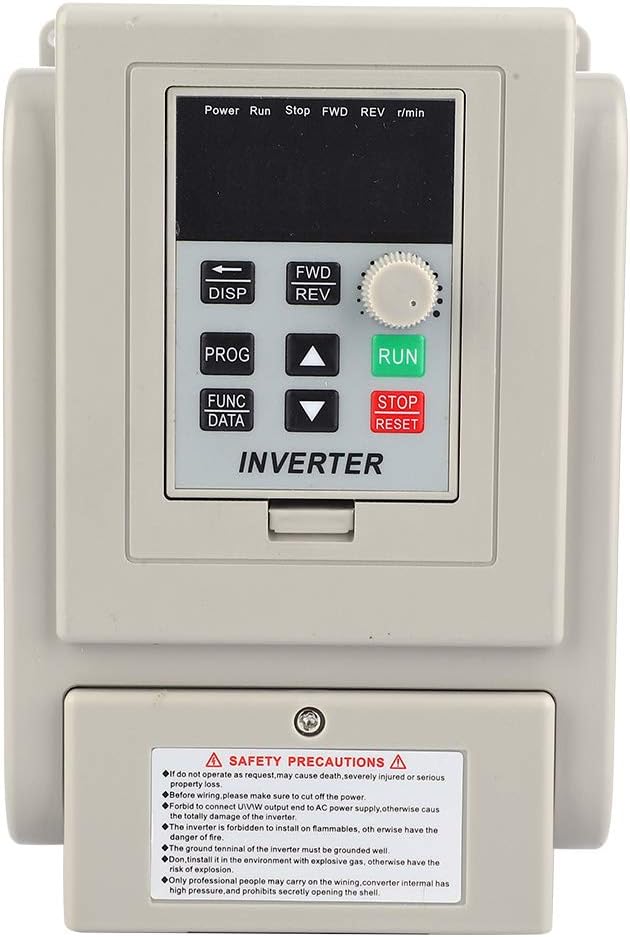
Figure 4.1: VFD Control Panel. Close-up view of the VFD's control panel, featuring the digital display, function buttons (DISP, PROG, FUNC/DATA), directional arrows, and the RUN/STOP/RESET rotary knob.
4.1 Funciones del panel de control
- Pantalla (DISP): Toggles between different display modes (e.g., frequency, current, voltagmi).
- Program (PROG): Enters or exits parameter setting mode.
- Function/Data (FUNC/DATA): Selects parameters or confirms data entry.
- Flechas arriba/abajo: Navigates through parameters or adjusts values.
- ADELANTE/RETROCESO: Cambia la dirección de rotación del motor (avance/retroceso).
- RUN Knob: Inicia el funcionamiento del motor.
- Botón STOP/RESET: Detiene el funcionamiento del motor o restablece las condiciones de falla.
4.2 Funcionamiento básico
- Encendido: Ensure all connections are secure, then apply power to the VFD.
- Configuración de parámetros: Use the PROG button to enter parameter mode. Navigate with arrow keys and adjust values with FUNC/DATA and arrow keys. Refer to the detailed parameter manual (if available) for specific settings.
- Motor de arranque: Turn the RUN knob to initiate motor operation.
- Ajustar velocidad: Use the rotary knob or programmed settings to adjust the output frequency and thus the motor speed.
- Detener el motor: Press the STOP/RESET button to halt motor operation.
5. Mantenimiento
El mantenimiento regular garantiza un rendimiento óptimo y extiende la vida útil de su VFD.
- Limpieza: Limpie periódicamente el exterior y las aberturas de ventilación del VFD para evitar la acumulación de polvo, que puede dificultar la disipación del calor. Utilice un paño suave y seco. No utilice limpiadores líquidos.
- Inspección: Inspeccione periódicamente las conexiones del cableado para comprobar su firmeza y detectar signos de desgaste o daños. Compruebe si hay ruidos u olores inusuales durante el funcionamiento.
- Ambiente: Asegúrese de que el entorno operativo permanezca dentro de los rangos de temperatura y humedad especificados.

Figure 5.1: VFD internal components. This image shows the VFD unit against a stylized blue circuit board background, hinting at its internal electronic complexity and the need for careful handling during maintenance.
6. Solución de problemas
Esta sección ofrece orientación para problemas comunes. Para problemas complejos, contacte con personal de servicio técnico cualificado.
| Problema | Posible causa | Solución |
|---|---|---|
| El VFD no se enciende | No input power; faulty wiring; internal fuse blown. | Check power supply and connections. Verify input voltage. Consult a technician for internal inspection. |
| El motor no funciona | Incorrect parameters; motor wiring error; VFD fault. | Verify motor connections. Check VFD display for fault codes. Review configuración de parámetros. |
| Error de sobrecarga | Motor overloaded; acceleration time too short. | Reduce motor load. Increase acceleration time parameter. Check motor and VFD ratings. |
| sobrevoltajetage/Undervoltagerror | Volumen de entrada inestabletage; regeneration during deceleration. | Check input power supply stability. Increase deceleration time. Consider a braking resistor if applicable. |
7. Especificaciones
| Característica | Especificación |
|---|---|
| Marca | Inyección |
| Modelo | Jectse3ahuxv9b4f |
| Número de pieza | Jectse3ahuxv9b4f |
| Vol de entradatage | 220V AC (Single Phase) |
| Output Power (Wattage) | 2.2 kilovatio |
| Frecuencia de salida | 60 Hz (Adjustable range typically 0-400Hz, refer to full manual) |
| Dimensiones del producto | 13 x 13 x 18 cm |
| Peso del artículo | 1.48 kilogramos |
| Código Postal | 748904671482 |

Figure 7.1: VFD model and specification label. A side view of the VFD, clearly showing the safety precautions label and a label with model information (XSY-AT2) and electrical specifications.
8. Garantía y soporte
For warranty information, technical support, or service inquiries, please refer to the manufacturer's official documentation or contact Jectse customer service directly. Keep your purchase receipt for warranty claims.