
Dragonwar 6931170103571
Dragonwar G22 Lancer Gaming Mouse User Manual
Model: G22 LANCER
Marca: Dragonwar
1. Introducción
The Dragonwar G22 Lancer is a high-performance optical gaming mouse designed for precision and customization. It features an ergonomic design, 7 programmable buttons, and a 7000 DPI optical sensor, providing gamers with enhanced control and accuracy. This manual provides detailed instructions for setting up, operating, and maintaining your Dragonwar G22 Lancer gaming mouse.

Figure 1.1: Dragonwar G22 Lancer Gaming Mouse
2. Características principales
- Diseño ergonómico: Engineered for comfort during extended gaming sessions.
- 7 Botones de control: Optimize your gameplay with customizable button assignments.
- 7000 DPI Precision Mode: High-resolution optical sensor for accurate tracking and movement.
- Sistema de peso ajustable: Customize the mouse's weight for personalized feel and control.
- Conectividad por cable: Reliable and responsive connection with a nearly two-meter cable.
- Iluminación RGB: Customizable lighting effects for aesthetic appeal.
3. Contenido del paquete
- Dragonwar G22 Lancer Gaming Mouse
- Adjustable Weight Set (pre-installed or separate)
- Manual de usuario (este documento)
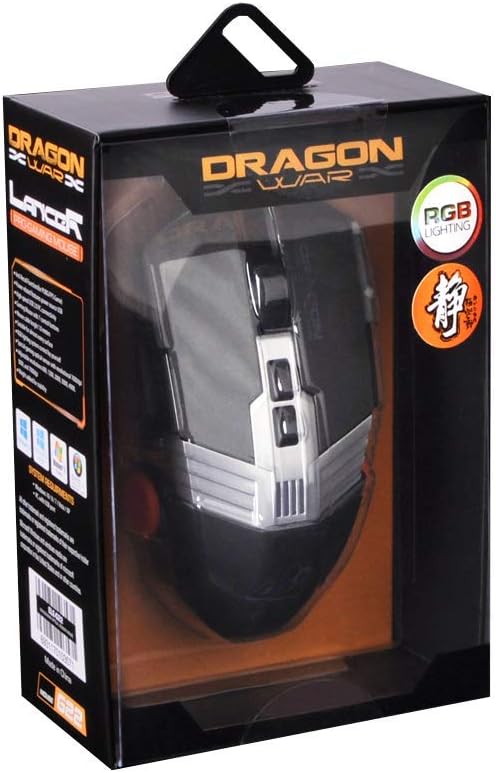
Figura 3.1: Arriba view of the Dragonwar G22 Lancer Gaming Mouse
4. Configuración
- Conectar el ratón: Plug the USB connector of the Dragonwar G22 Lancer mouse into an available USB port on your computer. The mouse is plug-and-play compatible with most operating systems (Windows XP, Linux).
- Instalación del controlador (opcional): While the mouse functions as a standard HID device, for full customization of buttons, DPI settings, and RGB lighting, it is recommended to download and install the official Dragonwar software from the manufacturer's webSitio. Siga las instrucciones en pantalla durante la instalación.
- Prueba inicial: Once connected, move the mouse to ensure the cursor responds on your screen. The RGB lighting should illuminate.
5. Instrucciones de funcionamiento
5.1 Funciones de los botones
The Dragonwar G22 Lancer features 7 control buttons. Their default functions are as follows, but can be customized via the Dragonwar software:
- Click izquierdo: Acción primaria.
- Botón derecho del ratón: Menú contextual/acción secundaria.
- Rueda de desplazamiento (clic): Middle click, often used for opening links in new tabs or specific game functions.
- Scroll Wheel (Up/Down): Scrolling content.
- DPI Cycle Button (behind scroll wheel): Recorre los niveles de DPI preestablecidos.
- Botones laterales (adelante/atrás): Generalmente se utiliza para la navegación en web navegadores o asignados a acciones dentro del juego.

Figure 5.1: Detail of Scroll Wheel and Side Buttons
5.2 Ajuste de ppp
The mouse supports up to 7000 DPI. Use the dedicated DPI cycle button located behind the scroll wheel to switch between different sensitivity levels. Each press will cycle to the next preset DPI, allowing you to quickly adjust cursor speed for different tasks or game scenarios.
5.3 Iluminación RGB
The Dragonwar G22 Lancer features customizable RGB lighting. Lighting modes and colors can be configured through the Dragonwar software, allowing you to personalize the mouse's appearance to match your setup or mood.
6. Customization: Adjustable Weight System
The Lancer mouse includes an adjustable weight system to fine-tune its feel and balance. This allows you to add or remove small weights to achieve your preferred mouse weight for optimal control and comfort.
- Locate Weight Compartment: The weight compartment is typically located on the underside of the mouse. Refer to Figure 6.1 for its approximate location.
- Compartimento abierto: Gently open the cover of the weight compartment.
- Add/Remove Weights: Insert or remove the small metal weights as desired. Experiment with different configurations to find the balance that suits your grip and play style.
- Cerrar compartimento: Securely close the weight compartment cover after making adjustments.

Figure 6.1: Adjustable Weight System Components
7. Mantenimiento
- Limpieza: Utilice un paño suave y seco para limpiar la superficie del ratón. Para la suciedad difícil, limpie ligeramenteampEnjuague el paño con agua. Evite usar productos químicos agresivos o materiales abrasivos.
- Cuidado del sensor: Mantenga el sensor óptico en la parte inferior del mouse limpio y libre de polvo o residuos para garantizar un seguimiento preciso.
- Sistema de organización de cables: Evite curvas pronunciadas o tirones excesivos del cable del mouse para evitar daños.
8. Solución de problemas
- El ratón no responde:
- Asegúrese de que el cable USB esté conectado de forma segura a un puerto USB que funcione.
- Pruebe con un puerto USB diferente en su computadora.
- Reinicia tu computadora. - El movimiento del cursor es errático:
- Limpie el sensor óptico en la parte inferior del mouse.
- Ensure you are using the mouse on a suitable surface (e.g., a mouse pad, not highly reflective surfaces).
- Check DPI settings; a very high DPI might feel erratic if you are not used to it. - Botones que no funcionan:
- Ensure the Dragonwar software is installed correctly if you have customized button functions.
- Try resetting the mouse to factory defaults via the software, if available. - La iluminación RGB no funciona:
- Check the lighting settings within the Dragonwar software.
9. Especificaciones
| Característica | Especificación |
|---|---|
| Marca | guerra de dragones |
| Serie modelo | G22 LANCER |
| Número de modelo del artículo | 6931170103571 |
| Tecnología de detección de movimiento | Óptico |
| DPI | Hasta 7000 DPI |
| Número de botones | 7 |
| Tecnología de conectividad | Cableado |
| Longitud del cable | Aprox. Medidores 2 |
| Compatibilidad del sistema operativo | Linux, Windows XP (y versiones más nuevas) |
| Color | Negro |
| Dimensiones del producto (L x An x Al) | 19.4 x 7.7 x 36 cm |
| Peso del artículo | 248 gramos |
10. Garantía y soporte
For warranty information and technical support, please refer to the official Dragonwar webSitio web o contacte con el servicio de atención al cliente. Conserve el recibo de compra como comprobante para reclamaciones de garantía.
Soporte en línea: Visit the official Dragonwar webSitio para preguntas frecuentes, descargas de controladores e información de contacto.
Ask a question about this manual
Ask about setup, troubleshooting, compatibility, parts, safety, or missing instructions. Manuals+ will review the question and use this page’s manual context to help answer it.