
Introducción
Thank you for choosing the TIMEMORE Basic 2.0 Digital Coffee Scale. This manual provides detailed instructions for the setup, operation, and maintenance of your new coffee scale. Designed for precision and versatility, this scale features accurate weighing, an integrated timer, automatic tare, and flow rate display, making it ideal for various coffee brewing methods including espresso and pour-over.
Características principales
- Pesaje preciso: Equipped with a high-precision sensor, offering measurements up to 2000g (70oz) with 0.1g (0.01oz) accuracy.
- Temporizador integrado: Allows simultaneous measurement of weight and brewing time for consistent results.
- Multiple Brewing Methods: Suitable for pour-over, espresso, French press, Aeropress, and more, thanks to its high capacity, accuracy, and flow rate display.
- Interfaz fácil de usar: Features a clear LCD screen for instant and accurate readings, intuitive controls, automatic tare, and auto-off function.
- Portátil y recargable: Compact design with a built-in rechargeable battery and Type-C charging port for convenience at home or on the go.
Configuración
- Desembalaje: Retire con cuidado la báscula y todos los accesorios del embalaje.
- Carga inicial: Before first use, fully charge the scale using the provided Type-C cable. The battery indicator on the display will show charging status.
- Colocación: Coloque la báscula sobre una superficie plana y estable para garantizar lecturas precisas.
- Encendido: Press the Power ON/OFF switch button (usually labeled ⏻ or similar) to turn on the scale.

Image: The TIMEMORE Basic 2.0 Coffee Scale, ready for use.
Instrucciones de funcionamiento
1. Encendido y apagado
Presione el Encendido/apagado button (usually on the side or bottom) to turn the scale on. Press and hold the same button to turn it off.
2. Unit Conversion (g/oz)
Presione el "U" button to switch between grams (g) and ounces (oz).

Image: The scale displaying weight in grams, with an option to switch to ounces.
3. Función de tara
Coloque un recipiente vacío sobre la báscula. Presione el botón "T" button (often integrated with the power button) to reset the weight to zero before adding ingredients.
4. Manual Timer Mode
In manual timer mode, press the Reproducir/Pausa button (often labeled with a triangle icon) to start or pause the timer. Press the "T" button to reset the timer and weight to zero.
Video: Demonstrating the manual timer mode and tare function on the coffee scale.
5. Automatic Timer Mode (Espresso/Pour-Over)
The scale can automatically detect when water is poured and start the timer. Place your brewing setup (e.g., portafilter with cup, pour-over dripper with server) on the scale. After taring, the timer will start automatically once liquid is detected. The display will show both time and weight, and for some models, flow rate.

Image: The scale automatically starting the timer when water is poured for pour-over coffee.
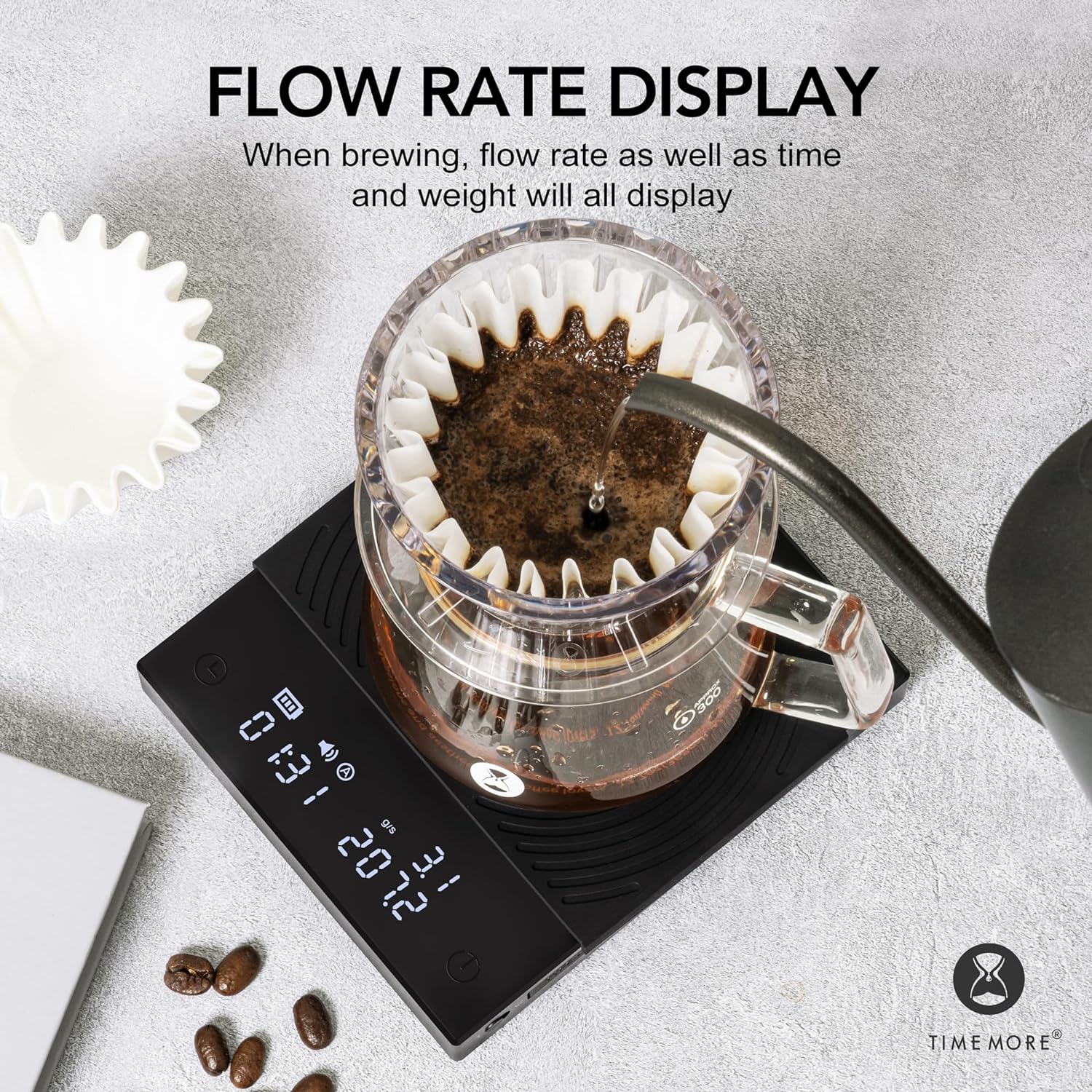
Image: The scale displaying flow rate, time, and weight during brewing.
Mantenimiento
- Limpieza: Limpie la superficie de la báscula con un paño suave.amp Paño. No utilice limpiadores abrasivos ni sumerja la báscula en agua.
- Almohadilla de silicona: The heat-resistant and waterproof silicone pad can be removed for cleaning. Ensure it is dry before placing it back on the scale.
- Almacenamiento: Store the scale in a dry place away from extreme temperatures and direct sunlight.
- Cuidado de la batería: Recharge the battery when the low battery indicator appears. Avoid fully draining the battery frequently to prolong its lifespan.

Image: The removable heat-resistant and waterproof silicone pad for easy cleaning.

Image: The Type-C charging port and built-in rechargeable battery for convenience.
Solución de problemas
| Problema | Posible causa | Solución |
|---|---|---|
| La báscula no enciende | Batería baja o botón de encendido no presionado correctamente. | Charge the scale using the Type-C cable. Press and hold the power button firmly. |
| Lecturas inexactas | Superficie irregular, báscula sobrecargada o interferencia externa. | Place on a flat, stable surface. Ensure weight does not exceed 2000g. Avoid strong vibrations or air currents. |
| Timer not starting automatically | Not in automatic timer mode or insufficient liquid flow detected. | Ensure the scale is in the correct mode. Pour liquid steadily to trigger the sensor. |
| La pantalla muestra "Lo" | Batería baja. | Recargar la báscula. |
| La pantalla muestra "O-Ld" | Sobrecarga. | Remove items from the scale immediately to prevent damage. Do not exceed 2000g. |
Presupuesto
| Característica | Detalle |
|---|---|
| Marca | TIEMPO MÁS |
| Número de modelo | TM56 |
| Dimensiones del producto | 14.99 x 14.99 x 3.94 cm (aproximadamente 5.9 x 5.9 x 1.55 pulgadas) |
| Peso del artículo | 391.22 gramos (aproximadamente 13.8 onzas) |
| Color | Basic 2.0 (Black) |
| Usos recomendados | Preparación de café |
| Características especiales | Apagado automático, Temporizador |
| Tipo de pantalla | Pantalla LCD |
| Límite de peso | 2 kilogramos (2000 g) |
| Factor de forma | Handheld (Portable) |
| Material | Acrílico |
| Precisión de lectura | +/- 0.1 gramos |
Garantía y soporte
For warranty information or technical support, please refer to the warranty card included with your product or contact TIMEMORE customer service directly. Keep your purchase receipt as proof of purchase.
For further assistance, you may visit the official TIMEMORE websitio o póngase en contacto con su distribuidor local.