
Bytech BYLPCA161AC
Manual del usuario del cable LIGHTINING Rainbow de Bytech (BYLPCA161AC)
Model: BYLPCA161AC
Producto terminadoview
The Bytech Rainbow Lightning Cable (Model: BYLPCA161AC) is designed for connecting Apple Lightning-compatible devices to computers, chargers, or other devices with a USB port. This cable facilitates both charging and data synchronization, offering wide compatibility with various Apple products.
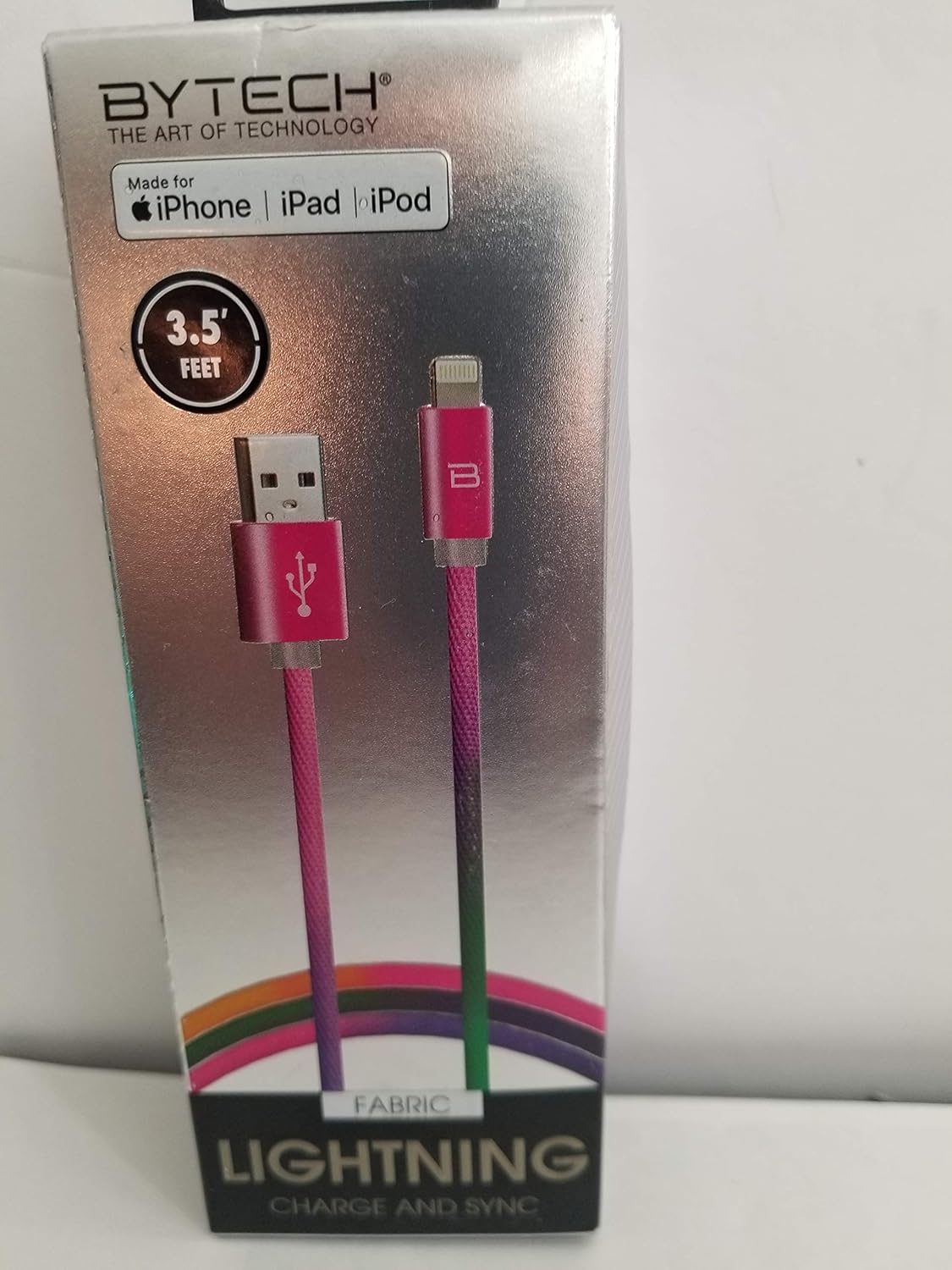
Image: The Bytech Rainbow Lightning Cable, still in its retail packaging. The packaging highlights the brand "BYTECH" and states "Made for iPhone | iPad | iPod". It also indicates the cable length as "3.5 FEET". The cable itself is visible, featuring a vibrant, rainbow-like color gradient along its fabric-braided length, with pink USB-A and Lightning connectors. The packaging also mentions "FABRIC" and "LIGHTNING CHARGE AND SYNC".
¿Qué hay en la caja?
- One (1) Bytech Rainbow LIGHTINING Cable (BYLPCA161AC)
Configuración y conexión
- Identificar conectores: The cable has two distinct ends: a standard USB-A connector and a Lightning connector.
- Conectar a la fuente de alimentación o computadora: Insert the USB-A connector into a compatible USB port on a wall charger, car charger, power bank, or a computer. Ensure the port is functioning correctly.
- Conectarse al dispositivo Apple: Insert the Lightning connector into the Lightning port of your compatible Apple device (iPhone, iPad, or iPod). Ensure the connector is fully seated.
- Verificar conexión: Su dispositivo debe indicar que se está cargando o conectado para transferencia de datos.
Instrucciones de funcionamiento
Cargando su dispositivo
Once connected to a power source, the Bytech Rainbow Lightning Cable will begin charging your Apple device. The charging speed may vary depending on the power output of the USB port and the device's battery status.
Sincronización de datos
When connected to a computer, the cable enables data transfer between your Apple device and the computer. This allows for syncing photos, videos, music, and other files using iTunes or Finder (macOS Catalina and later).
- Ensure your computer recognizes the connected device.
- Follow the prompts on your computer or device to authorize the connection for data transfer.
Mantenimiento y cuidado
- Almacenamiento: Store the cable in a cool, dry place away from direct sunlight and extreme temperatures. Avoid tightly coiling or bending the cable, especially near the connectors, to prevent internal damage.
- Limpieza: If necessary, gently wipe the cable and connectors with a soft, dry, lint-free cloth. Do not use harsh chemicals or abrasive cleaners.
- Manejo: Always grasp the connector housing when plugging or unplugging the cable, rather than pulling on the cable itself. This helps prevent damage to the internal wires and connectors.
- Evite el agua: Keep the cable away from water and other liquids.
Solución de problemas
- El dispositivo no se carga:
- Asegúrese de que ambos extremos del cable estén bien conectados.
- Pruebe con un puerto USB o adaptador de corriente diferente.
- Check if your Apple device's Lightning port is clean and free of debris.
- Test the cable with another compatible Apple device, if available.
- El dispositivo no sincroniza datos:
- Ensure the cable is connected to a computer, not just a power adapter.
- Verify that iTunes or Finder is updated to the latest version.
- Restart both your Apple device and your computer.
- Check your device's trust settings when prompted to "Trust This Computer."
- Conexión intermitente:
- Inspect the cable for any visible damage, such as fraying or bent connectors.
- Ensure the connection points are stable and not loose.
Presupuesto
| Característica | Detalle |
|---|---|
| Marca | Tecnología de bytes |
| Nombre del modelo | Rainbow LIGHTINING Cable |
| Número de modelo del artículo | BYLPCA161AC |
| Tipo de conector | Relámpago, USB-A |
| Tipo de cable | Iluminación |
| Dispositivos compatibles | Apple Lightning-compatible devices (iPhone, iPad, iPod) |
| Usos recomendados | Connecting Apple devices to computers, chargers, or other devices with a USB port |
| Color | Black (with rainbow gradient) |
| Género del conector | De hombre a mujer |
| Número de pines | 4 (USB-A), 8 (Lightning) |
| Dimensiones del producto | 1 x 1 x 1 pulgadas (embalaje) |
| Peso del artículo | 1.65 onzas |
| Código Postal | 805112046942 |
Garantía y soporte
Specific warranty information for the Bytech Rainbow Lightning Cable (BYLPCA161AC) is typically provided at the point of purchase or within the product packaging. For detailed warranty terms, conditions, and customer support, please refer to the documentation included with your product or contact Bytech customer service directly.
Note: Amazon's return policy for this item is 30 days from receipt of shipment.
Ask a question about this manual
Ask about setup, troubleshooting, compatibility, parts, safety, or missing instructions. Manuals+ will review the question and use this page’s manual context to help answer it.