
Introducción
This manual provides essential information for the proper setup, operation, and maintenance of your Midland T290VP4 GMRS Two-Way Radios. Please read this manual thoroughly before using your radios to ensure optimal performance and safety.
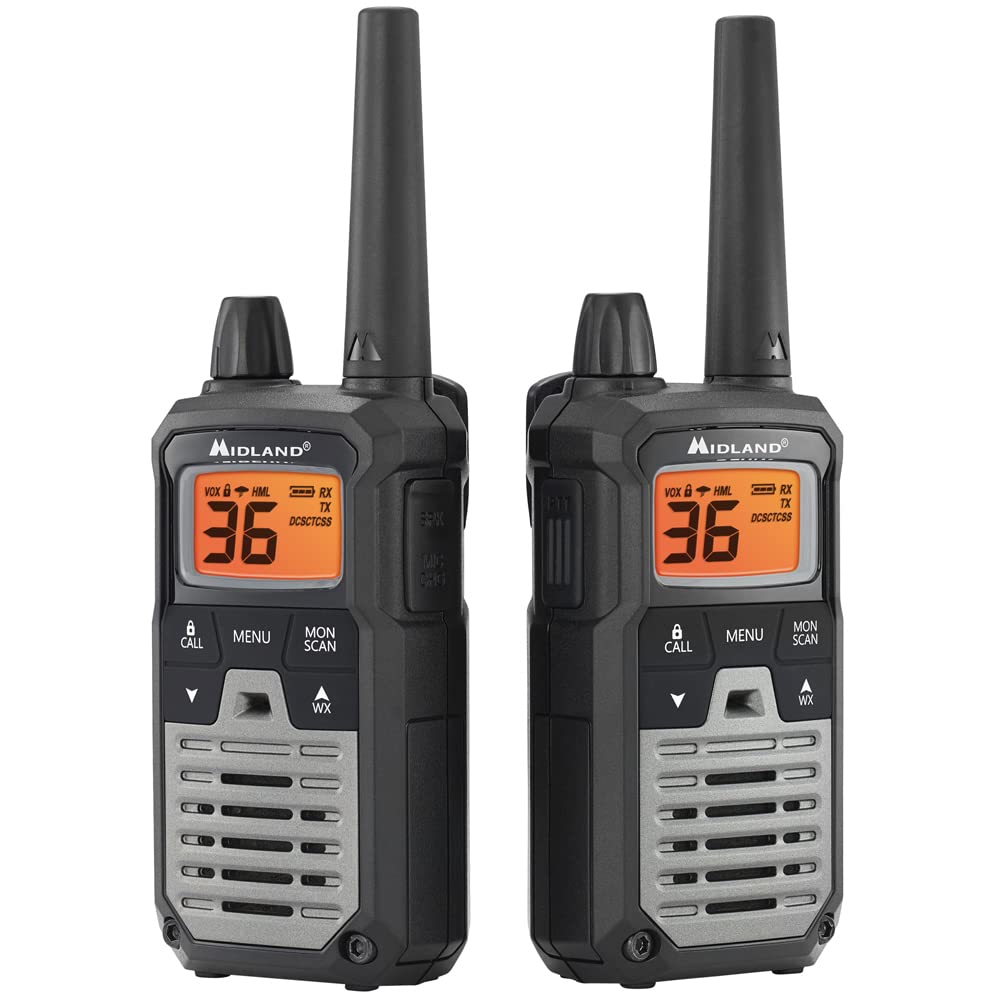
Image: A single Midland T290VP4 GMRS Two-Way Radio, showcasing its front panel with display and controls.
Configuración
Componentes incluidos
The Midland T290VP4 package includes the following items:
- Four Midland X-TALKER T290 two-way radios with belt clips
- Four headsets with boom microphones
- Four 700 mAh NiMH rechargeable battery packs
- Two desktop chargers
- Two AC adapters
- Two micro USB charging cables
- Manual del usuario
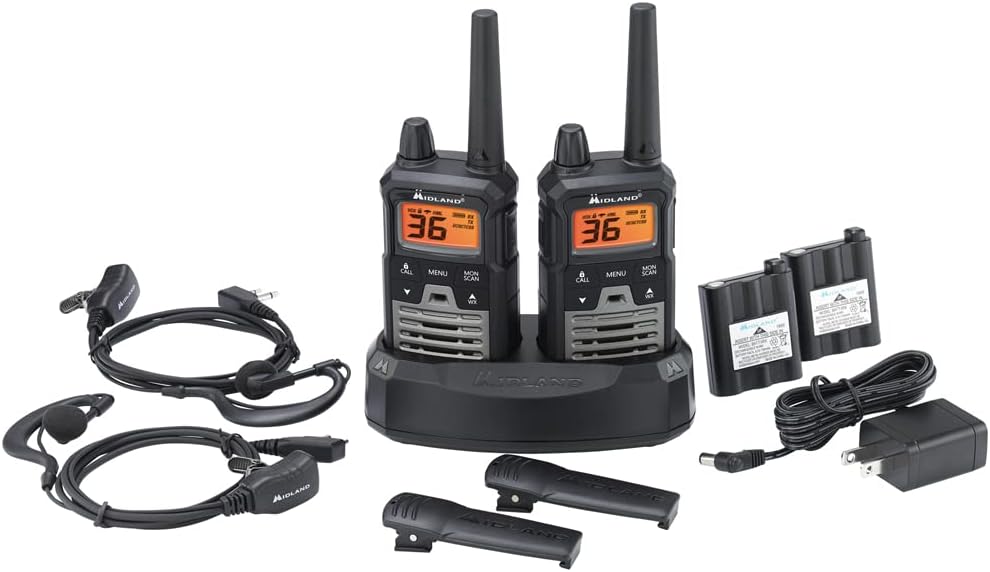
Image: All components of the Midland T290VP4 4-pack bundle, including four radios, headsets, battery packs, desktop chargers, AC adapters, and micro USB cables, laid out on a white surface.
Instalación y carga de la batería
- Abra la tapa del compartimiento de la batería en la parte posterior de cada radio.
- Insert the 700 mAh NiMH rechargeable battery pack, ensuring correct polarity.
- Cierre bien la tapa del compartimento de la batería.
- Place the radios into the desktop chargers.
- Connect the AC adapters to the desktop chargers and plug them into a standard wall outlet.
- Allow the batteries to charge fully before first use. The charging indicator on the radio or charger will typically change color or turn off when charging is complete.
Attaching Belt Clips
Align the belt clip with the grooves on the back of the radio and slide it down until it clicks into place. To remove, lift the tab on the belt clip and slide it upwards.
Instrucciones de funcionamiento
Encendido/apagado y volumen
- Para encender, gire la perilla de Encendido/Apagado/Volumen en el sentido de las agujas del reloj hasta que escuche un clic y la pantalla se ilumine.
- Para apagar, gire la perilla en sentido antihorario hasta que escuche un clic.
- Ajuste el volumen girando la perilla de encendido/apagado/volumen.

Image: A hand holding a Midland T290VP4 GMRS Two-Way Radio, demonstrating its compact size and ergonomic design.
Selección de canal
- Presione el MENÚ Botón para entrar al menú.
- Utilice el UP or ABAJO Botones de flecha para navegar a la opción de selección de canal.
- Prensa MENÚ again to confirm, then use UP or ABAJO to select one of the 22 GMRS channels or 14 pre-programmed privacy code channels.
- Prensa MENÚ para configurar el canal.
Códigos de privacidad (CTCSS/DCS)
The T290VP4 features 121 CTCSS (Continuous Tone-Coded Squelch System) privacy codes. These codes help filter out unwanted conversations on a channel. To use privacy codes, both transmitting and receiving radios must be set to the same channel and privacy code.
- Prensa MENÚ hasta que aparezca la configuración del código de privacidad.
- Usar UP or ABAJO to select a CTCSS or DCS code.
- Prensa MENÚ Para confirmar.
Transmitir y recibir
- Para transmitir, mantenga presionada la tecla PTT (pulsar para hablar) Botón ubicado en el lateral de la radio. Hable con claridad al micrófono.
- Liberar el PTT botón para recibir.
- Ensure all radios are on the same channel and privacy code for communication.
Escaneo meteorológico de la NOAA + alerta
- Análisis del tiempo: Presione el WX button to activate NOAA Weather Scan. The radio will automatically scan through 10 available weather (WX) band channels and lock onto the strongest weather channel to provide updates.
- Alerta meteorológica: When Weather Alert is enabled, the radio will sound an alarm indicating a risk of severe weather in your area, even if the radio is on a GMRS channel.
Características adicionales
- e-VOX Voice Activation: Allows hands-free operation with 9 adjustable sensitivity levels.
- High/Medium/Low Power Settings: Ajuste la potencia de transmisión para conservar la batería o ampliar el alcance.
- Escaneo de canales: Scans all channels for activity.
- Modo de monitor: Desactiva temporalmente el silenciador para escuchar señales débiles.
- Operación silenciosa: Apaga todos los tonos para un uso discreto.
- Bloqueo de teclado: Evita cambios accidentales en la configuración.
- Tonos de llamada: Select from 5 different call tones.
Mantenimiento
Cuidados generales
- Limpie la radio con un paño suave.amp Paño. No utilice limpiadores abrasivos ni disolventes.
- Avoid exposing the radio to extreme temperatures, direct sunlight for extended periods, or moisture. The radio is not water resistant.
- Keep the radio away from dust and dirt.
Cuidado de la batería
- Always use the specified NiMH rechargeable battery packs and chargers provided by Midland.
- No intente cargar baterías no recargables.
- If the radio will not be used for an extended period, remove the battery pack.
- Guarde las baterías en un lugar fresco y seco.
Solución de problemas
| Problema | Posible causa | Solución |
|---|---|---|
| Sin poder | Batería baja o no instalada correctamente. | Charge battery pack or ensure it is properly installed. |
| No se puede transmitir ni recibir | Radios not on the same channel/privacy code; out of range. | Verify channel and privacy code settings. Move closer to the other radio. |
| Mala calidad de audio | Batería baja; interferencia; fuera de rango. | Charge battery. Move away from sources of interference. Move closer to the other radio. |
| Rango limitado | Obstáculos (edificios, terreno); factores ambientales. | Radio range is highly dependent on terrain and conditions. Optimal range is achieved in open areas with clear line of sight. Reduce obstructions or move to higher ground. |
| La alerta meteorológica no funciona | Weather Alert feature not enabled; no NOAA signal in area. | Ensure Weather Alert is activated in the menu. Check for NOAA signal availability. |
Presupuesto
| Característica | Detalle |
|---|---|
| Marca | Del interior |
| Número de modelo | FBA-4PK-T290VP4 |
| Color | Silver (Radios are black with green accents) |
| Número de canales | 36 (22 GMRS + 14 Privacy Code Channels) |
| Rango de frecuencia | 400-470 MHz |
| Códigos de privacidad | 121 CTCSS |
| Alcance máximo de conversación | Hasta 40 millas (en condiciones óptimas) |
| Nivel de resistencia al agua | No resistente al agua |
| Dimensiones del producto (Pr. x An. x Al.) | 6.5" x 6.5" x 7.5" (Package dimensions, individual radio dimensions not specified) |
| Tipo de batería | NiMH Rechargeable Battery Packs (700 mAh) |
| Duración media de la batería | 8 horas |
| Protocolo de conectividad | GMRS |
| Características especiales | NOAA Weather Scan + Alert, e-VOX Voice Activation (9 levels), High/Medium/Low Power Settings, Channel Scan, Monitor Mode, Silent Operation, Keypad Lock, 5 Call Tones |
Garantía y soporte
Garantía del fabricante
The Midland T290VP4 GMRS Two-Way Radios come with a Garantía del fabricante por 3 año from Midland. Please retain your proof of purchase for warranty claims.
Atención al cliente
For technical assistance, warranty inquiries, or additional support, please contact Midland customer service. Refer to the official Midland websitio o el paquete para obtener la información de contacto más actualizada.