
1. Introducción y másview
The Ring Automotive RSC804 is a 4A smart battery charger and maintainer designed for a wide range of 6V and 12V vehicle batteries. It is compatible with Lead Acid, Gel, Calcium, EFB, and AGM battery types, including those found in START/STOP vehicles. This device ensures your battery remains in optimal condition by preventing overcharging and automatically transitioning to a long-term maintenance mode once fully charged. Its user-friendly design features one-button operation and a clear, backlit LCD display for easy monitoring of the charging process.
The RSC804 incorporates essential safety features such as reverse polarity and short-circuit protection, providing a secure and reliable charging experience.
2. Información de seguridad
Lea todas las instrucciones de seguridad antes de usar el cargador. Si no las sigue, podría sufrir una descarga eléctrica, un incendio o lesiones graves.
- Utilice siempre protección para los ojos y ropa protectora cuando trabaje con baterías.
- Asegúrese de que haya una ventilación adecuada en el área de carga para evitar la acumulación de gases explosivos.
- No fume ni permita chispas o llamas cerca de la batería o el cargador.
- Disconnect the AC power supply from the charger before connecting or disconnecting the battery leads.
- Nunca cargue una batería congelada o dañada.
- The charger is equipped with reverse polarity and short-circuit protection. However, always ensure correct polarity connections (positive to positive, negative to negative) to prevent damage.
- Keep the charger away from water and moisture. The unit is IP65 weatherproof, but direct submersion should be avoided.
- No intente abrir ni modificar el cargador. Todas las reparaciones deben ser realizadas por personal cualificado.
3. ¿Qué hay en la caja?
Al abrir el paquete, verifique que estén presentes todos los componentes:
- Ring Automotive RSC804 Smart Battery Charger
- Connectors with battery clamps
- O-ring terminals for long-term connection
- Manual de usuario

Image: Contents of the Ring Automotive RSC804 box, showing the charger, battery clamps, O-ring terminals, and user manual.
4. Instrucciones de configuración
Follow these steps to safely set up your battery charger:
- Prepare la batería: Asegúrese de que los terminales de la batería estén limpios y sin corrosión. Si es necesario, límpielos con un cepillo de alambre.
- Conectar a la batería:
- Usando Clamps: Conecte el cl rojo (positivo)amp to the positive (+) battery terminal. Connect the black (negative) clamp al terminal negativo (-) de la batería. Asegúrese de que la conexión sea segura.
- Using O-Ring Terminals (for long-term connection): Attach the red O-ring terminal to the positive (+) battery post and the black O-ring terminal to the negative (-) battery post. Secure them with the battery nuts.
- Conectarse a la energía: Once the battery leads are securely connected, plug the charger's AC power cord into a suitable 230V mains outlet.
- Comprobación inicial: The charger's LCD display will illuminate, indicating it is powered on and ready for operation.

Image: Ring Automotive RSC804 charger connected to a car battery using clamps, illustrating a typical setup.
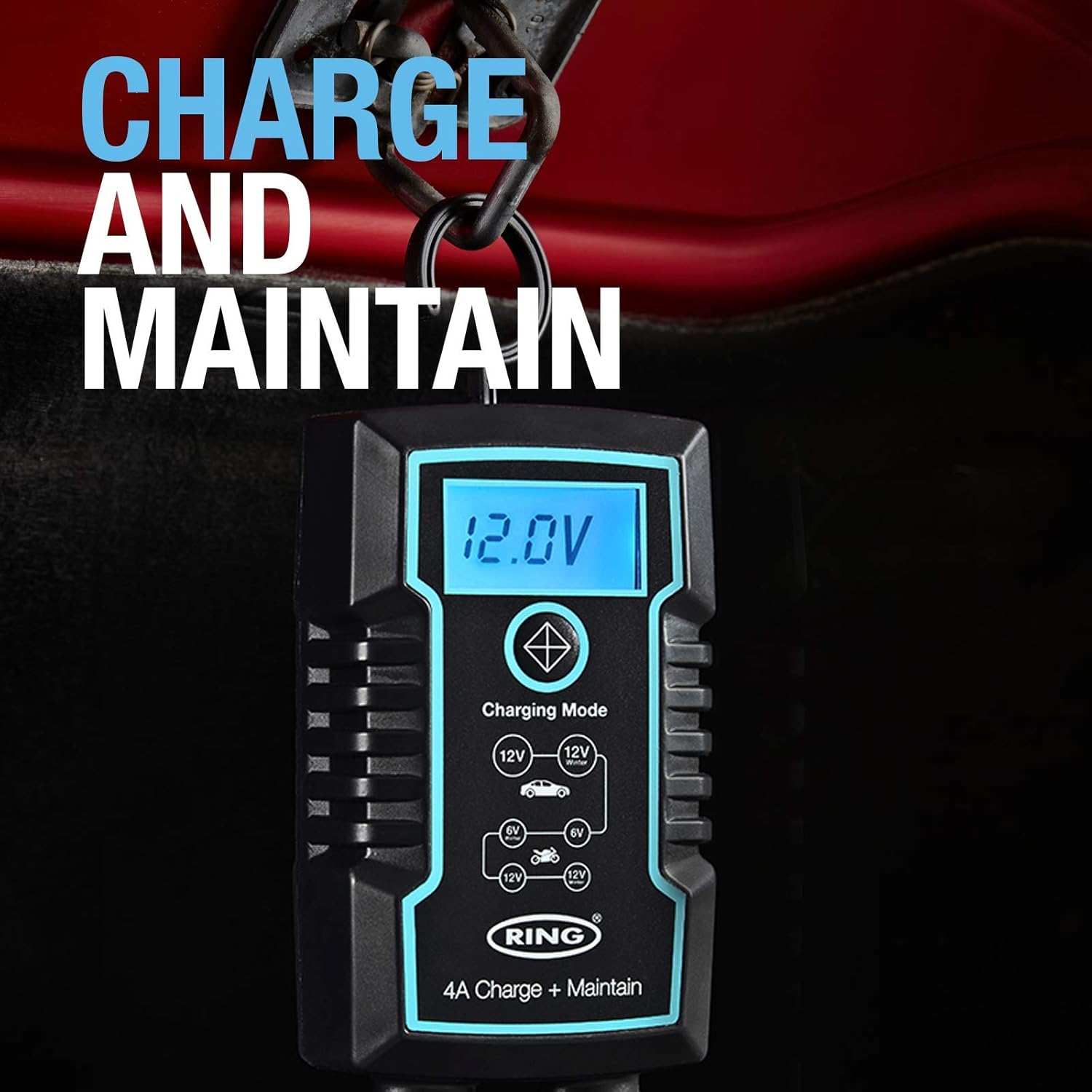
Image: Close-up of the RSC804 charger connected to a car battery, demonstrating proper terminal attachment.
5. Instrucciones de funcionamiento
Operating the RSC804 charger is straightforward:
- Encendido: After connecting the charger to the battery and mains power, the charger will automatically power on.
- Seleccionar modo de carga: Use the single button on the charger to cycle through the available charging modes. The backlit LCD display will show the selected mode (e.g., 6V, 12V Car, 12V Motorcycle). Select the mode appropriate for your battery type and voltage.
- Monitorear el progreso de la carga: The LCD display provides real-time information including:
- Volumen de la bateríatage: Muestra el volumen actualtage de la batería.
- Progreso de la carga: An icon or indicator shows the battery's charging status.
- Modo seleccionado: Confirms the active charging program.
- Mantenimiento automático: Once the battery reaches full charge, the RSC804 will automatically switch to a maintenance (trickle charge) mode. This prevents overcharging and keeps the battery optimally charged for extended periods.
- Desconectando: To disconnect the charger, first unplug the AC power cord from the mains outlet. Then, disconnect the negative (-) battery lead, followed by the positive (+) battery lead.
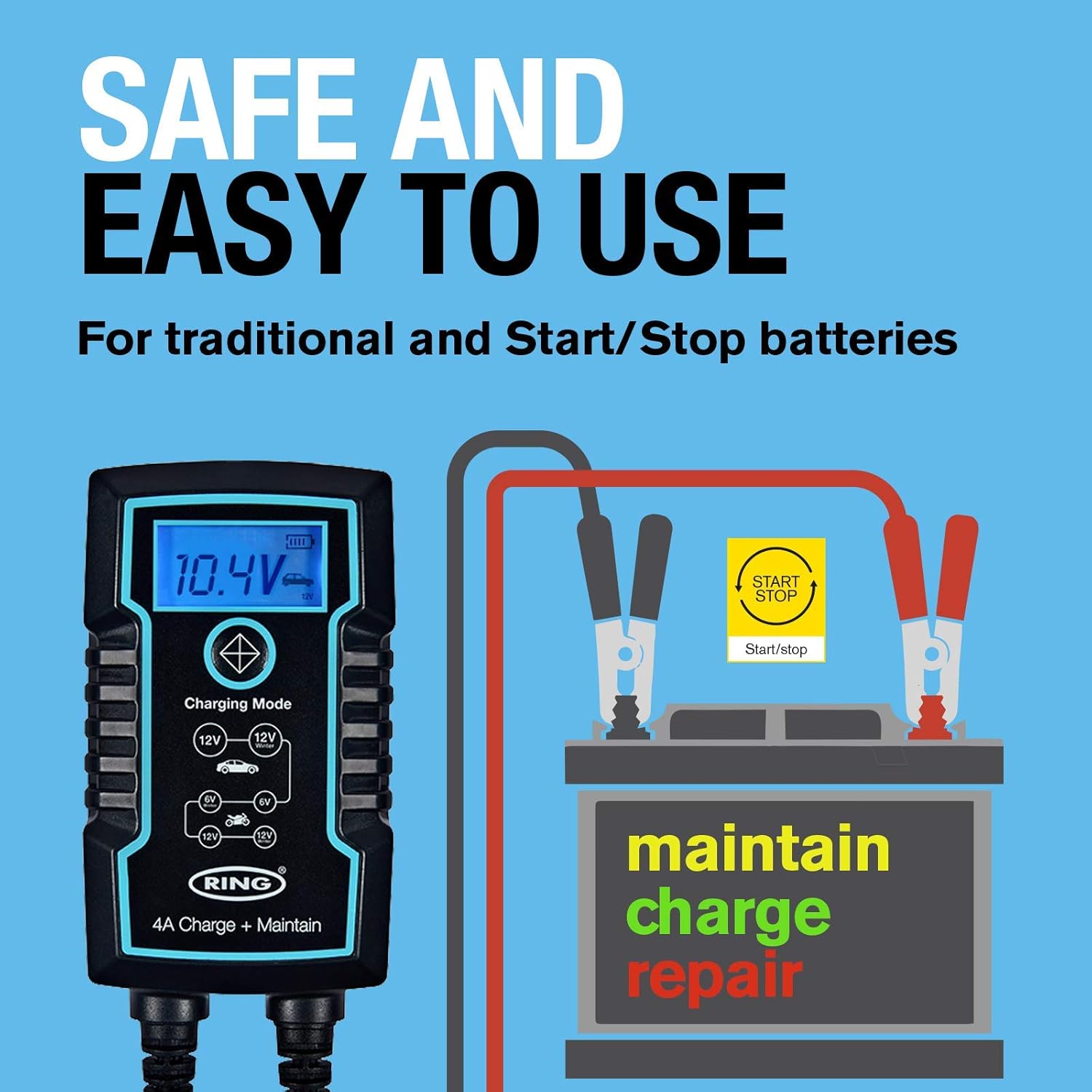
Imagen: Detallada view of the RSC804's backlit LCD display, highlighting voltage, charge progress, and mode selection.
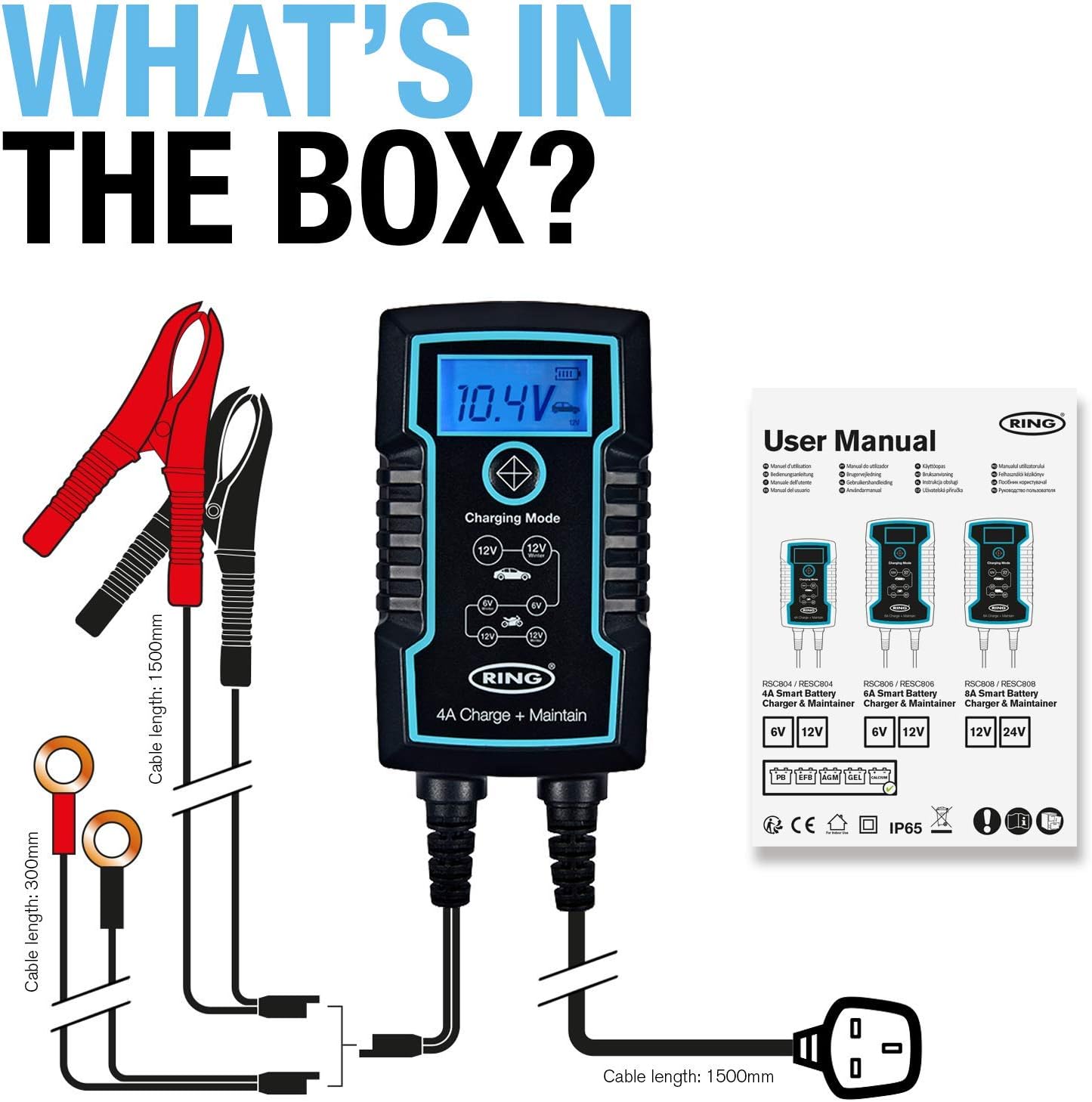
Image: The RSC804 charger in operation, displaying 12.0V and indicating maintenance mode, conveniently hanging from a vehicle's hood.
6. Mantenimiento
Proper maintenance ensures the longevity and reliable performance of your RSC804 charger:
- Limpieza: Periodically wipe the charger's casinLimpie con un paño suave y seco. No utilice productos químicos agresivos ni limpiadores abrasivos.
- Inspección de cables: Regularly inspect the power cord and battery leads for any signs of damage, cuts, or fraying. Do not use the charger if any cables are damaged.
- Almacenamiento: Store the charger in a cool, dry place when not in use. Keep it away from direct sunlight, extreme temperatures, and moisture.
- Terminales de la batería: Ensure battery terminals remain clean for optimal connection.

Image: The RSC804 charger's rugged and weatherproof (IP65) design, suitable for various environments.
7. Solución de problemas
If you encounter issues with your RSC804 charger, refer to the following common problems and solutions:
| Problema | Posible causa | Solución |
|---|---|---|
| El cargador no se enciende. | No hay alimentación de CA, toma de corriente defectuosa, cable de alimentación dañado. | Check mains power supply. Try a different outlet. Inspect power cord for damage. |
| Cargador conectado pero no carga. | Incorrect battery connection, wrong mode selected, deeply discharged battery. | Ensure correct polarity and secure connections. Select the appropriate 6V or 12V mode. For deeply discharged batteries, the charger may take some time to initiate charging. |
| Error message or indicator light. | Reverse polarity, short circuit, internal fault. | Disconnect immediately. Recheck battery connections for correct polarity. If error persists, contact customer support. |
| La batería no se carga completamente. | Battery fault, incorrect mode, charger fault. | Have the battery tested by a professional. Ensure the correct charging mode is selected. If the battery is confirmed good, contact customer support. |
If troubleshooting steps do not resolve the issue, please contact Ring Automotive customer support for further assistance.
8. Especificaciones
| Especificación | Valor |
|---|---|
| Número de modelo | RSC804 |
| Vol de entradatage | 230 Voltios AC |
| Vol de salidatage | 6V / 12V DC |
| Valoración actual (Ampedad) | 4 Amps |
| Quétage | 60 W |
| Compatibilidad de la batería | Lead Acid, Gel, Calcium, EFB, AGM |
| Número de puertos | 1 |
| Peso del artículo | 760 gramos |
| Color | Negro |
| Funciones de protección | Reverse Polarity, Short-Circuit, Overcharging |
| Clasificación a prueba de intemperie | IP65 |
9. Garantía y soporte
This Ring Automotive product is covered by a manufacturer's warranty. For specific warranty terms and conditions, please refer to the documentation included with your purchase or visit the official Ring Automotive website. In case of product defects or operational issues not resolved by the troubleshooting guide, please contact Ring Automotive customer support. Have your model number (RSC804) and proof of purchase ready when contacting support.
For the most up-to-date support information and contact details, please visit the official Ring Automotive websitio.