
Introducción
The SENTRY HPXBT960B Mini True Wireless Earbuds provide a convenient and cable-free audio experience. Designed for comfort and ease of use, these earbuds connect wirelessly to your devices via Bluetooth, offering integrated controls and a portable charging case for extended listening.
Información de seguridad
- Protección auditiva: Evite escuchar a niveles de volumen altos durante períodos prolongados para evitar daños auditivos.
- Seguridad en la conducción: Do not use earbuds while driving or operating machinery where the inability to hear ambient sounds could pose a danger.
- Exposición al agua: These earbuds are not waterproof. Avoid exposure to water or excessive moisture.
- Niños: Mantenga los auriculares y las piezas pequeñas fuera del alcance de los niños para evitar peligro de asfixia.
- Desecho: Deseche el producto y su batería de forma responsable de acuerdo con las regulaciones locales.
Contenido del paquete
- SENTRY HPXBT960B Mini True Wireless Earbuds (Left & Right)
- Estuche de carga portátil
- Cable de carga USB
- Extra Silicone Earpads (S/M/L)
- Optional Silicone Ear Hooks
Producto terminadoview
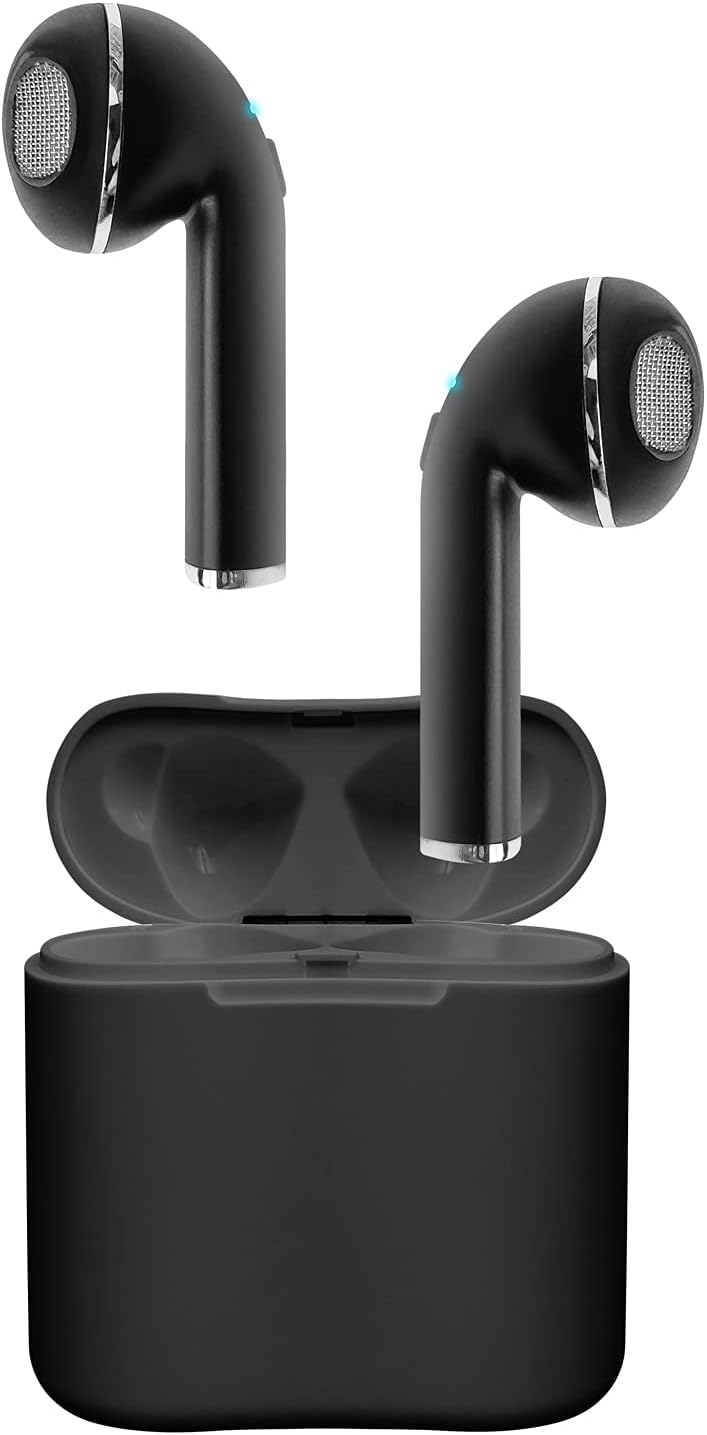
Image: The SENTRY HPXBT960B Mini True Wireless Earbuds in black, resting inside their open charging case. The earbuds feature a sleek design with visible ear tips and charging contacts.
The earbuds are designed for a comfortable in-ear fit. Each earbud features a touch-sensitive control area and a built-in microphone for hands-free communication. The portable charging case protects the earbuds and recharges them on the go.
Configuración
1. Carga de los auriculares y el estuche
- Coloque los auriculares en el estuche de carga. Asegúrese de que los contactos de carga estén alineados.
- Conecte el cable de carga USB al puerto de carga del estuche y a una fuente de alimentación.
- The indicator lights on the case and earbuds will show charging status. A full charge for the earbuds provides approximately 4 hours of playback at 50% volume. The charging case holds enough power for up to 2 full recharges, extending total playtime to about 12 hours.
2. Emparejamiento con su dispositivo
- Asegúrese de que los auriculares estén cargados.
- Open the charging case. The earbuds will automatically enter pairing mode (indicated by flashing LED lights).
- En su dispositivo con Bluetooth habilitado (por ejemplo, teléfono inteligente, tableta), vaya a la configuración de Bluetooth.
- Buscar available devices and select "HPXBT960B" (or similar name) from the list.
- Once connected, the earbud indicator lights will stop flashing or show a solid light. You are now ready to use your earbuds.
Video: Official product video demonstrating the setup and features of the Sentry HPXBT960B Mini True Wireless Earbuds, including pairing and charging.
Instrucciones de funcionamiento
Controles táctiles
The HPXBT960B earbuds feature touch controls for easy operation. Specific functions may vary slightly by device, but common controls include:
- Reproducir/Pausa: Un solo toque en cualquiera de los auriculares.
- Pista siguiente: Toque dos veces el auricular derecho.
- Pista anterior: Toque dos veces el auricular izquierdo.
- Responder/Finalizar llamada: Un solo toque en cualquiera de los auriculares durante una llamada entrante o una llamada activa.
- Rechazar llamada: Mantenga presionado cualquiera de los auriculares durante 2 segundos durante una llamada entrante.
- Activar asistente de voz: Toque tres veces cualquiera de los auriculares.
Realizar y recibir llamadas
With the integrated microphone, you can make and receive calls hands-free. Ensure your earbuds are connected to your phone via Bluetooth. Audio will automatically route through the earbuds during a call.
Mantenimiento
- Limpieza: Utilice un paño suave, seco y sin pelusa para limpiar los auriculares y el estuche de carga. No utilice limpiadores abrasivos ni disolventes.
- Almacenamiento: Cuando no los uses, guarda los auriculares en su estuche de carga para protegerlos y mantenerlos cargados. Guárdalos en un lugar fresco y seco, alejados de la luz solar directa y de temperaturas extremas.
- Cuidado de la batería: Para prolongar la vida útil de la batería, evite descargar completamente los auriculares y el estuche de carga con frecuencia. Cárguelos regularmente, incluso si no los usa constantemente.
Solución de problemas
| Problema | Posible solución |
|---|---|
| Los auriculares no encienden | Asegúrese de que los auriculares y el estuche de carga estén completamente cargados. |
| No hay sonido de los auriculares | Check if earbuds are paired correctly. Adjust volume on both the earbuds and your connected device. |
| Mala calidad de sonido o desconexiones | Ensure your device is within the 10-meter Bluetooth range. Avoid obstacles between the earbuds and your device. Check for interference from other wireless devices. |
| Los auriculares no se emparejan con el dispositivo | Turn off Bluetooth on your device, then turn it back on. Forget the device in your Bluetooth settings and attempt to re-pair. Ensure no other devices are currently connected to the earbuds. |
Presupuesto
- Modelo: HPXBT960B
- Marca: CENTINELA
- Tecnología de conectividad: Bluetooth 4.0
- Alcance inalámbrico: Hasta 10 metros (30 pies)
- Capacidad de la batería de los auriculares: 35 mAh (iones de litio)
- Capacidad de la batería del estuche de carga: 200 mAh (iones de litio)
- Tiempo de reproducción de auriculares: Hasta 4 horas (al 50% del volumen)
- Tiempo total de juego (con estuche): Hasta 12 horas
- Micrófono: Integrado
- Método de control: Tocar
- Almohadillas para los oídos: Extra Silicone Earpads (S/M/L), Optional Silicone Ear Hooks
- Peso: 3.2 ounces (total product weight)
- Color: Negro
- Material: Plástico
- Dimensiones del producto: 1 x 1 x 1 inches (per earbud, approximate)
Garantía y soporte
SENTRY products are manufactured with quality and care. For information regarding the product warranty, please refer to the documentation included with your purchase or visit the official SENTRY websitio.
For further assistance, troubleshooting, or to contact customer support, please visit the SENTRY Store on Amazon o consulte los canales de soporte oficiales del fabricante.