
1. Producto terminadoview
The Alecto WS-1560 is a wireless weather station designed to provide accurate indoor and outdoor environmental data. Featuring a clear color display and a remote outdoor sensor, it offers comprehensive weather information and additional useful functions for your home.
Características principales:
- Mide la temperatura y la humedad interior y exterior.
- Long-range wireless outdoor sensor (up to 100 meters).
- 5.7-inch well-lit color display with animated weather forecast icons.
- Temperature and ice alarm functions.
- Despertador con función snooze.
- Memory function for latest and highest readings.
- Moon phase indicator, date, day, and time display.
- Battery-operated main unit and outdoor sensor with backup batteries.

Figure 1.1: Alecto WS-1560 Main Unit and Wireless Outdoor Sensor.
2. Contenido del paquete
Asegúrese de que todos los componentes estén presentes y en buenas condiciones al desembalar:
- Unidad principal Alecto WS-1560 (pantalla interior)
- Sensor de exterior inalámbrico
- Manual de usuario
- (Power adapter and batteries may be included depending on package)
Video 2.1: Illustrative video showing typical weather station components and basic setup. (Note: This video is for a related product and may not show the exact Alecto WS-1560 model.)
3. Configuración e instalación
3.1. Instalación de la batería
Both the main unit and the outdoor sensor require batteries for operation. Ensure you use the correct type and polarity.
- Sensor exterior:
- Abra el compartimento de la batería en la parte posterior del sensor exterior inalámbrico.
- Insert 2x AA batteries (not included) according to the polarity markings (+/-).
- Cierre bien el compartimento de la batería.
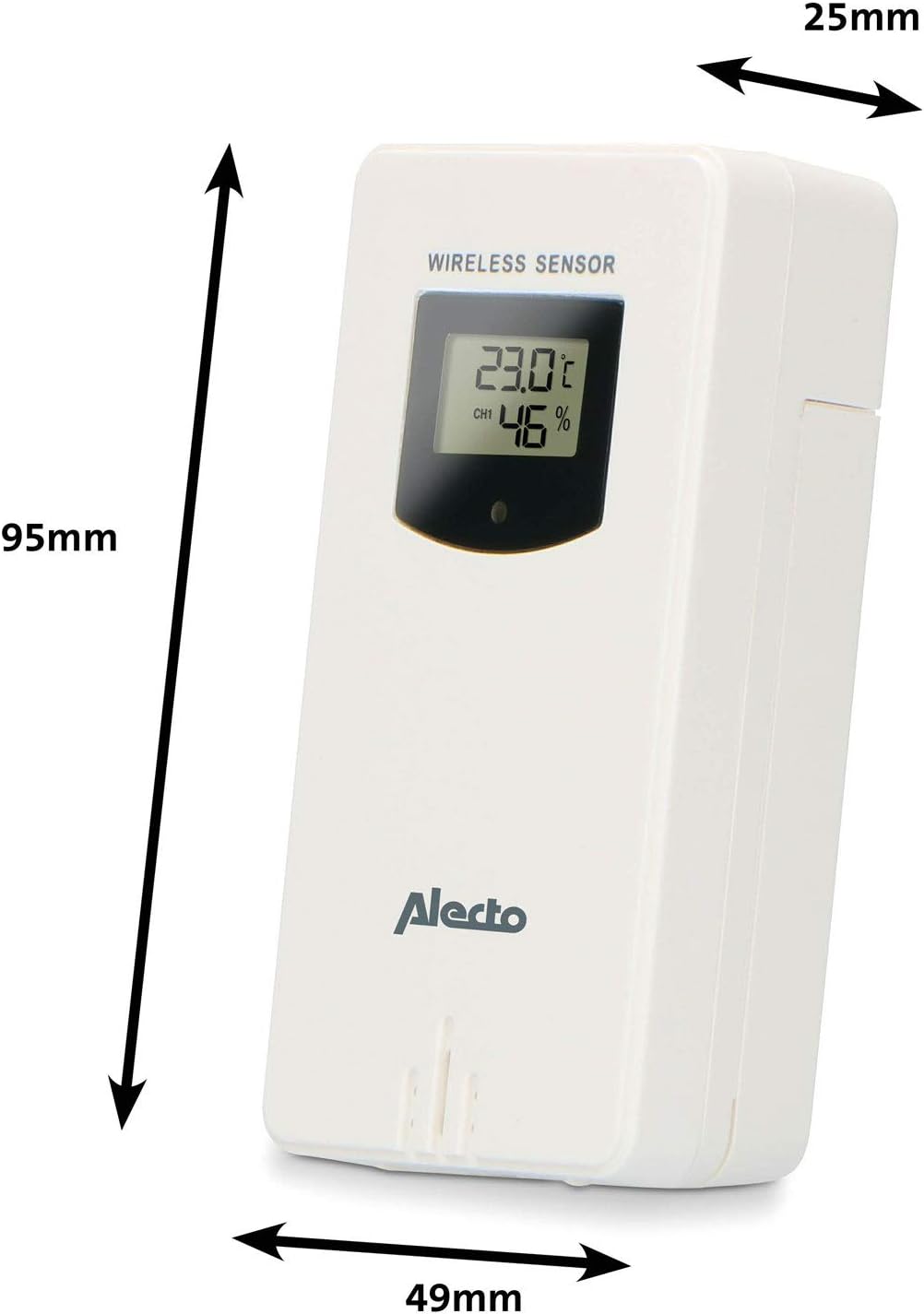
Figure 3.1: Wireless Outdoor Sensor dimensions and battery compartment location.
- Unidad principal:
- Abra el compartimento de la batería en la parte posterior de la unidad principal.
- Insert 2x AA batteries (not included) according to the polarity markings (+/-). These serve as backup batteries.
- Cierre bien el compartimento de la batería.
- Connect the main unit to a power outlet using the provided power adapter (if included).

Figure 3.2: Main Unit dimensions and power input.
3.2. Colocación de sensores
For accurate outdoor readings, proper placement of the wireless sensor is crucial:
- Place the sensor in a shaded area, away from direct sunlight, to prevent inaccurate temperature readings.
- Ensure good air circulation around the sensor.
- Monte el sensor verticalmente, aproximadamente entre 1.5 y 2.5 metros (5 y 8 pies) por encima del suelo.
- Avoid placing the sensor near heat sources (e.g., vents, windows) or moisture sources.
- The maximum transmission range is 100 meters (328 feet) in open air. Walls and other obstacles will reduce this range.

Figura 3.3: Example of outdoor sensor placement on a wall.
3.3. Emparejamiento del sensor con la unidad principal
The main unit and sensor should automatically pair once both are powered on. If pairing does not occur:
- Ensure both units have fresh batteries and are within range.
- Presione el botón "TX" dentro del compartimiento de la batería del sensor exterior para enviar una señal manualmente.
- On the main unit, you may need to initiate a search for the outdoor sensor (refer to the "Operation" section for specific button functions).
4. Operación
4.1. Diseño de pantalla
La pantalla a color de 5.7 pulgadas proporciona una visión claraview of all measured data. Key areas include:
- Temperatura y humedad exterior: Displays current outdoor conditions.
- Temperatura y humedad interior: Displays current indoor conditions.
- Animated Weather Forecast: Icons predict upcoming weather (sunny, partly cloudy, cloudy, rainy, snowy).
- Hora Fecha: Hora, día y fecha actuales.
- Presión barométrica: Presión atmosférica actual.
- Fase lunar: Representación gráfica de la fase lunar actual.
- Temperature/Ice Alarm Indicators: Alerts for specific temperature thresholds or potential ice conditions.

Figura 4.1: detallada view of the main unit's color display.
4.2. Funciones de los botones
The main unit features several buttons for setting and adjusting functions. Common buttons include:
- CONJUNTO: Enters setup mode for time, date, and other settings.
- MODO: Switches between display modes or confirms settings.
- ARRIBA/ABAJO (o +/-): Adjusts values during setup or cycles through channels.
- ALARMA: Establece o activa la función de alarma.
- MEMORIA: Displays maximum/minimum temperature and humidity records. Long press to clear records.
- DORMITORIO / LUZ: Activa la función de repetición durante una alarma o ajusta el brillo de la luz de fondo.
Video 4.2: Illustrative video demonstrating various features and settings of a weather station. (Note: This video is for a related product and may not show the exact Alecto WS-1560 model.)
4.3. Configuración de hora y fecha
- Press and hold the "SET" button until the time display starts flashing.
- Use the "UP" or "DOWN" buttons to adjust the hour, then press "SET" to confirm and move to minutes.
- Repita para minutos, año, mes y día.
- Press "SET" again to exit the setting mode.
4.4. Configuración de alarma
- Press the "ALARM" button once to view la hora de la alarma.
- Mantenga presionado el botón “ALARM” hasta que la hora de la alarma comience a parpadear.
- Use the "UP" or "DOWN" buttons to set the desired alarm hour and minute.
- Pulse “ALARMA” para confirmar.
- Para activar o desactivar la alarma, pulse brevemente el botón "ALARMA" cuando se muestre la hora. Aparecerá o desaparecerá un icono de alarma.
4.5. Registros máximos y mínimos
The weather station automatically records the maximum and minimum temperature and humidity values over a 24-hour period.
- Press the "MEM" button briefly to view los valores máximos registrados.
- Press "MEM" again to view los valores mínimos registrados.
- Press "MEM" a third time to return to current readings.
- To clear the records, press and hold the "MEM" button for a few seconds.
5. Mantenimiento
- Limpieza: Limpie la pantalla y las superficies de la unidad con un paño suave y húmedo.amp Paño. No utilice limpiadores abrasivos ni disolventes.
- Reemplazo de batería: Reemplace las baterías de la unidad principal y del sensor exterior cuando aparezca el indicador de batería baja en la pantalla. Siempre reemplace todas las baterías a la vez por otras nuevas del mismo tipo.
- Cuidado del sensor: Periodically check the outdoor sensor for debris or obstructions that might affect its readings. Ensure it remains in a shaded, well-ventilated area.
6. Solución de problemas
| Problema | Posible causa | Solución |
|---|---|---|
| No outdoor temperature/humidity reading (or "---" displayed) |
|
|
| Lecturas inexactas de temperatura y humedad |
|
|
| La pantalla está oscura o en blanco |
|
|
7. Especificaciones
| Número de modelo | WS-1560 |
| Marca | Alecto |
| Fuente de alimentación (unidad principal) | Power Adapter (if included) + 2x AA batteries (backup) |
| Fuente de alimentación (sensor exterior) | 2 pilas AA |
| Dimensiones del producto (unidad principal) | 5.1 x 16.5 x 12.3 cm |
| Peso del producto | 440 gramos |
| Alcance del sensor inalámbrico | Hasta 100 metros (al aire libre) |
| Tamaño de la pantalla | 5.7 pulgadas / 14.5 cm |
| Origen | Porcelana |
8. Garantía y soporte
Para obtener información sobre la garantía, asistencia técnica o consultas de servicio, consulte la tarjeta de garantía incluida con su producto o visite el sitio web oficial de Alecto. webSitio. Conserve su recibo de compra como comprobante de compra.
Alecto Websitio: www.alecto.nl (General Alecto web(Sitio, la página de soporte específica puede variar)