
1. Introducción
Thank you for choosing the Reebok RDVNEG9P2S2B2N Digital Watch. This manual provides essential information for the proper setup, operation, and maintenance of your new timepiece. Please read this manual thoroughly before using the watch to ensure optimal performance and longevity.
2. Información de seguridad
- Resistencia al agua: This watch is water resistant up to 100 meters. It is suitable for swimming and snorkeling but not for diving. Do not operate buttons underwater.
- Temperatura: Evite exponer el reloj a temperaturas extremas (calor o frío) durante períodos prolongados, ya que esto puede afectar su precisión y la duración de la batería.
- Productos químicos: Mantenga el reloj alejado de solventes, detergentes, perfumes y cosméticos, ya que pueden dañar la correa, la caja o los sellos.
- Impacto: Protect the watch from strong impacts or drops, which can damage internal components or the crystal.
- Batería: Do not attempt to open the watch case or replace the battery yourself, as this may void the warranty and damage the watch. Refer to qualified service personnel.
3. Contenido del paquete
Verifique que todos los artículos estén presentes en su paquete:
- Reebok RDVNEG9P2S2B2N Digital Watch (with Stainless Steel Strap)
- Extra Silicone Strap
- Spring Bar Tool for strap replacement
- Manual de usuario (este documento)
4. Producto terminadoview
Familiarize yourself with the main components of your Reebok digital watch.
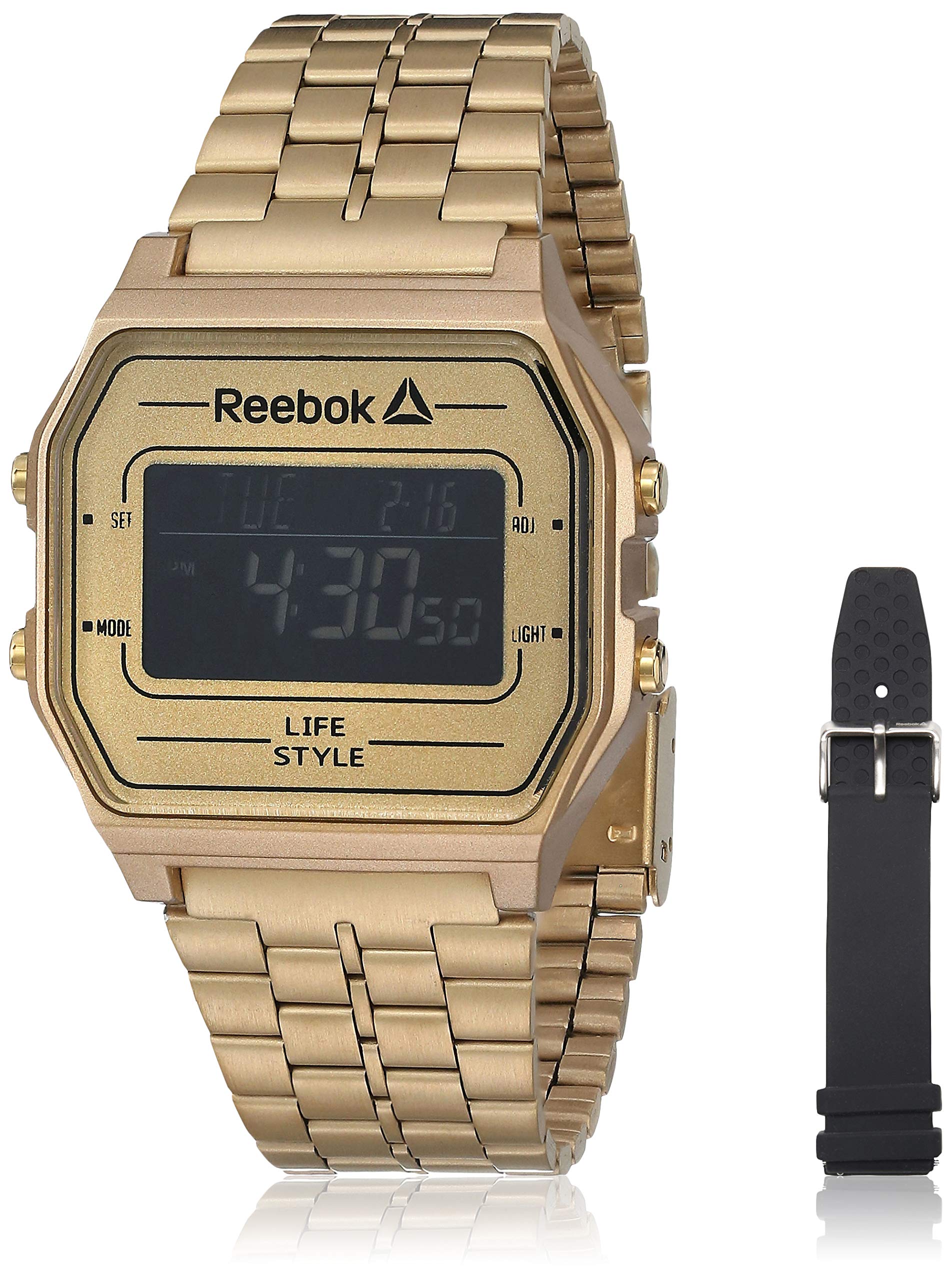
Imagen 1: Frente view of the Reebok RDVNEG9P2S2B2N Digital Watch with its gold stainless steel strap. The digital display shows time and date, and control buttons are visible on the sides.
- Mostrar: Pantalla digital que muestra la hora, fecha y otras funciones.
- Botón de ajuste: Se utiliza para ingresar y confirmar configuraciones.
- Botón MODE: Cycles through different watch modes (Time, Alarm, Stopwatch, etc.).
- Botón ADJ: Ajusta los valores durante la configuración.
- Botón LUZ: Activa la luz de fondo para mayor visibilidad en condiciones de poca luz.
- Caso: Gold-colored stainless steel case.
- Correa: Interchangeable straps (Stainless Steel and Silicone).
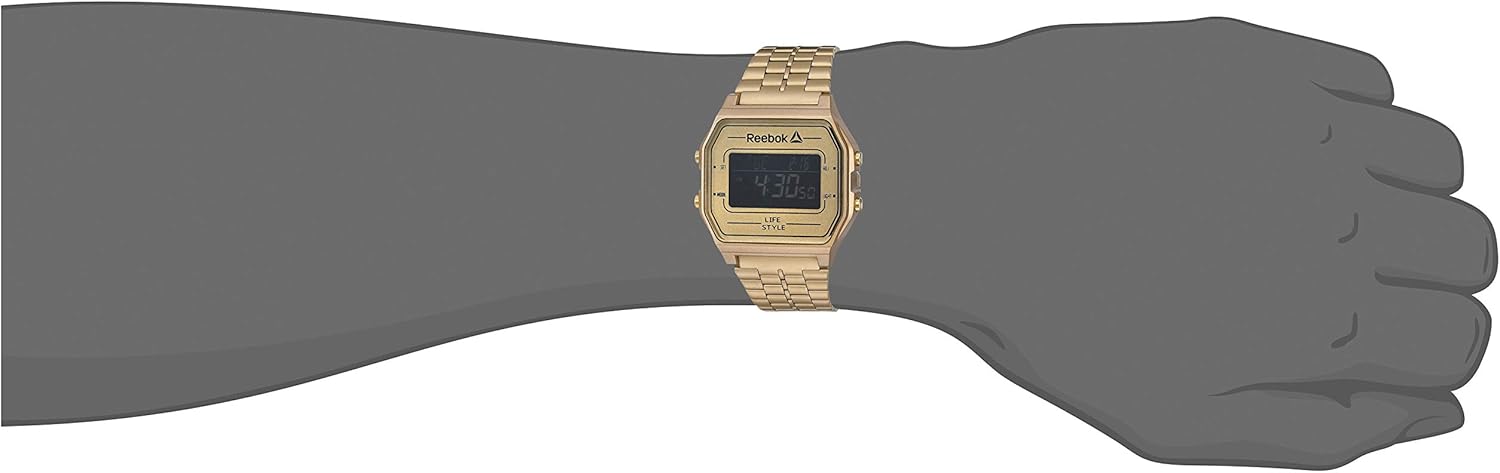
Imagen 2: The Reebok RDVNEG9P2S2B2N Digital Watch worn on a wrist, showcasing its size and fit with the gold stainless steel strap.
5. Configuración
5.1 Configuración inicial de hora y fecha
- En el modo de cronometraje normal, mantenga presionada la tecla COLOCAR hasta que los segundos comiencen a parpadear. Esto indica que está en modo de configuración.
- Presione el MODO Botón para recorrer las configuraciones: Segundos → Hora → Minuto → Año → Mes → Día.
- Utilice el ADJ Botón para aumentar el valor de parpadeo. Mantenga pulsado el ADJ Botón para avanzar rápidamente el valor.
- Una vez ajustados todos los ajustes, presione el botón COLOCAR Presione nuevamente el botón para salir del modo de configuración y guardar los cambios.
5.2 Formato de 12/24 horas
Mientras esté en el modo de ajuste de hora (los segundos parpadean), presione el botón ADJ Botón cuando la hora esté parpadeando para alternar entre formatos de 12 horas (con indicador AM/PM) y 24 horas.
6. Funcionamiento del reloj
Selección de 6.1 modos
Presione el MODO Botón repetidamente para recorrer las funciones disponibles:
- Modo de indicación de la hora (muestra la hora y la fecha actuales)
- Modo de alarma
- Modo de cronómetro
6.2 Uso de la luz de fondo
Presione el LUZ Botón para iluminar la pantalla durante unos segundos. Esto es útil en entornos oscuros.
6.3 función de alarma
- Desde el modo de indicación de la hora, presione MODO until "AL" or "Alarm" appears on the display.
- Mantenga pulsado el COLOCAR Botón hasta que parpadee la hora de la alarma.
- Utilice el ADJ para configurar la hora deseada. Prensa MODO para pasar a los minutos.
- Utilice el ADJ Botón para configurar los minutos deseados.
- Prensa COLOCAR para confirmar y salir de la configuración de alarma.
- Para encender o apagar la alarma, presione el botón ADJ button while in Alarm Mode (without holding SET). An alarm icon will appear/disappear.
6.4 Función de cronómetro
- Desde el modo de indicación de la hora, presione MODO until "ST" or "Stopwatch" appears on the display.
- Presione el ADJ Botón para iniciar el cronómetro.
- Presione el ADJ Presione nuevamente el botón para pausar el cronómetro.
- Presione el COLOCAR Botón para poner a cero el cronómetro.
- Para salir del modo cronómetro, presione el botón MODO botón.
7. Reemplazo de la correa
Your Reebok watch comes with an extra silicone strap and a spring bar tool for easy strap changes. Follow these steps carefully to avoid scratching your watch or damaging the spring bars.
7.1 Removing the Current Strap
- Place the watch face down on a soft, clean cloth to prevent scratches.
- Locate the spring bar tool. It typically has a forked end.
- Insert the forked end of the tool between the strap and the watch lug (the part of the watch case where the strap attaches).
- Gently push the spring bar inwards (towards the center of the strap) to compress it.
- Once one end of the spring bar is disengaged from the lug hole, carefully pull the strap away from the watch.
- Repeat for the other side of the strap and for the second strap piece.
- Keep the spring bars in a safe place if you intend to reuse the strap.
7.2 Attaching a New Strap
- Insert one end of a spring bar into one of the lug holes on the watch case.
- With the spring bar tool, compress the other end of the spring bar.
- Guide the compressed end into the opposite lug hole.
- Release the spring bar tool, ensuring both ends of the spring bar are securely seated in the lug holes. Gently tug on the strap to confirm it is firmly attached.
- Repeat for the second strap piece.
8. Mantenimiento
8.1 Limpieza
- Watch Case and Stainless Steel Strap: Wipe regularly with a soft, dry cloth. For stubborn dirt, use a slightly damp paño y jabón suave, luego séquelo bien.
- Correa de silicona: Wash with mild soap and water, then rinse and dry completely.
- Avoid using abrasive cleaners or chemical solvents.
8.2 Cuidado de la resistencia al agua
- Ensure the watch crown (if applicable, though this is a digital watch with buttons) and buttons are fully pressed in before any contact with water.
- No opere los botones mientras el reloj esté sumergido en agua.
- Después de la exposición al agua salada, enjuague el reloj con agua dulce y séquelo completamente.
- Water resistance is not a permanent condition and may decrease over time. Have the seals checked periodically by a qualified technician.
8.3 Reemplazo de batería
When the display becomes dim or the watch stops functioning, the battery may need replacement. It is recommended to have the battery replaced by a professional watch technician to ensure proper sealing and water resistance integrity.
9. Solución de problemas
| Problema | Posible causa | Solución |
|---|---|---|
| La pantalla del reloj está en blanco o tenue. | Batería baja o agotada. | Reemplace la batería (recomendado por un profesional). |
| El tiempo es impreciso. | Ajuste de hora incorrecto; exposición a campos magnéticos fuertes; batería baja. | Reset the time and date (refer to Section 5.1). Keep away from strong magnets. Replace battery if issue persists. |
| Los botones no responden. | El reloj está mojado; avería interna. | Asegúrese de que el reloj esté seco. Si el problema persiste, contacte con atención al cliente. |
| Agua dentro del reloj. | Water resistance compromised; buttons operated underwater. | Lleve inmediatamente el reloj a un profesional para que lo inspeccione y lo repare para evitar daños mayores. |
10. Especificaciones
- Número de modelo: RDVNEG9P2S2B2N
- Tipo de pantalla: Digital
- Movimiento: Cuarzo
- Material de la caja: Acero inoxidable
- Diámetro de la caja: 42 milímetros
- Grosor de la caja: 5 milímetros
- Material de la correa: Stainless Steel (Gold), Silicone (Extra)
- Ancho de la correa: 4 centímetros
- Cristal: Mineral
- Resistencia al agua: Medidores 100 (Pies 330)
- Fuente de energía: Batería
- Tipo de cierre: Buckle (for silicone), Elegant Clasp (for stainless steel)
11. Garantía y soporte
11.1 Garantía del fabricante
This Reebok watch is covered by a manufacturer's warranty. Please refer to the warranty card included in your original packaging for specific terms, conditions, and duration. The warranty typically covers manufacturing defects but does not cover damage resulting from misuse, accidents, unauthorized repairs, or normal wear and tear.
11.2 Atención al cliente
For technical assistance, warranty claims, or service inquiries, please contact Reebok customer support through their official website or the contact information provided with your purchase documentation. When contacting support, please have your watch model number (RDVNEG9P2S2B2N) and proof of purchase readily available.