
1. Producto terminadoview
The HENEX HC-6032 is a desktop hands-free 2D barcode scanner designed for efficient and automatic scanning of 1D, 2D, and QR codes. Its omnidirectional scanning capability and intelligent detection features make it suitable for various commercial and industrial applications.
2. Contenido del paquete
Verifique que todos los artículos estén presentes en el paquete:
- 1 x HC-6032 Barcode Scanner
- 1 cable USB de 1.8 m
- 1 x Manual de usuario
Video: Unboxing and initial setup of the HENEX HC-6032 barcode scanner, demonstrating package contents and basic connection.
3. Instrucciones de configuración
3.1. Conexión del escáner
The HC-6032 barcode scanner is designed for plug-and-play operation, requiring no additional drivers or software installation. It is compatible with Windows XP/7/8/10, Android, and Linux systems.
- Connect the provided USB cable to the data transmission port on the back of the scanner.
- Conecte el otro extremo del cable USB a un puerto USB disponible en su computadora o dispositivo host.
- El escáner se encenderá automáticamente y estará listo para usarse.

Image: The HC-6032 scanner connected to a laptop, highlighting its plug-and-play functionality across various operating systems.
4. Funcionamiento del escáner
4.1. Escaneo automático
The scanner features an induction trigger for automatic detection and scanning. When in standby mode, it will activate and read barcodes placed within its scan window.
4.2. Tipos de códigos de barras admitidos
The HC-6032 supports a wide range of 1D and 2D barcodes, including QR codes, from both physical labels and digital screens (mobile phones, computer monitors).
- 1D Decoding Capability: EAN-8, EAN-13, ISSN, ISBN, UPC-A, UPC-E, Code 32, Code 39, Code 93, Code 128, Interleaved 2/5, Matrix 2/5, ISBT-128, GS1-128, GS1 Databar Limited, GS1 Databar Expanded.
- 2D Decoding Capability: PDF417, MicroPDF417, QR Code, MicroQR, Data Matrix, Azte.

Image: Visual representation of the diverse 1D and 2D barcode symbologies supported by the scanner.
Video: Demonstration of the scanner's ability to quickly read various 1D and 2D barcodes from different surfaces, including product packaging and mobile phone screens.
4.3. Reading Mode Switching
The scanner allows switching between different reading modes. Press the button on the top of the scanner to toggle between one-dimensional (1D) and one-dimensional + two-dimensional (1D+2D) scanning modes. The indicator light will change color to reflect the active mode.

Image: Illustration of the reading mode switch button and corresponding indicator light colors for 1D and 1D+2D modes.
5. Características y diseño del producto
5.1. Ángulo ajustable
The compact design of the scanner allows for an adjustable angle, providing flexibility for various scanning positions and optimizing space on cash registers or workstations. It features an elevation of 6 degrees and a tilt angle of 10 degrees.
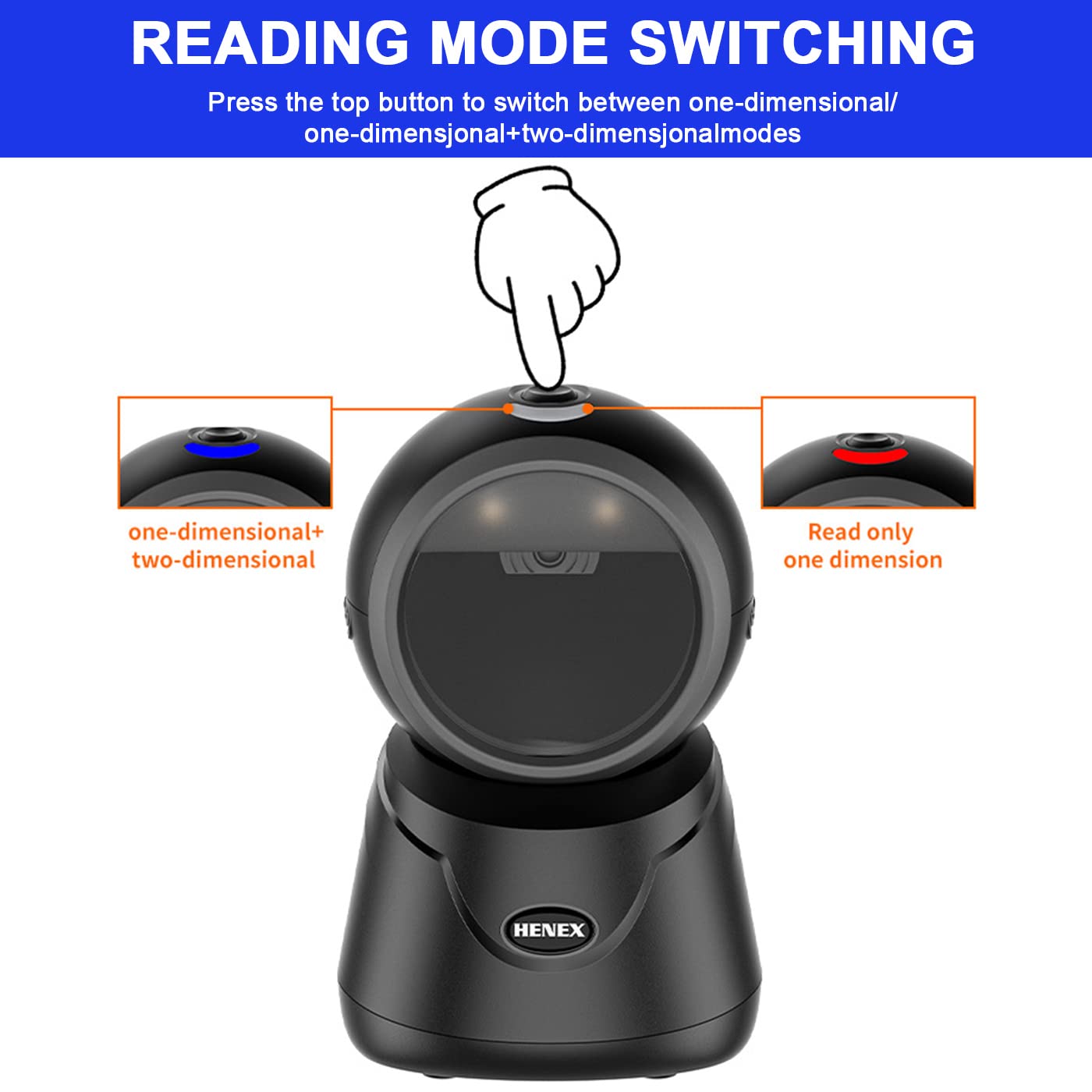
Image: Diagram detailing the adjustable elevation and tilt angles of the scanner.
5.2. Appearance Details
The scanner's design includes an indicator light, a mode-switching button, a fill-in light for low-light conditions, a prominent scan window, and a data transmission port for connectivity.

Imagen: Primer plano view of the scanner, labeling its key external features.
6. Escenarios de aplicación
The HENEX HC-6032 barcode scanner is versatile and suitable for a variety of environments requiring efficient barcode and QR code scanning:
- Supermercados y tiendas minoristas
- Tiendas de conveniencia
- Bibliotecas
- Farmacias
- Hotel Services
- Almacenes y Logística

Imagen: Examples of the scanner's use in different commercial settings.
7. Especificaciones
| Característica | Detalle |
|---|---|
| Marca | henex |
| Número de modelo | HC-6032 |
| Color | Negro |
| Peso del artículo | 290 gramos |
| Dimensiones del producto | 10D x 10W x 15.9H Centímetros |
| Tecnología de conectividad | Cable USB |
| Fuente de poder | Eléctrico con cable |
| Compatibilidad del sistema operativo | Windows XP/7/8/10, Android, Linux, Mac OS |
| Capacidad de decodificación | 1D, 2D, QR codes (from paper and screen) |
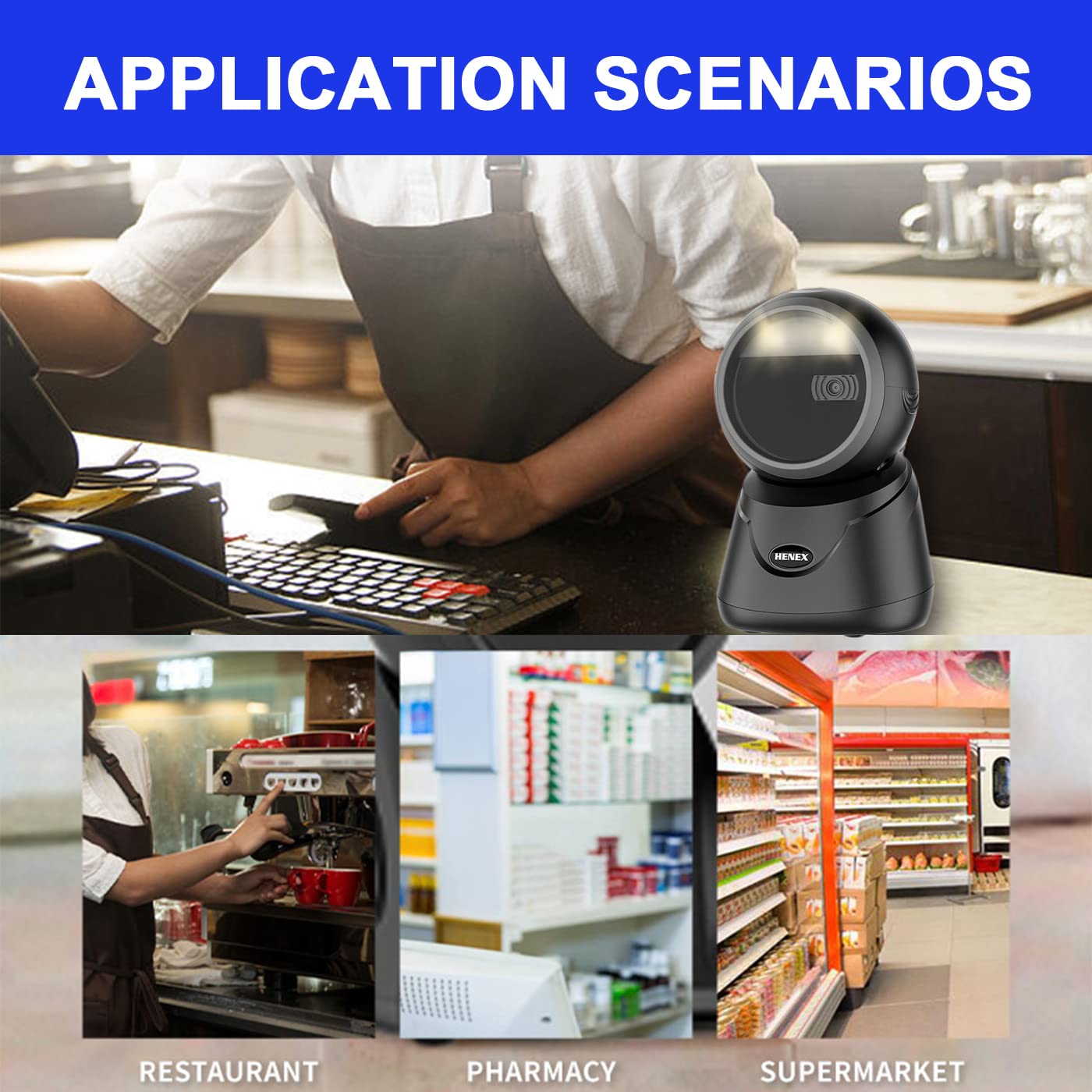
Image: Detailed dimensions of the HC-6032 barcode scanner.
8. Solución de problemas
- El escáner no responde: Asegúrese de que el cable USB esté bien conectado tanto al escáner como al dispositivo host. Pruebe con otro puerto USB.
- No se pueden leer códigos de barras:
- Verify the scanner is in the correct reading mode (1D or 1D+2D) by pressing the top button.
- Ensure the barcode is clean, undamaged, and within the scanner's field of view.
- Ajuste la distancia y el ángulo entre el escáner y el código de barras.
- For screen barcodes, ensure screen brightness is adequate.
- Salida de datos incorrecta: Check if any custom prefixes or suffixes have been accidentally enabled. Refer to the full user manual for advanced configuration.
- System compatibility issues: While compatible with most systems, ensure your operating system is updated. If issues persist, contact technical support.
9. Garantía y soporte
HENEX is committed to providing high-quality products and professional support. For any questions, technical assistance, or warranty claims, please contact our support team.
- Política de garantía: Information regarding the product warranty can be found aquí.
- Política de devoluciones: Details on product returns are available aquí.
- Apoyo técnico:
- Email: support@lenvii.net, support@lenvii.in
- Teléfono: +86 13316203488, +91 9100763594
- Websitio: www.lenvii.net, www.lenvii.in

Image: Contact information for HENEX technical support.