
1. Producto terminadoview
The FLEXISPOT S01 Under Desk Drawer is designed to optimize your workspace by providing convenient and secure storage directly beneath your desk. This lockable drawer helps keep your desktop clear and organized, offering a discreet solution for office supplies and personal items. Its robust construction and smooth-gliding mechanism ensure reliable daily use.
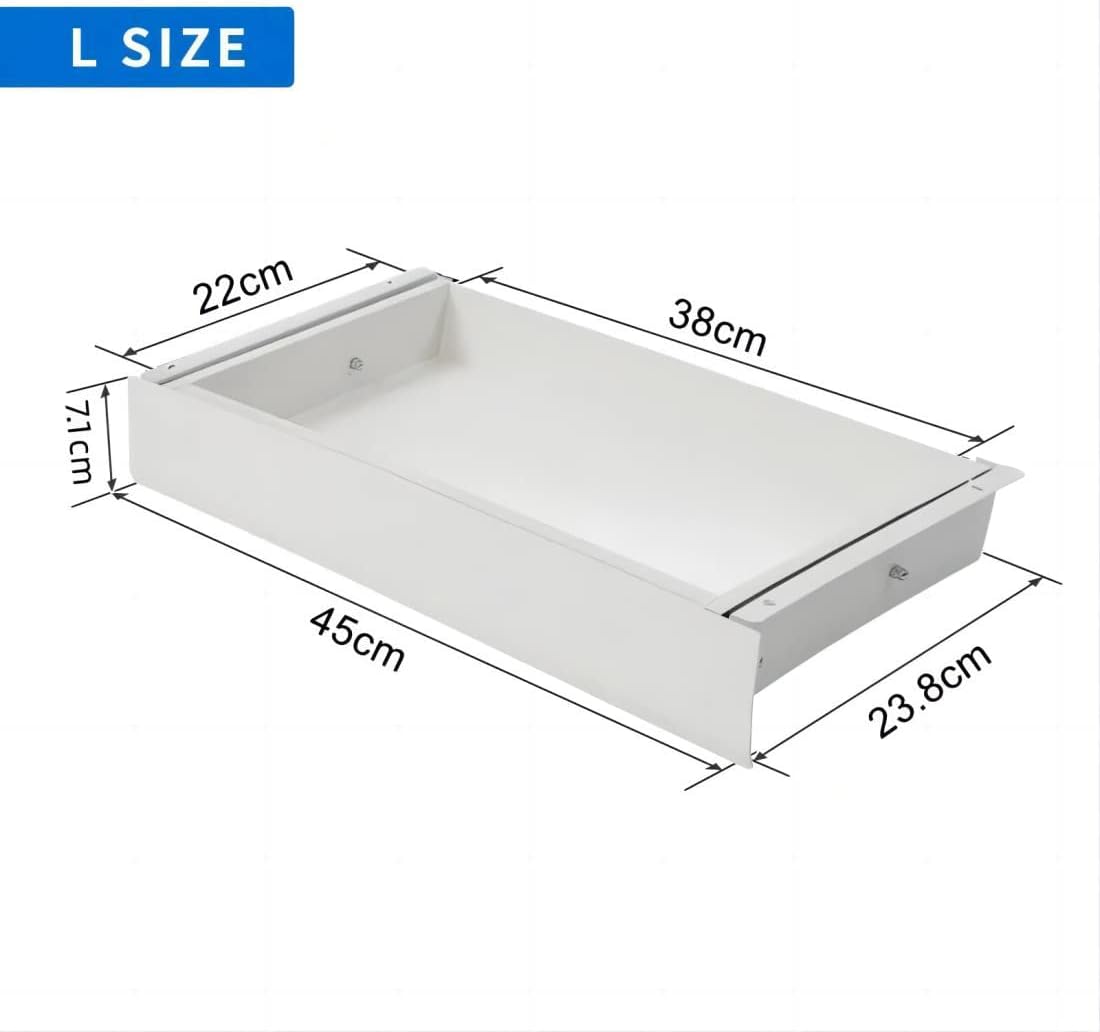
Imagen 1.1: Frente view of the FLEXISPOT S01 Under Desk Drawer.

Image 1.2: Illustration of how the drawer helps save space and organize your desk.
Características principales:
- Diseño que ahorra espacio: Integrates seamlessly under your desk to free up desktop space.
- Funcionamiento suave: Equipped with rolling glides for effortless opening and closing.
- Almacenamiento seguro: Features a lock with two keys to protect confidential documents and valuables.
- Construcción duradera: Made from steel with a PVC front panel for longevity.
- Capacidad generosa: Can hold up to 10 kg of items.
2. Especificaciones
| Característica | Detalle |
|---|---|
| Número de modelo | S01W |
| Dimensiones exteriores (largo x ancho x alto) | 37 cm x 28.8 cm x 10 cm |
| Dimensiones interiores (largo x ancho x alto) | 32 cm x 24 cm x 6 cm |
| Capacidad de peso | 10 kilogramos |
| Peso del artículo | 7.6 kilogramos |
| Material | Steel (body), PVC (front panel) |
| Color | Blanco |
| Tipo de montaje | Under-desk / Countertop Mount |
3. Contenido del paquete
Asegúrese de que todos los siguientes elementos estén incluidos en su paquete:
- FLEXISPOT S01 Under Desk Drawer
- Mounting hardware (bolts, screws)
- Plantilla de instalación
- Destornillador
- 2 Keys for the lock
4. Instrucciones de instalación
Follow these steps for quick and easy installation of your FLEXISPOT S01 drawer:
- Preparar el espacio de trabajo: Clear the area under your desk where the drawer will be installed. Ensure the desk surface is clean, stable, and thick enough to support the drawer's weight and mounting screws.
- Plantilla de posición: Use the provided installation template to accurately mark the drilling points on the underside of your desk. Ensure the drawer will be positioned correctly and will not interfere with desk legs or other components.
- Perforar agujeros piloto: Carefully drill pilot holes at the marked points. Use a drill bit appropriate for your desk material and the provided screws.
- Adjuntar soportes de montaje: Secure the mounting brackets to the underside of the desk using the provided bolts and screws. Ensure they are firmly attached and level.
- Mount the Drawer: Slide the drawer assembly onto the mounted brackets. Ensure the sliding mechanism engages correctly and the drawer moves freely.
- Funcionalidad de prueba: Gently pull the drawer open and push it closed to ensure smooth operation. Test the locking mechanism with the provided keys.

Imagen 4.1: Parte inferior view illustrating the mounting brackets and sliding mechanism.
Nota: For optimal installation and stability, it is recommended to have assistance from another person, especially when aligning and securing the drawer.
5. Operación
Operating your FLEXISPOT S01 drawer is straightforward:
- Abriendo el cajón: Gently pull the drawer handle to slide it open. The smooth-gliding tracks allow for easy access to your stored items.
- Cerrando el cajón: Push the drawer firmly until it is fully closed and flush with the desk.
- Bloqueo del cajón: Insert one of the provided keys into the lock on the front panel. Turn the key clockwise to engage the locking mechanism. Remove the key to secure the contents.
- Unlocking the Drawer: Insert the key and turn it counter-clockwise to disengage the lock. The drawer can then be opened.
- Almacenamiento: Place items within the drawer, ensuring not to exceed the maximum weight capacity of 10 kg. The interior felt lining helps protect contents and reduce noise.

Image 5.1: The drawer fully open, revealing its interior storage capacity.
6. Mantenimiento
Regular maintenance will ensure the longevity and smooth operation of your drawer:
- Limpieza: Wipe the exterior and interior surfaces of the drawer with a soft, damp cloth. Avoid abrasive cleaners, harsh chemicals, or solvents that may damage the finish.
- Mecanismo deslizante: Periodically check the sliding tracks for any debris, dust, or obstructions. Clean the tracks as necessary to ensure smooth operation. A dry cloth or soft brush can be used.
- Comprobación del hardware: Occasionally inspect all mounting bolts and screws to ensure they remain tight. Tighten any loose hardware to maintain stability and prevent wobbling.
7. Solución de problemas
If you encounter any issues with your FLEXISPOT S01 drawer, refer to the following common problems and solutions:
- Problem: Drawer does not slide smoothly.
Solución:- Check the sliding tracks for any obstructions or dirt. Clean the tracks if necessary.
- Ensure the drawer is not overloaded beyond its 10 kg capacity. Remove some items if it feels too heavy.
- Verify that the mounting hardware is securely fastened and the drawer is installed level. Loose screws or an uneven installation can affect sliding.
- Problem: Drawer does not lock or unlock.
Solución:- Ensure the drawer is fully closed and flush with the desk before attempting to lock it.
- Check if the key is fully inserted and turned correctly in the lock mechanism.
- If the lock mechanism appears damaged or jammed, do not force it. Contact customer support for assistance.
8. Garantía y soporte
For warranty information, technical assistance, or replacement parts, please contact FLEXISPOT customer service. Refer to your purchase documentation or the official FLEXISPOT website for specific warranty terms, contact details, and support resources.
FLEXISPOT is committed to providing high-quality products and customer satisfaction. Do not attempt to repair the product yourself if it is under warranty, as this may void the warranty.