
1. Introducción
This manual provides detailed instructions for the safe and effective use of the Walfront PM6508 Digital Temperature Humidity Meter. This device is designed for high-precision measurement of ambient temperature and relative humidity, offering features such as data hold, backlight display, and wet bulb/dew point temperature calculations. It is suitable for various applications including home, office, industrial settings, and environmental monitoring.
2. Información de seguridad
Please read and understand all safety warnings and operating instructions before using this instrument. Failure to follow these instructions may result in electric shock, fire, or injury.
- No opere el medidor si parece dañado o si la tapa de la batería no está bien cerrada.
- Avoid exposing the meter to extreme temperatures, direct sunlight, or high humidity for prolonged periods.
- No intente reparar ni modificar el medidor. Encargue cualquier servicio técnico a personal cualificado.
- Retire las baterías si el medidor no se utiliza durante un período prolongado para evitar fugas.
- Keep the sensor area clean and free from obstructions to ensure accurate readings.
3. Producto terminadoview
The Walfront PM6508 is a compact and portable digital meter designed for accurate environmental measurements. It features an easy-to-read LCD display with backlight and intuitive button controls.

Figura 3.1: Frente view of the Walfront PM6508 meter with key components labeled. This includes the temperature and humidity sensor at the top, the HD display, various control buttons (Power, Max/Min, Data Hold, Data Storage, Unit Switch, Backlight), and an anti-fall protective sleeve.
3.1 Características principales
- Sensor de alta precisión: Proporciona lecturas precisas de temperatura y humedad.
- Pantalla LCD con retroiluminación: Garantiza una legibilidad clara en diversas condiciones de iluminación.
- Función de retención de datos: Congela la lectura actual en la pantalla.
- Almacenamiento de datos: Almacena hasta 100 grupos de datos de medición.
- Wet Bulb & Dew Point Temperature: Calculates and displays these critical environmental parameters.
- Cambio de unidad: Cambie fácilmente entre Celsius (°C) y Fahrenheit (°F).
- Apagado automático: Conserva la vida útil de la batería.
- Indicador de baja potencia: Alertas cuando es necesario reemplazar las baterías.
3.2 Contenido del paquete

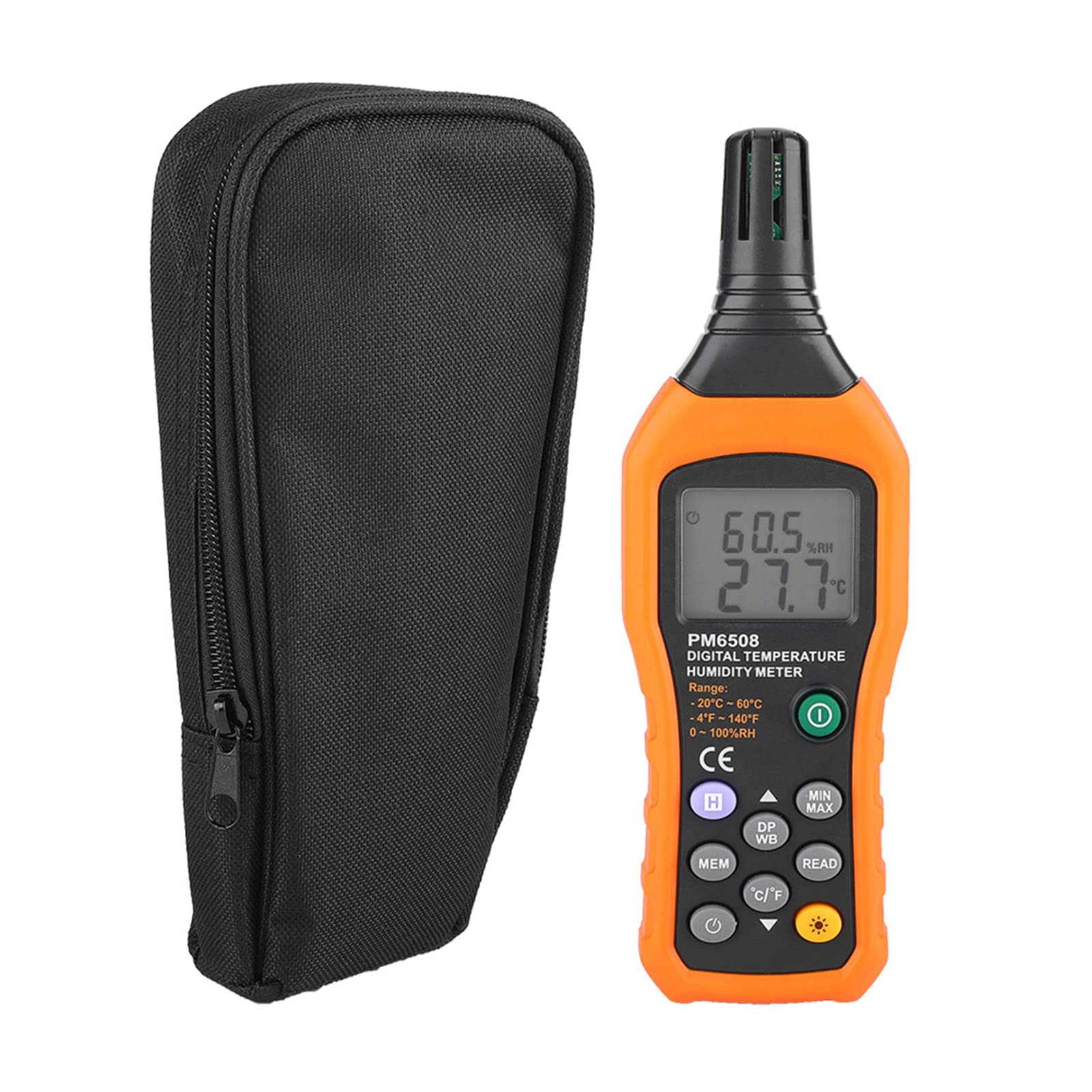
Figura 3.2: The Walfront PM6508 meter shown alongside its portable storage bag, indicating typical package contents.
- Walfront PM6508 Digital Temperature Humidity Meter
- Bolsa de almacenamiento portátil
- Manual de usuario
4. Configuración
4.1 Instalación de la batería
The PM6508 meter requires 4 x 1.5V AAA batteries (not included) for operation.
- Localice la tapa del compartimiento de la batería en la parte posterior del medidor.
- Deslice la tapa de la batería hacia abajo para abrirla.
- Inserte cuatro pilas AAA, asegurándose de la polaridad correcta (+ y -) como se indica dentro del compartimento.
- Vuelva a colocar la cubierta de la batería deslizándola hacia su posición hasta que encaje firmemente.
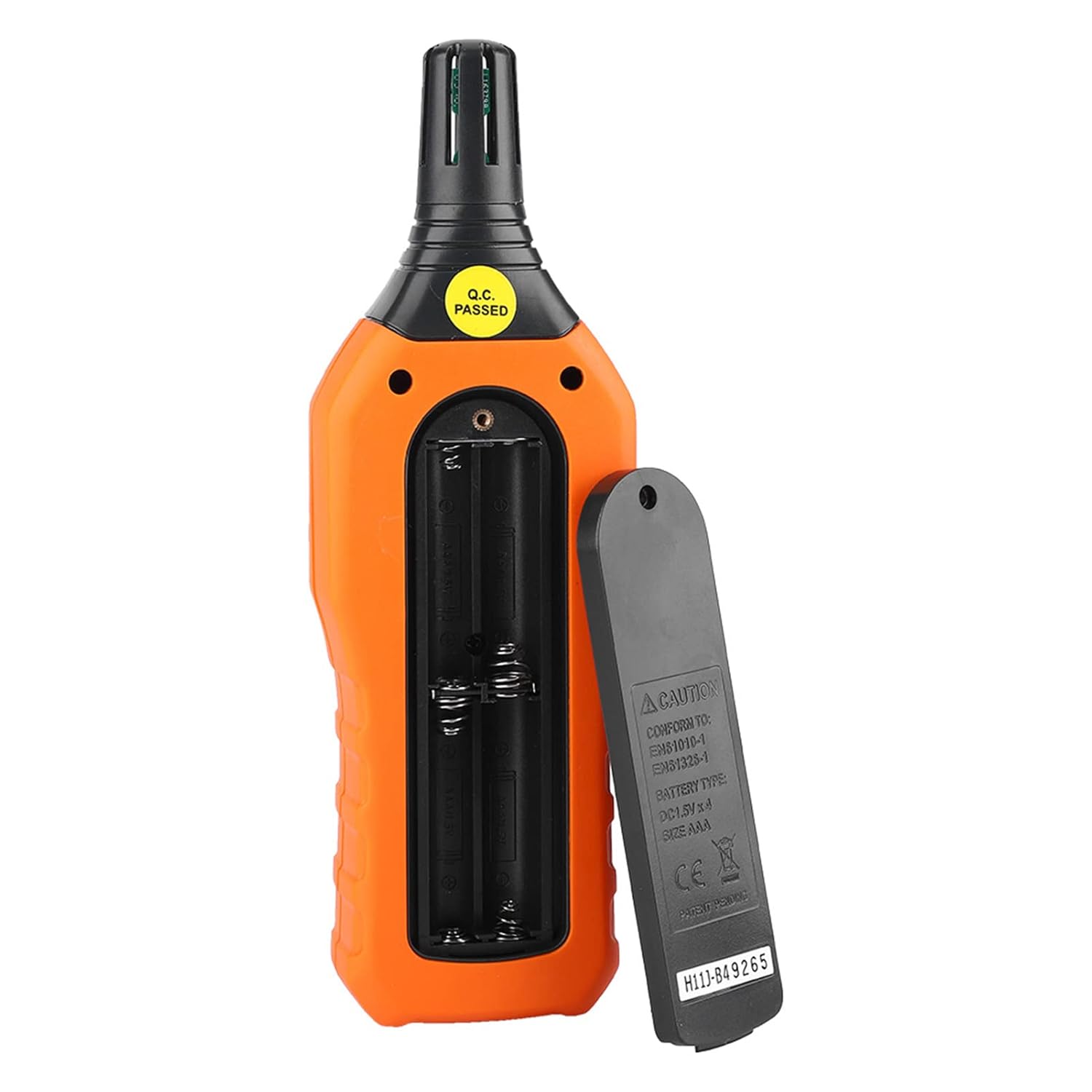
Figura 4.1: Trasero view of the meter showing the open battery compartment for AAA battery installation.
5. Instrucciones de funcionamiento
5.1 Encendido y apagado
- Presione el botón de encendido verde (
 ) para encender el medidor.
 - Mantenga pulsado el gray power button () for approximately 2 seconds to turn the meter off. The meter also features an automatic shut-down function to conserve battery life.
5.2 Toma de medidas
Once powered on, the meter will immediately begin displaying real-time temperature and humidity readings on the LCD screen. Ensure the sensor at the top of the device is exposed to the environment you wish to measure.

Figura 5.1: The meter in use, displaying temperature and humidity readings on its LCD screen.
5.3 Cambio de unidad (°C/°F)
Para cambiar entre unidades de temperatura Celsius (°C) y Fahrenheit (°F):
- Presione el Botón °C/°F () located on the keypad. The display will update to show readings in the selected unit.
5.4 Función de luz de fondo
Para activar o desactivar la retroiluminación de la pantalla:
- Presione el botón de retroiluminación () to toggle the backlight on or off. This is useful for reading in low-light conditions.
5.5 Retención de datos (H)
Para congelar las lecturas actuales en la pantalla:
- Presione el Botón H (). The "H" icon will appear on the display, indicating that the data is held.
- Presione el Botón H again to release the data hold and resume real-time measurements.
5.6 Maximum/Minimum (MIN/MAX) Measurement
A view the maximum or minimum recorded values:
- Presione el Botón MIN/MAX () once to display the maximum temperature and humidity recorded since the meter was powered on or the function was reset.
- Presione el Botón MIN/MAX again to display the minimum temperature and humidity.
- Presione el Botón MIN/MAX a third time to exit the MIN/MAX mode and return to real-time readings.
5.7 Data Storage (MEM) and Retrieval (READ)
The meter can store up to 100 groups of measurement data.
- Para almacenar datos: Presione el Botón MEM () to save the current temperature and humidity readings. The display will briefly show a memory location number.
- To Retrieve Data: Presione el botón LEER () to enter data retrieval mode. Use the Botón MEM to scroll through stored data records.
- To Exit Retrieval: Presione el botón LEER again to exit data retrieval mode.
5.8 Wet Bulb (WB) and Dew Point (DP) Temperature
To display Wet Bulb or Dew Point temperatures:
- Presione el Botón DP/WB () once to display the Dew Point temperature.
- Presione el Botón DP/WB again to display the Wet Bulb temperature.
- Presione el Botón DP/WB a third time to return to standard temperature and humidity display.
6. Mantenimiento
6.1 Limpieza
- Limpie el medidor casing con un suave, damp Paño. No utilice limpiadores abrasivos ni disolventes.
- Keep the sensor area clean and free from dust or debris to ensure accurate readings. Do not insert any objects into the sensor opening.
6.2 Almacenamiento
- When not in use for extended periods, remove the batteries to prevent leakage and damage to the device.
- Guarde el medidor en un lugar fresco y seco, alejado de la luz solar directa y de temperaturas extremas.
- Utilize the provided portable storage bag for protection during storage and transport.
7. Solución de problemas
| Problema | Posible causa | Solución |
|---|---|---|
| El medidor no se enciende. |
|
|
| Lecturas inexactas. |
|
|
| La pantalla está tenue o parpadea. |
|
|
| Cannot store or retrieve data. |
|
|
8. Especificaciones
The following table outlines the technical specifications for the Walfront PM6508 Digital Temperature Humidity Meter.


Figura 8.1: Detailed technical specifications including ranges, resolution, and precision for temperature, humidity, wet bulb, and dew point measurements, along with general parameters.
| Parámetro | Valor |
|---|---|
| Modelo | PM6508 |
| Rango de temperatura ambiente | -20 a 60 °C (-4 a 140 °F) |
| Ambient Temperature Precision | ±1.5 °C (-20 to 0 °C, 45 to 60 °C), ±0.5 °C (0 to 45 °C) |
| Rango de humedad relativa | 0% - 100% HR |
| Relative Humidity Precision | ±4.0% (0-20%, 80-100%), ±3.0% (20-80%) |
| Rango de temperatura de bulbo húmedo | -20 a 60 °C (4 a 140 °F) |
| Wet Bulb Temperature Precision | ±1.5 °C (-20 to 0 °C, 45 to 60 °C), ±0.5 °C (0 to 45 °C) |
| Rango de temperatura del punto de rocío | -50 a 60 °C (-58 a 140 °F) |
| Dew Point Temperature Precision | ±1.5 °C (-50 to 0 °C, 45 to 60 °C), ±0.5 °C (0 to 45 °C) |
| Resolución | 0.1 °C / °F / %RH |
| Almacenamiento de datos | 100 grupos |
| Fuente de alimentación | 4 pilas AAA de 1.5 V (no incluidas) |
| Dimensiones (L x An x Al) | 180 x 60 x 29 mm (7.1 x 2.4 x 1.1 pulgadas) |
| Peso | 254 gramos (9 onzas) |
| Humedad de funcionamiento | 0% - 100% (sin condensación) |
9. Aplicaciones
The Walfront PM6508 is suitable for a wide range of applications requiring accurate temperature and humidity monitoring.

Figura 9.1: Examples of environments where the PM6508 meter can be effectively used for temperature and humidity monitoring.
- Residential and Office Environments: Monitoring indoor climate for comfort and health.
- Industrial Production: Ensuring optimal conditions for manufacturing processes.
- Warehousing and Storage: Protecting goods sensitive to temperature and humidity, such as in wine cellars or general storage.
- Agricultura: Monitoring conditions in planting sheds, greenhouses, and aquaculture.
- Research and Development Laboratories: Maintaining precise environmental controls for experiments.
- Sistemas HVAC: Assisting in the evaluation and maintenance of heating, ventilation, and air conditioning systems.
10. Garantía y soporte
Walfront products are designed for reliability and performance. For warranty information, technical support, or service inquiries, please refer to the contact information provided with your purchase or visit the official Walfront webSitio web. Conserve su comprobante de compra para reclamaciones de garantía.