
1. Introducción
Gracias por la compraasing the Monitor Audio Bronze W10 6G Series Subwoofer. This manual provides essential information for the safe and optimal operation of your new subwoofer. Please read these instructions thoroughly before installation and use, and retain them for future reference.
2. Información de seguridad
Observe siempre las siguientes precauciones de seguridad para evitar descargas eléctricas, incendios o daños a la unidad:
- No exponga la unidad a la lluvia ni a la humedad.
- No abra la casing. Deje todo servicio a personal cualificado.
- Asegúrese de que haya una ventilación adecuada. No bloquee las aberturas de ventilación.
- Disconnect the power cord from the wall outlet if the unit will be unused for a long period.
- Use only the power cord supplied or specified by the manufacturer.
- Evite colocar la unidad cerca de fuentes de calor o bajo la luz solar directa.
3. Contenido del paquete
Verifique que todos los artículos estén presentes en el embalaje:
- Monitor Audio Bronze W10 6G Series Subwoofer
- Cable de alimentación
- Manual de usuario (este documento)
4. Producto terminadoview
4.1 Características principales
- Long-throw 10" driver featuring 'dished' C-CAM cone for powerful bass.
- 10" flat panel Auxiliary Bass Radiator (ABR) positioned underneath the unit for enhanced low-frequency extension.
- Clase D amplifier with high current Switch Mode Power Supply (SMPSU) for efficient power delivery.
- Amplifier Output: 220 Watts RMS.
- Power Consumption: Maximum 300 W, Standby <0.5 W (ErP compliance).
4.2 Componentes del subwoofer
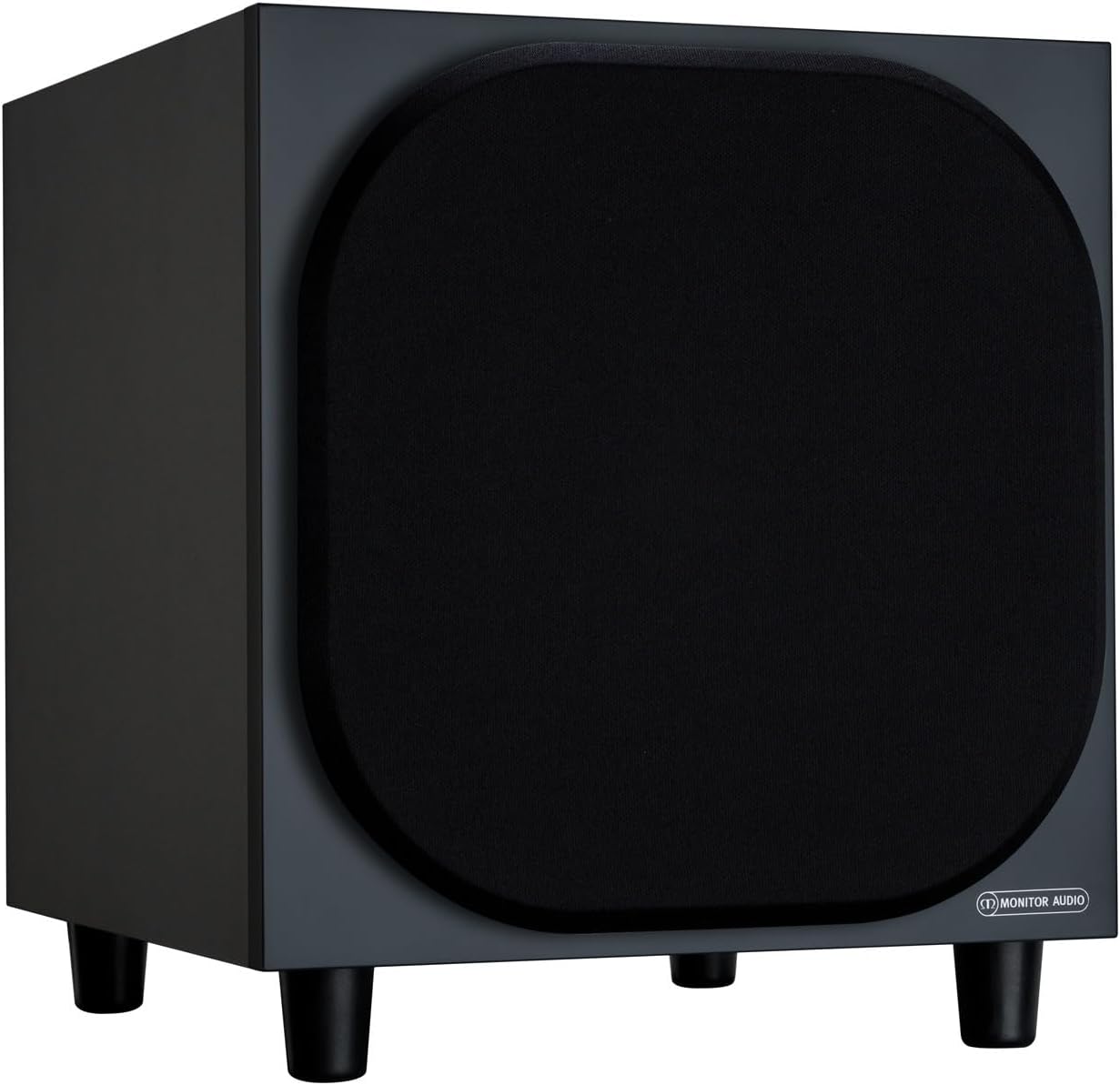
Figura 4.2.1: Frente View of the Monitor Audio Bronze W10 Subwoofer. This image displays the front of the subwoofer with its protective grille, showcasing the compact and elegant design.

Figura 4.2.2: Angulado View of the Monitor Audio Bronze W10 Subwoofer. This image provides an angled perspective, highlighting the overall form factor and the four sturdy feet.

Figure 4.2.3: Rear Panel of the Monitor Audio Bronze W10 Subwoofer. This image details the rear panel, showing all input/output connections, control knobs for frequency, volume, and phase, and the power switch.
5. Configuración
5.1 Colocación
Optimal placement of the subwoofer is crucial for sound quality. Experiment with different positions in your listening room. Generally, placing the subwoofer in a corner can enhance bass output, while placing it along a wall can provide a more balanced response. Avoid placing it directly against a wall if possible, as this can lead to boomy bass.
5.2 Conexiones
- Entrada de audio: Conecte el subwoofer a su receptor AV o amplifier's LFE (Low-Frequency Effects) or Subwoofer output using an RCA cable. The Bronze W10 features both LFE and stereo RCA inputs.
- Conexión de energía: Ensure the subwoofer's power switch is in the 'Off' position. Connect the supplied power cord to the subwoofer's AC inlet and then to a suitable wall outlet. The unit supports AC 110-120V or 220-240V, selectable via a switch on the rear panel.
- Disparador de 12 V (opcional): If your AV receiver or amplifier has a 12V trigger output, connect it to the subwoofer's 12V Trigger input. This allows the subwoofer to power on/off automatically with your main system.
5.3 Encendido inicial
After making all connections, switch the subwoofer's power to 'On'. The power indicator light should illuminate. If using the 12V trigger, ensure your main system is powered on.
6. Instrucciones de funcionamiento
6.1 Controles
The rear panel of the Bronze W10 features several controls for fine-tuning its performance:
- Volumen: Adjusts the overall output level of the subwoofer. Start with a low setting and gradually increase until it blends seamlessly with your main speakers.
- Frecuencia (Cruce): Sets the upper frequency limit for the subwoofer. This should typically be set to match the low-frequency extension of your main speakers. Common settings range from 80Hz to 120Hz.
- Fase: Allows you to adjust the phase of the subwoofer's output relative to your main speakers (0° or 180°). This helps ensure that the subwoofer's sound waves are in sync with the main speakers, preventing cancellation or reinforcement at the crossover point. Experiment with both settings to find the one that produces the most coherent bass.
- Modo: Selects the power mode (On, Auto, 12V Trigger). 'Auto' mode will put the subwoofer into standby when no audio signal is detected and power it on when a signal is present.
- Modo bajo: (Refer to Figure 4.2.3) This switch allows selection between different bass characteristics, such as 'Music' or 'Movie' modes, or a 'Bass Boost' setting, to optimize performance for various content.
6.2 Wireless Connectivity (Bluetooth)
The Bronze W10 features Bluetooth connectivity for wireless control or audio input (check specific model features for audio input capability). Refer to your source device's manual for pairing instructions. The Bluetooth range is approximately 10 meters.
7. Mantenimiento
7.1 Limpieza
To clean the subwoofer, use a soft, dry, lint-free cloth. Do not use abrasive cleaners, waxes, or solvents, as these can damage the finish. For stubborn marks, a slightly damp Se puede utilizar un paño y luego un paño seco.
7.2 Cuidado
- Avoid exposing the subwoofer to extreme temperatures or humidity.
- No coloque objetos pesados encima de la unidad.
- Asegúrese de que haya un flujo de aire adecuado alrededor de la unidad para evitar el sobrecalentamiento.
8. Solución de problemas
| Problema | Posible causa | Solución |
|---|---|---|
| Sin sonido |
|
|
| Sonido distorsionado |
|
|
| Ruido de zumbido |
|
|
9. Especificaciones
| Característica | Detalle |
|---|---|
| Nombre del modelo | SB6GW10B |
| Tipo de altavoz | Altavoz de subgraves |
| Diámetro del subwoofer | 10 pulgadas |
| Amplifier Output (RMS) | 220 vatios |
| Speaker Maximum Output Power (Peak) | 600 vatios |
| Frequency Response (Lower Limit) | 25 Hz |
| Consumo de energía (máximo) | 300 W |
| Consumo de energía (en espera) | <0.5 W (ErP compliance) |
| Tecnología de conectividad | Auxiliary, RCA, Wireless (Bluetooth) |
| Tecnología de comunicación inalámbrica | Bluetooth |
| Alcance de Bluetooth | 10 metros |
| Método de control | Manual Knobs, Remote (if applicable) |
| Dimensiones del producto (Pr. x An. x Al.) | 14.33" de profundidad x 12.64" de ancho x 14.33" de alto |
| Peso del artículo | 34.7 libras (15.74 kg) |
| Tipo de montaje | Montaje de mesa |
| Color | Negro |
10. Información de garantía
Monitor Audio products are designed and manufactured to the highest quality standards. This product is covered by a Limited Warranty. For specific warranty terms and conditions, please refer to the warranty card included with your product or visit the official Monitor Audio webSitio web. Conserve su comprobante de compra para reclamaciones de garantía.
11. Soporte
For further assistance, technical support, or service inquiries, please contact your authorized Monitor Audio dealer or visit the official Monitor Audio websitio:
Websitio: www.monitoraudio.com
Address: Monitor Audio Ltd, 24 Brook Road, Rayleigh, Essex, SS6 7XJ, United Kingdom