
Introducción
The Picun Elite P80S Wireless Headset provides a high-definition audio experience with multidimensional surround sound, extra bass, and noise reduction. Designed for comfort and versatility, it features both wireless and wired connectivity options, a detachable microphone, and intuitive controls. This manual provides detailed instructions for setup, operation, maintenance, and troubleshooting to ensure optimal performance of your headset.
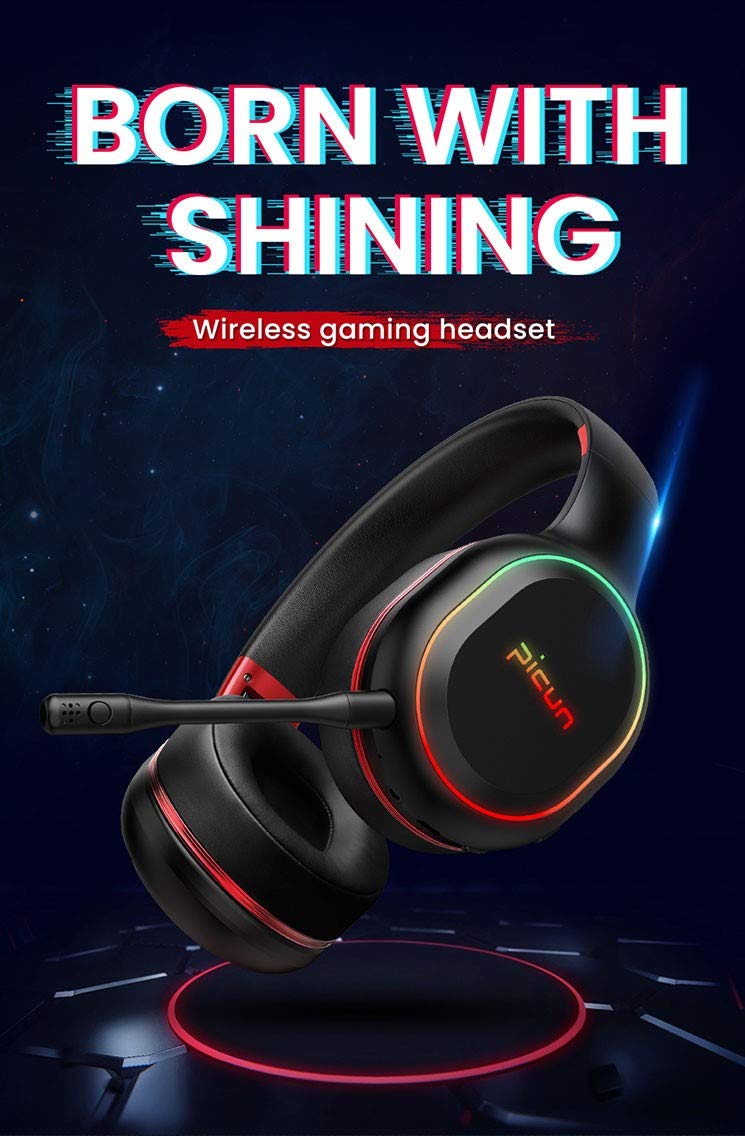
Image: The Picun Elite P80S Wireless Headset, showcasing su diseño y micrófono integrado.
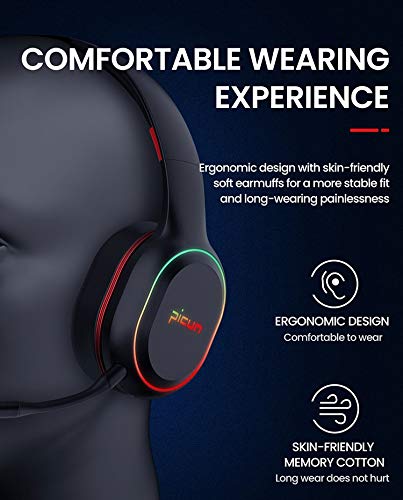
Image: The Picun Elite P80S Headset demonstrating its ergonomic design and comfortable earcups made from skin-friendly memory cotton.
¿Qué hay en la caja?
Por favor verifique que todos los artículos estén presentes en el paquete:
- Picun Elite P80S Wireless Headset
- Micrófono desmontable
- Cable de carga USB
- Cable de audio AUX de 3.5 mm
- Manual de usuario (este documento)
Configuración
1. Cargar los auriculares
Before initial use, fully charge the headset. Connect the provided USB charging cable to the headset's charging port and to a compatible USB power source (e.g., computer USB port, USB wall adapter). The LED indicator will show charging status and turn off or change color when fully charged.
Una carga completa proporciona aproximadamente 40 horas de tiempo de juego o 60 horas de reproducción de música/medios en modo inalámbrico.
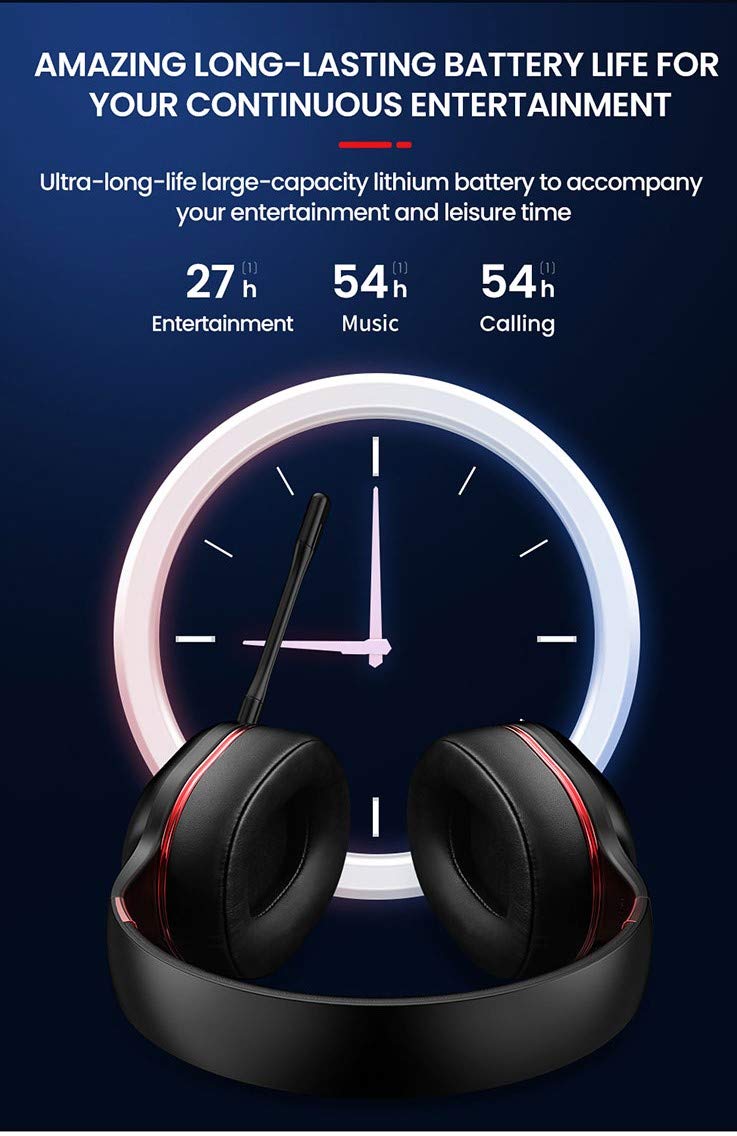
Image: Picun Elite P80S Headset illustrating long battery life for entertainment, music, and calls.
2. Conexión del micrófono
The professional detachable microphone can be inserted into the designated port on the left earcup. Ensure it is securely connected for clear voice communication. The microphone can be rotated 360 degrees for optimal positioning.
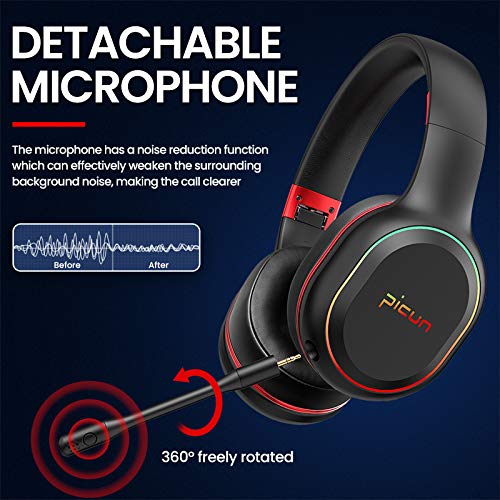
Image: Picun Elite P80S Headset showing the detachable microphone and its 360-degree rotation capability.
Instrucciones de funcionamiento
1. Encendido y apagado
- Encendido: Mantenga presionado el botón de encendido durante aproximadamente 3 segundos hasta que se encienda el indicador LED.
- Apagado: Mantenga presionado el botón de encendido durante aproximadamente 3 segundos hasta que el indicador LED se apague.
2. Emparejamiento Bluetooth (modo inalámbrico)
After powering on, the headset will automatically enter pairing mode (LED indicator will flash). On your device (smartphone, PC, console), enable Bluetooth and search for "Picun Elite P80S". Select it to connect. A voice prompt will confirm successful pairing. The headset maintains a stable connection up to 10 meters.

Image: Diagram illustrating the stable and instant connection features of the Picun Elite P80S headset, highlighting 10-meter transmission, audio/video synchronization, call stability, and no in-game delay.
3. Wired Mode (AUX Connection)
To use the headset in wired mode, connect the provided 3.5mm AUX audio cable to the headset's AUX port and to your audio source. Wired mode allows for indefinite playback regardless of battery charge. The headset functions as a passive headphone in wired mode.
4. Uso del micrófono
- Detachable Pro Microphone: Provides high-definition vocals and effectively reduces ambient noise for clear communication during gaming or calls.
- Inbuilt Microphone: An additional microphone is integrated for general use, ensuring seamless communication even without the detachable mic.
5. Funciones de audio
The Picun Elite P80S provides omnidirectional stereo sound, allowing for an immersive audio experience, especially beneficial for gaming to detect subtle sound cues.

Image: A gaming scenario demonstrating the omnidirectional stereo sound capability, helping users identify sound sources like footsteps from various directions.
6. Controles de medios
The headset features integrated buttons for easy control:
- Reproducir/Pausa: Press the Multi-function button once to play or pause music/videos.
- Responder/Finalizar llamada: Press the Multi-function button once to answer an incoming call, and again to end it.
- Control de volumen: Utilice los botones Subir volumen (+) y Bajar volumen (-) para ajustar el nivel de audio.
- Pista siguiente / anterior: Long press Volume Up (+) for next track, Long press Volume Down (-) for previous track.
7. Dual Shock / Vibration Mode
Activate the Dual Shock / Vibration Mode for an enhanced immersive experience, particularly for deep bass in music and movies, or realistic vibrations during gaming. This mode can be toggled on or off using the dedicated switch on the headset.
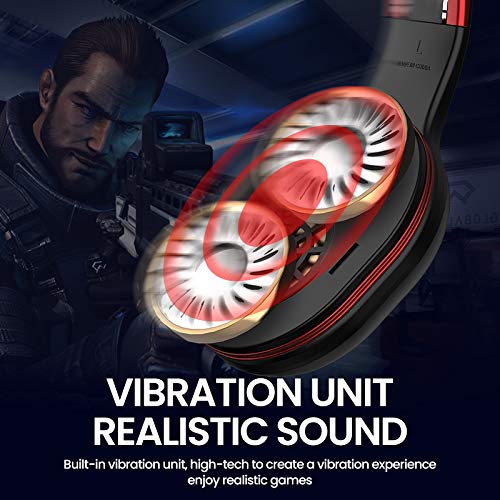
Image: Close-up of the Picun Elite P80S earcup highlighting the built-in vibration unit for realistic sound and gaming experience.
8. LED Light Display
The headset features a gradient colorful breathing light display. To turn the LED lights on or off, press and hold both the Volume Up (+) and Volume Down (-) buttons simultaneously for approximately 3 seconds.

Image: Picun Elite P80S Headset showcasing its gradient colorful breathing light effect, with instructions on how to activate/deactivate it.
Mantenimiento
- Limpieza: Utilice un paño suave y seco para limpiar los auriculares. No utilice limpiadores abrasivos ni disolventes.
- Almacenamiento: Guarde los auriculares en un lugar fresco y seco, alejados de la luz solar directa y temperaturas extremas. Su diseño plegable permite un almacenamiento compacto.
- Cuidado de la batería: Para prolongar la vida útil de la batería, evite descargar completamente los auriculares con frecuencia. Cárguelos regularmente, incluso si no los usa durante períodos prolongados.
- Cuidado de cables: Manipule los cables con cuidado. Evite curvas pronunciadas o tirones excesivos para evitar daños.
Solución de problemas
No Power / Headset Not Turning On
- Ensure the headset is fully charged. Connect it to a power source using the USB charging cable.
- Verify that the power button is pressed and held for the correct duration (approx. 3 seconds).
No se puede emparejar a través de Bluetooth
- Make sure the headset is in pairing mode (LED flashing). If not, power it off and on again.
- Asegúrese de que Bluetooth esté habilitado en su dispositivo y que se encuentre a 10 metros de los auriculares.
- Remove "Picun Elite P80S" from your device's Bluetooth list and attempt to pair again.
- Intente emparejarlo con un dispositivo diferente para descartar problemas específicos del dispositivo.
No hay sonido / volumen bajo
- Verifique los niveles de volumen tanto en los auriculares como en el dispositivo conectado.
- If in wired mode, ensure the 3.5mm AUX cable is fully inserted into both the headset and the audio source.
- If in wireless mode, ensure the headset is properly paired and connected.
- Pruebe con diferentes fuentes de audio o aplicaciones.
El micrófono no funciona
- Asegúrese de que el micrófono desmontable esté conectado de forma segura al auricular.
- Check microphone settings on your connected device (e.g., input device selection, volume levels).
- Test the microphone in different applications or communication platforms.
One Earpiece Not Working
- Verifique la configuración del balance de audio en su dispositivo conectado.
- If using the AUX cable, ensure it is fully inserted and try a different cable if available.
- Reinicie el auricular y el dispositivo conectado.
Presupuesto
| Marca | Picún |
| Nombre del modelo | Élite P80S |
| Color | Negro |
| Factor de forma | Sobre la oreja |
| Control de ruido | Cancelación activa de ruido |
| Toma de auriculares | 3.5 mm Jack |
| Material del recinto | cuero de imitación |
| Dispositivos compatibles | Personal Computers/Laptops, Playstations/ X-box/ Nintendo Switch, Smartphones/Pads |
| Características del cable | Desmontable |
| Tipo de tecnología inalámbrica | Bluetooth |
| Tipo de control | Control de volumen |
| Método de control | Touch (for some functions, e.g., Play/Pause, Answer/End Call via Multi-function button) |
Garantía y soporte
For warranty information and technical support, please refer to the warranty card included with your product or contact Picun customer service through their official webSitio web. Conserve su comprobante de compra para cualquier reclamación de garantía.
For further assistance, please visit the official Picun support page or contact their customer service directly.