
1. Introducción
Thank you for choosing the Sharkoon CA300T ATX PC Case. This full tower case is designed for high-performance gaming systems, offering extensive compatibility, efficient cooling, and advanced cable management features. This manual provides essential information for the proper setup, operation, and maintenance of your new PC case.
2. Información de seguridad
- Desconecte siempre la fuente de alimentación de la toma de pared antes de instalar o quitar cualquier componente dentro de la carcasa del PC.
- Handle components with care to avoid damage from electrostatic discharge. Consider using an anti-static wrist strap.
- Mantenga las piezas pequeñas y los materiales de embalaje fuera del alcance de los niños.
- Avoid placing the PC case in direct sunlight, near heat sources, or in environments with high humidity.
- Do not attempt to modify the case structure, as this may void your warranty and cause damage.
3. Contenido del paquete
Verifique el contenido del paquete para asegurarse de que todos los artículos estén presentes:
- Caja para PC Sharkoon CA300T ATX
- Accessory box (screws, cable ties, standoffs, etc.)
- RGB lighting controller (if applicable)
- Manual de instrucciones (este documento)
4. Producto terminadoview y características
The Sharkoon CA300T is a premium full tower ATX PC case designed for enthusiasts. It features a modern design with robust construction, tempered glass panels, and advanced cooling options.
Características principales:
- Full Tower Design: Ample space for high-end components and custom liquid cooling solutions.
- Paneles de vidrio templado: Side panels made of tempered glass for a clear view de componentes internos.
- Iluminación RGB: Integrated RGB lighting for customizable aesthetics.
- Flujo de aire optimizado: Includes three 120mm fans and supports multiple radiators for superior cooling.
- Gestión avanzada de cables: Features an openable cable pocket/channel and ample routing options for a clean build.
- Filtros de polvo: Three-layer top plate with a dust filter to maintain system cleanliness.
- Amplia conectividad: Front panel includes 2x USB 3.0 ports and additional USB ports.
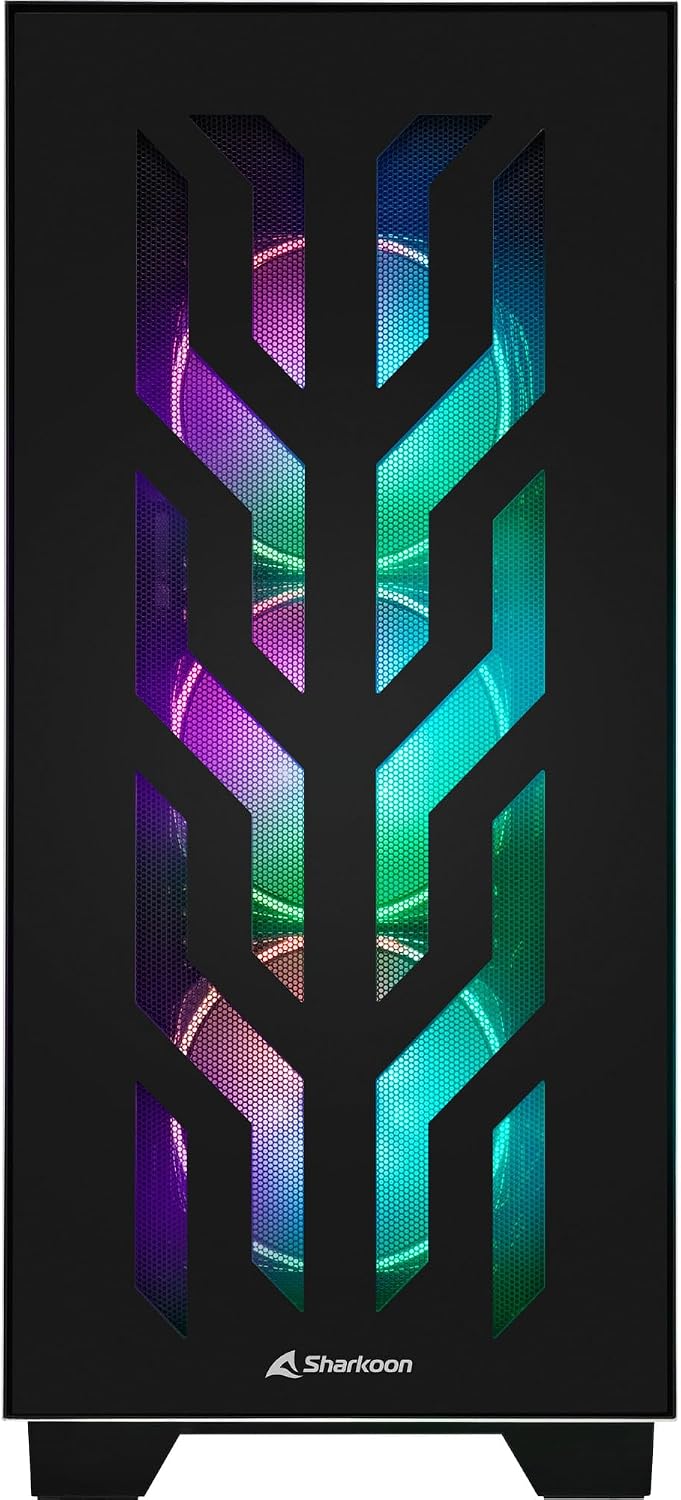
Figura 4.1: Frente view of the Sharkoon CA300T PC case, showcasing the illuminated RGB fans behind the mesh panel.
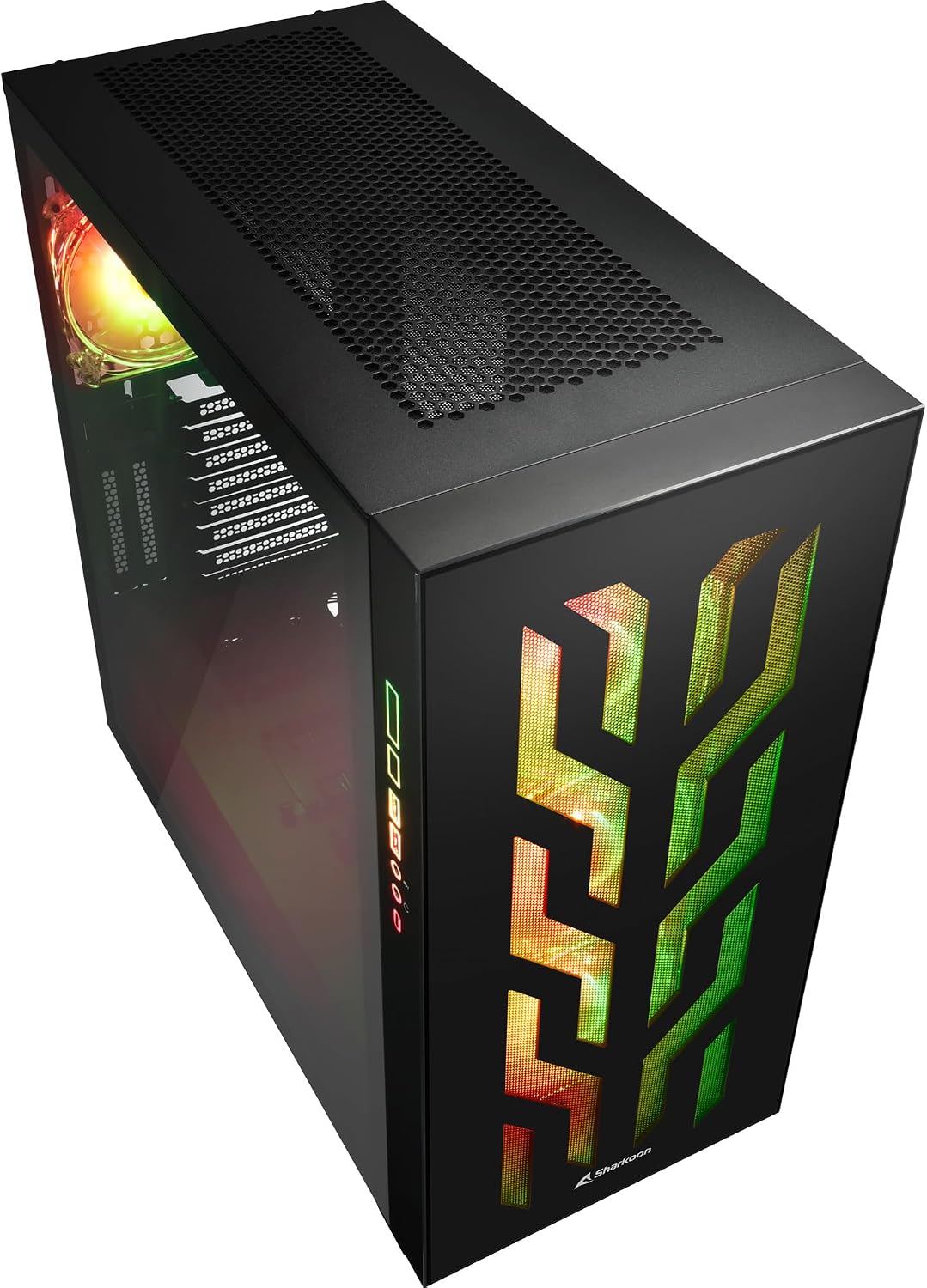
Figura 4.2: Angulado view of the Sharkoon CA300T PC case, showing the tempered glass side panel and the vibrant RGB lighting from the interior.
5. Configuración
5.1 Desembalaje
- Retire con cuidado la carcasa del PC de su embalaje.
- Inspect the case for any signs of damage during transit. Contact your retailer if any damage is found.
- Locate the accessory box inside the case, which contains screws and other installation hardware.
5.2 Extracción de los paneles laterales
The Sharkoon CA300T features tempered glass side panels for easy access to components.
- Locate the two screws on the rear of the case securing the side panel.
- Desatornille estos dos tornillos.
- Gently pull the panel upwards and away from the case to remove it. Repeat for the other side if necessary.

Figura 5.1: Interior view of the Sharkoon CA300T PC case, showing the main compartment with the left tempered glass panel removed, ready for component installation.

Figura 5.2: Interior view of the Sharkoon CA300T PC case with the left side panel completely removed, exposing the motherboard tray and various mounting points.
5.3 Instalación de la placa base
- Install the necessary standoffs onto the motherboard tray according to your ATX motherboard's screw holes.
- Carefully place your ATX motherboard onto the standoffs, aligning the screw holes.
- Asegure la placa base con los tornillos proporcionados.
5.4 Instalación de la unidad de fuente de alimentación (PSU)
The CA300T supports bottom-mounted power supplies.
- Deslice la fuente de alimentación en el compartimento designado en la parte inferior trasera de la carcasa.
- Secure the PSU to the case with screws from the rear.
5.5 Instalación de la unidad
The case provides internal bays for 3.5-inch and 2.5-inch drives.
- Locate the drive cages or mounting points for your 3.5-inch or 2.5-inch drives.
- Mount your drives using the appropriate screws or tool-less mechanisms.
5.6 Instalación de la tarjeta gráfica y la tarjeta de expansión
The case offers multiple expansion slots and supports vertical GPU mounting.
- Retire las cubiertas de las ranuras de expansión necesarias de la parte trasera de la carcasa.
- Inserte su tarjeta gráfica u otras tarjetas de expansión en las ranuras PCIe de su placa base.
- Secure the cards with screws. For vertical GPU mounting, an additional riser cable (not included) is required.
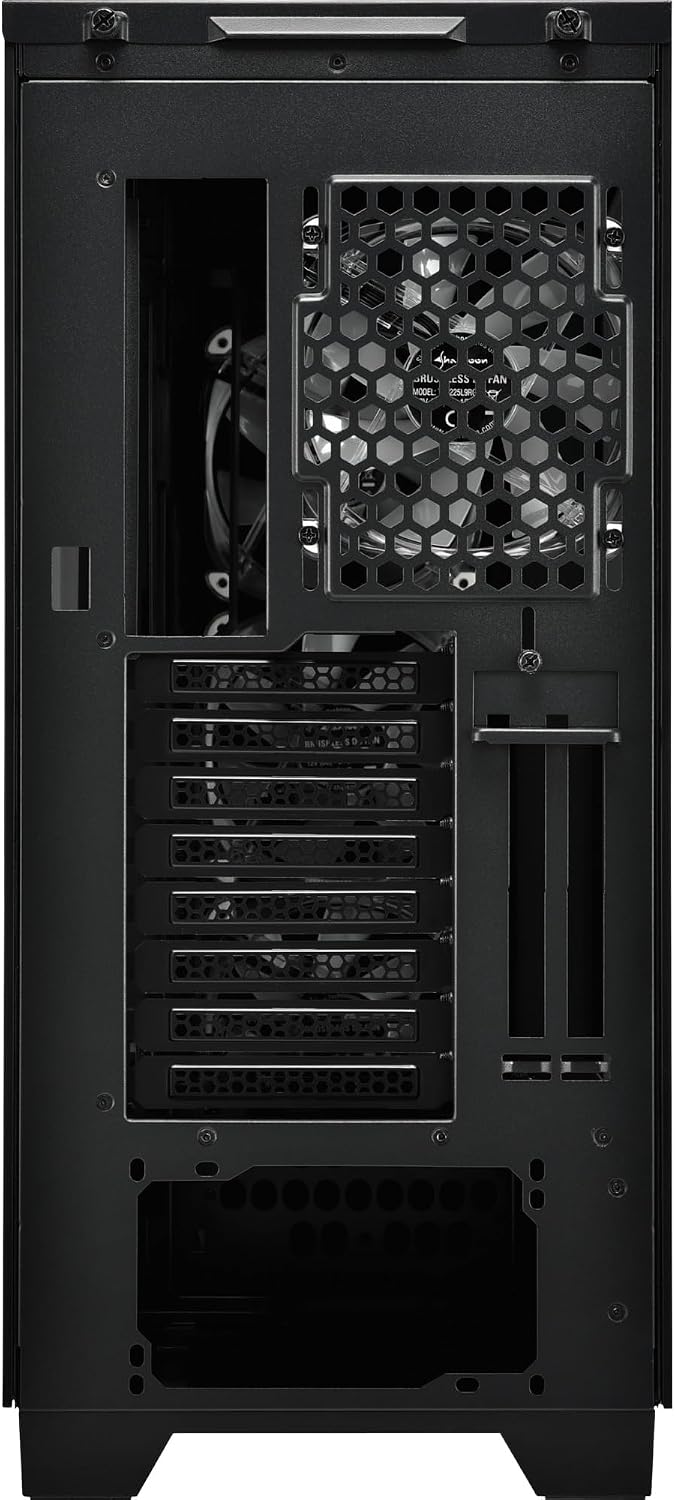
Figura 5.3: Posterior view of the Sharkoon CA300T PC case, illustrating the expansion slots, rear fan mount, and PSU opening.
5.7 Gestión de cables
Utilice los canales de enrutamiento de cables y los puntos de amarre detrás de la bandeja de la placa base para organizar los cables y mejorar el flujo de aire y la estética.

Figura 5.4: Interior trasero view of the Sharkoon CA300T PC case, highlighting the dedicated cable management area behind the motherboard tray.
6. Operando
6.1 Encendido y apagado
After all components are installed and cables are connected, press the power button on the front panel to turn on your system. Press it again to turn off, or use your operating system's shutdown function.
6.2 Control de iluminación RGB
The integrated RGB lighting can be controlled via the dedicated RGB controller (if included) or through compatible motherboard software, depending on how the RGB components are connected. Refer to your motherboard manual for software control options.
7. Mantenimiento
7.1 Limpieza de los filtros de polvo
The Sharkoon CA300T features a three-layer top plate with a dust filter. Regularly clean all dust filters to maintain optimal airflow and cooling performance.
- Apague y desenchufe su PC.
- Carefully remove the dust filters (e.g., from the top, front, and bottom).
- Clean the filters using compressed air or by gently washing them with water. Ensure they are completely dry before reinstallation.
7.2 Cuidados generales
- Limpie el exterior del estuche con un paño suave y húmedo.amp paño. Evite los limpiadores abrasivos.
- Asegúrese de que todos los cables estén conectados de forma segura y no obstruyan el flujo de aire.
8. Solución de problemas
Si encuentra problemas con la compilación de su PC, tenga en cuenta los siguientes pasos comunes de solución de problemas:
- Sin energía: Ensure the power supply is properly connected to the wall outlet and the motherboard. Check all power cables (24-pin, CPU, GPU).
- Los ventiladores no giran: Verify that all fan headers are correctly connected to the motherboard or fan controller. Check BIOS settings for fan control.
- Sin pantalla: Confirm that your monitor is connected to the graphics card (not the motherboard's integrated graphics, unless intended). Reseat the graphics card and RAM modules.
- RGB no funciona: Check RGB cable connections to the motherboard or controller. Ensure any necessary software is installed and configured.
- Calentamiento excesivo: Ensure all fans are spinning correctly and dust filters are clean. Verify proper thermal paste application on the CPU cooler.
Para problemas más complejos, consulte los manuales de sus componentes individuales (placa base, GPU, fuente de alimentación) o busque asistencia profesional.
9. Especificaciones
| Característica | Especificación |
|---|---|
| Marca | Tiburón |
| Nombre del modelo | CA300T |
| Tipo de caso | Torre llena |
| Compatibilidad de la placa base | ATX |
| Uso recomendado | Juego de azar |
| Color | Negro |
| Material | Metal |
| Power Supply Mount Type | Montaje inferior |
| Método de enfriamiento | Aire |
| Tamaño del ventilador | 120 milímetros |
| Cantidad de ventiladores | 3 |
| Total Expansion Slots | 4 |
| Total USB 3.0 Ports | 2 |
| Puertos USB totales | 3 |
| Características especiales | RGB Lighting, Openable Cable Pocket, Three-layer Top Plate with Dust Filter |
| HDD Bay Size | 3.5 pulgadas |
| Number of Internal Bays | 4 |
| Dispositivos compatibles | ATX Motherboards, 3.5-inch Hard Drives |
| Color claro | RGB |
| Peso del artículo | 14.7 kilogramos |
10. Garantía
The Sharkoon CA300T PC Case comes with a Garantía del fabricante de 2 añosConserve su comprobante de compra para reclamaciones de garantía. La garantía cubre defectos de materiales y mano de obra en condiciones normales de uso. No cubre daños causados por mal uso, accidentes, modificaciones no autorizadas o instalación incorrecta.
11. Soporte
For technical support, warranty inquiries, or further assistance, please visit the official Sharkoon website or contact their customer service department. You may find contact information and FAQs on their support pages.
Oficial Websitio: www.sharkoon.com