
1. Introducción
This manual provides instructions for the installation, operation, and maintenance of your GIM KB-23 RGB Case Fan. Please read this manual thoroughly before installation and use to ensure proper function and safety.
The GIM KB-23 is a 120mm case fan designed to enhance airflow within your computer chassis while providing customizable RGB lighting effects.
2. Información de seguridad
Observe siempre las siguientes precauciones de seguridad:
- Asegúrese de que su computadora esté apagada y desenchufada del tomacorriente de pared antes de realizar la instalación o el mantenimiento.
- Descargue la electricidad estática de su cuerpo tocando un objeto metálico conectado a tierra antes de manipular los componentes.
- Do not force connectors. Ensure proper alignment before connecting.
- Mantenga las piezas pequeñas, como los tornillos, fuera del alcance de los niños.
- Evite tocar las aspas del ventilador mientras éste esté funcionando.
3. Contenido del paquete
Verifique que todos los artículos estén presentes en su paquete:
- 1 x GIM KB-23 120mm RGB Case Fan
- 4 x tornillos de montaje
4. Configuración e instalación
Follow these steps to install your GIM KB-23 RGB Case Fan:
4.1 Preparación
- Apague la computadora y desconecte el cable de alimentación del tomacorriente de pared.
- Abra la carcasa de su computadora para acceder a las ubicaciones de montaje del ventilador.
- Identify an appropriate 120mm fan mounting position within your case. Consider airflow direction (intake or exhaust).
4.2 Montaje del ventilador
Position the fan in the desired mounting location. Use the four included mounting screws to secure the fan to the case. Ensure the screws are tightened firmly but do not overtighten to avoid damaging the fan frame or case.
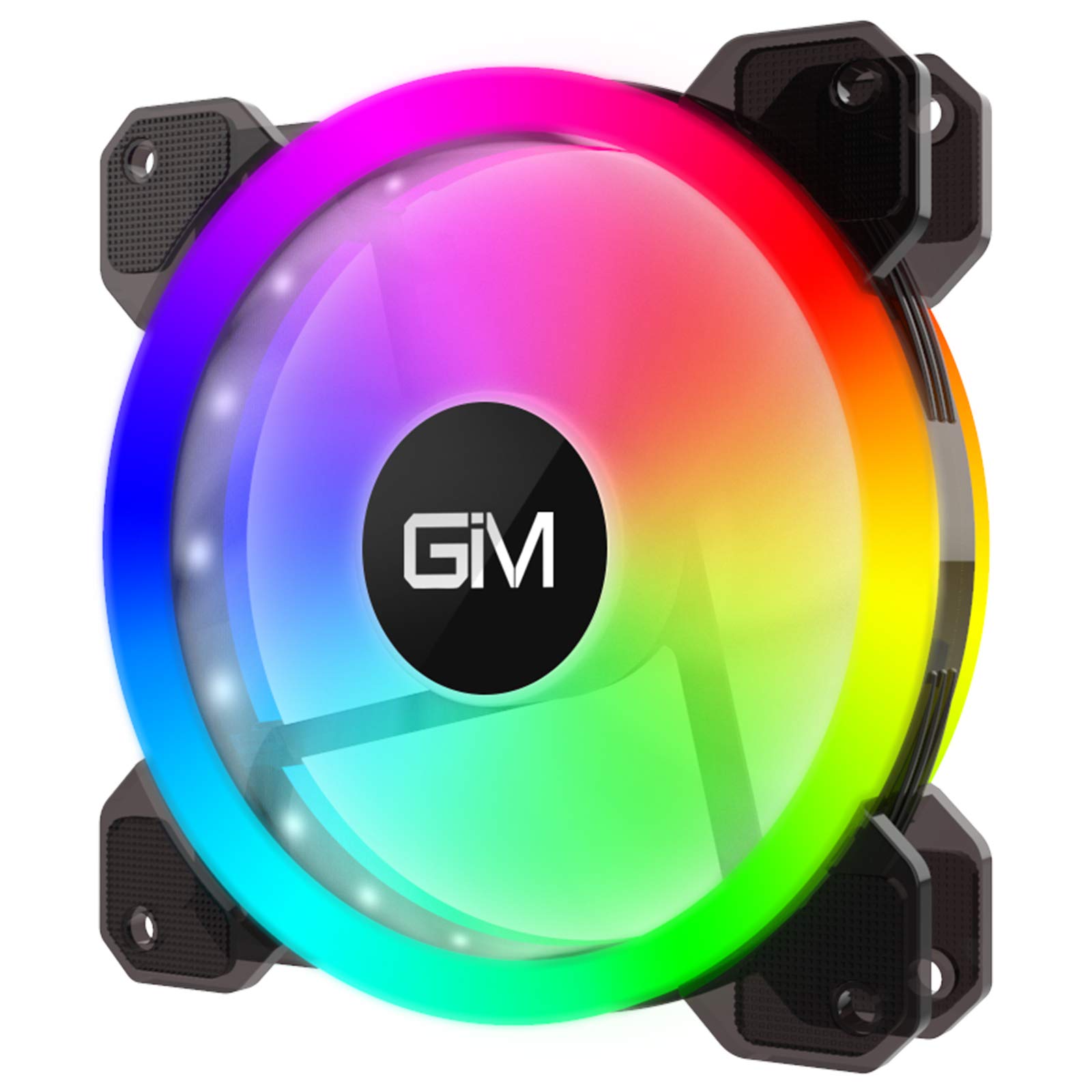
Image 1: GIM KB-23 RGB Case Fan. This image shows the fan's design and typical appearance when installed.
4.3 Conexión del ventilador
Locate the 6-pin power connector on the GIM KB-23 fan cable. Connect this cable to a compatible GIM RGB fan controller (sold separately or included with multi-pack fan kits). The fan will not function or light up without a compatible controller.
Ensure the connector is fully seated. Route the cables neatly to maintain good airflow and aesthetics within your case.
5. Instrucciones de funcionamiento
Once installed and connected to a compatible GIM RGB fan controller, the fan will begin operating when your computer is powered on.
- Velocidad del ventilador: The fan speed is typically controlled by the GIM RGB fan controller or motherboard software, depending on the controller's capabilities and how it's connected to your system.
- Iluminación RGB: The RGB lighting effects are managed through the GIM RGB fan controller. Refer to your GIM controller's manual for specific instructions on changing lighting modes, colors, and brightness.
6. Mantenimiento
El mantenimiento regular ayuda a garantizar un rendimiento óptimo y la longevidad de su ventilador.
- Limpieza: Periodically clean the fan blades and frame to remove dust buildup. Use a can of compressed air or a soft, dry cloth. Ensure the computer is powered off and unplugged before cleaning.
- Inspección: Revise los cables para detectar signos de desgaste o daños. Asegúrese de que todas las conexiones estén bien sujetas.
7. Solución de problemas
If you encounter issues with your GIM KB-23 RGB Case Fan, refer to the following common problems and solutions:
| Problema | Posible causa | Solución |
|---|---|---|
| El ventilador no gira |
|
|
| Las luces RGB no funcionan |
|
|
| Ruido excesivo |
|
|
8. Especificaciones
| Característica | Detalle |
|---|---|
| Modelo | KB-23 |
| Dimensiones (L x An x Al) | 4.72" x 0.98" x 4.72" (120 mm x 25 mm x 120 mm) |
| Tipo de conector de alimentación | 6-Pin (Proprietary GIM) |
| Volumentage | 12 voltios |
| Quétage | 1.96 vatios |
| Método de enfriamiento | Aire |
| Dispositivos compatibles | Computadoras de escritorio |
| Nivel de ruido | 25 decibelios (dB) |
| Velocidad máxima de rotación | 1300 RPM |
9. Garantía y soporte
For warranty information or technical support, please contact GIM customer service through their official webSitio web o tienda donde se compró el producto. Conserve el comprobante de compra para reclamaciones de garantía.