
Electriq EQDWTTGF
Electriq Freestanding Mini Table Top Portable Dishwasher
Model: EQDWTTGF
Producto terminadoview
The electriQ Freestanding Mini Table Top Portable Dishwasher (Model EQDWTTGF) is designed for compact spaces, offering efficient dish cleaning without requiring permanent plumbing. It features a 2-place setting capacity, accommodating up to 22 items, making it ideal for small households, apartments, or caravans. This appliance can be used on a countertop and operates with a built-in water tank, providing flexibility in installation.
Key features include multiple wash programs, a quick wash cycle for lightly soiled items, and specialized programs for baby care and fruit washing. A delay timer allows for convenient scheduling of wash cycles.

Figura 1: Frente view of the Electriq Mini Table Top Portable Dishwasher, showing dishes loaded inside.
Configuración e instalación
This dishwasher is designed for ease of setup, requiring no permanent plumbing. It is suitable for countertop placement.
Unboxing y colocación inicial
- Carefully remove the dishwasher and all accessories from its packaging.
- Place the dishwasher on a stable, level countertop surface. Ensure there is adequate space around the unit for ventilation and operation.
- The dimensions of the unit are approximately 43.5 cm (D) x 42 cm (W) x 43.5 cm (H).
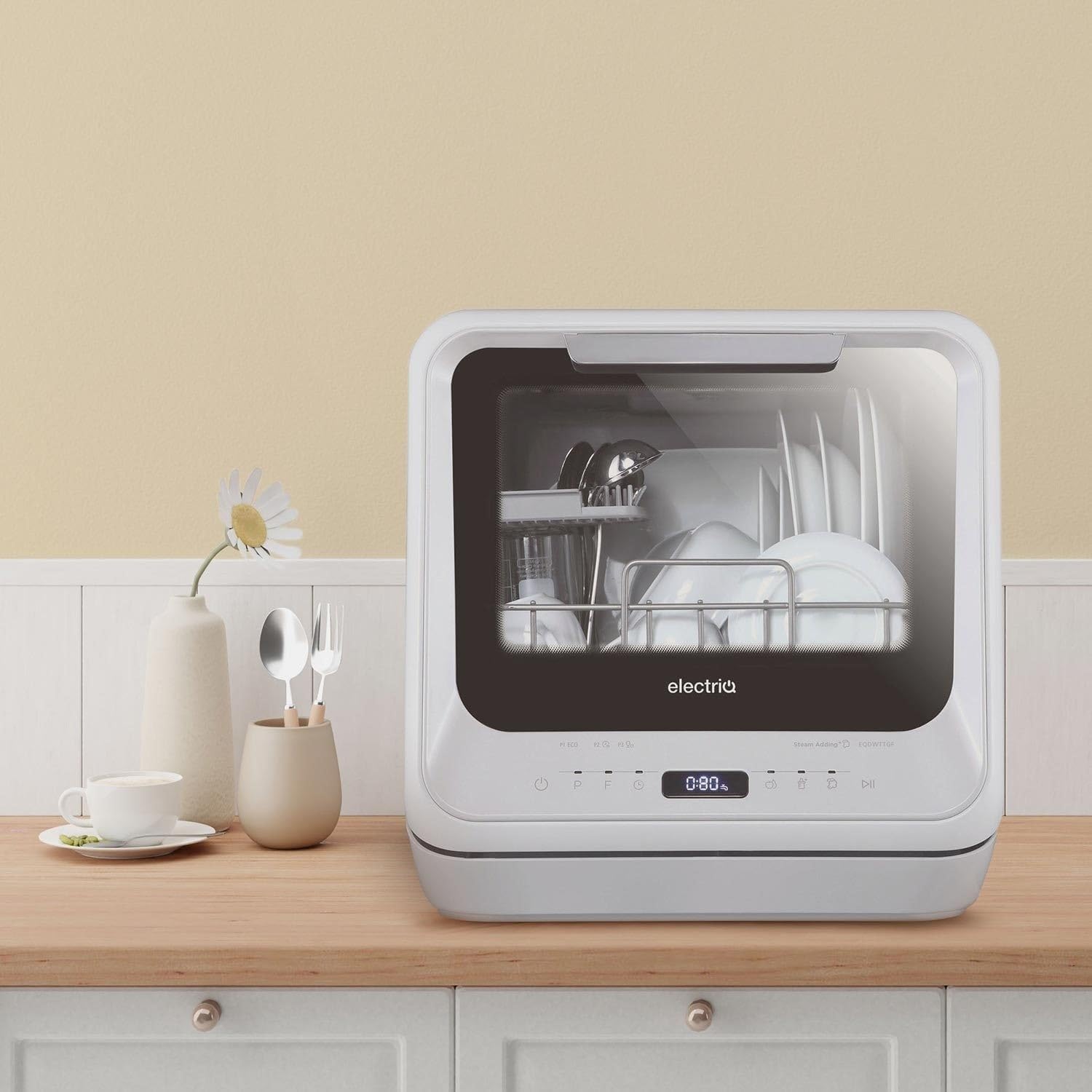
Figure 2: The dishwasher positioned on a kitchen countertop, demonstrating its compact size.
Abastecimiento de agua
The dishwasher features a built-in water tank, eliminating the need for a direct water line connection. Water is manually added to the top of the unit.
- Open the water inlet cover on the top of the dishwasher.
- Using the provided jug, slowly pour clean water into the inlet. The dishwasher will emit a beep sound when the tank is full (approximately 5-6 litres).
- Cierre firmemente la tapa de entrada de agua.
Conexión de drenaje
The dishwasher includes a drainage pipe for automatic water discharge.
- Connect the drainage pipe to the waste outlet at the back of the dishwasher.
- Position the other end of the drainage pipe into a sink or suitable drain to allow for wastewater disposal. Ensure the pipe is securely placed to prevent spills.

Figura 3: Posterior view of the dishwasher, highlighting the drainage pipe connection point.
Sal para lavavajillas
For optimal performance and to prevent limescale buildup, it is recommended to use dishwasher salt.
- Locate the salt container inside the dishwasher.
- Desenrosque la tapa del recipiente de sal.
- Pour approximately 1 litre of water into the container, followed by 130g of dishwasher salt.
- Securely screw the cap back on. This process may need to be repeated every 5-6 washes, depending on water hardness.
Instrucciones de funcionamiento
Cargando Platos
Proper loading ensures effective cleaning. The dishwasher has a 2-place setting capacity.
- Scrape off any large food particles from dishes before loading. Rinsing is recommended for heavily soiled items.
- Place plates, bowls, and cups in the designated racks. Ensure items do not block the spray arms.
- The maximum plate size that can be accommodated is approximately 9.5 inches (24 cm).
- Place cutlery in the cutlery basket, ensuring handles are facing down for better cleaning.
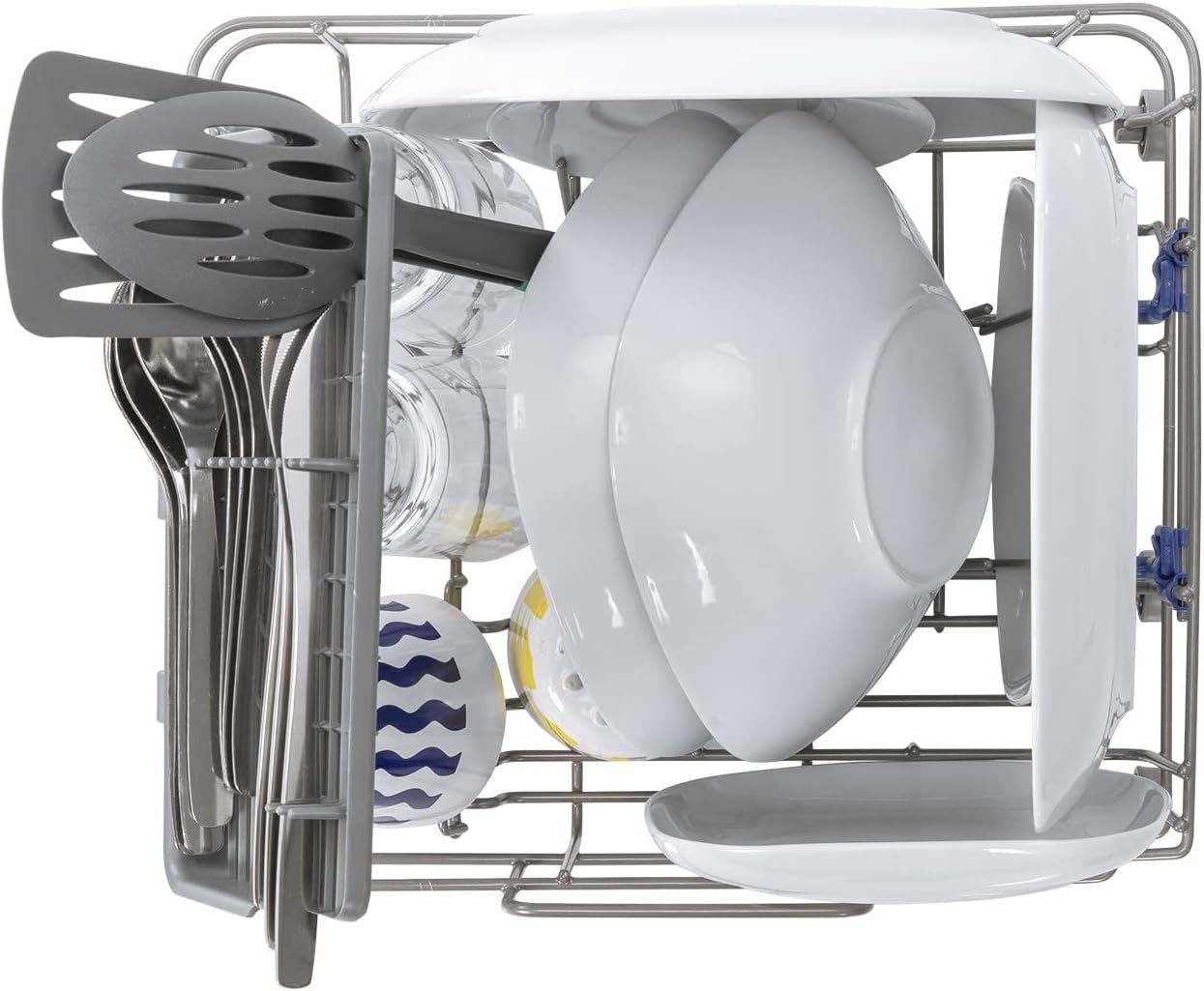
Figura 4: Un example of how to load dishes and cutlery into the dishwasher for optimal cleaning.
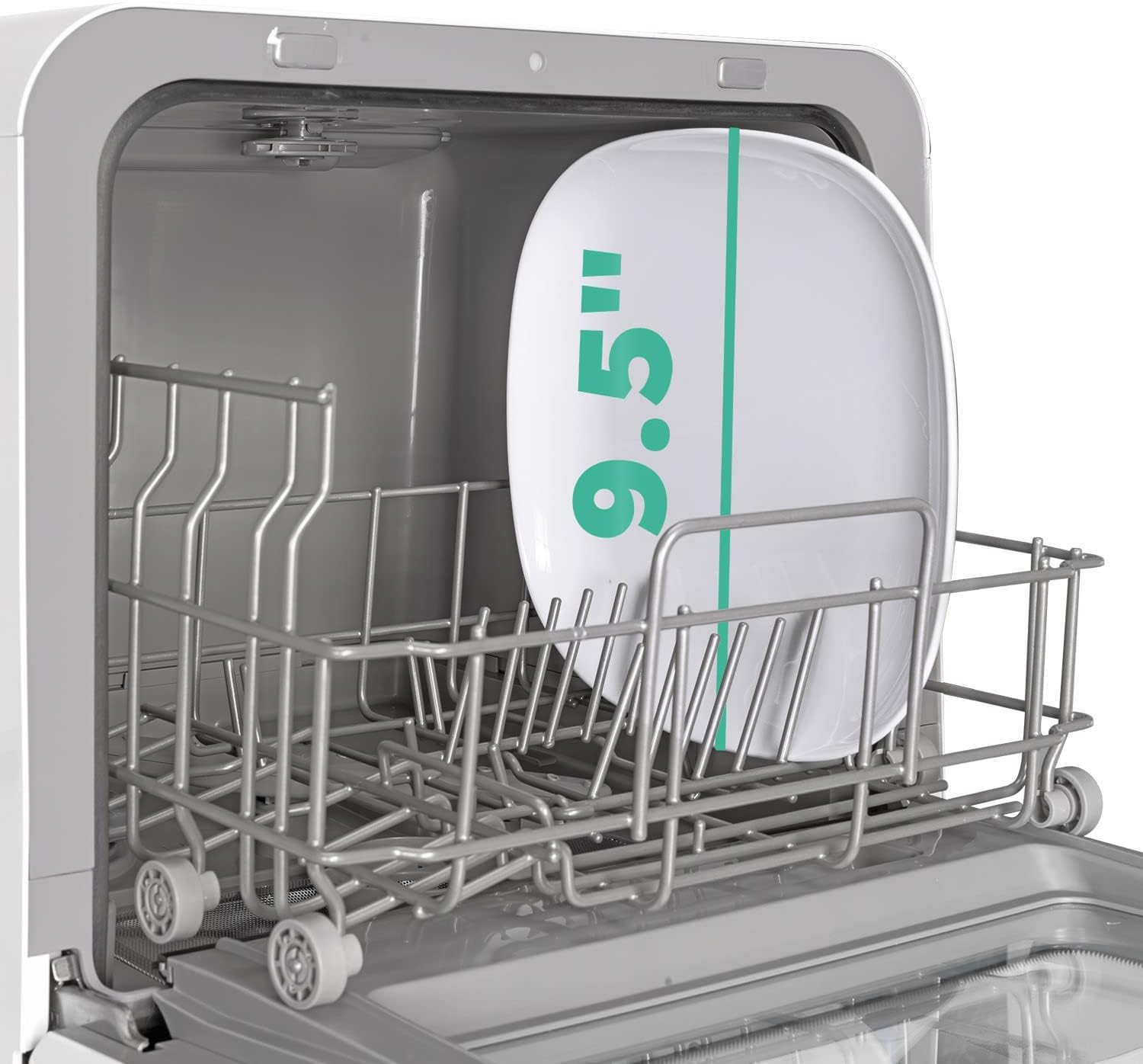
Figure 5: Illustration of the maximum plate size (9.5 inches) that fits inside the dishwasher.
Adición de detergente
Use standard dishwasher tablets or powder detergent.
- Place one dishwasher tablet or the recommended amount of powder detergent into the detergent dispenser.
- Cierre la tapa del dispensador.
Selección de programas
The dishwasher offers various wash programs to suit different needs.

Figure 6: The control panel displaying various program options and the digital timer.
| Programa | Descripción | Duración típica |
|---|---|---|
| Lavado rápido | For lightly soiled dishes, quick cleaning. | 29-30 minutos |
| Ciclo de 1 horas | Standard wash, rinse, and dry cycle. | 1 horas |
| Cuidado del bebé | Thorough cleaning for baby bottles and accessories, includes steaming/sterilizing. | Aproximadamente 2 horas |
| Fruit Wash | Gentle wash for fruits, can be hot or cold. Includes a fruit basket. | Variable |
| Otros programas | Refer to the control panel for additional programs (e.g., P1 ECO, P2, P3). | Variable |
Temporizador de retardo
The delay timer allows you to postpone the start of a wash cycle.
- Press the delay button to set the desired delay time, typically from 1 to 24 hours.
- Once set, the dishwasher will automatically start the selected program after the delay period.
Comenzando un ciclo
- Ensure the water tank is filled and detergent is added.
- Seleccione el programa de lavado deseado.
- Presione el botón Iniciar para comenzar el ciclo.
Mantenimiento
El mantenimiento regular garantiza la longevidad y el rendimiento óptimo de su lavavajillas.
Limpieza de filtros
- Periodically check and clean the filters located at the bottom of the dishwasher tub.
- Remove any food debris or residue from the filters under running water.
- Reinstall the filters securely after cleaning.
Refilling Dishwasher Salt
- Monitor the salt level indicator (if available) or refill approximately every 5-6 washes as described in the Setup section.
Limpieza general
- Limpie el exterior del lavavajillas con un paño suave.amp paño.
- Clean the interior periodically to remove any buildup or odors.
Solución de problemas
If you encounter issues with your dishwasher, refer to the following common problems and solutions.
| Problema | Posible causa | Solución |
|---|---|---|
| platos no limpios | Improper loading, clogged spray arms, insufficient detergent, dirty filters, heavily soiled items. | Ensure dishes are loaded correctly, clear spray arms, use appropriate detergent, clean filters, pre-rinse heavily soiled items. |
| El agua no drena | Clogged drain pipe, kinked drain hose, blocked sink drain. | Check and clear the drain pipe, ensure the hose is not kinked, verify sink drain is clear. |
| El lavavajillas no arranca | Problema de fuente de alimentación, puerta no cerrada correctamente, programa no seleccionado. | Check power connection, ensure door is fully latched, select a wash program. |
| Ruido excesivo | Los platos interfieren con los brazos rociadores, hay objetos extraños en el interior. | Reorganice los platos, verifique si hay objetos extraños y retírelos. |
| Baby bottles greasy after wash | Specific residue, improper loading for bottle type. | Ensure bottles are thoroughly rinsed before loading. Experiment with loading positions to ensure water reaches all surfaces. Consider manual pre-cleaning for stubborn residue. |
Presupuesto
| Característica | Detalle |
|---|---|
| Marca | eléctrico |
| Modelo | EQDWTTGF (WQP4 -2605) |
| Factor de forma | Freestanding, Table Top |
| Capacidad | 2 Place Settings (approx. 22 items) |
| Dimensiones (D x W x H) | 43.5 cm x 42 cm x 43.5 cm |
| Volumentage | 240 voltios |
| Frecuencia de funcionamiento | 50 Hz |
| Nivel de ruido | 58 dB |
| Características especiales | Portable, Touch Panel, Built-In Water Tank |
| Tipo de controles | Tocar |
| Material | Glass (door), other materials |
| Componentes incluidos | Dishwasher, fruit basket (for fruit wash program) |
Garantía y soporte
For warranty information, technical support, or service inquiries, please refer to the documentation provided with your purchase or contact Electriq customer service. Electriq is committed to providing top-notch customer service for its products.
Conserve su comprobante de compra para cualquier reclamo de garantía.
Ask a question about this manual
Ask about setup, troubleshooting, compatibility, parts, safety, or missing instructions. Manuals+ will review the question and use this page’s manual context to help answer it.