
1. Introducción
Gracias por la compraasing the JVC XS-N2239TC Wireless Stereo Speaker System. This manual provides essential information for the safe and efficient use of your new speaker system. Please read these instructions thoroughly before operating the device and retain them for future reference.
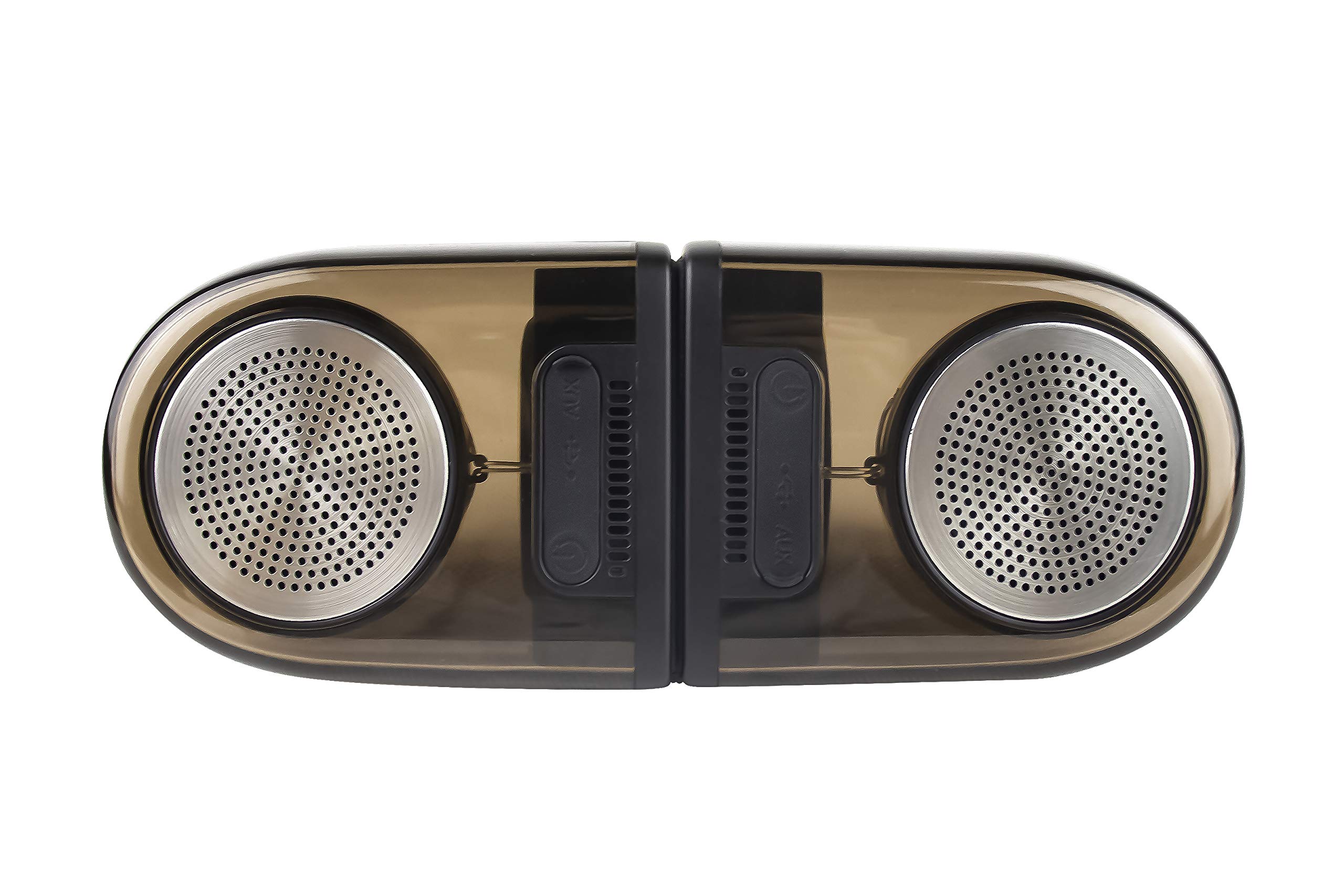
Image of the JVC XS-N2239TC speaker system, showcasing su diseño y componentes.
2. Contenido de la caja
Por favor, compruebe que todos los siguientes elementos estén incluidos en su paquete:
- 1 x JVC XS-N2239TC Speaker Unit
- Cable 1 x AUX
- 1 x Manual de usuario (este documento)
- 1 x cable de carga
- 1 x Tarjeta de garantía
3. Configuración
3.1 Colocación
The JVC XS-N2239TC speakers are designed for versatile placement, suitable as Bookshelf or Floor Standing units. Ensure the speakers are placed on a stable, flat surface or floor, away from direct sunlight, heat sources, and moisture. For optimal stereo sound, position the two speakers appropriately within your listening area.
3.2 Conexión de alimentación
- Connect the charging cable to the speaker's power input port.
- Conecte el otro extremo del cable de carga a una toma de corriente adecuada.
- Ensure the speaker is fully charged before initial use for optimal battery life.
4. Instrucciones de funcionamiento
4.1 Encendido / Apagado
Locate the power button on the speaker unit. Press and hold the button for a few seconds to power the speaker on or off. An indicator light will typically confirm the power status.
4.2 Conectividad
4.2.1 Conexión inalámbrica
The speaker supports wireless streaming. To connect wirelessly:
- Ensure the speaker is powered on and in pairing mode (refer to the speaker's indicator lights for status).
- On your device (e.g., smartphone, tablet, television), enable wireless functionality.
- Buscar available devices and select "JVC XS-N2239TC" from the list.
- Once connected, you can stream audio wirelessly to the speaker system.
4.2.2 Conexión USB
The speaker features a plug-and-play USB card reader. Insert a USB storage device containing audio files into the designated USB port on the speaker. The speaker will automatically detect and begin playing compatible audio files.
4.2.3 Conexión AUX
Use the provided AUX cable to connect the speaker to devices with a 3.5mm audio output jack, such as televisions or other audio sources. Plug one end of the AUX cable into the speaker's AUX input and the other end into your audio source's output.
4.3 Controles
4.3.1 Multifunctional Panel Keys
The speaker unit is equipped with multifunctional panel keys. These keys allow you to:
- Adjust volume (increase/decrease).
- Play/Pause audio playback.
- Navigate tracks (forward/backward) when playing from USB or wireless sources.
4.3.2 control remoto
The included remote control provides convenient access to various functions from a distance. Use the remote to:
- Encender/apagar el altavoz.
- Ajustar el volumen.
- Controlar la reproducción (reproducir, pausar, saltar pistas).
- Switch input modes (e.g., Wireless, USB, AUX).
5. Mantenimiento
5.1 Limpieza
To clean the speaker, use a soft, dry cloth. Do not use abrasive cleaners, waxes, or solvents as they may damage the finish. Ensure the speaker is powered off and unplugged before cleaning.
5.2 Resistencia al agua
The JVC XS-N2239TC speaker is designed with water resistance. While it can withstand splashes, it is not intended for submersion. Avoid exposing the speaker to excessive moisture or direct water jets to prevent damage.
6. Solución de problemas
If you encounter issues with your speaker system, please refer to the following common solutions:
- Sin energía: Ensure the charging cable is securely connected to both the speaker and a working power outlet. Check if the power button has been pressed correctly.
- Sin sonido: Verify the volume level on both the speaker and your connected device. Ensure the correct input mode (Wireless, USB, AUX) is selected. Check all cable connections.
- Problemas de conexión inalámbrica: Make sure the speaker is within range of your device. Try unpairing and re-pairing the speaker with your device. Ensure no other devices are interfering with the wireless signal.
- Problemas de reproducción USB: Confirm the USB device is formatted correctly and contains compatible audio files. Pruebe con un dispositivo USB diferente.
- El control remoto no funciona: Check the remote control's batteries and replace them if necessary. Ensure there are no obstructions between the remote and the speaker's sensor.
Si el problema persiste, póngase en contacto con el servicio de atención al cliente.
7. Especificaciones
| Característica | Detalle |
|---|---|
| Marca | JVC |
| Nombre del modelo | JVC XS-N2239TC |
| Tecnología de conectividad | USB, Inalámbrico |
| Tipo de tecnología inalámbrica | Inalámbrico |
| Protocolo de conectividad | USB |
| Modo de salida de audio | Estéreo |
| Tipo de altavoz | Estante para libros |
| Tipo de montaje | Piso de pie |
| Características del producto | Mando a distancia |
| Método de control | Remoto |
| Dispositivos compatibles | Televisión |
| Cantidad de canales de audio | 2.1 |
| Tamaño del altavoz | 7.5 centímetros |
| Subwoofer Speaker Diameter | 5 pulgadas |
| Tweeter Driver Diameter | 1 pulgadas |
| Tipo de controlador de audio | Controlador dinámico |
| Color | Negro |
| es resistente al agua | VERDADERO |
| Nivel de resistencia al agua | Impermeable |
| Usos específicos del producto | Sistemas de entretenimiento doméstico |
| Duración media de la batería | 6 horas |
| Peso del artículo | 0.56 kilogramos |
8. Garantía y soporte
8.1 Información de garantía
Este producto viene con un 1 años de garantía Provisto por el fabricante desde la fecha de compra. Conserve el recibo de compra y la tarjeta de garantía para cualquier reclamación.
8.2 Atención al cliente
For any complaints, technical assistance, or support regarding your JVC XS-N2239TC speaker system, please contact JVC customer care:
- Número de atención al cliente: +91-9910332380
Tenga a mano el número de modelo de su producto y los detalles de compra cuando se comunique con el soporte.