
Introducción
Thank you for choosing the MEDION E11909 (MD 20059) 19-inch HD TV. This television features an integrated DVD player, a 12V car adapter for mobile use, and a triple tuner for receiving cable, satellite, or DVB-T2 HD signals. This manual provides essential information for the safe and efficient use of your new device. Please read it thoroughly before operation and keep it for future reference.
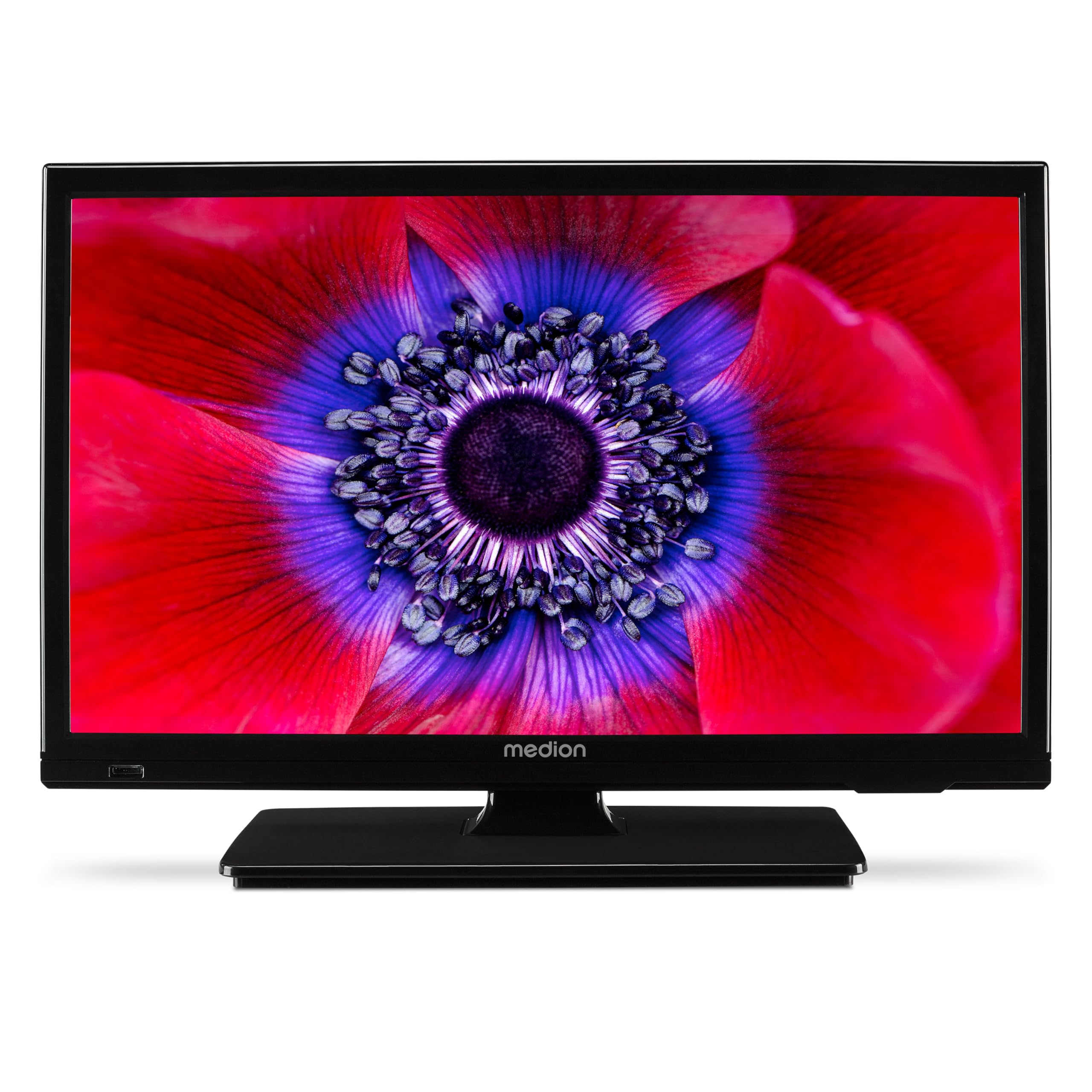
Figura 1: MEDION E11909 19-inch HD TV. This image shows the front view of the television, highlighting its compact design suitable for various environments.
Información de seguridad
Please observe the following safety instructions to prevent damage to the device or injury to yourself:
- No exponga el televisor a la lluvia o la humedad.
- Asegúrese de que haya una ventilación adecuada; no bloquee las aberturas de ventilación.
- Utilice únicamente el adaptador de corriente suministrado con el dispositivo.
- No abra el televisor casing; delegue cualquier servicio a personal calificado.
- Mantenga el televisor alejado de fuentes de calor y de la luz solar directa.
- When using the 12V car adapter, ensure the vehicle's power outlet is clean and provides stable power.
Contenido del paquete
Por favor, compruebe que todos los artículos estén presentes en el paquete:
- MEDION E11909 MD20059 LCD TV
- Mando a distancia con pilas (AAA)
- Adaptador de corriente externo
- Car adapter (12V)
- Antena DVB-T
- Adaptador AV
- Soporte con tornillos
- Manual de usuario
- Folleto de garantía
Configuración
1. Colocación del soporte
- Coloque con cuidado el televisor con la pantalla hacia abajo sobre una superficie suave y limpia.
- Alinee el soporte con los orificios de montaje en la parte inferior del televisor.
- Asegure el soporte utilizando los tornillos provistos.
2. Conexión de energía
- Para uso doméstico: Connect the external power adapter to the TV's DC IN port and then plug it into a standard wall outlet.
- For Mobile Use (Car/Caravan): Connect the 12V car adapter to the TV's DC IN port and then plug it into your vehicle's 12V DC power socket.
3. Connecting Antennas and External Devices
Refer to the connection diagram below for port locations.

Figura 2: Rear panel connections. This image illustrates the various input and output ports on the back of the television, including HDMI, USB, SCART, VGA, AV In, YPbPr, PC Audio In, Headphone Jack, Digital Audio Out, and the 12V DC power input.
- Antena/Cable: Connect your DVB-T antenna (included), cable, or satellite dish to the appropriate RF IN port.
- Dispositivos HDMI: Connect devices like Blu-ray players or game consoles to the HDMI ports.
- Dispositivos USB: Inserte unidades USB para reproducción multimedia en el puerto USB.
- Older Devices: Use the SCART, VGA, or AV IN ports for older equipment.
4. Configuración inicial
After connecting power and turning on the TV for the first time, an initial setup wizard will guide you through language selection, country, and channel scanning. Follow the on-screen instructions.
Operante
1. Encendido y apagado
Presione el FUERZA Botón en el control remoto o en el televisor para encender o apagar la unidad.
2. Funciones de control remoto
The remote control allows you to navigate menus, change channels, adjust volume, and select input sources. Refer to the remote control diagram in your separate warranty booklet for specific button functions.
3. Channel Selection and Volume
- Utilice el CH +/- Botones para cambiar de canal.
- Utilice el VOL +/- Botones para ajustar el volumen.
4. Selección de fuente de entrada
Presione el FUENTE button on the remote control to cycle through available input sources (TV, HDMI1, HDMI2, AV, USB, DVD).
5. Using the Integrated DVD Player
- Insert a DVD disc into the disc slot on the side of the TV.
- El televisor debería cambiar automáticamente al modo DVD. De lo contrario, presione el botón FUENTE button and select DVD.
- Utilice los botones de reproducción del control remoto (REPRODUCIR, PAUSAR, DETENER, AVANZAR, RETROCEDER) to control DVD playback.

Figura 3: TV with integrated DVD player. This image shows the television screen displaying high-definition content, with a DVD disc partially visible, indicating the integrated DVD player functionality.
6. Using the Media Player (USB)
- Inserte un dispositivo de almacenamiento USB en el puerto USB.
- Presione el FUENTE button and select USB.
- Navegar por tu files (photos, music, videos) using the remote control and press OK Para jugar.

Figura 4: Easy playback of photos, videos, and more. This image highlights the USB port on the TV's side and icons representing music, photos, and video files, indicating the TV's multimedia playback capabilities.
Mantenimiento
1. Limpieza de la pantalla
Limpie suavemente la pantalla con un paño suave que no deje pelusa. Para manchas difíciles, limpie ligeramenteampEnjuague el paño con agua o un limpiador de pantallas específico. No rocíe el líquido directamente sobre la pantalla.
2. Limpieza de la unidad
Limpiar el televisor casinLimpie con un paño suave y seco. Evite el uso de limpiadores abrasivos o disolventes.
3. Almacenamiento
Si va a guardar el televisor durante un período prolongado, desconéctelo de la alimentación, retire las pilas del control remoto y guárdelo en un lugar fresco y seco, preferiblemente en su embalaje original.
Solución de problemas
If you encounter problems with your TV, please refer to the following common issues and solutions:
- Sin energía:
- Check if the power adapter is securely connected to both the TV and the power outlet.
- Asegúrese de que la toma de corriente funcione. - Sin imagen/sonido:
- Verify that the correct input source is selected (e.g., HDMI1, TV, DVD).
- Check all cable connections (antenna, HDMI, AV).
- Perform a channel scan if using TV mode. - DVD Not Playing:
- Ensure the disc is inserted correctly with the label facing up.
- Check if the disc is clean and free from scratches.
- Try a different DVD to rule out disc issues. - El control remoto no funciona:
- Replace the batteries (AAA).
- Asegúrese de que no haya obstrucciones entre el control remoto y el sensor IR del televisor.
Si el problema persiste después de probar estas soluciones, comuníquese con el servicio de atención al cliente.
Presupuesto
- Marca: MEDION
- Modelo: E11909 (MD 20059)
- Tamaño de pantalla: 18.5 pulgadas (47 cm)
- Tecnología de visualización: LCD LED
- Resolución: 768p (HD)
- Frecuencia de actualización: 60 Hz
- Relación de aspecto: 1.77:1
- Tecnología de conectividad: HDMI, USB
- Características especiales: Built-in DVD player, 12V Car Adapter, Triple Tuner for HD reception (Cable, Satellite, DVB-T2)
- Componentes incluidos: LCD TV (MD 20059)
- Dimensiones del producto: 16 cm de profundidad x 44 cm de ancho x 31 cm de alto
- Salida de audio: 2 x 3 W RMS Stereo Speakers
Garantía y soporte
Your MEDION E11909 (MD 20059) TV comes with a manufacturer's warranty. Please refer to the included warranty booklet for detailed terms and conditions, including the warranty period and coverage.
For technical support, service, or further inquiries, please visit the official MEDION website or contact their customer service department. Contact information can typically be found in your warranty booklet or on the MEDION support page.