
1. Introducción
This manual provides detailed instructions for the setup, operation, maintenance, and troubleshooting of your HISTTON Fanless Industrial Mini PC. Please read this manual thoroughly before using the device to ensure proper functionality and longevity.
2. Contenido del paquete
Verifique que todos los elementos enumerados a continuación estén incluidos en el paquete de su producto:
- 1 x HISTTON Mini PC
- 1 x adaptador de corriente
- 1 x Manual de usuario
- 1 cable HDMI
- 1 x DVD for drivers (if applicable)
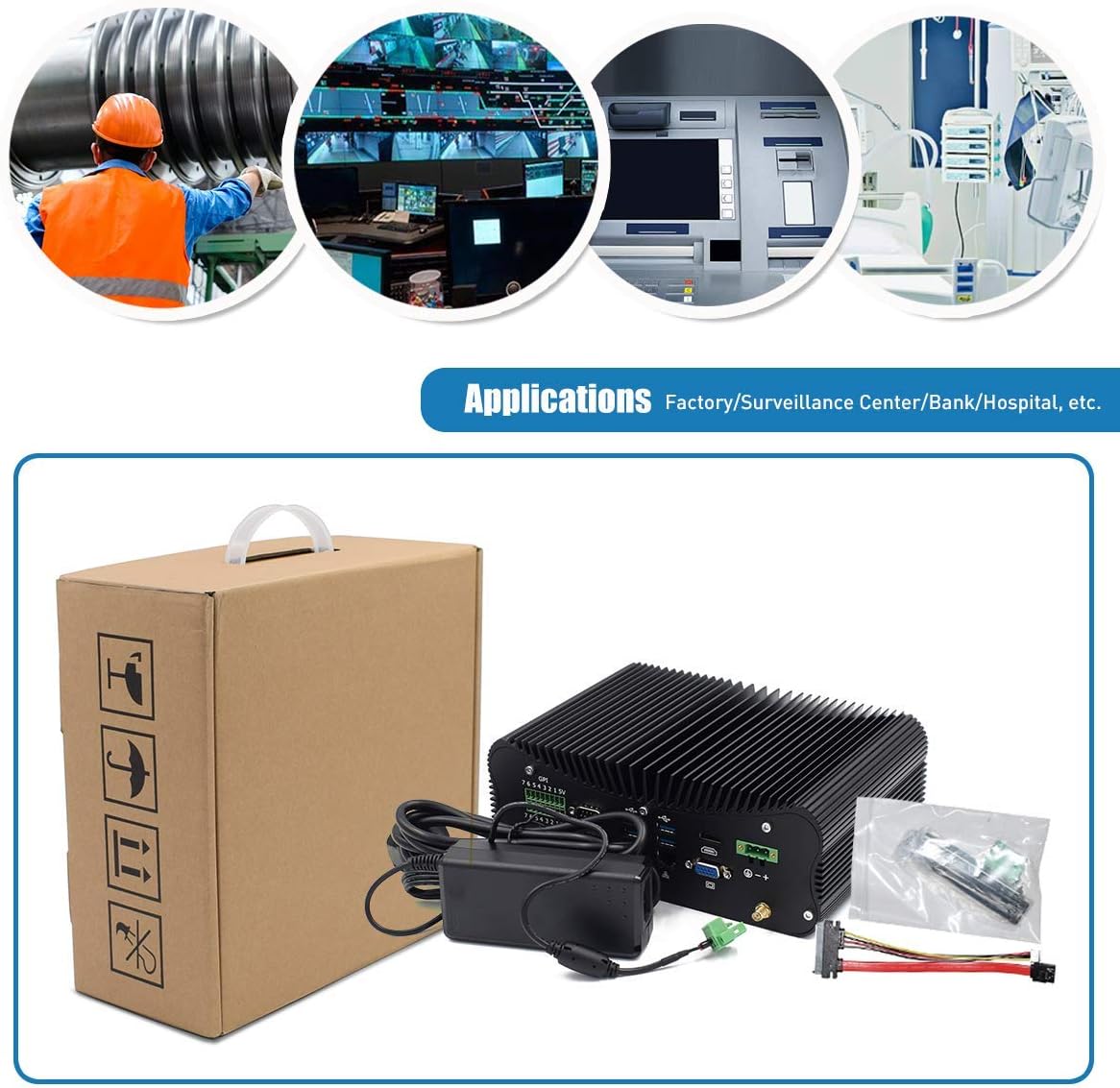
Figure 2.1: Included accessories and the Mini PC.
3. Producto terminadoview
Familiarize yourself with the various ports and features of your HISTTON Mini PC.
3.1 Puertos del panel trasero

Figura 3.1: Opciones de conectividad del panel trasero.
- GPIO (General Purpose Input/Output): 7 input and 7 output ports for industrial control.
- COM Ports (RS232/422/485): 4 ports for serial communication.
- Puertos USB: 3.0 4 ports for high-speed peripheral connections.
- LAN Ports (RJ45 Gigabit Ethernet): 2 ports for wired network connectivity.
- Puerto HDMI: For digital video and audio output.
- Puerto VGA: Para salida de vídeo analógica.
- DC en: 3-pin Phoenix terminal for DC 9-36V power input.
- Conectores de antena WiFi: For external WiFi antennas.
3.2 Puertos del panel lateral

Figure 3.2: Side panel connectivity and controls.
- Interruptor de encendido/apagado: Control de potencia principal.
- Puertos USB: 2.0 2 puertos para conexiones periféricas.
- Conectores de audio: 1 x SPK Out (speaker), 1 x MIC In (microphone).
- Puerto PS/2: Para conexiones de teclado y mouse heredadas.
- ATX/AT Switch: For power mode selection.
- CMOS Button Hole: For resetting CMOS settings.
3.3 Componentes internos

Figure 3.3: Internal layout for storage and memory expansion.
- Ranura SSD M.2: For M.2 solid-state drives.
- mSATA SSD Slot: For mSATA solid-state drives.
- 2.5 inch HDD Slot: For 2.5-inch SATA SSD/HDD.
- DDR4 RAM Slots: Two 260-pin SO-DIMM slots supporting up to 64GB DDR4 memory.
- WiFi Module Slot: M.2 slot for dual-band 802.11AC WiFi with Bluetooth 4.0.
4. Instrucciones de configuración
Follow these steps to set up your Mini PC for first use.
- Conectar periféricos: Connect your monitor(s) to the HDMI and/or VGA ports. Connect a USB keyboard and mouse to the available USB ports.
- Conexión de red: For wired internet, connect an Ethernet cable to one of the RJ45 LAN ports. For wireless internet, attach the provided WiFi antennas to the connectors on the rear panel.
- Conexión de energía: Connect the power adapter to the DC In port on the rear panel, then plug the adapter into a power outlet.
- Encendido: Press the power button on the side panel to turn on the Mini PC. The power indicator light will illuminate.
Video 4.1: Demonstration of connecting peripherals and powering on the Mini PC.
5. Operating System and Basic Use
Your Mini PC comes with Windows 10 Pro 64bit pre-installed and activated, ready for immediate use.
5.1 Configuración de pantalla dual
The Mini PC supports dual display output via HDMI and VGA ports, allowing for extended desktop or mirrored display configurations. Connect two monitors to the respective ports and configure display settings within the Windows operating system.

Figure 5.1: Dual monitor setup for enhanced productivity.
5.2 Funcionamiento general
The Intel Core i7-10510U processor and Intel UHD Graphics provide stable and efficient performance for various tasks, including office applications, web browsing, multimedia playback, and light gaming. The integrated M.2 Dual Band 802.11AC WiFi with Bluetooth 4.0 ensures reliable wireless connectivity.
6. Mantenimiento
The HISTTON Mini PC features a fanless cooling design, which contributes to its durability and silent operation. This design minimizes dust accumulation and reduces the need for frequent internal cleaning.

Figure 6.1: Fanless cooling system for silent and reliable operation.
Para mantener un rendimiento óptimo:
- Keep the exterior of the device clean by wiping it with a soft, dry cloth.
- Ensure adequate airflow around the device, especially around the heat sink fins, to facilitate heat dissipation.
- Avoid placing the Mini PC in direct sunlight or near heat sources.
- Do not obstruct the heat sink fins.
7. Solución de problemas
Si tiene problemas con su Mini PC, consulte los siguientes pasos de solución de problemas comunes:
- Sin energía: Asegúrese de que el adaptador de corriente esté bien conectado tanto a la mini PC como a una toma de corriente que funcione. Compruebe que el indicador de encendido esté encendido.
- Sin pantalla: Verify that the monitor cable(s) are securely connected to both the Mini PC and the monitor(s). Ensure the monitor is powered on and set to the correct input source (HDMI/VGA).
- Sin conexión a Internet: For wired connections, check the Ethernet cable and router status. For wireless connections, ensure WiFi antennas are attached, WiFi is enabled in the operating system, and you are connected to the correct network.
- Periféricos que no funcionan: Ensure USB devices (keyboard, mouse) are properly connected. Try connecting them to different USB ports.
- El sistema no responde: Press and hold the power button for 5-10 seconds to force a shutdown, then restart the device. If issues persist, consider resetting the CMOS using the button hole on the side panel (refer to Section 3.2).
8. Especificaciones
Detailed technical specifications for the HISTTON Fanless Industrial Mini PC:
| Característica | Especificación |
|---|---|
| Procesador (CPU) | Intel Core i7-10510U, 1.80 GHz (up to 4.90 GHz), 8M Cache |
| Gráficos | Gráficos Intel UHD para procesadores Intel de décima generación |
| Memoria (RAM) | 64GB DDR4 (2 x 32GB SO-DIMM slots, max 64GB) |
| Almacenamiento | 1TB SSD (Supports M.2 SSD + mSATA SSD + 2.5 inch SATA SSD/HDD) |
| Sistema operativo | Windows 10 Pro (64bit, activated) |
| Conectividad inalámbrica | M.2 Dual Band 802.11AC WiFi with Bluetooth 4.0 |
| Red local | 2 x Intel L211/210 RJ45 Gigabit Ethernet |
| Puertos USB | 4 3.0 x USB, 2 2.0 x USB |
| Salida de vídeo | 1 x HDMI, 1 x VGA Port (Supports 4K UHD dual display) |
| Puertos seriales | 4 x RS232/422/485 COM, 2 x RS232 COM |
| Entrada y salida de GP | 7 x Ports Input, 7 x Ports Output |
| Audio | 1 x SPK Out, 1 x MIC In |
| Fuente de alimentación | 12V DC In (3-pin Phoenix terminal DC 9-36V Input) |
| Consumo de energía | Max 15W (real use), TDP Down 10W |
| Material de la caja | Aleación de aluminio |
| Dimensiones (LxAnxAl) | 9.45 x 6.30 x 3.39 pulgadas |
| Peso | 5.07 lb (Net weight) |
| Temperatura de funcionamiento | 0 ℃ a 70 ℃ |
| Humedad de funcionamiento | 10% - 85% |
9. Garantía y soporte
For warranty information and technical assistance, please use the following contact methods:

Figure 9.1: Support contact details.
- Soporte de Amazon: Log in to your Amazon account, navigate to 'Your Account' > 'Your Orders', and select 'Ask Product Question' for assistance.
- Soporte postventa: For direct technical support, you may send an email to the After-Sales Team at minipc_service@yeah.net. This service is available 24/7.
Advertencia: Please connect the power supply correctly. Keep away from damp and high-temperature environments, as well as sources of fire and water. Parents should strictly control kids' device time and content access.