
1. Introducción
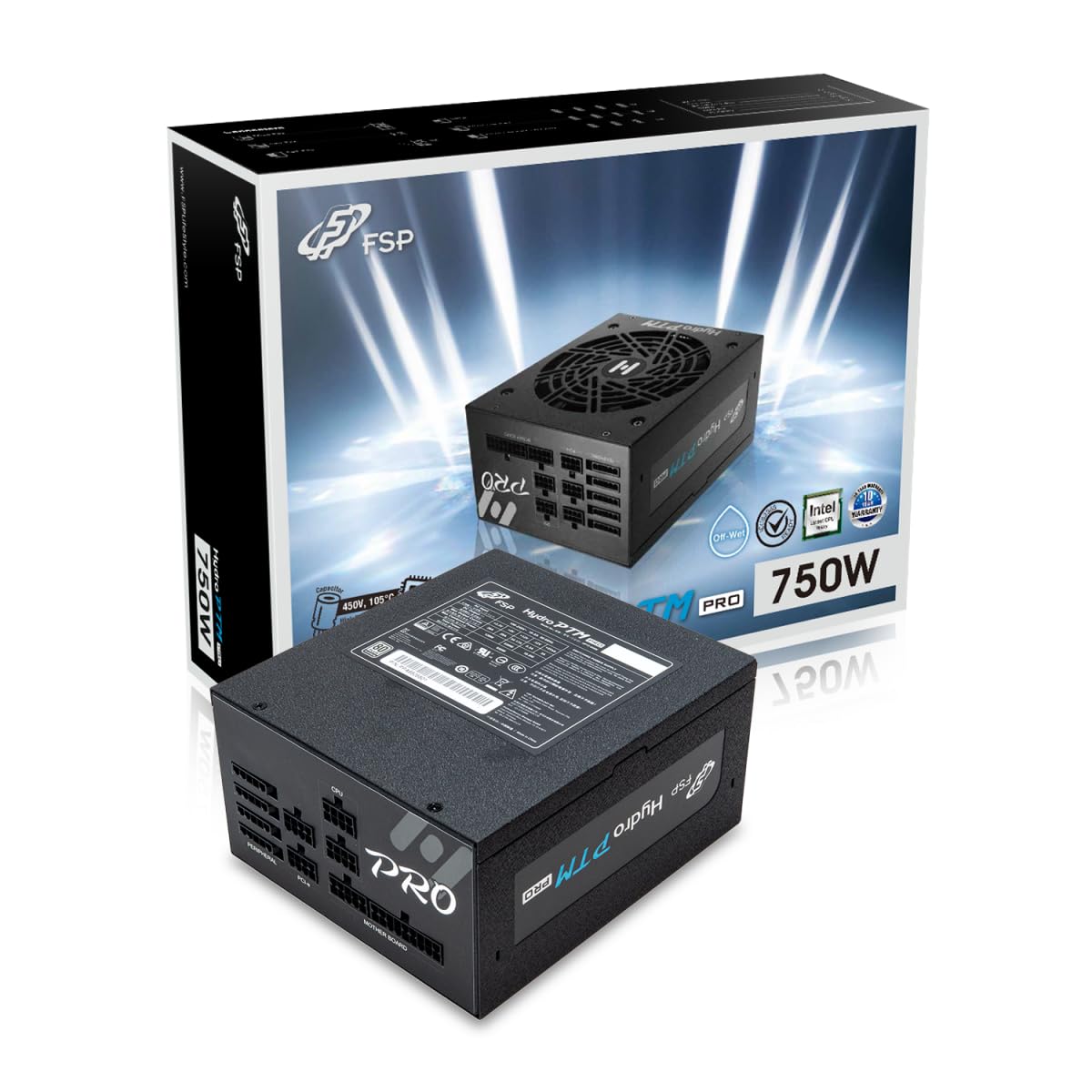
This manual provides detailed instructions for the installation, operation, and maintenance of your FSP Hydro PTM Pro 750W 80 Plus Platinum Full Modular ATX 12V Power Supply (Model: HPT2-750M). Please read this manual thoroughly before using the product to ensure proper function and safety.
The FSP Hydro PTM Pro series is designed for high efficiency and durability, featuring a conformal coating for protection against dust, humidity, and stains. It includes a semi-fanless Eco Mode for quiet operation under low loads and fully modular black ribbon cables for flexible system builds.
2. Información de seguridad
ADVERTENCIA: Improper installation or use can result in serious injury or damage to the power supply and other components. Always follow these safety guidelines:
- No abra la fuente de alimentación. Alto volumen.tagHay es en el interior y no hay piezas que el usuario pueda reparar. Abrir la unidad anulará la garantía.
- Asegúrese de que la fuente de alimentación esté desconectada de la toma de corriente CA antes de realizar la instalación o el mantenimiento.
- Instale la fuente de alimentación en un área bien ventilada.
- Use only the modular cables provided with this power supply. Using incompatible cables may cause damage to the power supply and connected components.
- This product is designed for use in personal computers. Do not use it for any other purpose.
- Mantenga la fuente de alimentación alejada del agua, la humedad y temperaturas extremas.
- Asegúrese de que todas las conexiones estén seguras antes de encender el sistema.

3. Contenido del paquete
Verifique que todos los artículos estén presentes en su paquete:
- FSP Hydro PTM Pro 750W Power Supply Unit (HPT2-750M)
- Cable de alimentación de CA
- Modular Cable Set (refer to the "Cable Length and Connectors" section for details)
- Tornillos de montaje
- Manual de usuario (este documento)
4. Configuración e instalación
4.1 Instalación física
- Prepare su sistema: Asegúrese de que su computadora esté completamente apagada y desenchufada del tomacorriente de pared.
- Retire la fuente de alimentación antigua (si corresponde): Desconecte todos los cables de su fuente de alimentación anterior y retírela de la carcasa de la PC.
- Monte la fuente de alimentación: Insert the FSP Hydro PTM Pro 750W into the power supply bay of your PC case. Secure it with the provided mounting screws.
- Connect Motherboard Cables:
- Connect the 20+4 Pin ATX cable to your motherboard's main power connector.
- Connect the 4+4 Pin CPU (EPS) cable(s) to your motherboard's CPU power connector(s).
- Conectar cables periféricos:
- Connect the 6+2 Pin PCI-E cables to your graphics card(s).
- Conecte los cables de alimentación SATA a sus SSD, HDD y unidades ópticas.
- Connect Molex cables to any other peripherals requiring them.
- Conexiones seguras: Ensure all modular cables are firmly seated into both the power supply and the respective components.
- Conecte la alimentación de CA: Plug the AC power cord into the power supply's AC inlet and then into a wall outlet or surge protector.
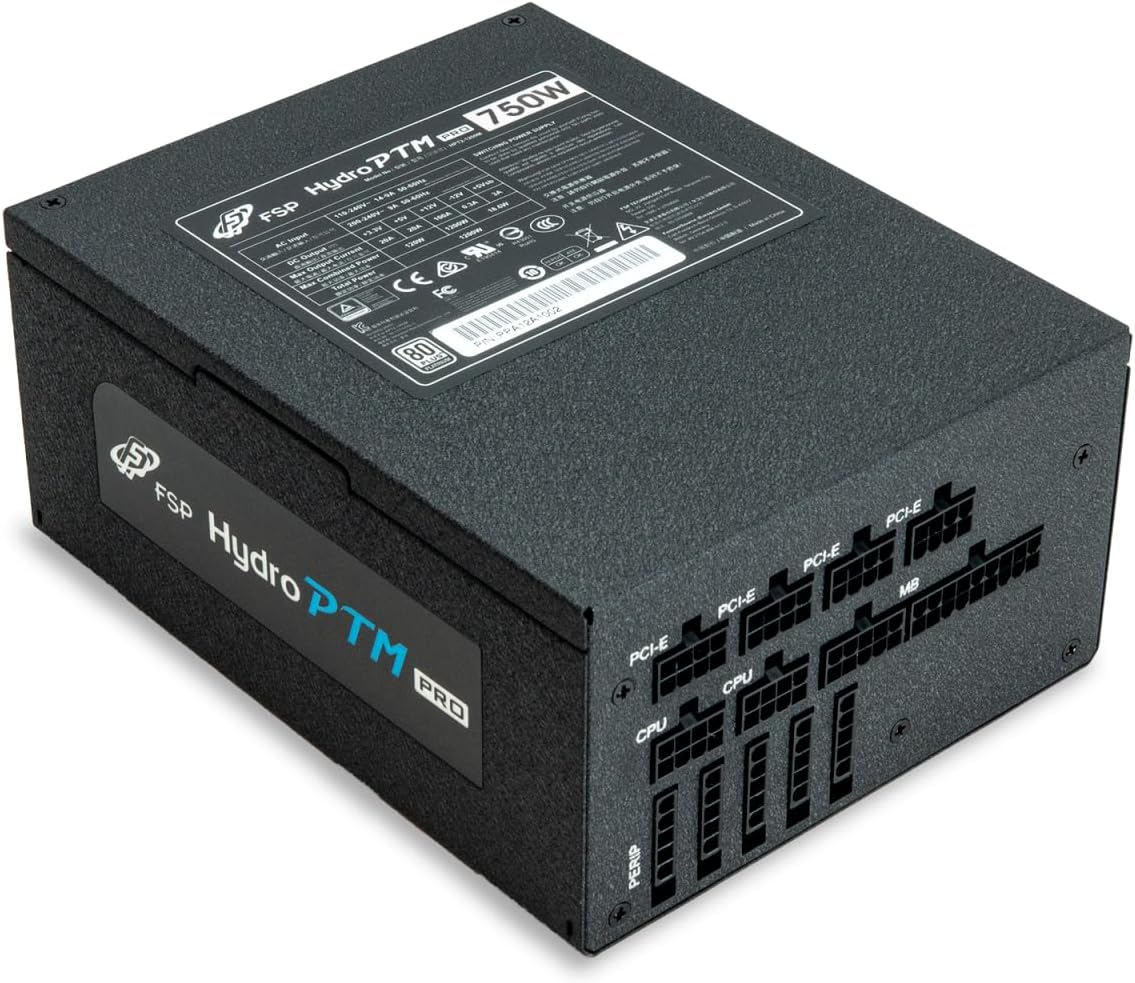
4.2 Cable Length and Connectors
The FSP Hydro PTM Pro 750W comes with a set of fully modular black ribbon cables. Refer to the diagram below for connector types and approximate lengths.

5. Operación
5.1 Encendido / Apagado
After completing the installation, ensure the main power switch on the back of the power supply is in the "ON" (I) position. You can then power on your computer using its case power button.
5.2 Modo Eco
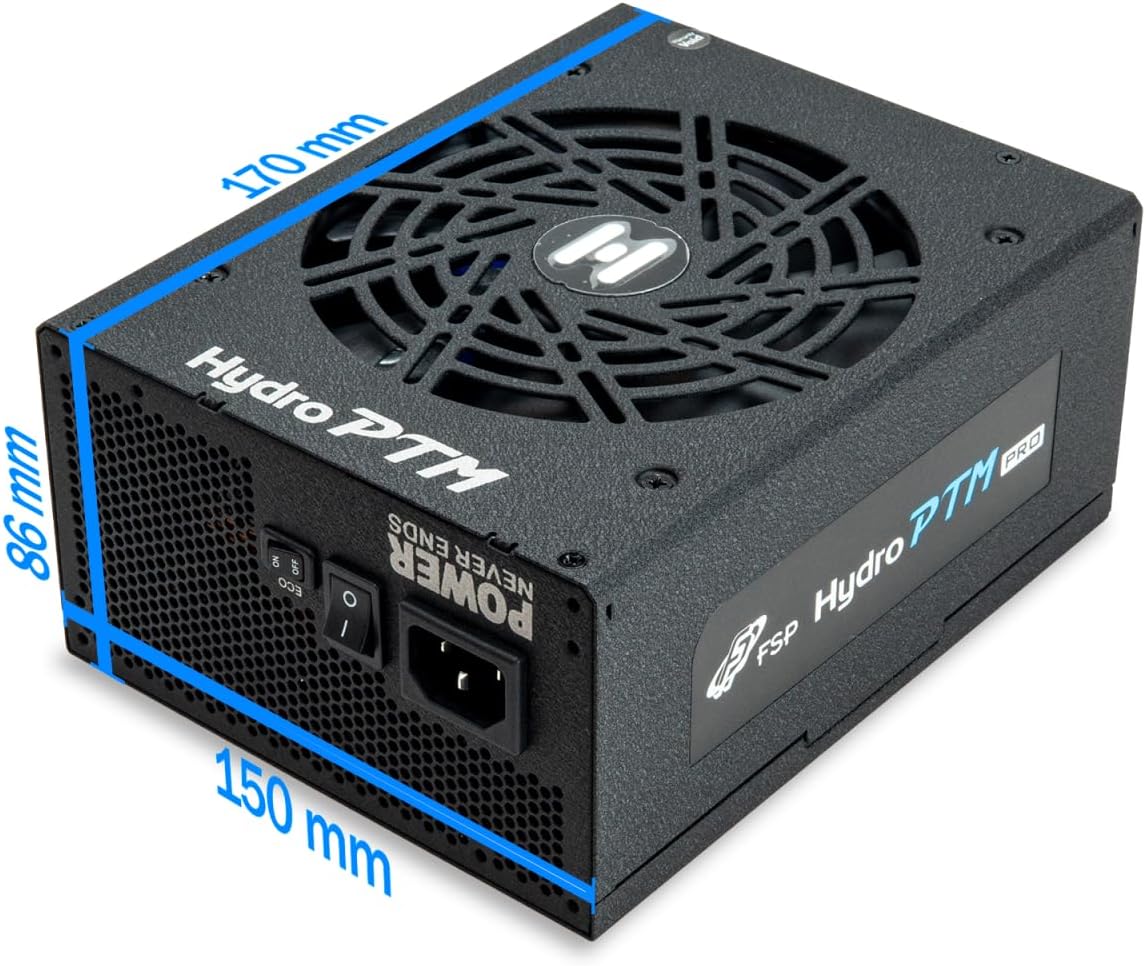
The Hydro PTM Pro features a semi-fanless Eco Mode. When enabled, the power supply fan will remain off until the system load exceeds approximately 30%. This provides silent operation during low-power tasks.
- To activate Eco Mode: Locate the "ECO" switch next to the main power switch on the rear of the power supply and set it to the "ON" position.
- To disable Eco Mode: Set the "ECO" switch to the "OFF" position. The fan will operate continuously based on temperature.
Vídeo: Un overview of the FSP Hydro PTM Pro series, highlighting features like conformal coating, Eco Mode, and modular design. This video is provided by FSP GROUP USA.
6. Mantenimiento
6.1 Limpieza
To maintain optimal performance and longevity, periodically clean your power supply:
- Ensure the power supply is completely powered off and unplugged from the AC outlet before cleaning.
- Utilice aire comprimido para eliminar con cuidado el polvo de la rejilla del ventilador y de las aberturas de ventilación.
- Wipe the exterior with a soft, dry cloth. Do not use liquid cleaners or solvents.
6.2 Protección del medio ambiente
The FSP Hydro PTM Pro features a proprietary conformal coating that protects internal components from dust, humidity, and stains. This allows the power supply to reliably operate in environments with up to 95% relative humidity. While this coating offers enhanced protection, it is still recommended to operate the power supply in a clean, dry environment for best results.
7. Solución de problemas
Si tiene problemas con su fuente de alimentación, consulte los siguientes problemas y soluciones comunes:
| Problema | Posible causa | Solución |
|---|---|---|
| El sistema no se enciende. |
|
|
| El sistema se enciende pero se apaga inmediatamente. |
|
|
| Fan is not spinning (Eco Mode off). |
|
|
If the problem persists after attempting these solutions, please contact FSP customer support.
8. Especificaciones
| Característica | Detalle |
|---|---|
| Nombre del modelo | Hydro PTM Pro (HPT2-750M) |
| Marca | FSP |
| Salida Wattage | 750 W |
| Certificación 80 Plus | Platino |
| Factor de forma | ATX |
| Diseño de fuente de alimentación | Modular completo |
| Método de enfriamiento | Aire (ventilador de 135 mm) |
| Vol de entradatage | 115-240 Voltios |
| Dimensiones (L x An x Al) | 170 x 150 x 86 mm (6.7 x 5.9 x 3.4 pulgadas) |
| Protecciones | OCP, OVP, SCP, OPP, UVP, OTP |
| Condensadores | Japanese-made Electrolytic Capacitors |
| Soldado de primera clase | Active PFC ≥ 99% |
| Recubrimiento conformado | Yes (Dust, Humidity, Stain protection) |
9. Garantía y soporte
9.1 Información de garantía
The FSP Hydro PTM Pro 750W power supply is covered by a 10 año de garantía A partir de la fecha de compra. Esta garantía cubre defectos de materiales y mano de obra en condiciones normales de uso. Conserve su comprobante de compra para reclamaciones de garantía.
La garantía no cubre daños resultantes de:
- Instalación u operación incorrecta.
- Accidental damage, abuse, or misuse.
- Reparaciones o modificaciones no autorizadas.
- Desastres naturales o causas externas.
9.2 Atención al cliente
For technical assistance, troubleshooting, or warranty inquiries, please contact FSP customer support. Refer to the official FSP webSitio para obtener la información de contacto más actualizada.
FSP GROUP USA
Visit the FSP Store on Amazon