
1. Introducción
Thank you for choosing the MageGee G6 Wired Gaming Mouse. This ergonomic USB optical mouse is designed to enhance your gaming and work experience with its high precision sensor, adjustable speed levels, and vibrant LED backlighting. Please read this manual thoroughly to ensure proper setup and optimal performance.
2. Configuración
2.1 Contenido del paquete
- MageGee G6 Wired Gaming Mouse
- Manual de instrucciones
2.2 Requisitos del sistema
- Operating System: Windows 10, Windows 8, Windows 7, Windows XP, WinME, Vista, Linux, etc.
- Puerto USB disponible
2.3 Conexión del ratón
- Locate an available USB port on your computer (PC, Laptop, or Desktop).
- Plug the USB connector of the MageGee G6 mouse into the USB port.
- The mouse is plug-and-play; no additional drivers or software are required for basic functionality.
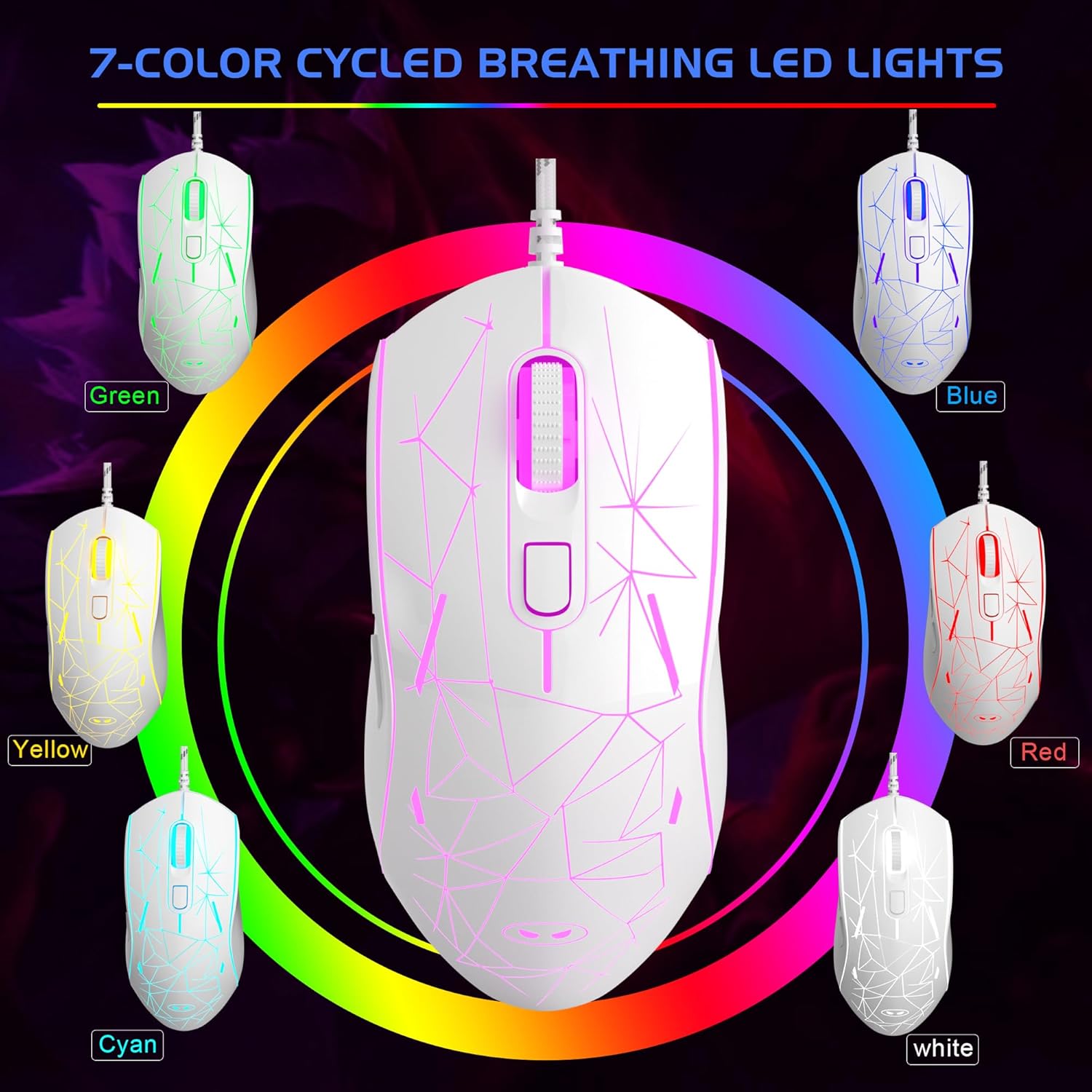
Image: The MageGee G6 Wired Gaming Mouse with its USB cable connected to a computer.
3. Instrucciones de funcionamiento
3.1 Funciones de los botones
The MageGee G6 offers 6 flexible buttons for versatile control:
- Botón izquierdo: Función de clic izquierdo estándar.
- Botón derecho: Función estándar de clic derecho.
- Rueda de desplazamiento: Se desplaza hacia arriba/abajo y actúa como un botón de clic central.
- Speed Button (DPI Button): Adjusts the DPI (Dots Per Inch) sensitivity.
- Botón de avance: Navega hacia adelante en web navegadores o aplicaciones.
- Botón Atrás: Navega hacia atrás en web navegadores o aplicaciones.
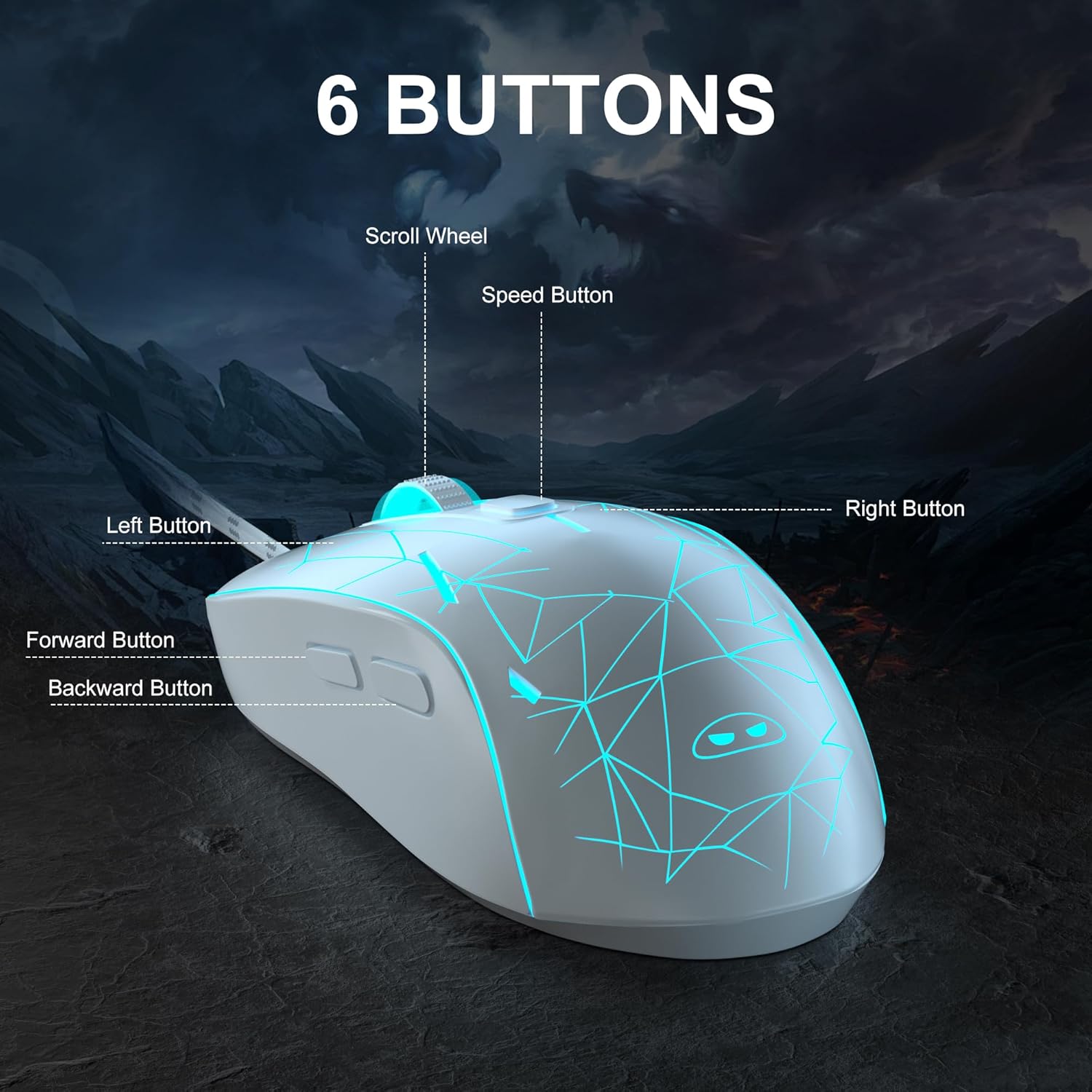
Imagen: Un detalle view of the MageGee G6 mouse highlighting the Left, Right, Scroll Wheel, Speed, Forward, and Back buttons.
3.2 Adjusting DPI Speed Levels
The MageGee G6 offers 6 adjustable DPI speed levels for precise cursor control:
- 600 ppp
- 800 ppp
- 1200 ppp
- 1600 ppp
- 2400 ppp
- 3200 ppp
Presione el Botón de velocidad (located below the scroll wheel) to cycle through the different DPI settings. Each press will change the sensitivity, allowing you to find the optimal speed for your tasks or games.
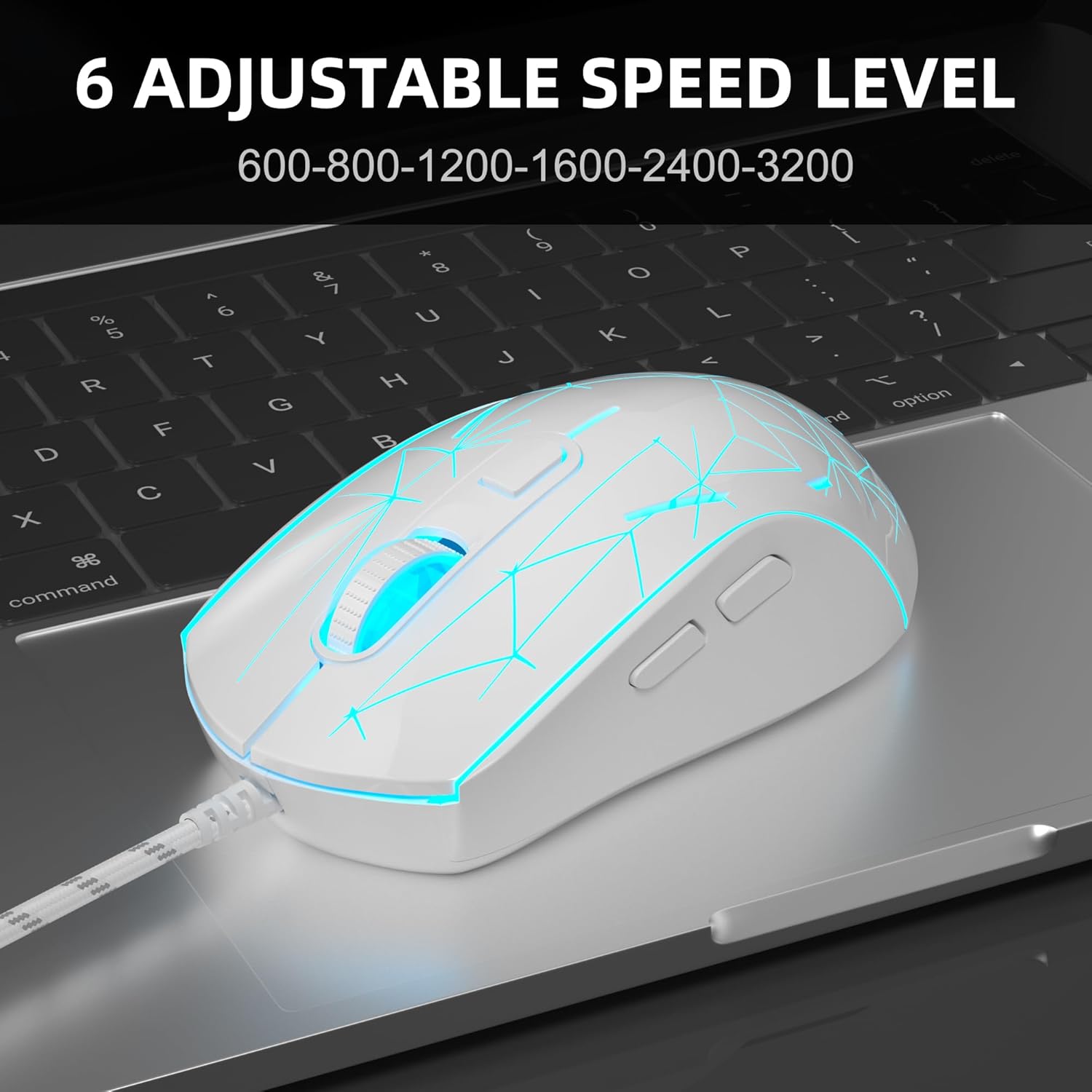
Image: The MageGee G6 mouse in use, demonstrating the adjustable DPI settings from 600 to 3200.
3.3 Control de retroiluminación LED
The MageGee G6 features 7-color breathing LED backlighting. You can control the lighting as follows:
- Cambiar el color: Presione el Botón de velocidad y el Botón de avance simultaneously to cycle through and lock a specific color.
- Encender/apagar luces: Mantenga pulsado el Botón de velocidad for 3 seconds to toggle the LED lights on or off.
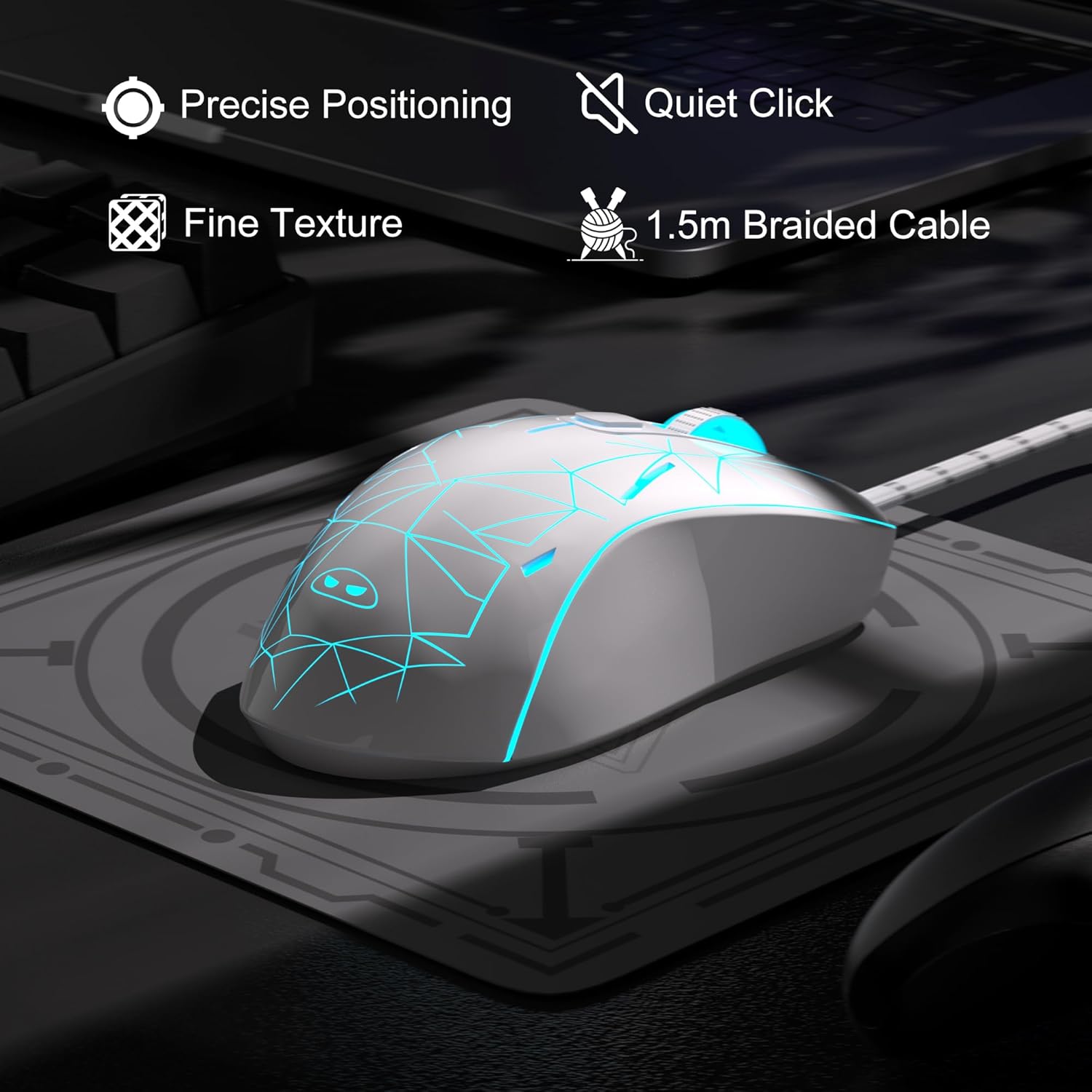
Image: The MageGee G6 mouse showcasing its 7-color breathing LED lights, including green, yellow, cyan, blue, red, and white.
4. Mantenimiento
- Limpieza: Utilice un paño suave y seco para limpiar el ratón. Evite utilizar productos químicos agresivos o materiales abrasivos.
- Cuidado de cables: Do not pull or twist the braided USB cable excessively to prevent damage.
- Almacenamiento: Store the mouse in a dry place away from extreme temperatures.
5. Solución de problemas
5.1 El ratón no responde
- Asegúrese de que el cable USB esté conectado de forma segura a un puerto USB que funcione en su computadora.
- Intente conectar el mouse a un puerto USB diferente.
- Reinicie su computadora.
5.2 Las luces LED no funcionan
- Asegúrese de que el mouse esté conectado correctamente a su computadora.
- Mantenga pulsado el Botón de velocidad for 3 seconds to toggle the LED lights on or off.
5.3 El movimiento del cursor es errático
- Limpie el sensor óptico en la parte inferior del mouse con un paño suave.
- Asegúrese de utilizar el ratón sobre una superficie adecuada (por ejemplo, un mouse pad).
- Adjust the DPI sensitivity using the Botón de velocidad.
6. Especificaciones
| Característica | Detalle |
|---|---|
| Marca | MageGee |
| Modelo | G6 |
| Tecnología de conectividad | USB, cableado |
| Tecnología de detección de movimiento | Óptico |
| Niveles de DPI | 600/800/1200/1600/2400/3200 (Adjustable) |
| Botones | 6 (Left, Right, Scroll Wheel, Speed, Forward, Back) |
| Luz de fondo LED | 7 Colors Breathing LED (Blue, Red, Green, Purple, Cyan, Yellow, White) |
| Longitud del cable | 1.5 meters (Durable Braided Cable) |
| Ergonomía | Ergonomic Design with Comfortable Grip |
| Compatibilidad | Windows 10, 8, 7, XP, WinME, Vista, Linux, PC, Laptop, Desktop |
| Peso del artículo | 5.6 onzas |
| Dimensiones del paquete | 5.31 x 3.62 x 1.65 pulgadas |
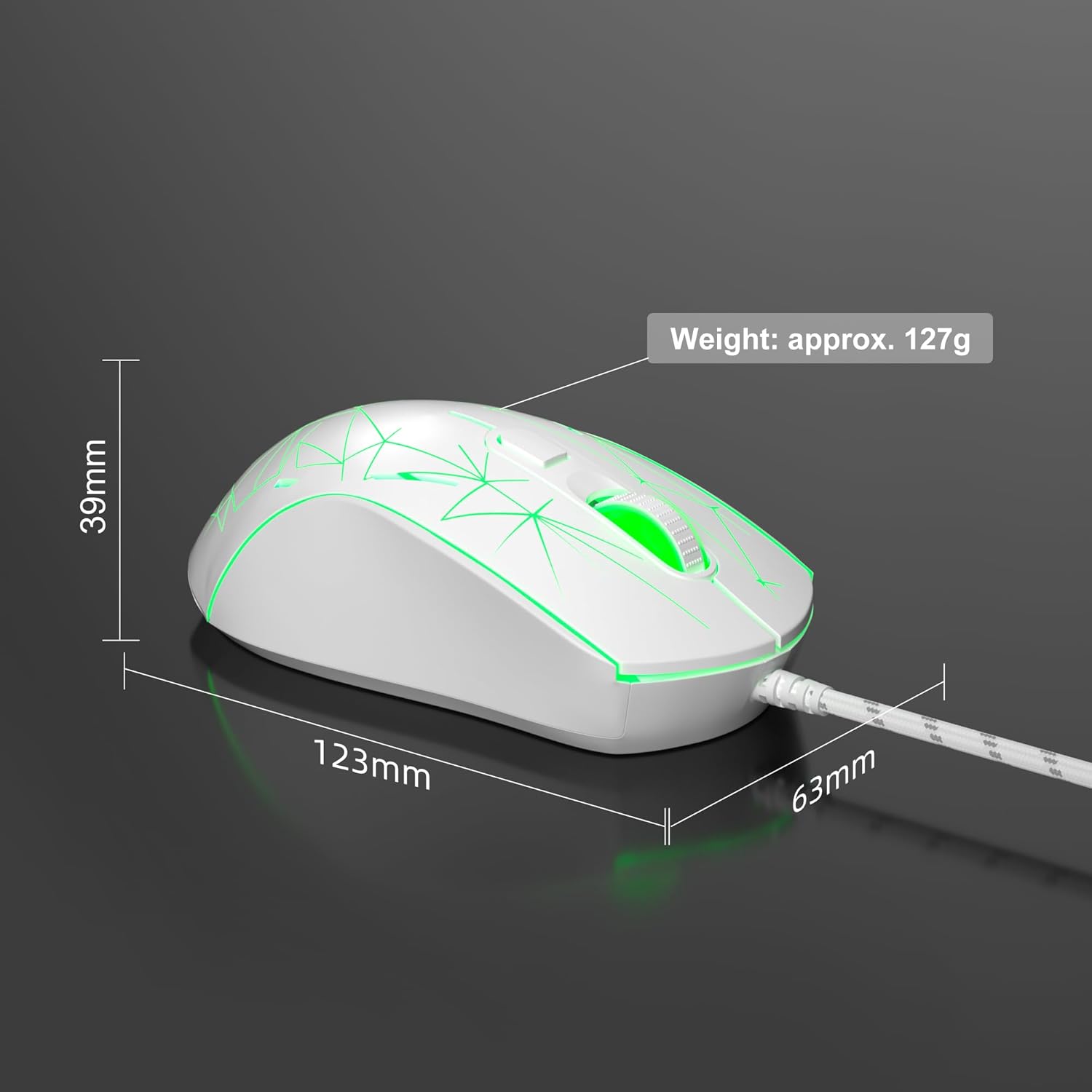
Image: Diagram illustrating the dimensions of the MageGee G6 Wired Gaming Mouse (123mm length, 63mm width, 39mm height, approx. 127g weight).
7. Garantía y soporte
For warranty information and customer support, please refer to the official MageGee webSitio web o contacte a su vendedor. Conserve el recibo de compra para reclamaciones de garantía.
MageGee is committed to technological and product innovation, providing quality computer peripherals. Our after-sales team is available to promptly respond and solve your problems.
Visita el Tienda MageGee Para más productos e información.