
1. Introducción
This manual provides detailed instructions for the installation, operation, and maintenance of your Overmax Camspot 3.7 Full HD Wireless Indoor Camera. Please read this manual thoroughly before using the product to ensure proper function and safety. Keep this manual for future reference.
2. Contenido del paquete
Verifique que todos los componentes estén presentes en el paquete:
- Overmax Camspot 3.7 Wireless Indoor Camera
- Cable de alimentación con adaptador
- Mounting Kit (screws, wall plugs, bracket)
- Manual de usuario (este documento)
3. Producto terminadoview
Familiarícese con los componentes e interfaces de la cámara.
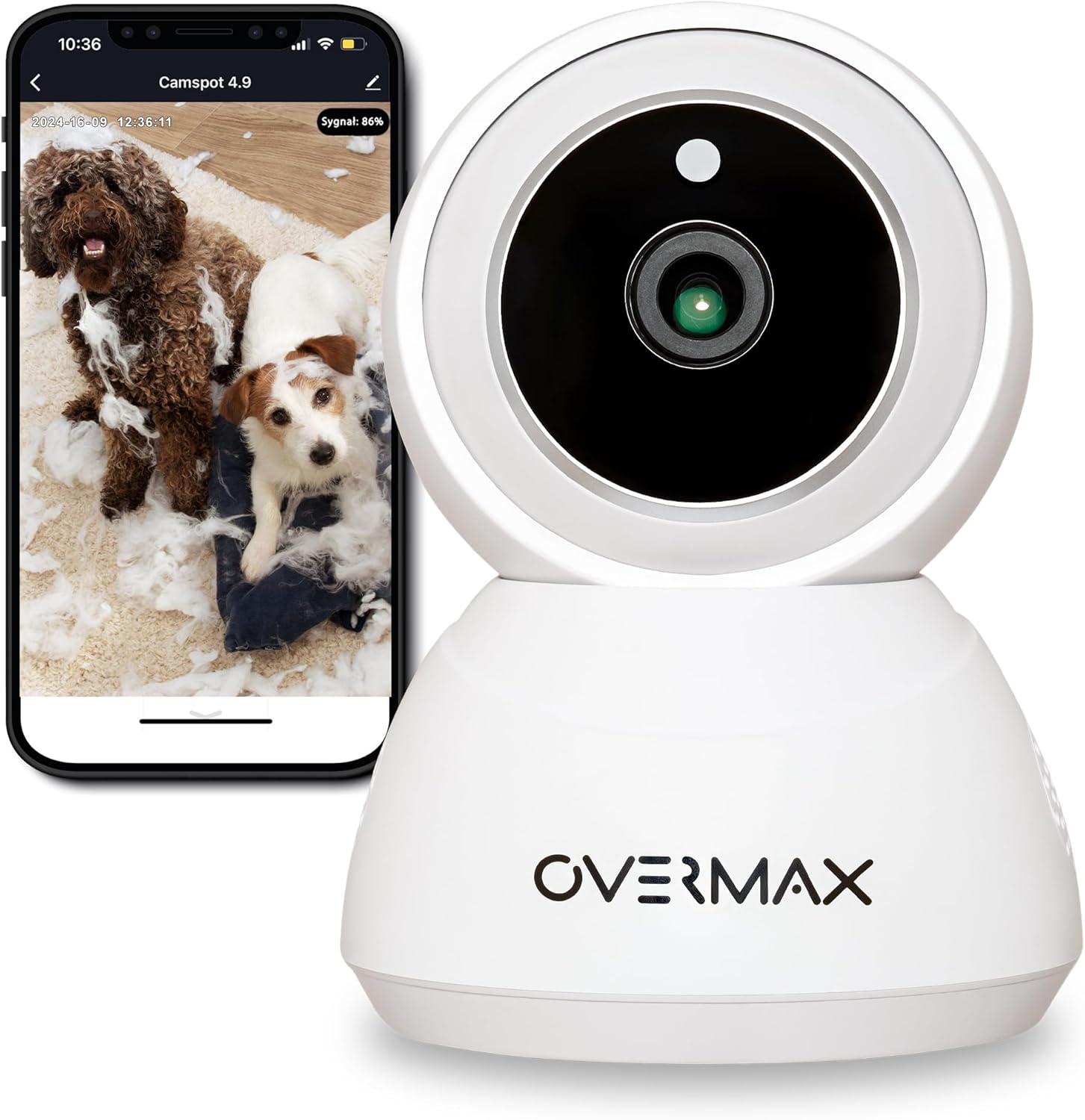
Figura 3.1: Frente view of the Overmax Camspot 3.7 camera with a smartphone showing the live video feed.

Figura 3.2: Lado view of the Overmax Camspot 3.7 camera, showing its dome shape and speaker grille.

Figura 3.3: Posterior view of the camera, highlighting the LAN port, Reset button, and DC 5V power input.

Figura 3.4: View of the camera with the microSD card slot visible, located beneath the lens assembly.
4. Configuración
4.1 Instalación física
The Camspot 3.7 can be placed on a flat surface or mounted to a wall or ceiling.
- Elija una ubicación: Seleccione una ubicación que proporcione lo deseado viewángulo de visión y está dentro del alcance de su red Wi-Fi o una conexión Ethernet.
- Montaje (opcional):
- Fije el soporte de montaje a la superficie deseada utilizando los tornillos y tacos de pared proporcionados.
- Secure the camera to the mounting bracket. Ensure it is firmly attached.

Figure 4.1: The Overmax Camspot 3.7 camera shown mounted on a wall bracket, illustrating a typical installation.
4.2 Instalación de la aplicación y creación de una cuenta
The Overmax Control app is required to operate the camera.
- Descargar la aplicación: Buscar "Overmax Control" in your smartphone's app store (iOS or Android) and download it.
- Crear una cuenta: Abra la aplicación y siga las instrucciones en pantalla para crear una nueva cuenta de usuario.

Figure 4.2: The Overmax Camspot 3.7 camera alongside a smartphone displaying the 'CONTROL' app logo, indicating the required application for setup and operation.
4.3 Power On and Network Connection
- Encendido: Connect the power cable to the camera's DC 5V port and plug the adapter into a power outlet. The camera will power on and initiate its startup sequence.
- Conexión de red:
- Wifi: Siga las instrucciones de la aplicación para conectar la cámara a su red Wi-Fi de 2.4 GHz.
- Ethernet (opcional): Connect an Ethernet cable from your router to the camera's LAN port for a wired connection.
4.4 Emparejamiento de la cámara
Once the camera is powered on and the app is installed, proceed with pairing:
- Agregar dispositivo: In the Overmax Control app, tap the "Add Device" or "+" icon.
- Seleccionar el tipo de cámara: Choose the appropriate camera model (Camspot 3.7).
- Escanear código QR: The app will prompt you to scan a QR code. Position your smartphone's screen with the QR code approximately 15-20 cm in front of the camera lens. The camera will emit a sound upon successful scanning.
- Configuración completa: Follow any remaining on-screen prompts in the app to finalize the pairing process.

Figure 4.3: The Overmax Camspot 3.7 camera positioned to scan a QR code displayed on a smartphone, a common method for device pairing.
5. Instrucciones de funcionamiento
5.1 en vivo View
Access the live video feed from your camera through the Overmax Control app. This allows real-time monitoring of the camera's surroundings.
5.2 Control de panorámica/inclinación
The Camspot 3.7 features motorized pan and tilt capabilities.
- Rotación horizontal: 355 grados
- Rotación vertical: 120 grados
Use the directional controls within the Overmax Control app to adjust the camera's viewángulo de inclinación de forma remota.

Figure 5.1: Diagram illustrating the camera's extensive pan (355°) and tilt (120°) rotation range.
5.3 Audio bidireccional
The camera is equipped with a microphone and speaker, enabling two-way communication. You can listen to the camera's environment and speak through the camera using the app.
5.4 Detección de movimiento y seguimiento automático
The camera can detect moving objects and automatically track their movement within its field of view. Configure motion detection sensitivity and alerts in the app settings.
5.5 Visión nocturna
The Camspot 3.7 features infrared technology for clear viewing in low-light or complete darkness, with a night vision range of up to 10 meters. The camera automatically switches to night mode when ambient light is insufficient.
5.6 Grabación y almacenamiento
The camera supports two primary storage methods for video recordings:
- Tarjeta MicroSD: Insert a microSD card (up to 128GB, not included) into the designated slot for local storage. This allows for continuous recording for up to 3 weeks.
- Almacenamiento en la nube: The camera supports real-time cloud storage for recordings. Refer to the app for subscription details and options.
5.7 Integración de casas inteligentes
The Camspot 3.7 is compatible with Google Home and Amazon Alexa. Follow the instructions within the respective smart home apps to integrate your camera for voice control and automation.
5.8 Baby Monitor Function
Utilize the camera's features, including two-way audio and night vision, to monitor an infant. The app provides a comprehensive interface for this purpose.

Figure 5.2: The Overmax Camspot 3.7 camera shown with a smartphone displaying the app's control interface, including options for screenshot, speaking, recording, cloud storage, and direction control.
6. Mantenimiento
- Limpieza: Utilice un paño suave y seco para limpiar la lente y el cuerpo de la cámara. No utilice productos químicos agresivos ni limpiadores abrasivos.
- Actualizaciones de firmware: Regularly check the Overmax Control app for available firmware updates to ensure optimal performance and security.
- Administración de almacenamiento: Repita periódicamenteview and manage recordings on your microSD card or cloud storage to free up space if needed.
7. Solución de problemas
- La cámara no se conecta a Wi-Fi:
- Asegúrese de que su red Wi-Fi sea de 2.4 GHz. La cámara no admite redes de 5 GHz.
- Compruebe que la contraseña de Wi-Fi sea correcta.
- Acerque la cámara al enrutador.
- Reinicie la cámara y el enrutador.
- Sin vida View:
- Verify internet connection on your smartphone and the camera.
- Compruebe si la cámara está encendida y conectada a la red.
- Reinicia la aplicación.
- La detección de movimiento no funciona:
- Asegúrese de que la detección de movimiento esté habilitada en la configuración de la aplicación.
- Ajuste la configuración de sensibilidad.
- Compruebe si hay obstrucciones en la cámara. view.
- La tarjeta MicroSD no graba:
- Asegúrese de que la tarjeta microSD esté insertada correctamente.
- Formatee la tarjeta microSD a través de la aplicación.
- Check if the card is full or corrupted.
- La cámara no responde:
- Press and hold the Reset button (located at the back) for approximately 5-10 seconds to factory reset the camera. You will need to re-pair it after a reset.
8. Especificaciones
| Característica | Especificación |
|---|---|
| Nombre del modelo | Overmax Camspot 3.7 |
| Resolución de vídeo | Full HD (1080p) |
| Lente | 3.6 milímetros |
| Cuadros por segundo (FPS) | 25-30 |
| Compresión de vídeo | H.264 |
| Rotación horizontal | 355° |
| Rotación vertical | 120° |
| Rango de visión nocturna | Hasta 10 metros (infrarrojos) |
| Compatibilidad con tarjetas MicroSD | Hasta 128 GB |
| Conectividad | Wi-Fi (2.4 GHz), Ethernet |
| Sistemas compatibles | Windows XP/7/8/10, Android, iOS, Mac |
| Audio bidireccional | Yes (Microphone, 1W Speaker) |
| Detección de movimiento | Yes (Automatic Detector) |
| Fuente de alimentación | 12 Volts, 1 Watt |
| Dimensiones (L x An x Al) | 8.5 x 8.2 x 10.5 cm |
| Peso | 180 gramos |
| Material | Metal |
| Color | Blanco |
9. Garantía y soporte
Overmax products are covered by a manufacturer's warranty. For specific warranty terms and conditions, please refer to the warranty card included in your package or visit the official Overmax websitio.
For technical support, troubleshooting assistance, or any product-related inquiries, please contact Overmax customer service through the contact information provided on the official website or within the Overmax Control application.