
1. Introducción
Thank you for choosing the Symcode 2-in-1 Wireless CCD Barcode Scanner. This device offers both 2.4GHz wireless and USB wired connectivity, providing flexibility for various applications. It is designed for efficient and accurate scanning of 1D barcodes from both printed materials and digital screens. This manual provides detailed instructions on setting up, operating, maintaining, and troubleshooting your barcode scanner.
2. Producto terminadoview
2.1 Contenido del paquete
Al desembalar, verifique que todos los elementos enumerados a continuación estén presentes y en buenas condiciones:
- 1 x Symcode CCD Barcode Scanner
- 1 x cable USB
- 1 adaptador inalámbrico de 2.4 GHz
- 1 x Manual de usuario en inglés

Figure 2.1: Package Contents of the Symcode Barcode Scanner.
2.2 Componentes del escáner
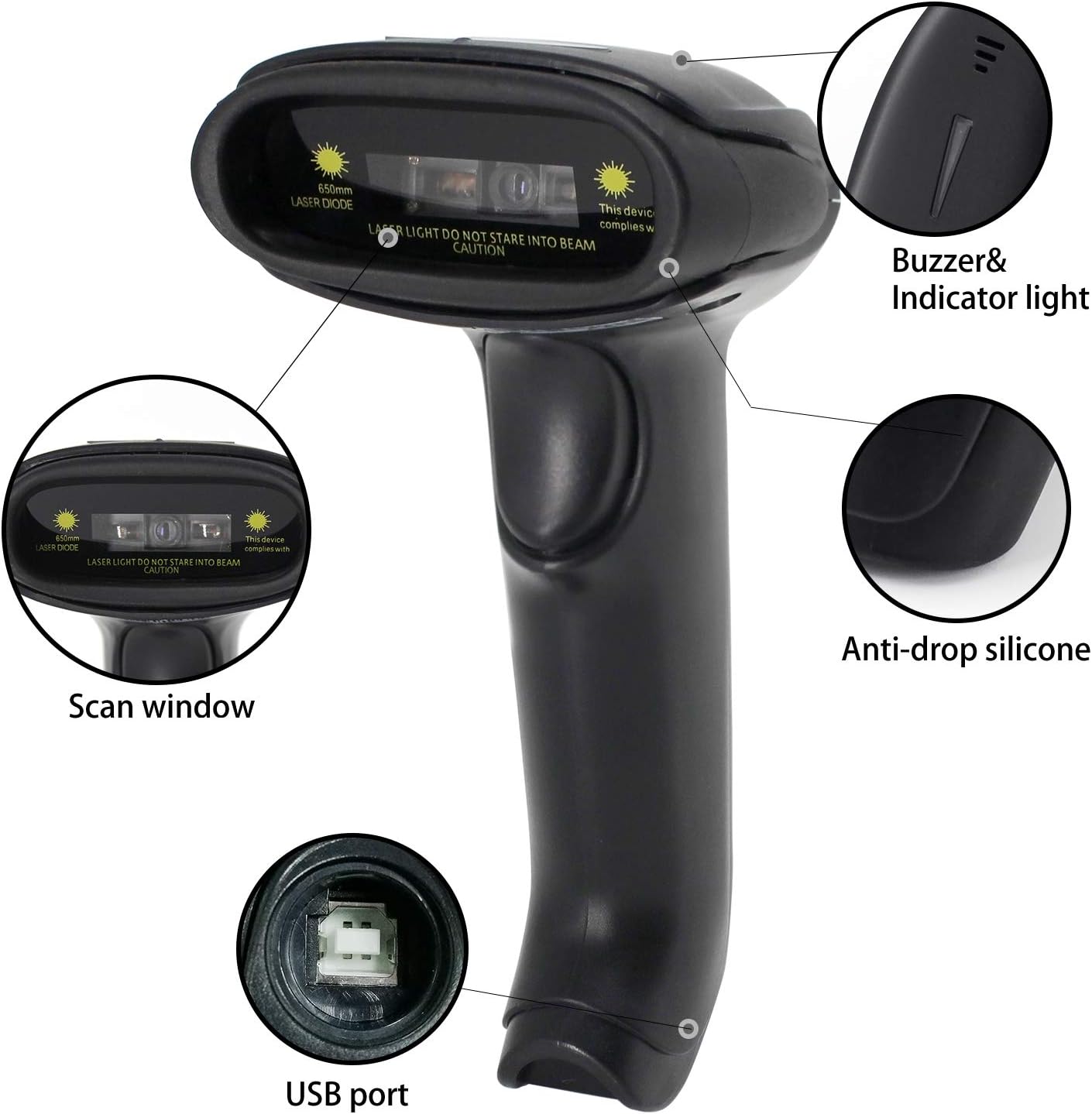
Figure 2.2: Key Components of the Symcode Barcode Scanner.
- Ventana de escaneo: Area through which the barcode is read.
- Buzzer & Indicator Light: Provides audio and visual feedback for successful scans and status.
- Puerto USB: Para conexión por cable y carga.
- Anti-drop Silicone: Provides protection against accidental drops.
2.3 Dimensiones del producto
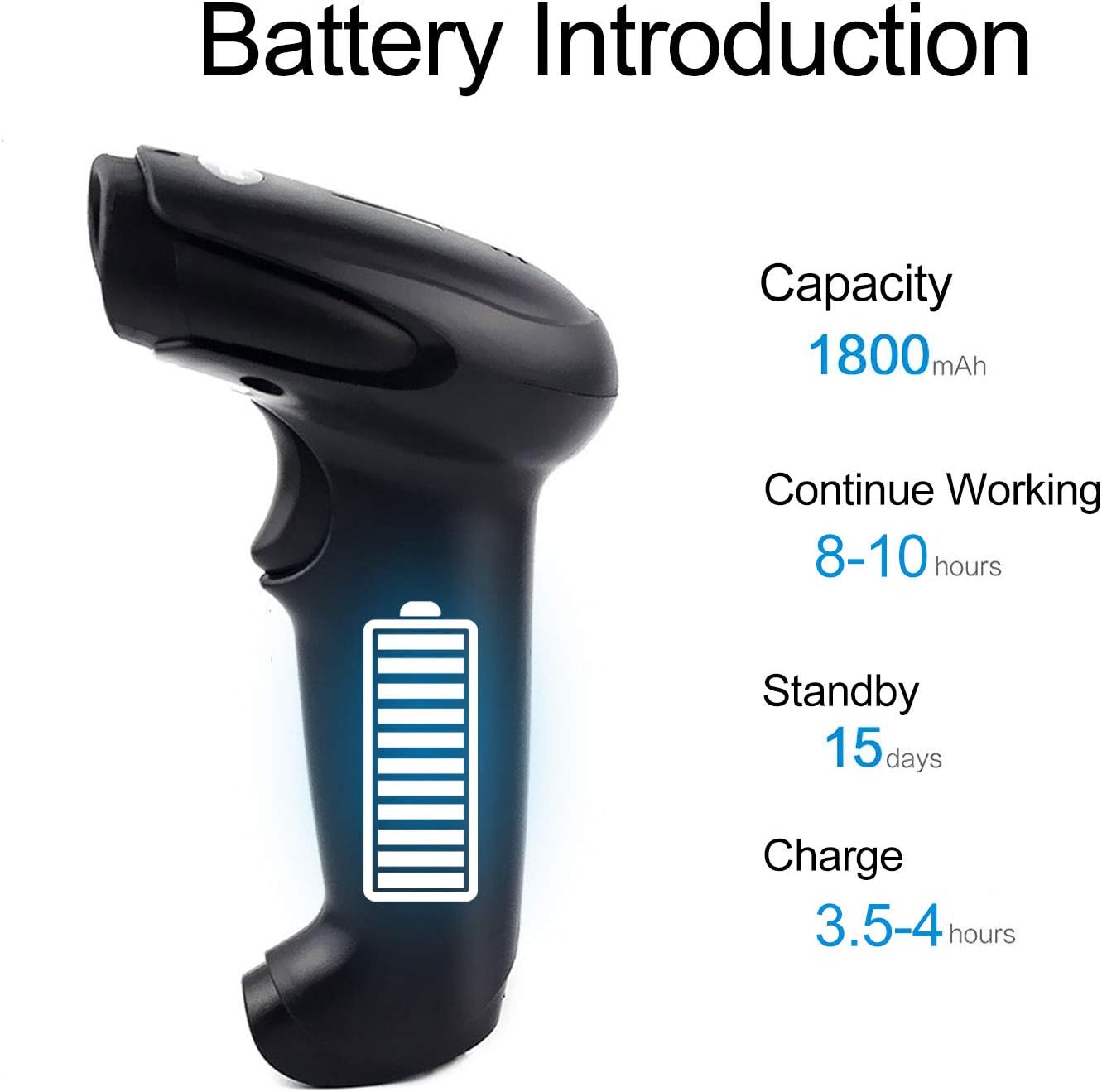
Figure 2.3: Dimensions of the Symcode Barcode Scanner.
3. Configuración
3.1 Conexión por cable (USB)
- Connect the USB cable to the scanner's USB port.
- Plug the other end of the USB cable into an available USB port on your computer, laptop, or POS machine.
- The scanner is plug-and-play; no additional drivers are required. It will be recognized automatically by Windows, Mac, Android, and Linux systems.
3.2 Conexión inalámbrica (dongle de 2.4 GHz)
- Insert the 2.4GHz wireless dongle into an available USB port on your computer, laptop, or POS machine.
- Turn on the barcode scanner. It will automatically pair with the dongle.
- The scanner is plug-and-play; no additional drivers are required. It will be recognized automatically by Windows, Mac, Android, and Linux systems.
4. Instrucciones de funcionamiento
4.1 Procedimiento básico de escaneo
- Asegúrese de que el escáner esté encendido y conectado (con cable o de forma inalámbrica).
- Apunte la ventana de escaneo al código de barras que desea escanear.
- Press the trigger button (if in trigger mode) or position the scanner over the barcode (if in auto-sense or continuous mode).
- A successful scan will be indicated by a beep and a flash of the indicator light. The barcode data will be transmitted to your connected device.
4.2 Modos de escaneo
El escáner admite tres modos de escaneo:
- Escaneo de activación: Press the trigger button to activate the scan beam.
- Auto-sense Scan: El escáner detecta automáticamente un código de barras en su campo de view and activates the scan beam.
- Escaneo continuo: The scan beam remains continuously active, allowing for rapid scanning without pressing the trigger.
Refer to the included user manual (physical copy) for instructions on how to switch between these scanning modes. If you encounter difficulties, please contact Symcode customer support.
4.3 Tipos de códigos de barras admitidos
This CCD barcode scanner is designed to read 1D códigos de barras, whether printed on paper or displayed on digital screens. It does not support 2D barcodes (e.g., QR codes).
Supported 1D barcode symbologies include: EAN-8, EAN-13, Codabar, CODE11, CODE 39, CODE 93, CODE128, China Post, GS1-128, GS1 Limited, GS1 Omnidirectional, UPC-A, UPC-E, ISBN/ISSN, ISBT, Interleaved 2 of 5, Matrix 2 of 5, Industrial 2 of 5, 2 of 5, MSI, Plessey, ITF14.

Figure 4.1: Scanning a barcode from a digital screen.
5. Información de la batería
The Symcode barcode scanner is equipped with a high-capacity rechargeable battery for extended operation.

Figura 5.1: Especificaciones de la batería.
- Capacidad: 1800 mAh
- Tiempo de trabajo continuo: 8 a 10 horas
- Tiempo en espera: 15 días
- Tiempo de carga: 3.5 a 4 horas
To charge the scanner, connect it to a USB power source using the provided USB cable. The indicator light will show charging status.
6. Conectividad inalámbrica
The 2.4GHz wireless connection provides reliable data transmission over a significant range.
- Transmission Distance (Indoor): 15-30 meters (in crowded indoor environments)
- Transmission Distance (Outdoor): 30-100 meters (in open outdoor environments)

Figure 6.1: Wireless Transmission Range.
Modos de funcionamiento de 6.1
The scanner supports two primary operating modes for data handling:
- Modo normal: Data is transferred immediately after each scan.
- Modo de almacenamiento: Barcode data is stored internally in the scanner's 16MB memory (capable of storing over 50,000 barcode entries). Data can then be uploaded to the connected device by scanning a specific setting code. This mode is useful for inventory taking or when out of wireless range.
7. Programación de códigos de barras
The Symcode barcode scanner is programmable, allowing customization of its output and behavior. These settings are typically configured by scanning specific programming barcodes found in the full user manual.
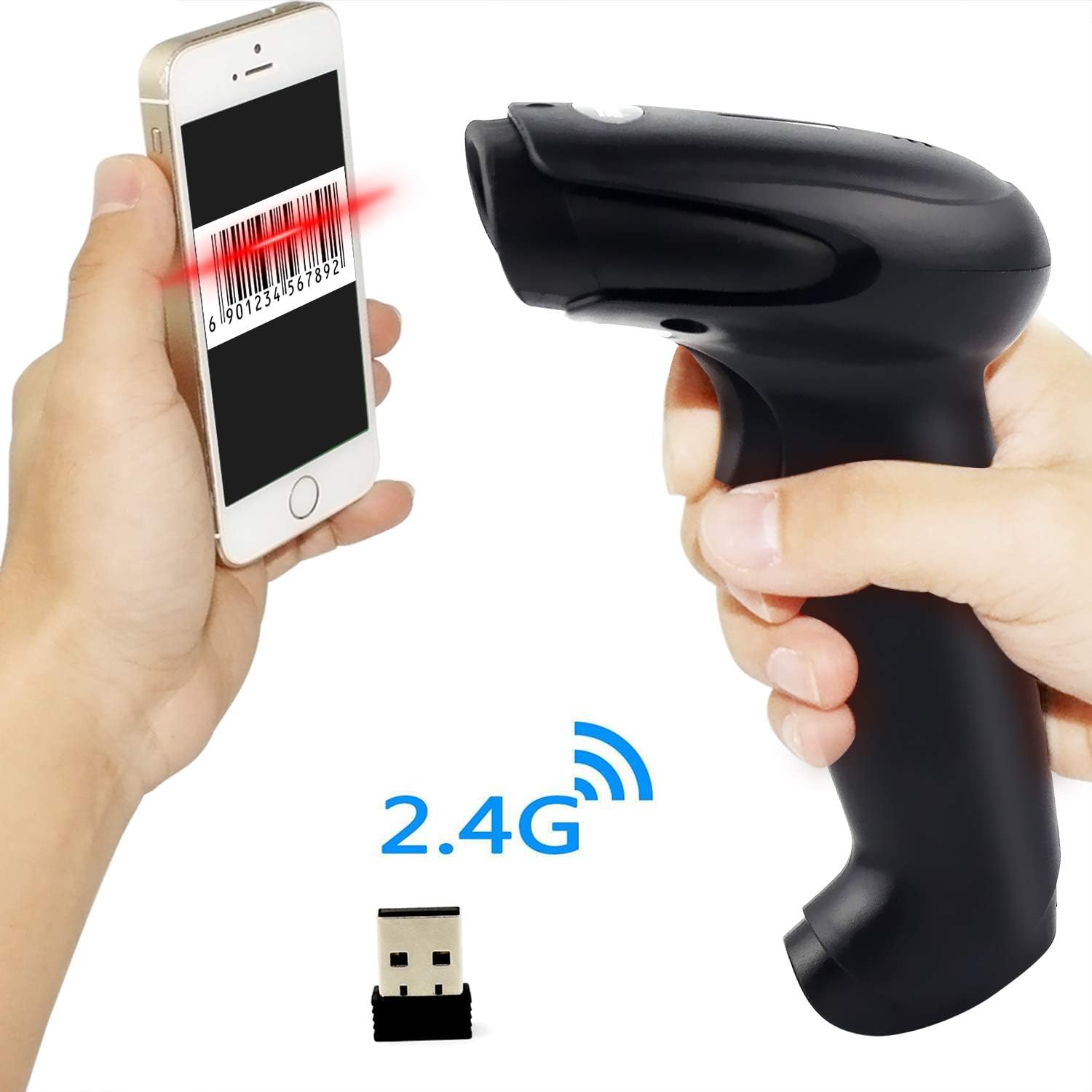
Figure 7.1: Barcode Programming Capabilities.
Las funciones programables incluyen:
- Conversión de caso: Adjusting output to uppercase or lowercase.
- Ajuste de volumen: Changing the sound level of the buzzer.
- Configuración de Terminator: Adding a specific character (e.g., Enter, Tab) after each scanned barcode.
- Prefix or Suffix Setting: Adding custom characters before or after the scanned data.
- Character Manipulation: Adding or masking specific characters within the barcode data.
For detailed programming instructions, please refer to the comprehensive programming guide included with your scanner or contact Symcode support.
8. Mantenimiento
Un mantenimiento adecuado garantiza la longevidad y el rendimiento óptimo de su escáner.
- Limpieza: Utilice un paño suave y seco para limpiar el exterior del escáner. Para la ventana de escaneo, utilice un paño sin pelusa ligeramente seco.ampLimpie con un limpiador no abrasivo. Evite productos químicos agresivos o materiales abrasivos.
- Almacenamiento: Guarde el escáner en un lugar fresco y seco, alejado de la luz solar directa y de temperaturas extremas.
- Cuidado de la batería: Avoid fully discharging the battery frequently. If storing for a long period, charge the battery to about 50% and recharge every few months.
9. Solución de problemas
Si tiene problemas con su escáner, consulte los siguientes problemas y soluciones comunes:
| Problema | Posible causa / solución |
|---|---|
| El escáner no se enciende. | Battery is low or depleted. Charge the scanner for 3.5-4 hours. |
| Scanner does not scan barcodes. |
|
| No se transmiten datos a la computadora. |
|
| El escáner emite un pitido continuo o se comporta de manera errática. | The scanner might be in an incorrect setting mode. Refer to the full user manual for factory reset instructions or contact support. |
If the problem persists after trying these solutions, please contact Symcode customer support for further assistance.
10. Especificaciones
| Parámetro | Valor |
|---|---|
| Fuente de luz | 632nm Visible LED Light |
| Modo de escaneo | Trigger / Auto-sense / Continuous |
| Resolución | ≥ 4 mil / 0.1mm @ PCS90% |
| Procesador | ARM de 32 bits |
| Velocidad de escaneo | 200 escaneos/seg |
| Profundidad de campo | 40-500 milímetros |
| Indicador | LED y zumbador |
| Contraste de impresión | ≥ 30% |
| Vol de funcionamientotage | CC 3.3 V-5 V |
| Capacidad de la batería | 1800 mAh |
| Operación continua | 8-10 horas |
| Tiempo de espera | 15 días |
| Tiempo de carga | 3.5-4 horas |
| Wireless Transmission (Indoor) | 15-30 metros |
| Wireless Transmission (Outdoor) | 30-100 metros |
| Capacidad de almacenamiento | 16MB (over 50,000 barcode entries) |
| Temperatura de funcionamiento | -20 ℃ to 50 ℃ (-4 ℉ to 122 ℉) |
| Temperatura de almacenamiento | -40 ℃ to 70 ℃ (-40 ℉ to 158 ℉) |
| Humedad | 5% a 95% (sin condensación) |
| Brillo ambiental | Máximo 100,000 lux |
| Sistema operativo compatible | Windows, Mac, Android, Linux |
11. Garantía y soporte
The Symcode barcode scanner comes with a Garantía de 180 días A partir de la fecha de compra, cubre defectos de fabricación y mal funcionamiento en condiciones normales de uso. Conserve el comprobante de compra para reclamaciones de garantía.
For technical support, warranty service, or any questions regarding your product, please contact Symcode customer service through the platform where you purchased the product or refer to the contact information provided in the physical user manual.