
Tera 1100D
Tera Mini 1D 2D QR Wireless Barcode Scanner
Modelo: 1100D - Manual del usuario
1. Introducción y másview
The Tera Mini 1D 2D QR Wireless Barcode Scanner is a compact, robust, and versatile device designed for efficient barcode data collection. Its IP66 waterproof and dustproof rating ensures durability in various environments. With multiple connection options and support for a wide range of barcode types, this scanner is suitable for diverse applications.

Figure 1.1: Tera Mini 1100D Barcode Scanner and accessories.
2. Contenido del paquete
Por favor verifique que todos los artículos estén presentes en el paquete:
- Escáner de código de barras x1
- USB cable x1
- Dongle x1
- Manual de usuario x1 (este documento)
3. Características y componentes del producto
The Tera Mini 1100D is designed with user convenience and durability in mind. Key components and features include:
-
Silicone Button: Provides a soft and smooth scanning experience.
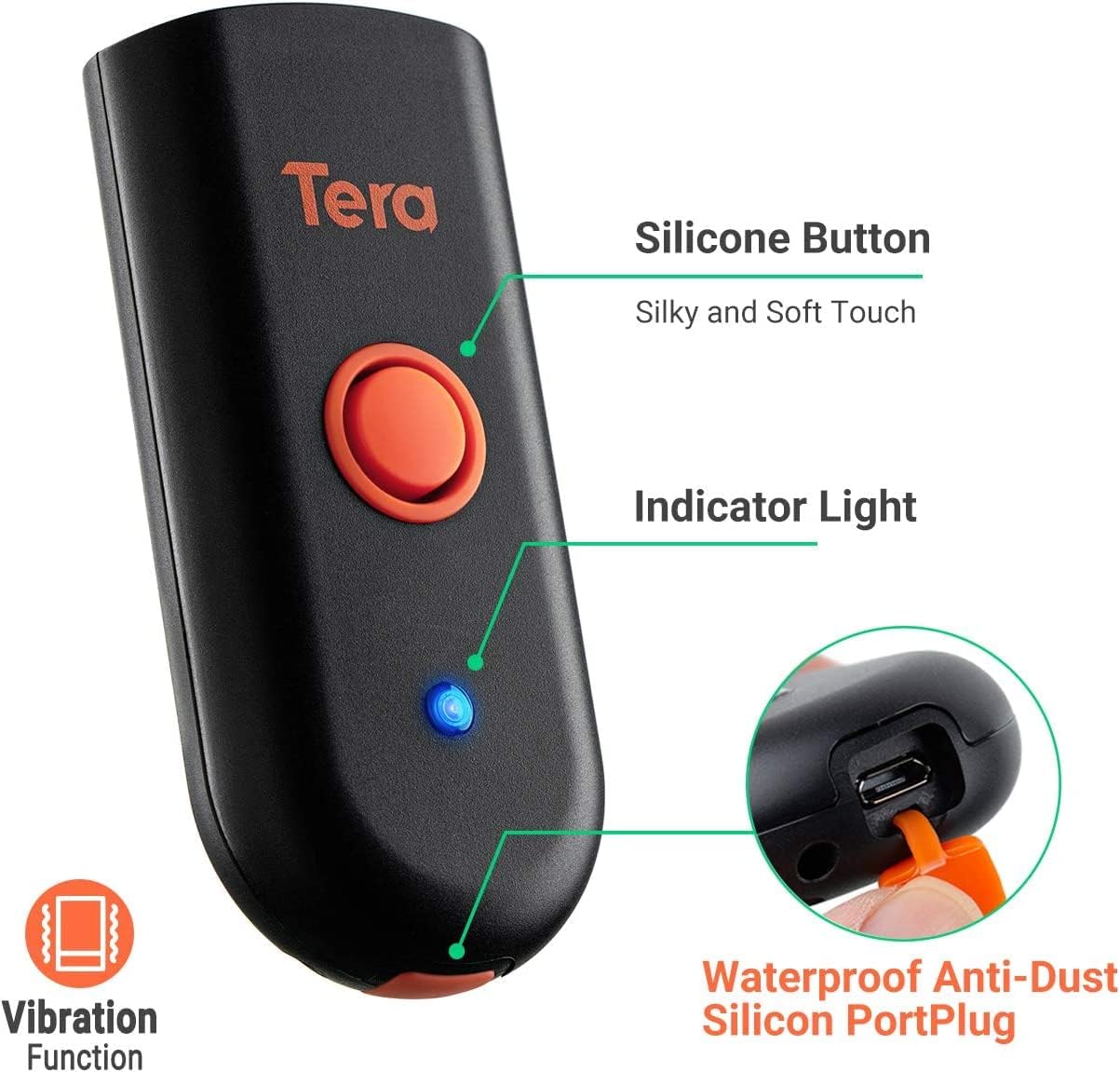
Figure 3.1: Scanner components including the silicone button and port plug.
- Luz indicadora: Proporciona información visual sobre el estado del escáner.
-
Waterproof Anti-Dust Silicone Port Plug: Ensures better performance in various working conditions by protecting the charging port.

Figure 3.2: Detail of the waterproof silicone port plug.
-
Alerta de vibración: Provides tactile feedback when a barcode is detected, useful for quiet environments.
Figure 3.3: Vibration alert functionality.
-
Diseño compacto y ligero: Easily fits into a pocket for portability.

Figure 3.4: Scanner dimensions and portability.
4. Configuración
The Tera Mini 1100D offers three connection methods:
-
Conexión Bluetooth:
To connect via Bluetooth, ensure your device's Bluetooth is enabled. Scan the Bluetooth pairing barcode (usually found in the full user manual or quick start guide) with the scanner. The scanner will then appear in your device's Bluetooth settings for pairing.
-
Conexión inalámbrica de 2.4 GHz:
Insert the provided 2.4G USB dongle into a USB port on your computer. The scanner will automatically connect to the dongle. This mode offers a transmission distance of up to 656ft in barrier-free environments and 98ft with obstacles.
-
Conexión por cable USB:
Connect the scanner directly to your computer using the provided USB cable. The scanner will function as a wired device and also charge simultaneously.

Figure 4.1: Three-in-one connection modes.
5. Modos de funcionamiento
The scanner supports different operating and data upload modes to suit various workflows:
-
Modos de carga de datos:
- Modo de carga instantánea: Barcodes are uploaded directly to your connected device immediately after scanning.
- Modo de almacenamiento: Scan and store up to 10,000 barcodes internally. Data can be uploaded to a computer later when available.
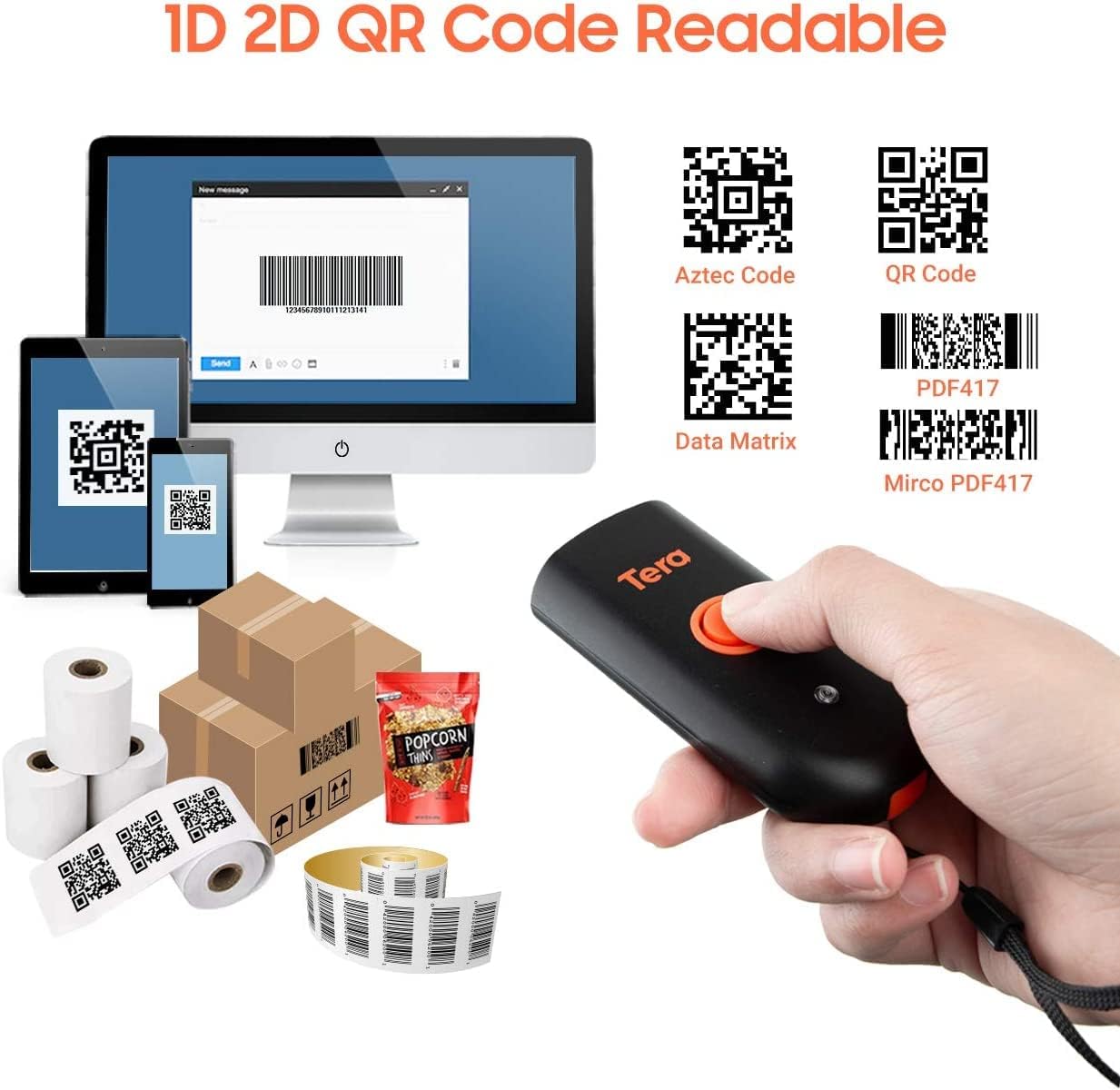
Figure 5.1: Data upload modes.
-
Modos de escaneo:
- Modo de disparo clave: Scan a barcode by pressing the trigger button for each scan.
- Modo continuo: The scanner continuously emits its scan beam, allowing for rapid scanning without repeatedly pressing the trigger.

Figure 5.2: Scanning modes.
6. Carga
To charge the Tera Mini 1100D, use the provided USB cable. Connect it to a standard USB power source. Observe the following charging guidelines:
- Corriente de carga recomendada: 5 V/1 A.
- Corriente de carga máxima: 5 V/1.2 A.
- Importante: Do NO use quick charge adapters or USB Power Delivery (USB PD) standard power adapters and data cables to charge this scanner. Use only the original USB cable included in the package for optimal charging and to prevent damage.
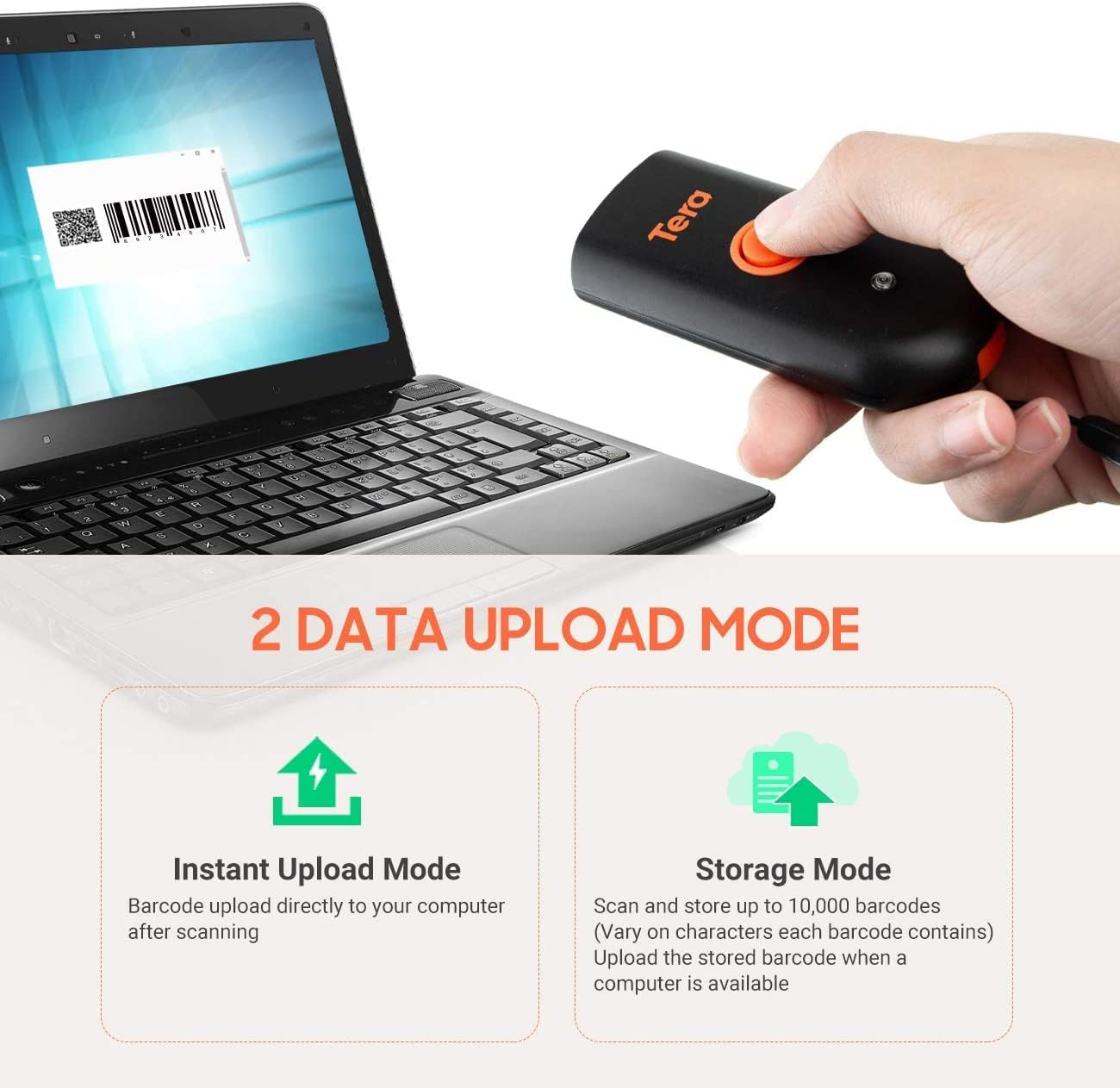
Figure 6.1: Charging specifications and warnings.
7. Compatibilidad
The Tera Mini 1100D barcode scanner is compatible with a wide range of devices and operating systems:
- Dispositivos compatibles: Desktop computers, laptops, smartphones, tablets.
- Sistemas operativos compatibles: Windows (11/10/8/7/XP), Mac OS, iOS, Android, Linux.
- Nota: This scanner is no compatible with Square POS systems.
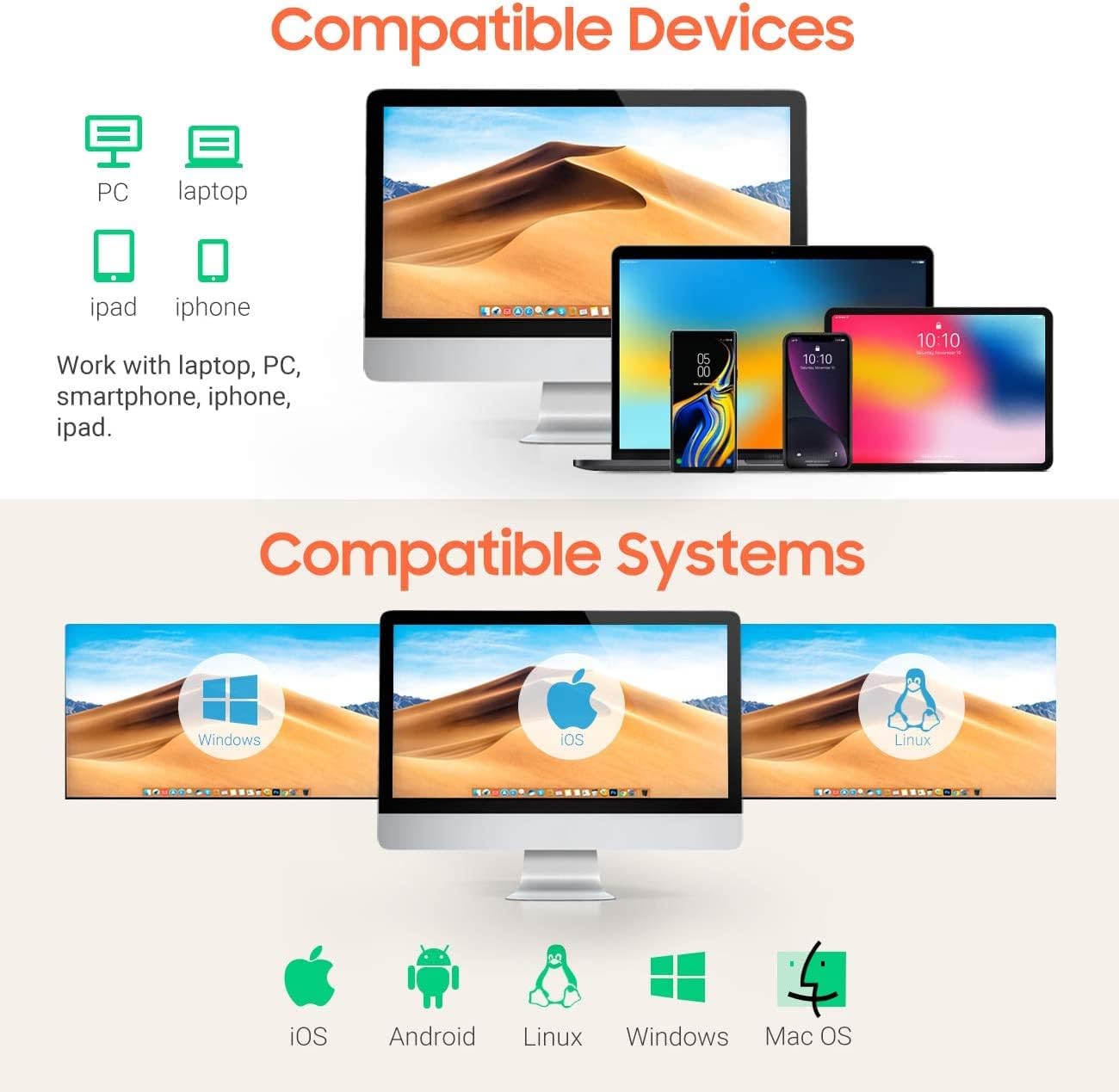
Figure 7.1: Device and system compatibility.
8. Capacidades de escaneo
The Tera Mini 1100D is capable of reading both digital and printed 1D, 2D, and QR barcode symbologies. It features a global shutter for fast and accurate decoding performance.
- 1D Decode Capability: Codabar, Code 11, Code93, MSI, Code 128, UCC/EAN-128, Code 39, EAN-8, EAN-13, UPC-A, ISBN, Industrial 25, Interleaved 25, Standard 25, 2/5 Matrix.
- 2D Decode Capability: QR, PDF417, Data Matrix, Aztec code, Maxi Code.
- The scanner supports reading barcodes directly from computer screens and mobile phones.
- It also supports adding time prefixes or suffixes to scanned data.
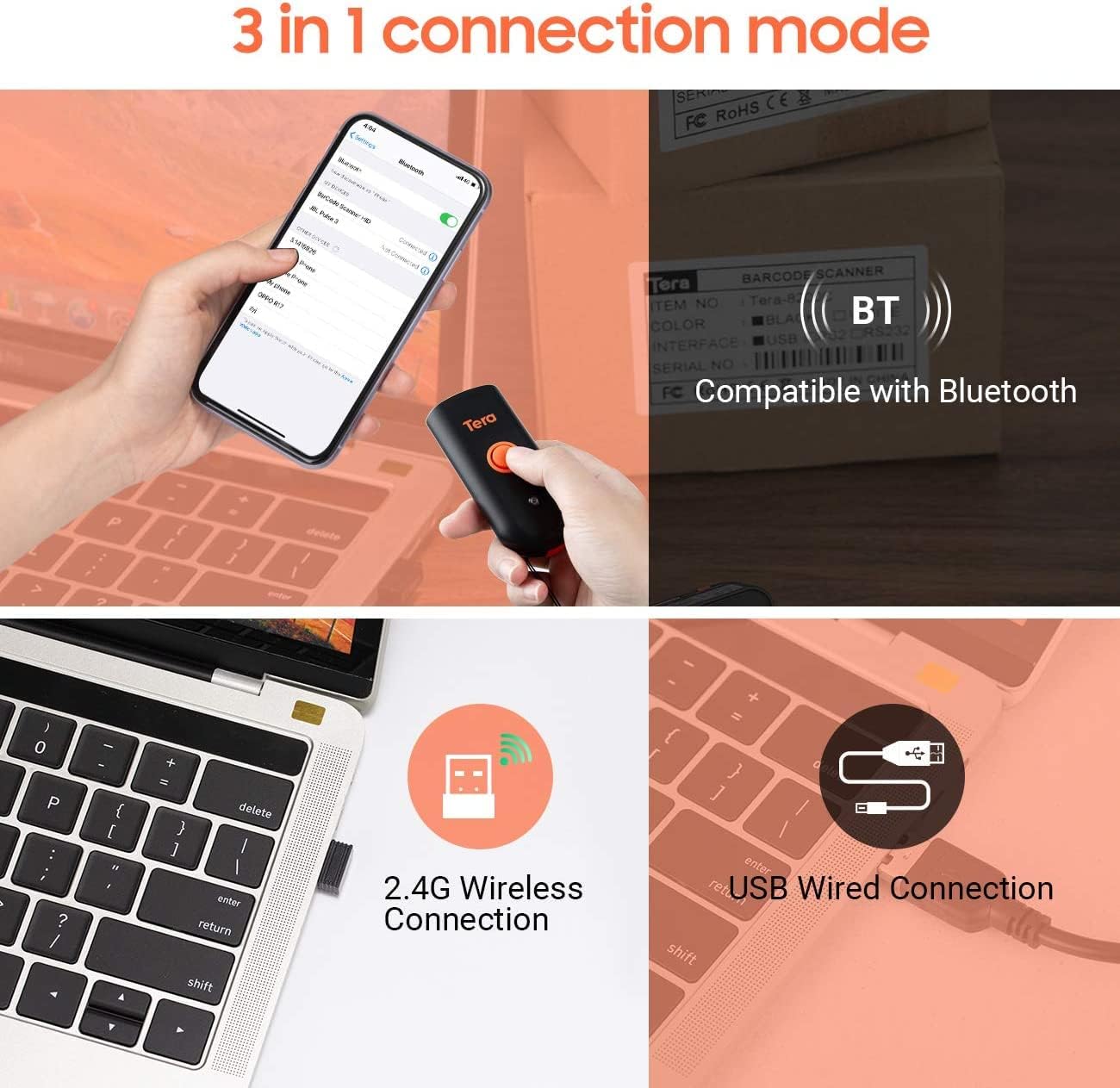
Figure 8.1: 1D, 2D, and QR code readability.
Figure 8.2: Reading barcodes from screens.
Figure 8.3: Time prefix/suffix support.
9. Configuración avanzada
The scanner can be configured for various advanced functionalities by scanning specific setup barcodes (refer to the comprehensive user manual for all configuration barcodes):
-
Adding or Hiding Digits: Customize scanned data by adding or removing specific digits from the barcode output.

Figure 9.1: Customizing barcode output.
-
Soporte multi-idioma: Configure the scanner to support various keyboard layouts for different languages, including English, Spanish, German, Japanese, French, and Italian.

Figure 9.2: Multi-language keyboard support.
10. Especificaciones
| Característica | Detalle |
|---|---|
| Dimensiones del producto | 3.43" de profundidad x 1.57" de ancho x 0.79" de alto (87 x 40 x 20 mm) |
| Peso del artículo | 5.3 onzas (150 g) |
| Tecnología de conectividad | 2.4G inalámbrico, Bluetooth, cable USB |
| Fuente de poder | Corded Electric (Internal Battery) |
| Dispositivos compatibles | Computadora de escritorio, computadora portátil, teléfono inteligente, tableta |
| Fabricante | Tera |
| Clasificación IP | IP66 (resistente al agua y al polvo) |

Figura 10.1: Diseño a prueba de agua y polvo IP66.
11. Mantenimiento
Un mantenimiento adecuado garantiza la longevidad y el rendimiento óptimo de su escáner:
- Limpieza: Use a soft, dry cloth to clean the scanner's exterior. For stubborn dirt, a slightly damp Se puede utilizar un paño, pero asegúrese de que no entre humedad en los puertos.
- Almacenamiento: Guarde el escáner en un lugar fresco y seco, alejado de la luz solar directa y de temperaturas extremas.
- Protección portuaria: Always ensure the silicone port plug is securely in place when the USB cable is not connected to maintain its waterproof and dustproof integrity.
- Cuidado de la batería: Evite descargar completamente la batería con frecuencia. Cargue el escáner regularmente, especialmente si lo guardará durante un período prolongado.
12. Solución de problemas
If you encounter issues with your Tera Mini 1100D scanner, please refer to the following common troubleshooting steps:
-
El escáner no se conecta:
- Asegúrese de que el escáner esté completamente cargado.
- Verify the correct connection mode (Bluetooth, 2.4G, or USB) is selected and properly set up.
- For Bluetooth, ensure your host device's Bluetooth is on and the scanner is in pairing mode.
- Para la conexión inalámbrica 2.4G, asegúrese de que el dispositivo USB esté insertado de forma segura y sea reconocido por su computadora.
- Intente reiniciar tanto el escáner como el dispositivo host.
-
No se pueden escanear códigos de barras:
- Asegúrese de que el escáner esté encendido y conectado.
- Compruebe si el código de barras está dañado o mal impreso.
- Adjust the scanning distance and angle. The scanner works best within 2 to 16 inches.
- Ensure there is sufficient lighting for the barcode to be read.
- Verifique que el tipo de código de barras sea compatible con el escáner (consulte la Sección 8).
- Si escanea desde una pantalla, asegúrese de que el brillo de la pantalla sea adecuado y que no haya reflejos.
-
Data Not Uploading Correctly:
- Confirm the correct data upload mode (Instant or Storage) is selected.
- If using Storage Mode, ensure you have initiated the upload process to transfer stored data.
- Check for any software or driver issues on your host device.
-
La batería se agota rápidamente:
- Asegúrese de que el escáner esté completamente cargado antes de usarlo.
- Reduce continuous scanning if not necessary, as this consumes more power.
- Check for any background processes or settings that might be keeping the scanner active.
13. Vídeo oficial del producto
Watch the official product video for a visual guide on the Tera Pro 1100D Waterproof Mini Barcode Scanner's features and capabilities.
Video 13.1: Tera Pro 1100D Waterproof Mini Barcode Scanner Overview.
14. Garantía y soporte
For warranty information, technical support, or further assistance, please contact Tera customer service through the official webSitio web o punto de compra. Conserve el recibo de compra como comprobante.
También está disponible para descargar un manual de usuario detallado en formato PDF: Descargar Manual de Usuario (PDF)
Ask a question about this manual
Ask about setup, troubleshooting, compatibility, parts, safety, or missing instructions. Manuals+ will review the question and use this page’s manual context to help answer it.