
Introducción
The Nerf Elite 2.0 Echo CS-10 Blaster is designed for customizable tactical performance in Nerf competitions. This blaster features built-in capabilities for upgrades, allowing users to adapt their strategy for various missions and battles. It offers a versatile play experience with its removable components and multiple firing modes.

Figure 1: Nerf Elite 2.0 Echo CS-10 Blaster with included darts and clip.
Información de seguridad
ADVERTENCIA: Do not aim at eyes or face. Eyewear is recommended for players and individuals within range. Only use official Nerf darts. Other darts may not meet safety standards. Do not modify darts or the blaster. ADVERTENCIA: CHOKING HAZARD - Small parts may be generated. Not suitable for children under 3 years of age.
Contenido del paquete
- 1x Nerf Elite 2.0 Echo CS-10 Blaster
- 1x Removable Stock
- 1x Removable Barrel Extension
- 1x Clip para 10 dardos
- 24x Official Nerf Darts

Figure 2: All components included in the Nerf Elite 2.0 Echo CS-10 Blaster package.
Guía de configuración
1. Loading Darts into the Clip
- Tome el cargador de 10 dardos.
- Insert up to 10 Official Nerf darts into the clip, ensuring they are fully seated.
- Mantén los 14 dardos restantes cerca para recargarlos rápidamente durante el juego.

Figure 3: Loading darts into the 10-dart clip.
- Insert the loaded 10-dart clip firmly into the blaster's magazine well until it clicks into place.

Figure 4: Inserting the loaded clip into the blaster.
2. Attaching Removable Components (Customization)
The Echo CS-10 blaster is designed for customization with its removable stock and barrel extension. These can be attached or removed to change the blaster's configuration for different play styles.
- Para adjuntar el removable stock, align the stock with the rear attachment point on the blaster and push firmly until it locks into place.
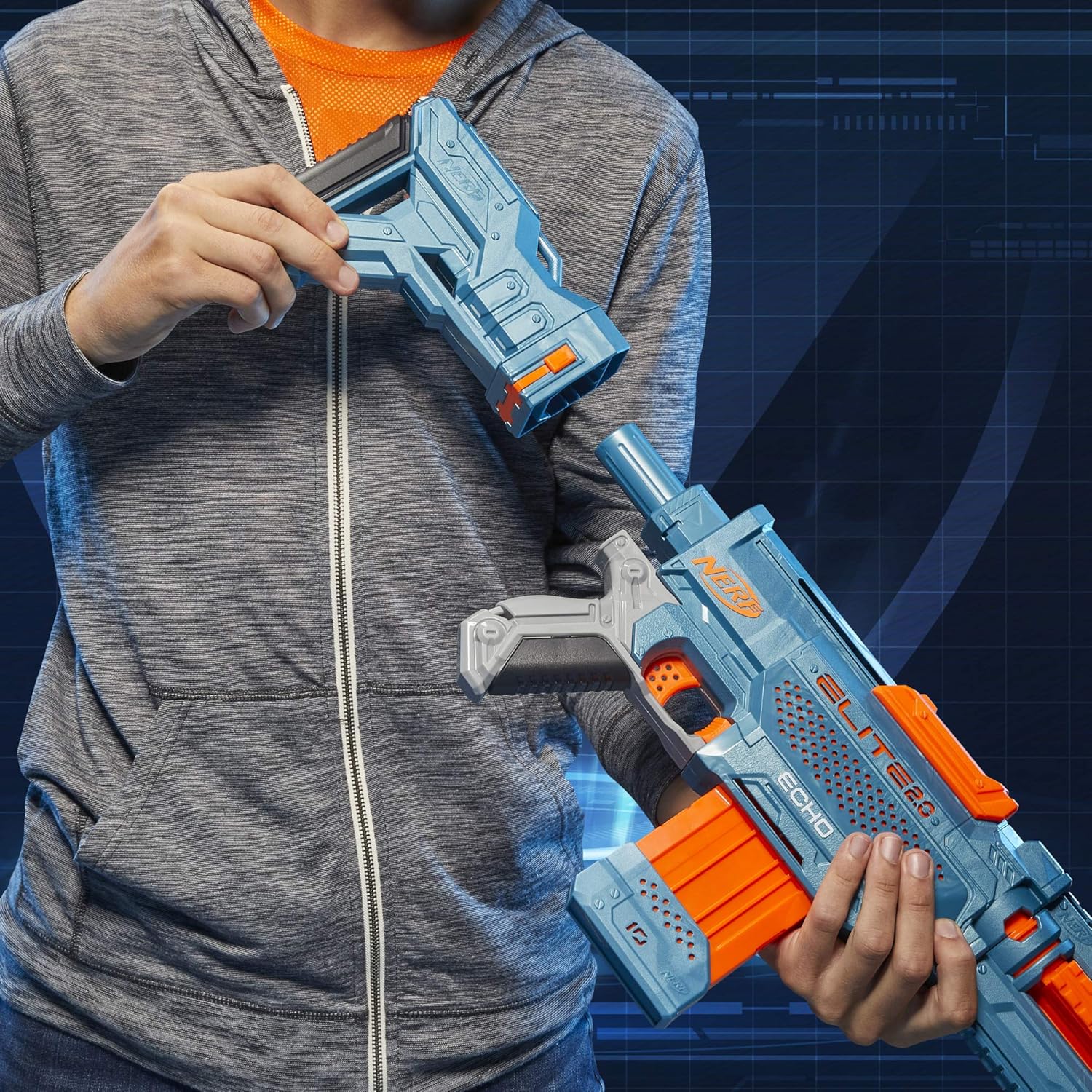
Figure 5: Attaching the removable stock.
- Para adjuntar el removable barrel extension, align it with the front of the blaster and twist to secure it.

Figure 6: Attaching the removable barrel extension.
The blaster also features 5 tactical rails for adding other compatible Nerf accessories (sold separately).
Instrucciones de funcionamiento
1. Single Shot Firing
- Ensure the 10-dart clip is loaded and inserted into the blaster.
- Grip the orange priming slide located on top of the blaster.
- Move the priming slide fully backward, then fully forward. This primes the blaster for firing.
- Apunta el bláster hacia tu objetivo.
- Press the trigger to fire one dart.
2. Slam Fire Action
The slam-fire feature allows for rapid, continuous dart blasting.
- Mantenga presionado el gatillo.
- While holding the trigger, rapidly move the orange priming slide backward and forward repeatedly to unleash all 10 darts in quick succession.
Video 1: Demonstration of the Nerf Elite 2.0 Echo CS-10 Blaster's firing capabilities, including single shot and slam fire.
3. Blaster Customization
The Nerf Elite 2.0 Echo CS-10 Blaster offers multiple ways to customize its configuration:
- Standard Blaster: Use the blaster without the stock or barrel extension for a compact design.
- Blaster with Stock: Attach the removable stock for increased stability and aiming support.
- Blaster with Barrel Extension: Attach the removable barrel extension for a longer barrel and potentially improved accuracy over distance.
- Configuración completa: Attach both the stock and barrel extension for a complete rifle-like setup.
- Rieles tácticos: Utilize the 5 tactical rails to attach compatible Nerf accessories such as scopes, grips, or other gear (sold separately) to enhance your play.
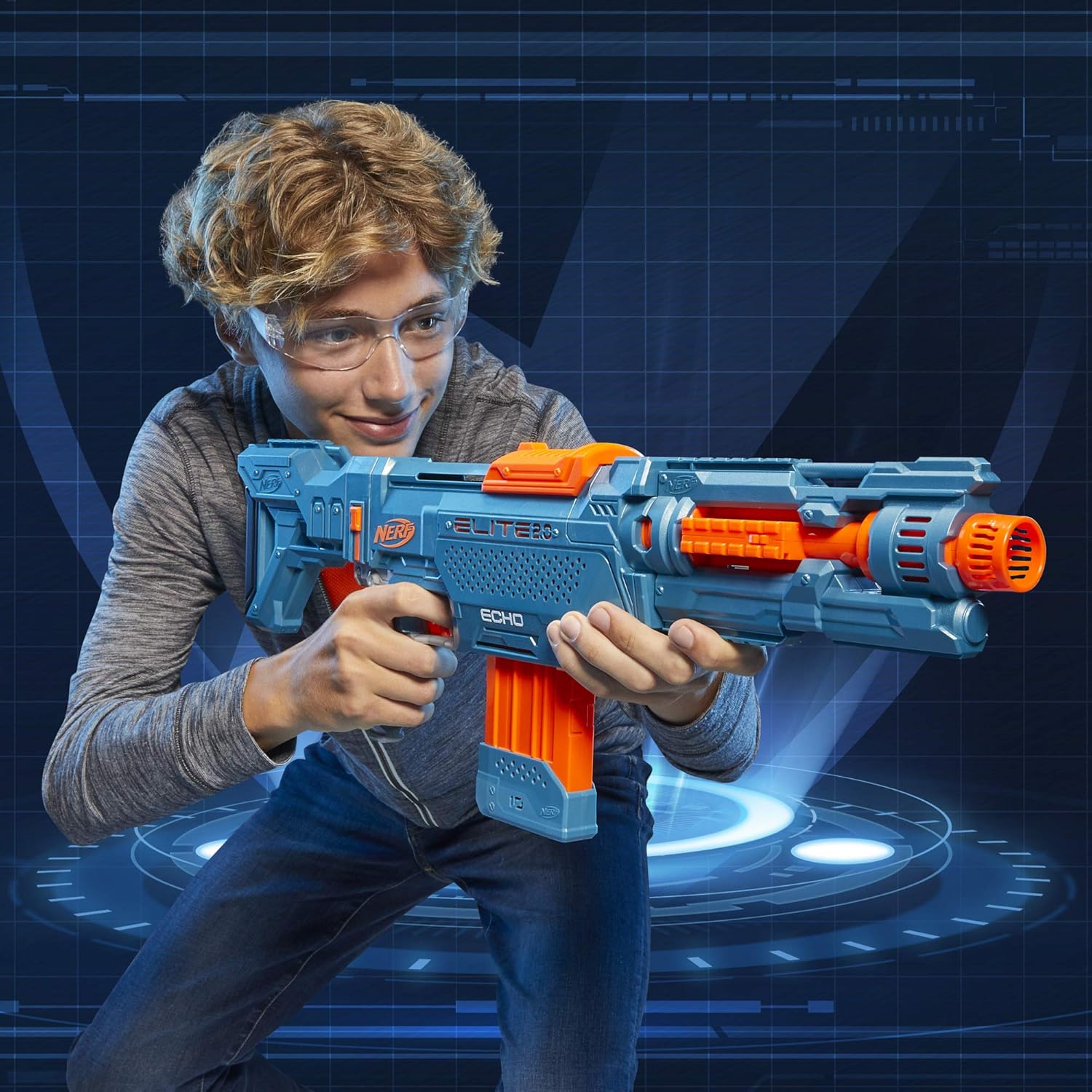
Figure 7: User demonstrating the Nerf Elite 2.0 Echo CS-10 Blaster in action.
Mantenimiento
- Limpieza: Limpie el blaster con un paño seco o ligeramente húmedo.amp cloth to remove dust and dirt. Do not submerge the blaster in water or use harsh cleaning agents.
- Cuidado de dardos: Guarde los dardos en un lugar limpio y seco. Evite doblarlos o aplastarlos, ya que esto puede afectar su rendimiento.
- Almacenamiento: Store the blaster in a cool, dry place away from direct sunlight and extreme temperatures to prevent material degradation.
Solución de problemas
| Problema | Posible causa | Solución |
|---|---|---|
| El dardo no dispara o se atasca. |
|
|
| El clip no se inserta ni se quita fácilmente. |
|
|
Presupuesto
- Número de modelo: E9533
- Dimensiones del producto: 2.5 x 16.5 x 12.88 pulgadas
- Peso del artículo: 2.59 libras
- Fabricante: Hasbro
- Edad recomendada: 8 años y más
- Dart Firing Range: Hasta 90 pies (27 metros)
- Fuente de energía: Manual (No batteries required)
Garantía y soporte
For warranty information or product support, please refer to the contact details provided on the product packaging or visit the official NERF webSitio. Conserve su recibo de compra como comprobante de compra.
You can visit the official NERF Store for more products and information: Tienda NERF en Amazon