
Introducción
This manual provides instructions for the safe and efficient use of your Car and Driver Dual-Port Car Charger, Model CAD-3175BK. This device is designed to provide fast charging for various electronic devices, including smartphones, tablets, and laptops, via your vehicle's cigarette lighter socket.
Características del producto
- Puertos de carga duales: Equipped with one USB-A port and one USB-C (Power Delivery) port for versatile device compatibility.
- Capacidad de carga rápida: The USB-C Power Delivery port can charge compatible phones at up to three times the standard speed. The USB-A port also provides fast charging.
- Salida de alta potencia: Offers a maximum total output of 48W. The USB-C port provides up to 30W, suitable for charging compatible laptops, while the USB-A port provides up to 18W.
- Indicador LED: Features an LED light to indicate charging status (fully charged, active quick charging, or connection issues).
- Amplia compatibilidad: Supports a wide range of devices including iPhone models (16 and older), Samsung Galaxy S20/S10, Pixel phones, tablets, and laptops.
Configuración e instalación
Follow these steps to install and begin using your car charger:
- Locate Vehicle Power Socket: Identify the 12V cigarette lighter socket in your vehicle. Ensure the vehicle's engine is off before installation.
- Insertar cargador: Firmly insert the Car and Driver Dual-Port Car Charger into the 12V power socket. Push until it is securely seated.
- Verifique el poder: Once inserted, start your vehicle's engine. The LED indicator on the charger should illuminate, confirming it is receiving power.
- Conectar dispositivo: Use a compatible USB charging cable to connect your device to either the USB-A or USB-C port on the charger.

Image: The Car and Driver Dual-Port Car Charger installed in a car's console, actively charging a smartphone.
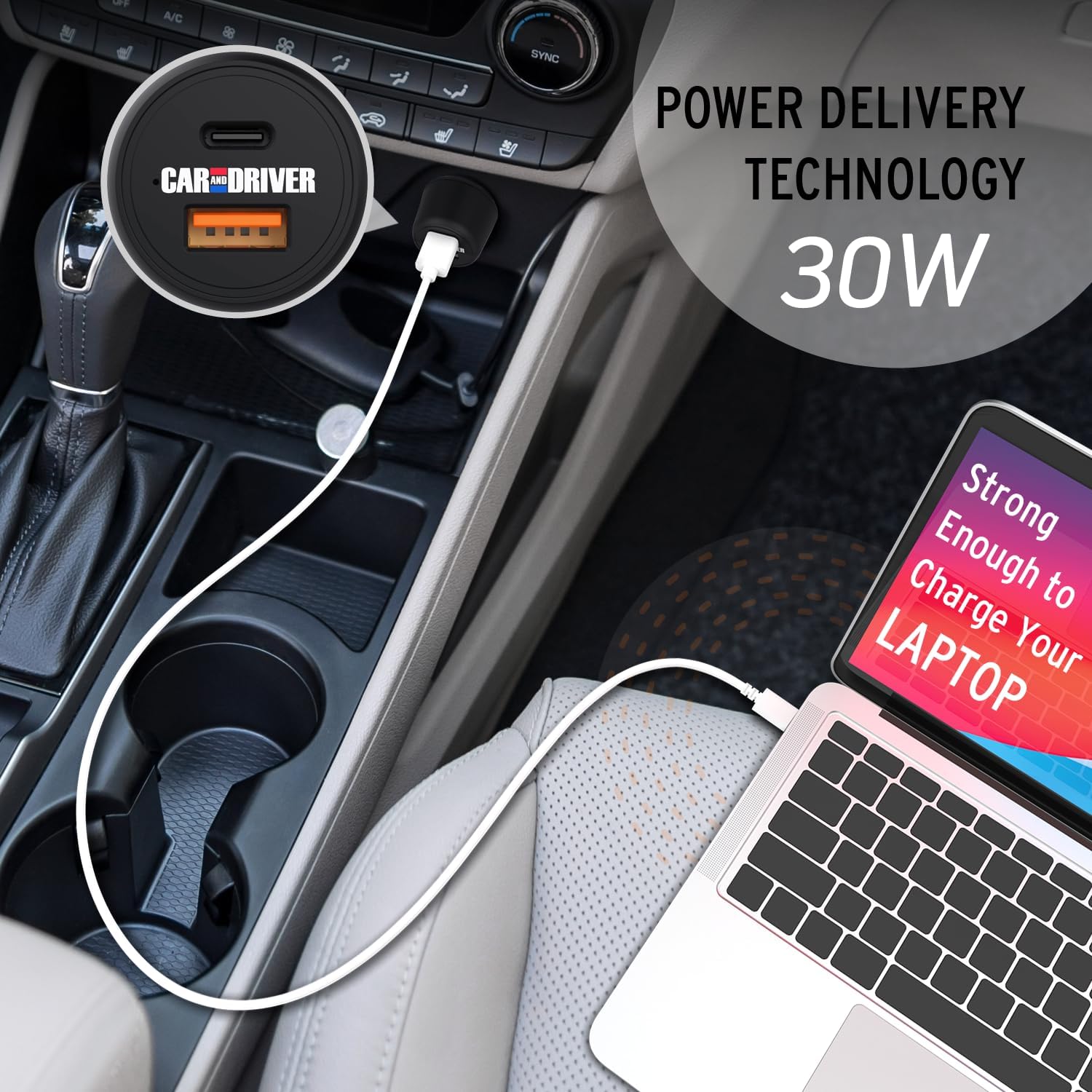
Image: A laptop being charged by the Car and Driver Dual-Port Car Charger through its USB-C port, demonstrating its capability to power larger devices.
Instrucciones de funcionamiento
The Car and Driver Dual-Port Car Charger is designed for simple operation:
- Carga de un solo dispositivo: Connect your device to either the USB-A or USB-C port using a compatible cable. The charger will automatically detect your device and begin charging.
- Carga de dos dispositivos: You can charge two devices simultaneously by connecting one to the USB-A port and another to the USB-C port. The charger will distribute power efficiently between both devices.
- Estado del indicador LED:
- Luz azul sólida: Indicates the charger is powered on and ready to charge, or actively charging.
- Sin luz: The charger is not receiving power, or there is an issue with the connection.
- Carga óptima: For best results and fastest charging, use high-quality charging cables that are compatible with your devices and the charger's output capabilities (e.g., USB-C Power Delivery compatible cables for the USB-C port).
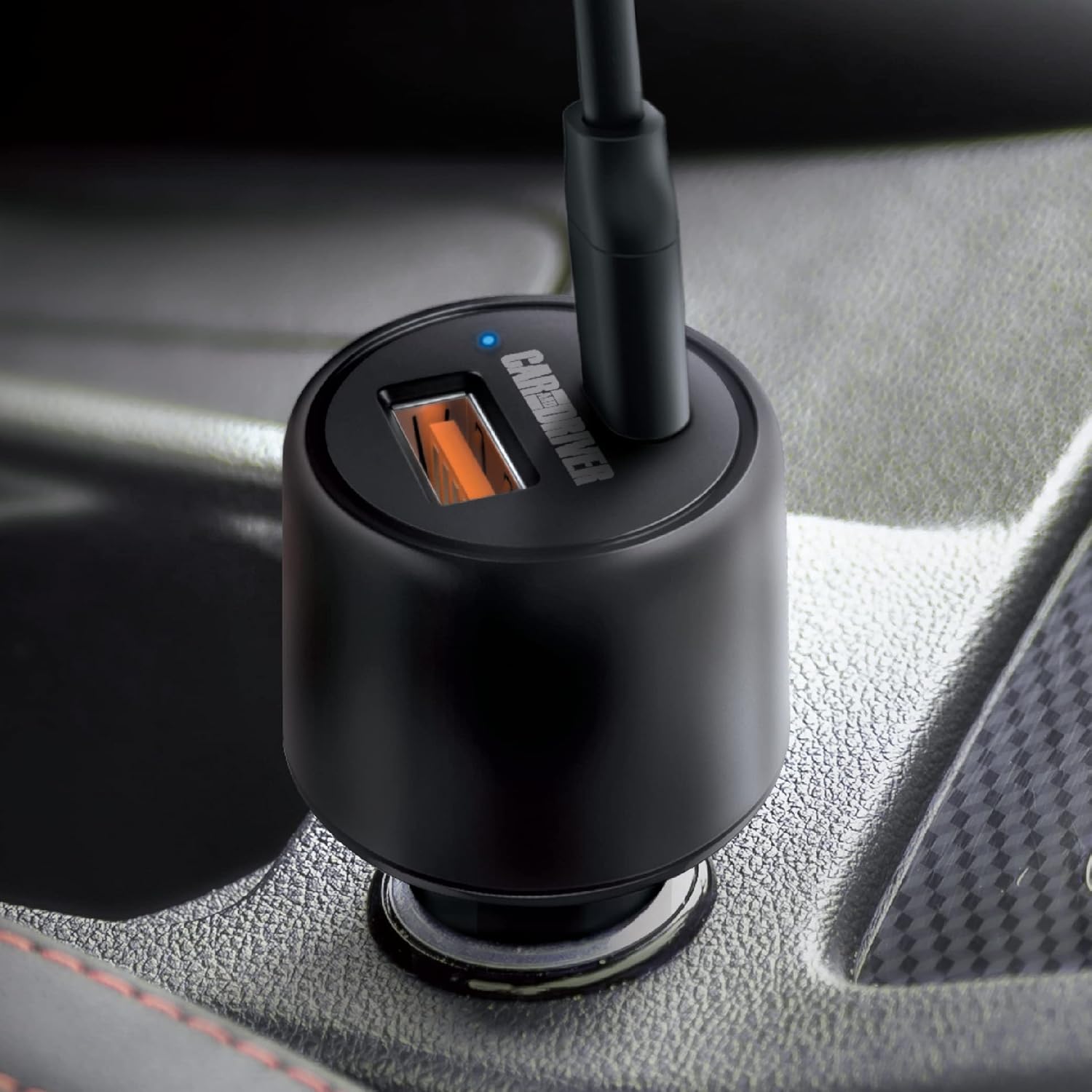
Imagen: Un primer plano view of the charger's ports and the illuminated blue LED indicator, signifying active operation.

Image: A graphic detailing the power output of each port: 30W for the USB-C Power Delivery port and 18W for the USB-A port.
Mantenimiento
To ensure the longevity and optimal performance of your Car and Driver Dual-Port Car Charger, follow these simple maintenance guidelines:
- Limpieza: Use a soft, dry cloth to wipe the exterior of the charger. Do not use liquid cleaners or solvents, as they may damage the device.
- Almacenamiento: Cuando no utilice el cargador durante períodos prolongados, guárdelo en un lugar fresco y seco, alejado de la luz solar directa y de temperaturas extremas.
- Manejo: Evite dejar caer el cargador o someterlo a impactos fuertes, que pueden dañar los componentes internos.
- Cuidado de cables: Always unplug cables by gripping the connector, not the cable itself, to prevent damage to the cable and charger ports.
Solución de problemas
If you encounter issues with your Car and Driver Dual-Port Car Charger, refer to the following common problems and solutions:
| Problema | Posible causa | Solución |
|---|---|---|
| El LED del cargador no se enciende. |
|
|
| El dispositivo no se carga o se carga lentamente. |
|
|
| El cargador se siente caliente durante el uso. | Funcionamiento normal bajo carga pesada. | This is normal. If it becomes excessively hot or emits smoke/odor, disconnect immediately and cease use. |
Presupuesto
| Característica | Detalle |
|---|---|
| Número de modelo | CAD-3175BK |
| Vol de entradatage | 12-24 Volts DC (from vehicle cigarette lighter) |
| USB-C Output (Power Delivery) | Hasta 30W |
| Salida USB-A | Hasta 18W |
| Salida máxima total | 48 W |
| Dimensiones | 1.38 x 1.38 x 2.69 pulgadas |
| Peso | 2.4 onzas |
| Color | NEGRO |
| Conectividad | USB tipo C, USB tipo A |
| Dispositivos compatibles | Cellular Phones, Laptops, Tablets |
Vídeo oficial del producto
Video: This video demonstrates the installation and usage of the Car and Driver Dual-Port Car Charger, highlighting its fast-charging capabilities for various devices in a vehicle.
Garantía y soporte
For warranty information and customer support, please refer to the contact details provided with your product packaging or visit the official Car and Driver websitio. Guarde su recibo de compra para reclamos de garantía.
Manufacturer: Summit Electronics LLC