
1. Introducción
Thank you for choosing the Cecotec GrandHeat 2350 Digital Built-in Microwave Oven. This appliance is designed for convenient and efficient cooking, reheating, and defrosting. With a 23-liter capacity and 900 W microwave power, it offers versatile cooking options, including a 1000 W grill and 9 pre-configured functions. This manual provides essential information for safe operation, installation, maintenance, and troubleshooting to ensure optimal performance and longevity of your microwave oven.
2. Instrucciones de seguridad importantes
Lea atentamente todas las instrucciones antes de usar el aparato y consérvelas para futuras consultas. El incumplimiento de estas instrucciones podría provocar una descarga eléctrica, un incendio o lesiones.
- Seguridad general: Ensure the microwave is properly grounded. Do not operate the appliance if it is damaged or malfunctioning.
- Colocación: Install the microwave in a location with adequate ventilation. Do not block ventilation openings.
- Materiales: No utilice recipientes metálicos ni papel de aluminio en el microondas, ya que esto puede provocar arcos eléctricos y dañar el aparato.
- Supervisión: Close supervision is necessary when the appliance is used by or near children. This microwave includes a child safety lock feature to prevent unsupervised operation.
- Líquidos: Liquids heated in the microwave can boil over unexpectedly. Always stir liquids before and halfway through heating. Use caution when removing containers.
- Seguridad alimentaria: Do not overcook food. Do not heat sealed containers or whole eggs, as they may explode.
- Limpieza: Always unplug the appliance before cleaning. Refer to the maintenance section for proper cleaning procedures.
3. Producto terminadoview
The Cecotec GrandHeat 2350 is a sleek, built-in microwave oven designed to seamlessly integrate into your kitchen cabinetry. It features a digital display and intuitive controls for ease of use.

Figura 3.1: Frente view of the Cecotec GrandHeat 2350 Digital Built-in Microwave Oven.

Figure 3.2: The microwave oven seamlessly integrated into a modern kitchen cabinet.
3.1 Componentes
- Panel de control: Features digital display, buttons, and a rotary dial for setting time and power.
- Cavidad del horno: Espacio interior de cocción con revestimiento cerámico.
- Plato giratorio de vidrio: A 27 cm diameter rotating plate for even cooking.
- Rejilla para parrilla: Incluido para usar con la función grill.
- Puerta: Opens easily by pressing a button.
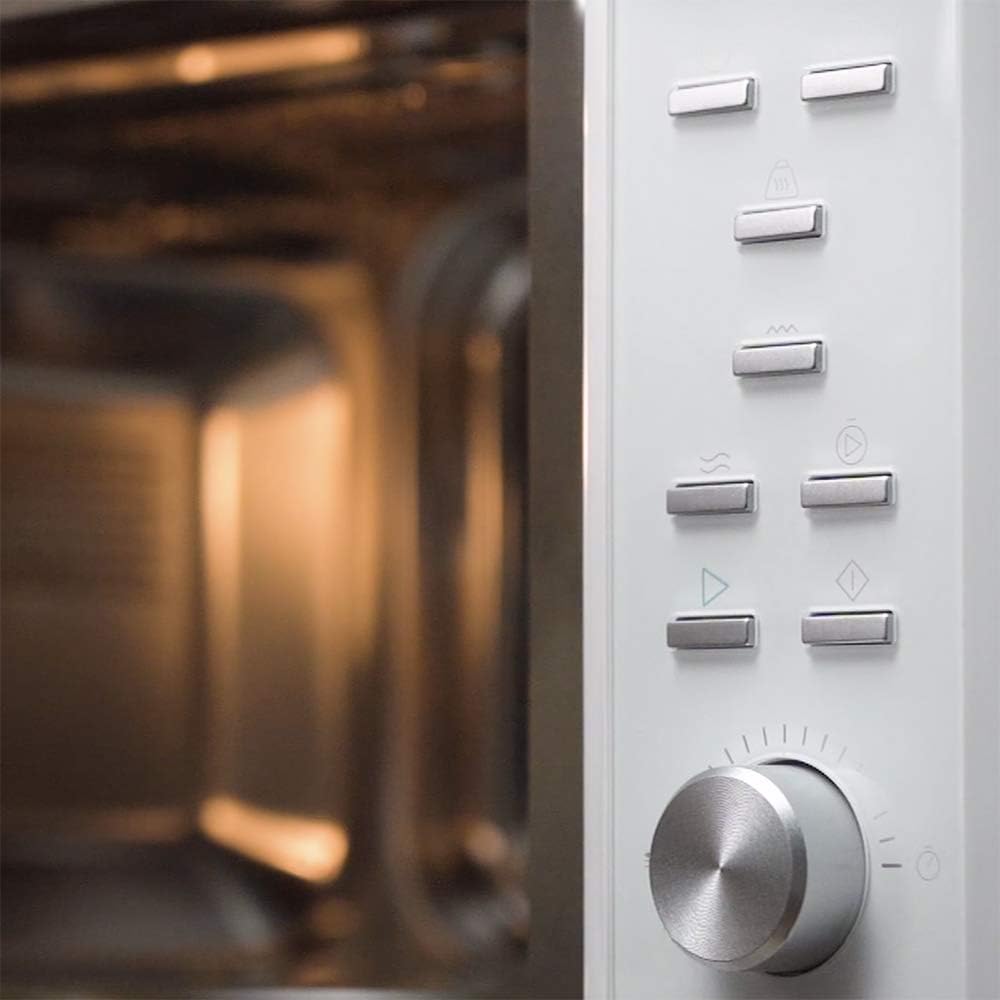
Figure 3.3: Detail of the control panel with buttons and rotary dial, and the interior cavity.
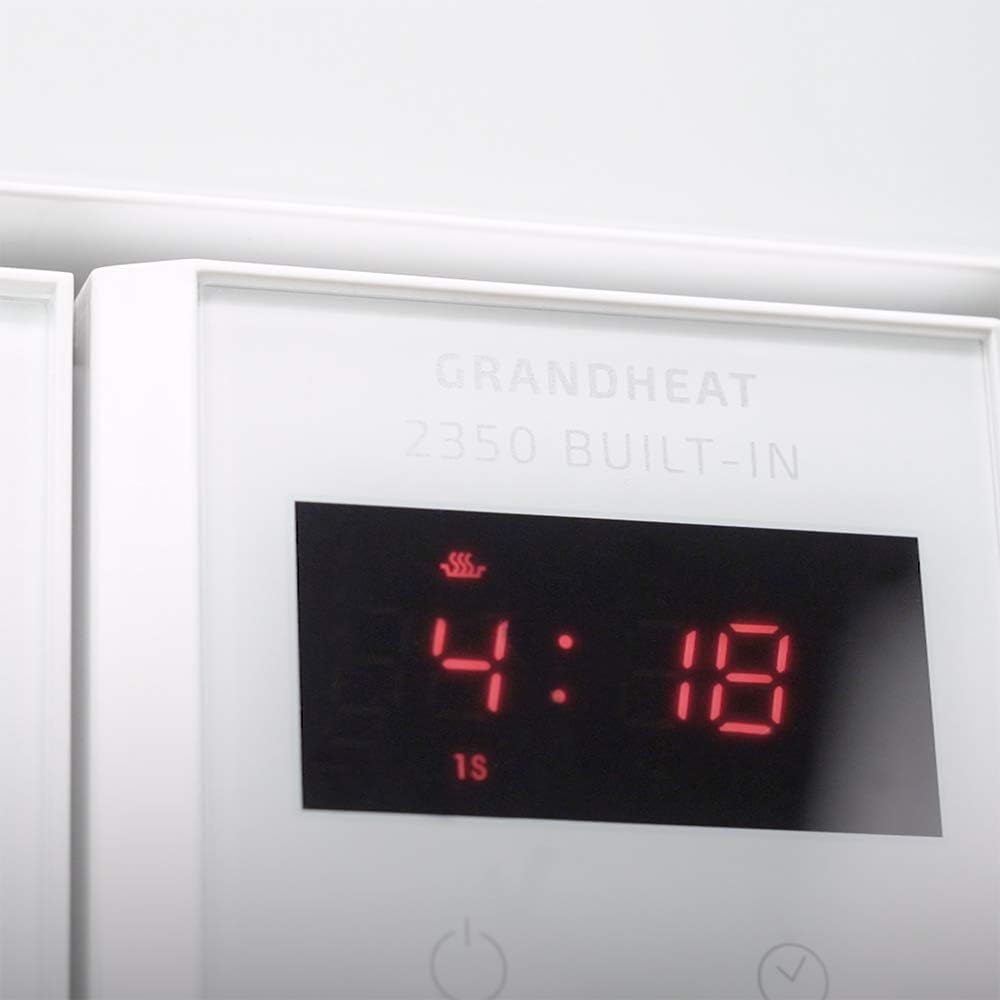
Figura 3.4: Primer plano view of the digital display, showing a time setting.
4. Configuración e instalación
The Cecotec GrandHeat 2350 is designed for built-in installation. Proper installation is crucial for safety and optimal performance.
4.1 Desembalaje
- Retire con cuidado el horno microondas y todos los materiales de embalaje de la caja.
- Compruebe si el aparato presenta daños. No lo utilice si presenta daños.
- Ensure all components are present: microwave oven, grill rack, turntable, and instruction manual.
4.2 Requisitos de instalación
- The microwave must be installed in a cabinet opening that meets the specified dimensions. Refer to the dimensions diagrams below.
- Ensure adequate ventilation space around the appliance as per installation guidelines provided in the full manual (not included here).
- The electrical outlet should be easily accessible and properly grounded.
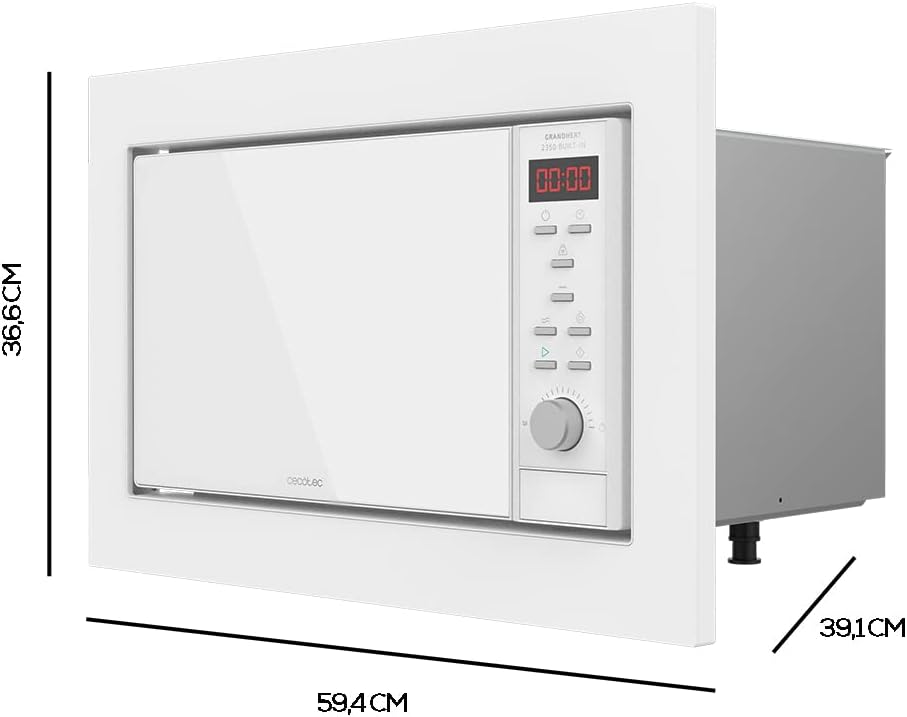
Figure 4.1: External dimensions of the microwave oven (approx. 61.5 cm width, 45.5 cm depth, 41 cm height).

Figure 4.2: Schematic diagram illustrating the required cabinet opening dimensions for built-in installation.
4.3 Limpieza inicial
Antes del primer uso, limpie el interior y el exterior del microondas con un paño húmedo.amp cloth. Ensure the turntable and turntable support are clean and correctly placed.
5. Instrucciones de funcionamiento
The GrandHeat 2350 offers various cooking modes and features for diverse culinary needs.
5.1 Funcionamiento básico del microondas
- Coloque los alimentos en un recipiente apto para microondas sobre el plato giratorio.
- Cierre la puerta de forma segura.
- Select the desired microwave power level (6 levels available, up to 900 W).
- Set the cooking time using the rotary dial or appropriate buttons.
- Presione el botón Inicio para comenzar a cocinar.
5.2 Función Grill
Use the 1000 W grill function for browning and crisping food. Place food on the grill rack provided.
5.3 Combined Functions
The microwave allows combining microwave and grill functions for continuous operation, providing faster cooking with browning results.
5.4 Funciones preconfiguradas
The appliance features 9 pre-configured functions for common food types:
- Café con leche
- Arroz
- Pastas
- Carne
- Papas
- Pez
- Pollo
- Brochetas
- Recalentamiento automático
Select the desired function and the microwave will automatically set the optimal cooking time and power.
5.5 Descongelar por peso
This mode allows for quick and uniform defrosting of food while preserving its original texture and freshness. Simply input the weight of the food.
5.6 Inicio rápido
The Quick Start function allows the microwave to begin immediately at maximum power for a set duration, up to a maximum of 10 minutes. Ideal for quick reheating.
5.7 Automatic Start (Delayed Start)
You can program the microwave to start a cooking program at a specific time, offering convenience for meal preparation.
5.8 Función de temporizador
The built-in timer can be set for up to 95 minutes, providing flexibility for various cooking tasks.
6. Mantenimiento y limpieza
La limpieza y el mantenimiento regulares garantizarán la longevidad y el funcionamiento eficiente de su horno microondas.
6.1 Limpieza del interior
The interior of the GrandHeat 2350 features a ceramic coating for easy cleaning. Wipe the interior with a soft, damp cloth after each use. For stubborn stains, use a mild detergent solution. Do not use abrasive cleaners or scouring pads.
6.2 Limpieza del exterior
Limpie las superficies exteriores con un paño suave, damp cloth. Avoid getting water into the ventilation openings. The control panel can be wiped with a slightly damp cloth, then dried immediately.
6.3 Plato giratorio y soporte
The glass turntable and its support can be removed for cleaning. Wash them in warm, soapy water or in a dishwasher. Ensure they are completely dry before placing them back in the microwave.
Importante: Desenchufe siempre el horno microondas de la toma de corriente antes de limpiarlo.
7. Solución de problemas
Si tiene problemas con su horno microondas, consulte los siguientes problemas y soluciones comunes:
| Problema | Posible causa | Solución |
|---|---|---|
| El microondas no arranca | Door not closed properly; Power cord unplugged; Fuse blown/circuit breaker tripped. | Ensure door is firmly closed; Check power connection; Check household fuse/circuit breaker. |
| La comida no calienta | Incorrect power level or time set; Door not closed properly. | Adjust power and time settings; Ensure door is firmly closed. |
| El plato giratorio no gira | Plato giratorio no colocado correctamente; residuos debajo del plato giratorio. | Ensure turntable and support are correctly seated; Clean under the turntable. |
| Ruido inusual durante el funcionamiento. | El recipiente de alimentos toca las paredes de la cavidad; el plato giratorio no está colocado correctamente. | Adjust food container position; Re-seat turntable correctly. |
| Bloqueo de seguridad para niños activado | Bloqueo para niños activado. | Refer to the control panel section for instructions on deactivating the child safety lock. |
Si después de probar estas soluciones el problema persiste, por favor contacte con el servicio de atención al cliente de Cecotec.
8. Especificaciones
Technical specifications for the Cecotec GrandHeat 2350 Digital Built-in Microwave Oven:
| Característica | Detalle |
|---|---|
| Marca | Cecotec |
| Número de modelo | 01388 |
| Tipo | Horno microondas digital empotrado con grill |
| Capacidad | 23 litros |
| Potencia de microondas | 900 vatios (6 niveles de potencia) |
| Poder de la parrilla | 1000 vatios |
| Dimensiones (L x An x Al) | 61.5 x 41 x 45.5 cm |
| Peso | 14.9 kilogramos |
| Volumentage | 220 voltios |
| Nivel de ruido | 44 dB |
| Material interior | Acero inoxidable con revestimiento cerámico |
| Características especiales | Defrost, Timer, Turntable, Control Panel Safety Lock (Child Lock) |
| Componentes incluidos | 1 Microwave Oven, 1 Grill Rack, 1 Rotary Turntable, 1 Instruction Manual |
9. Garantía y soporte
Cecotec is committed to providing high-quality products and customer satisfaction.
9.1 Garantía del fabricante
This Cecotec GrandHeat 2350 Digital Built-in Microwave Oven comes with a garantía del fabricante de tres añosEsta garantía cubre defectos de materiales y mano de obra en condiciones normales de uso. Conserve su comprobante de compra para reclamaciones de garantía.
9.2 Disponibilidad de repuestos
Las piezas de repuesto para este modelo están disponibles por un período de 10 años from the date of purchase, ensuring long-term usability and repairability of your appliance.
9.3 Atención al cliente
Para asistencia técnica, reclamaciones de garantía o para solicitar piezas de repuesto, póngase en contacto con el servicio de atención al cliente de Cecotec a través de su centro de servicio oficial. website or the contact information provided with your purchase documentation. When contacting support, please have your model number (01388) and purchase date ready.