
1. Introducción
This user manual provides detailed instructions for the proper use and maintenance of your Zebra DS8178 Wireless 2D/1D Barcode Scanner. Please read this manual thoroughly before operating the device to ensure optimal performance and safety. The DS8178 is designed for efficient and reliable barcode scanning in various environments, offering both 1D and 2D barcode reading capabilities with wireless connectivity.
2. Información de seguridad
Tenga en cuenta las siguientes precauciones de seguridad para evitar lesiones o daños al dispositivo:
- Do not expose the scanner or cradle to extreme temperatures, moisture, or corrosive substances.
- Evite la exposición directa de los ojos a la fuente de luz del escáner.
- Utilice únicamente el adaptador de corriente y el cable USB especificados para cargar.
- No intente desmontar ni modificar el dispositivo. Encargue cualquier reparación a personal cualificado.
- Mantenga el dispositivo alejado de campos magnéticos fuertes.
3. Contenido del paquete
Verifique que todos los artículos estén presentes en su paquete:
- Zebra DS8178 Wireless Barcode Scanner
- USB Communication/Charging Cradle
- Cable USB
- Guía de inicio rápido (no incluida en este manual)
4. Producto terminadoview
Familiarize yourself with the components of your Zebra DS8178 scanner and its cradle.

Figura 4.1: Lado view of the Zebra DS8178 Wireless Barcode Scanner, showing its ergonomic design.

Figura 4.2: Frente view of the Zebra DS8178 Wireless Barcode Scanner, highlighting the scanning window and trigger button.

Figura 4.3: Frente view of the USB Communication/Charging Cradle, featuring the pairing button.
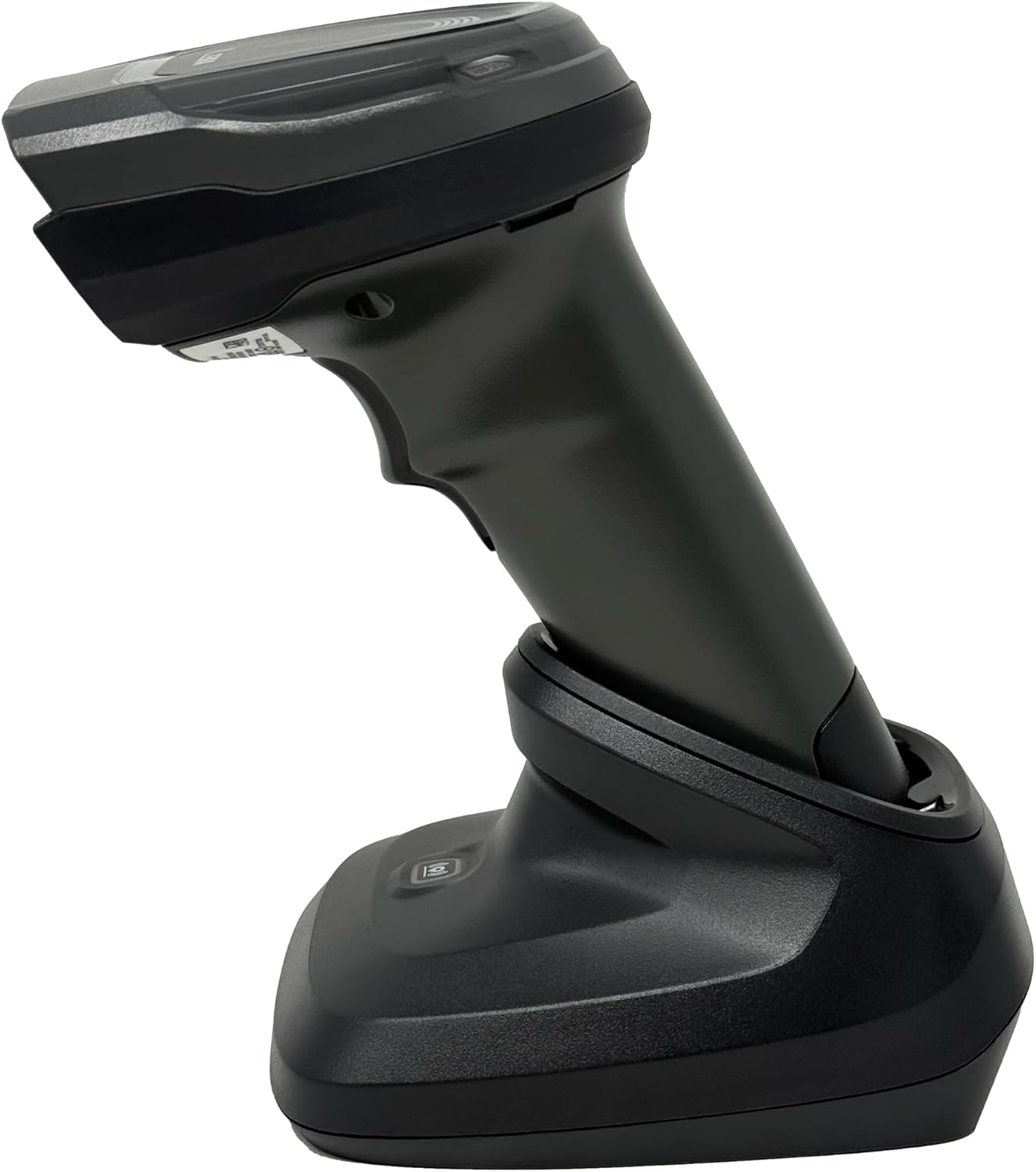
Figura 4.4: The Zebra DS8178 scanner securely docked in its USB cradle, ready for charging or communication.
4.1 Componentes del escáner
- Ventana de escaneo: Área a través de la cual se leen los códigos de barras.
- Desencadenar: Activa el haz de escaneo.
- Indicadores LED: Provide status feedback (e.g., battery, scan success).
- Compartimento de la batería: Houses the removable/rechargeable battery.
4.2 Cradle Components
- Scanner Slot: Where the scanner docks for charging and communication.
- Puerto USB: Connects the cradle to a host device (PC, laptop).
- Botón de emparejamiento: Initiates Bluetooth pairing with the scanner.
- Indicadores LED: Show cradle status (e.g., power, connection).
5. Configuración
5.1 Carga del escáner
- Connect the USB cable to the cradle's USB port.
- Conecte el otro extremo del cable USB a un puerto USB con alimentación de su computadora o a un adaptador de pared USB.
- Place the DS8178 scanner into the cradle. Ensure it is seated correctly.
- The scanner's LED indicator will show charging status. A full charge typically takes approximately 3-4 hours.
5.2 Connecting the Cradle to a Host Device
The cradle connects to your computer via a standard USB cable.
- Plug the USB cable into the USB port on the back of the cradle.
- Connect the other end of the USB cable to an available USB port on your desktop or laptop computer.
- El sistema operativo debería detectar e instalar automáticamente los controladores necesarios.
5.3 Emparejamiento Bluetooth
The DS8178 offers two primary Bluetooth pairing methods: via the cradle or direct to a host device.
5.3.1 Pairing via Cradle (Recommended for PC/Laptop)
- Ensure the cradle is connected to your host device (PC/Laptop) via USB.
- Place the DS8178 scanner into the cradle.
- The scanner will automatically pair with the cradle. Once paired, the scanner can be removed from the cradle and will communicate wirelessly with the host device through the cradle.
- A successful connection is indicated by a specific LED pattern on both the scanner and cradle (refer to the scanner's LED guide for details).
5.3.2 Direct Bluetooth Pairing (for Phones/Tablets or PC/Laptop without cradle)
- Power on the DS8178 scanner.
- Scan the "Pairing Barcode" (usually found in a quick start guide or on the scanner itself) to put the scanner into discoverable mode. Alternatively, press and hold the Bluetooth pairing button on the scanner (if available) or scan a specific Bluetooth pairing configuration barcode.
- On your phone, tablet, or computer, navigate to the Bluetooth settings.
- Buscar available devices. The DS8178 should appear in the list (e.g., "Zebra DS8178").
- Select the scanner to initiate pairing. You may be prompted to confirm a passkey or scan a pairing barcode displayed on your screen.
- Once paired, the scanner's LED will indicate a successful connection.
6. Operación
6.1 Escaneo de códigos de barras
- Point the scan window of the DS8178 scanner at the barcode you wish to read.
- Press and hold the trigger button. A red aiming pattern will appear.
- Center the aiming pattern over the barcode. For 1D barcodes, the aiming line should cross the entire barcode. For 2D barcodes, the aiming pattern should encompass the entire code.
- Once the barcode is successfully read, the scanner will emit an audible beep and/or the LED indicator will flash green.
- Suelte el gatillo.
6.2 Cordless Range
The Zebra DS8178 offers a cordless range of up to 330 feet (100 meters) from its cradle or directly paired host device, depending on environmental conditions and line of sight. Obstructions such as walls or other electronic devices may reduce the effective range.
6.3 Modos de escaneo
- Modo de disparo: The scanner reads a barcode only when the trigger is pressed.
- Presentation Mode (Hands-Free): When placed in the presentation cradle, the scanner can be configured to automatically detect and read barcodes placed within its field of view without requiring a trigger press. This mode is ideal for high-volume scanning applications.
7. Mantenimiento
7.1 Limpieza del escáner
To maintain optimal scanning performance, keep the scan window clean.
- Utilice un paño suave, limpio y sin pelusa.ampened with water or a mild cleaning solution (e.g., isopropyl alcohol).
- Gently wipe the scan window and the exterior of the scanner.
- No utilice limpiadores abrasivos, disolventes ni productos químicos agresivos.
- Asegúrese de que el escáner esté apagado antes de limpiarlo.
7.2 Cuidado de la batería
The DS8178 features a 2500mAh removable and rechargeable battery. Proper battery care extends its lifespan.
- Cargue la batería completamente antes del primer uso.
- Avoid completely discharging the battery regularly.
- Guarde el escáner en un lugar fresco y seco cuando no lo utilice durante períodos prolongados.
- If the battery performance significantly degrades, it may need replacement. Contact support for genuine replacement batteries.
8. Solución de problemas
| Problema | Posible causa | Solución |
|---|---|---|
| El escáner no se enciende. | Batería baja o agotada. | Charge the scanner using the USB cradle and cable. |
| El escáner no se conecta mediante Bluetooth. | No está en modo de emparejamiento; fuera de alcance; interferencia; Bluetooth del dispositivo anfitrión desactivado. | Ensure scanner is in pairing mode. Check host device Bluetooth settings. Move closer to the host device. Reduce interference. |
| El escáner no lee códigos de barras. | Barcode damaged/poor quality; scan window dirty; incorrect symbology enabled; scanner not aimed correctly. | Try scanning a different barcode. Clean the scan window. Ensure correct aiming. Check scanner configuration for enabled symbologies. |
| No se transmitieron datos al host. | Not paired; application not in focus; incorrect interface settings. | Confirm successful Bluetooth pairing. Ensure the target application (e.g., text editor, POS software) is active and ready to receive input. |
9. Especificaciones
| Característica | Detalle |
|---|---|
| Modelo | DS8178 |
| Marca | Zebra (formerly Symbol) |
| Tecnología de conectividad | Bluetooth, USB Cable, Wireless |
| Dispositivos compatibles | Desktop, Laptop, Phones, Tablets |
| Fuente de poder | Alimentado por batería, eléctrico con cable, recargable |
| Capacidad de la batería | 2500mAh (Removable/Rechargeable) |
| Cordless Range | Hasta 330 pies (100 metros) |
| Capacidad de escaneo | Códigos de barras 1D y 2D |
| Ángulo real de View | 17 grados |
| UPC / GTIN | 649661651499 |
10. Garantía y soporte
This Zebra DS8178 Barcode Scanner comes with a Garantía limitada de 90 días. This warranty covers defects in materials and workmanship under normal use. It does not cover damage caused by misuse, accidents, unauthorized modifications, or external causes.
For technical support, warranty claims, or to purchase genuine replacement parts (such as batteries), please contact your reseller or visit the official Zebra support website. Please have your model number (DS8178) and any purchase information ready when contacting support.